
TL;DR

Prime made for students and young adults
- Fast, free delivery for dorm and study essentials
- Prime Video and Amazon Music included
- Member-only deals
A productive dorm room supports studying, sleep, and relaxation by creating distinct zones, controlling distractions, and optimizing comfort. Simple, intentional design makes a big difference in daily routines.
Setting up a dorm room isn’t about turning a tiny space into a perfect office. It’s about reducing friction—making it easier to focus, rest, and stay organized amid the chaos of college life. When your student’s environment supports their habits, everything from studying to sleeping becomes smoother.
This guide offers practical tips to help you and your student craft a space that boosts productivity without overwhelming. Think simple, intentional, and adaptable—because dorm rooms are temporary and limited in space.
Designate clear zones for studying, sleeping, and relaxing to help your student mentally switch gears.
Prioritize ergonomics with simple adjustments—like laptop stands and supportive chairs—to prevent fatigue.
Layer lighting with adjustable task lights and ambient options to improve focus and wind down smoothly.
Use noise management tools and roommate agreements to protect concentration and peace.
Keep organization simple: vertical, under-bed storage, and visible essentials make tidying effortless.
Parent field guide · dorm setup
How to Help Your Student Set Up a Productivity-Friendly Dorm Environment
The goal is not a perfect miniature office. It is a flexible room that reduces friction, protects sleep, and gives your student reliable cues for focusing, organizing, and winding down.
01 · Space sends signals
Create zones without adding walls
A tiny room can still communicate what happens where. Repeating a few visual cues helps the brain switch modes, while keeping the bed clear strengthens the boundary between academic pressure and rest.
Make starting obvious
Use the desk for schoolwork. A lamp, desk mat, or study basket becomes the repeatable signal that a focus block is beginning.
Cue: lamp onKeep the bed protected
Clear books, laundry, and laptops from the mattress. Reserve the bed for sleep so it does not become an extension of the study desk.
Cue: screens awayLeave room to exhale
A chair, floor cushion, or uncluttered corner can signal social time and relaxation without turning the entire room into a lounge.
Cue: softer lightThe environmental cue loop
02 · Comfort sustains attention
Adapt fixed furniture to the student
Dorm desks and chairs are rarely adjustable. Small additions can reduce neck, back, and wrist strain—but no setup eliminates the need to change position and take movement breaks.
Build from the screen down
Raise the screen toward eye level, then bring the keyboard and mouse back down to a relaxed arm position. Support the lower back and feet where needed.
High-impact, low-footprint upgrades
Start with items that solve a real discomfort. A sturdy riser can raise the laptop; an external keyboard and mouse preserve a neutral working position.
- Laptop stand or stable riser
- External keyboard and mouse
- Small lumbar cushion or seat pad
- Compact footrest or sturdy substitute
Match light to the task
One harsh ceiling light cannot support every mode. Combine focused task lighting with softer evening illumination, using permitted LED fixtures and adjustable brightness.
Treat rest as infrastructure
Attention, memory, and mood depend on sleep. The most useful dorm interventions block unwanted light and sound while reinforcing a consistent bedtime pattern.
- Sleep mask or permitted blackout covering
- Earplugs or steady white noise
- Comfortable, breathable bedding
- Consistent wind-down and wake routine
03 · Choose tools by function
A practical dorm decision matrix
Useful products solve a recurring problem, fit residence rules, and remain easy to maintain. Decorative upgrades can wait until the student understands the room, roommate, and weekly rhythm.
| Setup element | Primary benefit | Focus | Sleep | Organization | Check first |
|---|---|---|---|---|---|
| Adjustable desk lamp | Task visibility | ✓ Strong | ~ Indirect | ~ Neutral | Fixture and bulb rules |
| Laptop riser + keyboard | Posture support | ✓ Strong | ✗ None | ~ Needs desk space | Desk dimensions |
| Headphones or earplugs | Noise control | ✓ Strong | ✓ Strong | ✗ None | Comfort and awareness |
| Under-bed bins | Hidden storage | ~ Indirect | ~ Indirect | ✓ Strong | Bed clearance |
| Permitted power strip | Reliable charging | ✓ Strong | ~ Keep from bed | ✓ Strong | Residence power policy |
| Visible weekly planner | Schedule awareness | ✓ Strong | ~ Supports routine | ✓ Strong | Wall-mounting rules |
| Decorative plants | Pleasant atmosphere | ~ Personal | ✗ Not a sleep tool | ✗ Adds upkeep | Light, care, allergies |
Distraction response ladder
04 · Systems that stay simple
Organize the daily handoffs
The best dorm systems make the next action obvious: where keys land, where chargers live, where deadlines appear, and how the room resets after a busy day.
Use frequency, not perfection
Make everyday items visible or easy to reach. Store occasional-use items under the bed, higher up, or farther from the main work area.
- One landing spot for keys, ID, and headphones
- Vertical storage for limited floor space
- Labels only where they reduce searching
Power without cable chaos
Confirm school rules before buying surge protectors or extension products. Keep cables contained and maintain backup access to essential coursework.
- Long charging cable with clips or sleeve
- Cloud backup for current assignments
- Charged portable battery for mobile days
Pair one system with one view
Use a digital calendar as the primary source of truth, then add one visible weekly tool for deadlines, appointments, and study blocks.
- Digital calendar for reminders and changes
- Whiteboard, weekly pad, or wall calendar
- A short weekly review to keep both aligned
Plan for variable comfort
Dorm temperatures can change quickly. Use breathable bedding, layered clothing, and a permitted fan while keeping ventilation pathways clear.
- Ventilate regularly where practical
- Do not block vents with storage
- Report persistent building problems promptly
Prepare for hybrid work
Video calls and cloud-based coursework make dependable audio, charging, storage, and a visually calm background increasingly useful.
- Test microphone and headphones before class
- Choose a practical video-call background
- Keep essential files available offline
Escalate building issues
Plants may make a room pleasant, but they do not replace ventilation or maintenance. Mold, leaks, pests, and airflow problems need formal attention.
- Document the problem clearly
- Notify residence staff promptly
- Follow up if the condition continues
Design collaboratively, then let the student own the system.
Sensory preferences, class schedules, roommate dynamics, coursework, and personal habits matter more than a generic dorm checklist. Offer options, help with setup, and leave room for adaptation.
Essentials first. Add later.
Begin with sleep, task lighting, basic charging, and one organization system. After a few weeks, the room itself will reveal what is genuinely missing.
How to Establish Clear Zones for Study, Sleep, and Chill
Creating distinct areas in a small dorm room helps your student mentally switch between work and rest. Even in a one-room setup, designate a corner or spot for studying, a bed for sleeping, and a small nook for relaxing or socializing.
For example, a desk with a dedicated study basket or a small desk mat signals ‘study time.’ Keep the bed free of clutter and reserve it for sleep—this helps the brain associate the space with rest. Visual cues like a desk lamp or a specific chair can reinforce these boundaries.
Why this matters: Clear zones help your student develop routines by associating specific spaces with specific activities. When the brain links a certain corner with studying, it becomes easier to switch into work mode, reducing procrastination. Conversely, keeping the bed solely for sleep strengthens the mental boundary between rest and work, which is vital for maintaining healthy sleep patterns and avoiding study-related stress in bed.
Popular right now

Bose QuietComfort Ultra Wireless Noise-Cancelling Headphones with Spatial Audio, Black

Bose QuietComfort Wireless Noise Cancelling Headphones, Sandstone

Bose QuietComfort True Wireless Noise-Cancelling Earbuds, Black
As an affiliate, we earn on qualifying purchases.
How to Make Dorm Furniture Work for Your Student’s Body
Most dorm furniture isn’t adjustable, so your student needs to adapt the space for comfort. Position screens at eye level, keep elbows close to a 90-degree angle, and support the lower back. A simple laptop stand, external keyboard, and a cushioned chair can turn a stiff desk into a comfortable workstation.
For instance, a student might use a 12-inch riser under their laptop, a small lumbar pillow, and a footrest. These small adjustments prevent long study sessions from turning into back pain or fatigue.
Why this matters: Ergonomics directly impacts your student’s physical health and focus. Discomfort can lead to distraction, fatigue, and even long-term health issues like musculoskeletal problems. Small ergonomic investments and adjustments can extend their ability to concentrate and work efficiently, reducing the risk of pain that might otherwise force breaks or reduce productivity.
Layer Your Lighting to Boost Focus and Calm
Overhead dorm lighting can be harsh or flickering—hard to concentrate under. Add an adjustable desk lamp for task lighting and softer ambient lights for evenings. LED bulbs with adjustable brightness help set the mood for work or winding down.
Imagine a student reading under a warm, focused glow while the rest of the room stays softly lit by a string of dimmable LEDs. Keeping lighting within residence rules and avoiding overly decorative lamps keeps things practical.
Why this matters: Proper lighting affects mood, alertness, and relaxation. Bright, focused light during study sessions can improve concentration and reduce eye strain, while softer, ambient lighting helps the mind wind down, promoting better sleep. Layering lighting allows your student to adapt the environment to their needs, reducing fatigue and enhancing productivity and relaxation.
How to Minimize Distractions and Noise in a Shared Space
Distractions come from roommates, phones, hallway noise, or gaming. Help your student set boundaries with headphones or earplugs, and encourage using focus apps or scheduled phone breaks. Establish roommate signals for quiet times, like a raised hand or a specific sign.
For example, a student might wear noise-canceling headphones during study blocks and use a visible schedule to stay accountable. When noise levels spike, heading to the library or a quiet lounge can keep productivity high.
Why this matters: Managing distractions is crucial because they can break concentration, increase stress, and prolong study time. Establishing routines and boundaries helps your student control their environment, making study sessions more efficient. Using tools like headphones or designated quiet times respects both your student’s needs and their roommate’s, fostering a peaceful coexistence that supports focus.
How to Protect Sleep with a Few Simple Tricks
Sleep is the foundation for everything—attention, memory, mood. Use blackout curtains if allowed, or a sleep mask to block light. Earplugs and white noise can drown out hallway sounds. Keep screens away from the bed and establish a wind-down routine.
Suppose a student uses a sleep mask, sets a consistent bedtime, and avoids screens 30 minutes before bed. These small habits can significantly improve sleep quality, even in a noisy, bright dorm.
Why this matters: Good sleep is essential for academic performance and mental health. Small adjustments like blackout curtains or a sleep mask can make a noticeable difference, especially in bright or noisy environments. Consistent routines reinforce the body’s internal clock, making it easier to fall asleep and wake refreshed, which in turn supports focus and mood during the day.
How to Make Organization Effortless and Keep It That Way
Clutter kills focus. Use vertical space—like wall-mounted shelves—and under-bed storage bins to keep essentials within reach but out of sight. Use simple dividers or labeled bins to sort supplies. Keep frequently used items visible and store rare-use items higher or farther away.
Why this matters: An organized space reduces decision fatigue and saves time, which is especially valuable during busy weeks. When everything has a designated spot, your student can quickly find what they need, maintain a tidy environment, and avoid stress caused by clutter. Efficient organization supports ongoing productivity and mental clarity, making daily routines smoother.
How to Keep Your Tech Charged and Ready Without Clutter
Dependable power is critical. Confirm which surge protectors or extension cords are allowed by the school. Use long charging cables, and keep cords tidy with clips or cable sleeves. Cloud backups and portable chargers prevent data loss and dead devices.
Imagine a student with a 10-foot USB-C cable plugged into a surge protector, with a portable power bank charged and ready. Staying connected and powered up avoids last-minute panic before classes or exams.
Why this matters: Reliable power sources prevent disruptions to study and communication. Cluttered cords can cause accidents or damage devices. Proper cable management and portable charging solutions ensure your student stays connected, minimizes frustration, and maintains focus during critical academic moments.
How to Use a Simple Planning System That Actually Works
Many students benefit from pairing a digital calendar with one visual planning tool—like a whiteboard or weekly planner. Write down deadlines, class times, and study blocks in one place. The key: keeping it visible and easy to update.
Picture your student checking their whiteboard first thing in the morning, then confirming appointments on their phone. This reduces missed deadlines and keeps routines clear.
Why this matters: Combining digital and physical planning creates redundancy, reducing the chance of missed tasks. The visual element keeps routines front and center, while digital reminders ensure nothing slips through the cracks. This dual approach helps your student stay organized, accountable, and less stressed during busy weeks.
How to Make Dorm Air, Temperature, and Comfort a Priority
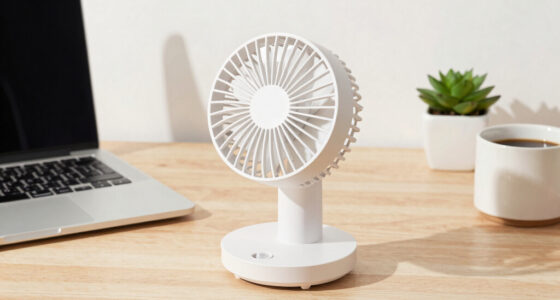
Dorm temperatures can swing wildly—hot one day, cold the next. Use a permitted fan, breathable bedding, and layered clothing. Regular ventilation and reporting issues like mold or leaks keep the air healthy. Plants can add a touch of calm but aren’t substitutes for proper airflow.
Why this matters: Comfort directly impacts your student’s ability to focus and sleep. Overly hot or cold environments can cause distraction, fatigue, and irritability. Maintaining a comfortable temperature and good air quality supports overall well-being, making it easier for your student to study effectively and sleep soundly, even in unpredictable dorm conditions.
How to Design a Room with Your Student’s Habits and Preferences in Mind
The best dorm setup reflects your student’s routines, sensory preferences, and school rules. Start with essentials—desk, bed, storage—and then add items that suit their habits. Talk early about lighting, noise, and organization preferences. Adjust as they settle in.
Why this matters: A personalized space aligns with your student’s unique needs, making it more inviting and functional. When their environment matches their habits, they’re more likely to maintain routines, stay motivated, and feel comfortable. This tailored approach helps foster independence and ensures the space supports their academic and emotional well-being.
Frequently Asked Questions
What should we buy first for a dorm room setup?
Start with a good desk lamp, comfortable headphones or earplugs, basic cable management, a simple planning system, and some flexible storage. These essentials set a foundation for focus and organization without overwhelming the space.
How can a student stay productive with a roommate?
Discuss sleep schedules, quiet hours, and shared items early. Use headphones or study in common areas when needed, and revisit agreements after a couple of weeks. Clear communication is key to managing shared space.
Should students study on their beds?
Occasional reading or light work on the bed is fine, but for serious studying, a desk or dedicated space helps keep boundaries clear. This prevents the bed from becoming a distraction or sleep zone during study time.
What is the best dorm desk setup?
Keep the desktop clear, position your screen at eye level, support your back and feet, and keep essential supplies within arm’s reach. An external keyboard and mouse can also boost comfort during long study sessions.
How do I make a small dorm feel less cluttered?
Limit duplicates, use vertical and under-bed storage, and assign each item a specific home. Keeping surfaces mostly clear and grouping similar items reduces visual chaos and eases cleanup.
Conclusion
A productive dorm environment isn’t about perfection—it’s about smart, simple choices that support your student’s habits. Focus on creating boundaries, reducing clutter, and prioritizing comfort. A little planning now pays off in sharper focus and better sleep all semester long.
In the end, the room should support their routines, not complicate them. After all, a space that feels right can turn a stressful week into a manageable one. And that’s what truly makes a dorm room work.