
TL;DR

Prime made for students and young adults
- Fast, free delivery for dorm and study essentials
- Prime Video and Amazon Music included
- Member-only deals
In dorm rooms without AC, portable fans are your best bet. Look for models with adjustable airflow, low noise, and safety features. Recent tech advances include smart controls and energy-efficient designs, making it easier to stay cool and comfortable.
Prioritize portability and size — compact fans fit small dorm spaces and are easy to move.
Look for models with adjustable airflow and quiet operation — essential for sleep and study.
Recent tech advances like smart controls and energy-efficient motors enhance convenience and savings.
Safety features matter — choose fans with tip-over protection and automatic shut-off.
Regular cleaning and proper storage extend your fan’s lifespan, keeping you cool year after year.
Best Fans for Dorm Rooms Without Air Conditioning
A compact fan can turn a stuffy dorm into a calmer place to sleep, study, and recharge. The winning formula is simple: useful airflow, less than 50 dB of noise, a small footprint, and safety features you can trust.
Enough air movement for effective cooling in a small, heat-prone room.
Quieter operation for late-night study sessions and uninterrupted sleep.
Possible electricity savings from efficient motors and adjustable speeds.
Compact, portable, dorm-friendly
For meaningful room circulation
Better for sleep and focus
From basic power to wider coverage
Pick the fan your room can actually live with.
The highest airflow number is not automatically the best choice. Dorm cooling is a balancing act between power, noise, footprint, energy use, and the realities of a shared room.
Stay compact
Choose a lightweight desk or slim tower fan that fits a windowsill, nightstand, or narrow floor area without dominating the room.
Aim for 300+ CFM
CFM measures airflow. Higher numbers move more air, but may bring extra noise. Adjustable speeds make that tradeoff manageable.
Keep it below 50 dB
Look for sleep modes, brushless motors, and low-speed settings that soften motor and blade noise during studying or sleeping.
Use oscillation wisely
Oscillation spreads air across a shared room. Adjustable tilt is better when you want a focused breeze aimed directly at a desk or bed.
Control the wattage
Efficient motors, timers, and temperature-aware controls reduce wasted power—helpful when outlets and student budgets are limited.
Demand auto shut-off
Tip-over protection, overheat protection, enclosed grilles, and automatic shut-off add peace of mind in tight, busy spaces.
A five-step decision path
Desk, sill, floor, or bedside.
Start near 300 CFM.
Target less than 50 dB.
Tip-over and heat shut-off.
Timer, motor, and speed range.
Three fan profiles, three different tradeoffs.
A personal desk fan favors quiet and compactness. A tower fan offers broader coverage. A box fan moves the most air, but demands more space and tolerance for noise.
| Model | Type | Airflow | Noise | Size | Price | Best fit |
|---|---|---|---|---|---|---|
| Vornado Flippi V6 | Desk fan | ~ 300 CFM | ✓ 45 dB | 8 in | $30–$50 | Small desk + sleep |
| Lasko T42950 | Tower fan | ✓ 350 CFM | ✓ 48 dB | 12 × 12 × 40 in | $50–$70 | Wider shared coverage |
| Honeywell Turbo | Box fan | ✓ 400 CFM | ✗ 55 dB | 20 × 20 in | $25–$40 | Hotter or larger room |
Illustrative specifications from the supplied comparison data; verify current model details before purchase.
Airflow comparison
More CFM means more air movement—not necessarily a better bedside experience.
Nighttime noise spectrum
Under 50 dB is the useful target for studying and sleep.
Smarter controls are making small fans easier to live with.
Recent designs focus less on brute force and more on automation, quieter motors, targeted comfort, and reduced energy waste.
Wi-Fi + Bluetooth
Control speed and oscillation from bed with a phone, remote, or compatible smart-home routine.
Brushless motors
Lower power use, reduced heat, quieter operation, and potentially longer service life.
Temperature sensing
Automatic speed changes increase airflow when the room warms and reduce it when cooling demand falls.
Added humidification
Useful for dry air, but more expensive and maintenance-heavy. Remember: a fan alone does not dehumidify.
Potential reduction in electricity use
Energy-efficient fans with adjustable speeds can use up to 30% less electricity, supporting lower costs and more eco-conscious dorm living.
Good placement and simple upkeep protect performance.
Dust restricts airflow and strains the motor. Unstable placement, moisture, and damaged cords create avoidable risks. A two-minute routine makes a real difference.
Safety checklist
- Use a stable, flat surface where the fan cannot be easily knocked into bedding or clutter.
- Keep it away from water and avoid outlets or extension cords exposed to damp conditions.
- Inspect the cord and plug for fraying, loose connections, heat, or discoloration.
- Unplug it when leaving and follow residence-hall rules for unattended electrical devices.
- Confirm continuous-use suitability before running a fan overnight.
Maintenance rhythm
- Every two weeks: unplug the fan and vacuum or wipe dust from the grille.
- As needed: clean accessible blades with a soft cloth according to the manual.
- Monthly: check for rattles, wobbling, overheating, or reduced airflow.
- At term’s end: wrap or box the fan to prevent dust buildup and impact damage.
- Before reuse: inspect the housing, controls, cord, and grille before powering on.
The comfort chain
Dorm fan questions, cleared up.
The right choice depends on how close the fan will be, whether you share the room, and whether quietness or maximum circulation matters most.
What type is best for a small dorm?
A portable desk or tower fan offers the strongest balance of useful airflow, compact size, and easy storage.
Are bladeless fans better?
They are often quieter, easier to clean, and safer around moving parts, but typically cost more than traditional fans.
How can I avoid disruptive nighttime noise?
Choose a model below 50 dB with adjustable speeds, a sleep mode, and a timer that can lower or stop airflow overnight.
Will a fan reduce humidity?
No. A fan circulates air and improves perceived comfort, but moisture removal requires a dehumidifier.
Why not install a ceiling or window unit?
Dorm installation rules commonly make fixed equipment impractical. Portable fans require no permanent modification.
What features are worth paying more for?
Quieter motors, reliable oscillation, timers, remote controls, safety shut-off, and durable construction add everyday value.
Start with a quiet 300+ CFM desk fan for personal cooling. Choose a tower fan when you need broader shared coverage, and move to a box fan only when maximum airflow matters more than space and noise.
Why a portable fan is your best friend in a non-AC dorm
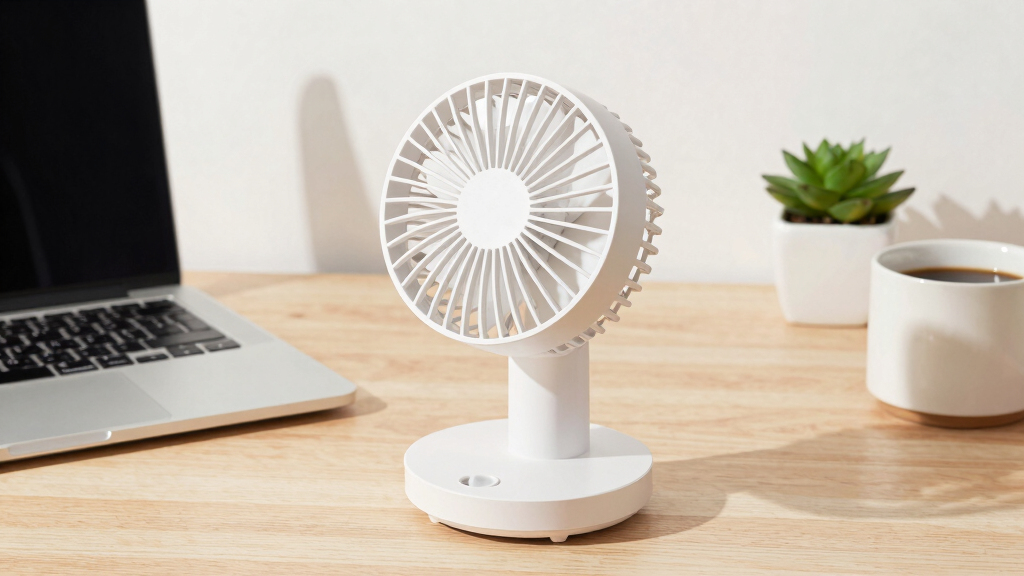
Portable fans are lightweight, versatile, and fit easily on a desk or windowsill. Unlike window units or ceiling fans (which are often off-limits in dorms), these fans are designed to be moved and stored. Imagine a summer day where your desk fan’s white noise drowns out hallway chatter, or a night when its gentle breeze cools your pillow.
Choosing a fan that’s just the right size means it won’t dominate your limited space. Plus, portability makes it simple to bring your fan home for breaks or store it over the winter.
Popular right now

De'Longhi 15-Bar Pump Espresso Machine with Milk Frother & Temperature Control

Shark Rocket Ultra-Light Corded Stick Vacuum, HV301, Gray/Orange

KitchenAid Classic Series 4.5-Quart Tilt-Head Stand Mixer, Onyx Black
As an affiliate, we earn on qualifying purchases.
How to pick a dorm fan that actually cools and keeps quiet
- Decide on the size — a tower or desk fan usually fits better than bulky box fans.
- Check airflow ratings — look for a CFM (cubic feet per minute) of at least 300 for effective cooling. Higher CFM values mean more air movement, which is crucial in a small, heat-prone space. However, higher airflow can sometimes mean increased noise, so balance this with noise levels.
- Set a noise limit — aim for fans under 50 decibels to sleep or study peacefully. Understanding decibel levels helps you choose fans that won’t disrupt your focus or rest, making your environment more conducive to productivity and relaxation.
- Prioritize safety features — tip-over protection and automatic shut-off prevent accidents. These features are especially important in shared spaces or if you tend to fall asleep with your fan on, reducing fire hazards and ensuring peace of mind.
- Consider energy use — energy-efficient models save power and money. They also reduce environmental impact, which is a growing concern among students aiming to live sustainably.
Compare popular dorm fans: size, power, and noise
| Model | Type | CFM | Noise (dB) | Size (inches) | Price Range |
|---|---|---|---|---|---|
| Vornado Flippi V6 | Desk Fan | 300 | 45 | 8 | $30-$50 |
| Lasko T42950 | Tower Fan | 350 | 48 | 12x12x40 | $50-$70 |
| Honeywell Turbo | Box Fan | 400 | 55 | 20×20 | $25-$40 |
The Vornado Flippi V6 is compact and quiet, making it ideal for small desks where space is limited. Its lower CFM still provides effective airflow for personal cooling, but it might be less suitable for larger spaces or when more circulation is needed. The Lasko T42950 offers wider coverage and adjustable settings, balancing power and noise, which helps if you need to cool a larger area or prefer customizable airflow. The Honeywell Turbo provides the highest airflow, making it suitable for larger or hotter rooms, but the tradeoff is increased noise and size, which might not be ideal in cramped dorm environments. Understanding these tradeoffs helps you pick a fan that aligns with your needs for comfort, space, and quietness.
The newest tech making dorm fans smarter and more efficient
Smart fans now connect via Wi-Fi or Bluetooth, letting you control them with your phone. Imagine turning on your fan from bed, adjusting speed or oscillation without getting up. Some models even sync with temperature sensors, automatically increasing airflow when it gets hotter. This automation can prevent overheating and save energy by adjusting airflow only when necessary, which is especially useful in dorms where manual control might be inconvenient.
Energy-efficient designs like brushless motors use less power, extending your fan’s lifespan and reducing your electricity bill. These motors generate less heat and operate more quietly, which is a significant advantage in shared living spaces. Hybrid fans combine air circulation with humidification, making dry dorm air more comfortable; however, they are more expensive and involve more maintenance, so weigh the benefits against your budget and space constraints.
Safety tips to keep your dorm cool and secure
- Always place your fan on a stable, flat surface to prevent tipping. An unstable setup can cause accidents or damage your belongings.
- Avoid placing fans near water or outlets that might be damp, as this increases the risk of electrical shock or short circuits.
- Unplug your fan when you’re not in the room to prevent fire hazards and unnecessary energy consumption. Many dorms have policies requiring unplugging when not in use.
- Use fans with safety features like tip-over protection and automatic shut-off. These features are designed to cut power if the fan tips or overheats, providing extra security in a shared or busy environment.
For example, never leave a fan running all night unattended or near your bed if it’s not designed for continuous use. Proper safety precautions can prevent accidents and keep your dorm environment safe and comfortable.
How to keep your fan working well all summer
Regular cleaning keeps dust, pet hair, and other debris from clogging the blades, which can reduce airflow and strain the motor. Use a soft cloth or vacuum brush to wipe the grille and blades every couple of weeks, ensuring optimal performance and longevity. Check that the cords and plugs stay in good shape, avoiding frayed wiring or loose connections that could cause shorts or fire risks. Proper maintenance not only prolongs your fan’s life but also maintains its efficiency, helping you stay cool throughout the season.
Storing your fan properly during winter or breaks prolongs its life. Wrap it in a cloth or place it in a box, keeping it dust-free and protected from damage. Proper storage prevents deterioration of components and ensures your fan is ready to go when summer returns, saving money and hassle in the long run.