
TL;DR

Prime made for students and young adults
- Fast, free delivery for dorm and study essentials
- Prime Video and Amazon Music included
- Member-only deals
Quiet dorm fans typically produce 25–45 dB, with whisper-quiet models below 30 dB. Tower fans with oscillation and multiple speeds often offer the best mix of low noise and effective airflow, perfect for small dorm rooms that lack AC.
Imagine trying to sleep in a tiny, shared dorm room with a loud fan humming all night. Frustrating, right? The good news: plenty of fans are designed to keep your space cool quietly, without adding to the noise pollution. Whether you’re studying late or catching some rest, the right fan makes a huge difference.
This guide will walk you through what makes a fan truly quiet, how to pick one that fits your space and rules, and what features matter most. No hype, just practical advice for making your dorm room comfortable and peaceful.
Choose fans with noise levels below 30 dB for peaceful sleep and study.
Opt for tower fans with oscillation and multiple speeds to maximize comfort and quietness.
Placement near windows or slightly away from your bed improves airflow and reduces noise disturbance.
Smart and USB fans work well for personal cooling but may not replace room fans for larger spaces.
Always verify dorm rules and safety certifications before plugging in any fan.
Best Dorm Fans for Quiet Cooling
A loud fan humming all night can wreck sleep and focus in a shared dorm room. The fix: fans engineered to move air at whisper-quiet levels below 30 dB — cool comfort without the noise pollution. No hype, just the numbers and features that matter.
What Makes a Fan Truly Quiet?
Quiet fans measure 25–45 decibels; below 30 dB feels like a library or a whisper. Aim for under 30 dB on the setting you’ll actually run at night — and trust real-world reviews over box claims, since advertised figures are often measured at unrealistic distances.
Tower Fans
Slim vertical footprint fits corners and tight floors. Wide oscillation cools the whole room at lower, quieter speeds — the most popular dorm category.
Table / USB Fans
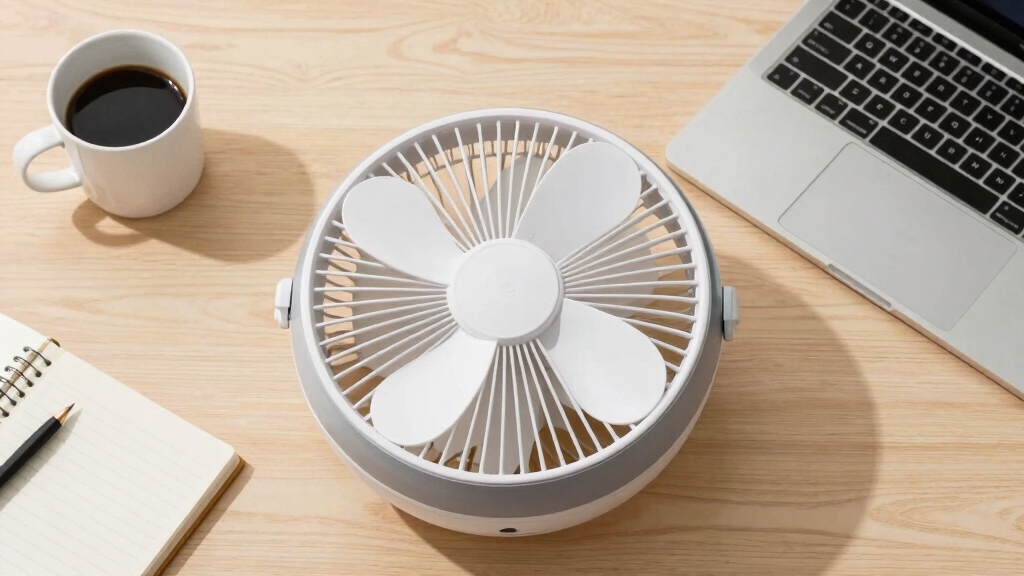
Compact personal cooling for study desks, powered by laptop or power bank. Great for late-night sessions — but won’t cool a whole room.
Clip-On Fans
Essential where floor and desk space don’t exist. Clips to bunk rails and shelves, delivering a direct, gentle breeze right where you sleep.
Box Fans
Powerful and cheap, but bulky and frequently loud past 50 dB. Many housing contracts restrict window-mounted units — check first.
Bladeless Fans
The quietest design, safest around people, easiest to clean. The catch: $100+ pricing puts them in treat-yourself territory.
Air Circulators
Vornado-style whole-room circulation, increasingly recommended for shared rooms — even cooling without a direct draft on your face.
5 Must-Have Features in a Quiet Fan
The right feature set lets a fan cool effectively at lower, quieter speeds — that’s the whole game in a room where sound bounces off every wall.
Oscillation
Wide sweep distributes air evenly, so the fan doesn’t need high speed to cool the room — less work, less noise, no disruptive gusts.
Even cooling, lower RPMMultiple Speeds
Granular steps make it easy to find the quiet-but-effective setting: lowest for late night, higher for daytime when noise matters less.
Fine-tuned comfortTimer & Auto Shut-Off
Stops the fan after you fall asleep — saves energy and ends all-night noise exposure without a 3 a.m. trip to the plug.
Peaceful overnight useDC Motor
Brushless DC motors run smoother with fewer vibrations and less hum, and sip less energy than older AC-motor designs.
Quieter + cheaper to runSize & Weight
Compact, light fans are easy to reposition until you find the spot where airflow is best and perceived noise is lowest — and easy to move out in May.
Flexible placementRemote & Smart Control
The fan is always across the room — or your bed is lofted. App, voice, and temperature-triggered auto modes have trickled into mid-price towers.
Adjust without getting upQuiet Fans vs. Power Fans: The Real Difference
Power fans push more air but regularly exceed 50 dB — enough to wake roommates. In a dorm, quiet comfort almost always beats maximum airflow.
| Feature | Quiet Fans ▸ Dorm Pick | Power / Box Fans |
|---|---|---|
| Noise Level | ✓ 25–30 dB on low — sleep-safe | ✗ Often 50+ dB — disruptive at night |
| Size & Footprint | ✓ Compact, slim tower profiles fit corners | ✗ Bulky; window use often restricted |
| Airflow Style | ~ Moderate, spread wide via oscillation | ✓ Maximum raw airflow for large spaces |
| Price Range | ✓ $25–$60 covers solid quiet models | ~ Cheap upfront, costly in comfort |
| Ideal For | ✓ Sleep, study, shared dorm rooms | ~ Large rooms, outdoor, daytime only |
| Roommate Impact | ✓ Below conversation level — rarely noticed | ✗ Can wake others in a quiet room |
Bottom line: choosing between the two means weighing quiet comfort against maximum airflow. Louder fans demand careful placement and timing to avoid disturbing others — a quiet tower sidesteps the problem entirely.
Where to Place Your Fan for Maximum Quiet
The closer a fan is to your ears, the louder it seems. Smart placement can drop perceived noise while actually improving airflow.
Near the Window
Pull in cooler outside air instead of recycling warm room air.
Aim Across the Room
Circulate air without a direct, drafty blast on your face.
Oscillation On
A gentle, even breeze cools the whole room at low speed.
Quiet Sleep
Room stays fresh all night — no loud gusts, no hum by your ear.
Keep Distance From Bed
Don’t park the fan right next to your pillow or study chair — a few feet of separation noticeably cuts perceived loudness.
Angle or Elevate It
Slightly angling the fan away, or raising it on a shelf, diffuses both airflow and motor sound before they reach you.
Mind the Walls
In small rooms, sound bounces off walls and amplifies. Oscillation at low speed beats a stationary fan cranked to high.
Smart & USB Fans — Plus the Fine Print
Quiet, Portable, App-Controlled
Smart and USB-C fans now ship with night modes around 25 dB, rechargeable batteries, and app or voice control with timers — ideal for personal cooling at a desk or bunk without hunting for a wall outlet. Just remember: they supplement a room fan rather than replace one for cooling the whole space.
Before You Plug In
- Check housing policy — window-mounted and high-wattage units are often restricted.
- Look for ETL / UL listing — non-negotiable for unattended overnight use.
- Overheat protection — adds peace of mind for all-night running.
- Count your outlets — USB-powered models sidestep limited sockets.
- Verify real-world dB — user reviews beat marketing claims every time.
What Makes a Fan Quiet? The Real Noise Level You Need to Know
Quiet fans measure between 25 and 45 decibels. Anything below 30 dB feels like a library or whispering. For sleep and study, aim for fans that stay under 30 dB on their lowest setting. Many manufacturers claim their fans are quiet, but reviews show real-world noise levels often run higher—so check actual user feedback.
For example, a popular tower fan might advertise “whisper-quiet,” but in reality, it hits around 35 dB at low. That’s still pretty quiet—perfect for most dorm scenarios. Remember: the closer the fan is to your ears, the louder it seems. Positioning matters.
Understanding these levels is crucial because a louder fan can interfere with sleep or concentration, especially in shared spaces. Choosing a fan that genuinely stays below 30 dB ensures you won’t be disturbed, and it helps you set realistic expectations based on actual product performance rather than marketing claims.
Popular right now

Bose QuietComfort True Wireless Noise-Cancelling Earbuds, Black

Bose QuietComfort Ultra Wireless Noise-Cancelling Headphones with Spatial Audio, Black

Bose QuietComfort Wireless Noise Cancelling Headphones, Sandstone
As an affiliate, we earn on qualifying purchases.
Why Tower Fans Are the Best Space-Savers for Quiet Cooling
When space is tight, tower fans shine because they combine a sleek profile with effective airflow. Their vertical design allows them to fit into corners or tight spaces, freeing up valuable desk or floor space. But beyond their size, their quiet operation on low or medium speeds makes them ideal for dorm use where noise can be disruptive. Many models operate around 25–30 dB, which is barely audible and perfect for sleeping or studying.
Their oscillation feature ensures even air distribution, which means you can cool the entire room without needing to run the fan at high speeds or place it directly next to you. This is especially important in small dorm rooms where noise can bounce off walls, amplifying perceived loudness. The combination of space efficiency, quiet operation, and adjustable features makes tower fans a practical choice that balances comfort and quietness, reducing the need for louder, more intrusive fans.
How to Pick a Quiet Fan: 5 Must-Have Features
- Oscillation: Wide oscillation spreads air evenly across the room, which means you can achieve effective cooling at lower fan speeds. This reduces noise because the fan doesn’t need to work as hard, and the airflow feels more natural and less direct, minimizing disruptive gusts.
- Multiple speeds: Having several speed options allows you to fine-tune airflow and noise levels. For example, using the lowest setting during late-night hours can drastically cut noise, while higher speeds are reserved for daytime cooling when noise is less of an issue.
- Timers and auto shut-off: These features help you avoid running the fan unnecessarily, which not only saves energy but also prevents constant noise exposure. Timers can turn off the fan after a set period, ensuring a peaceful sleep environment without the need to manually unplug or turn off the device.
- DC motors: DC motor fans tend to produce less noise because they operate more smoothly and have fewer vibrations. They also consume less energy, making them more eco-friendly and cost-effective over time. Investing in a fan with a DC motor can mean quieter operation without sacrificing airflow.
- Size and weight: Compact, lightweight fans are easier to move around for optimal placement, which can help you find a spot that minimizes noise while maximizing airflow. This flexibility ensures you can adjust your setup based on your comfort and noise sensitivity, creating a more personalized and peaceful environment.
For example, switching from an older, noisy AC motor fan to a modern DC motor tower fan can significantly reduce ambient noise, making your dorm more conducive to sleep and study. The key is to balance these features with your specific space constraints and noise preferences.
Comparison Table: Quiet Fans vs. Power Fans — What’s the Real Difference?
| Feature | Quiet Fans |
|---|---|
| Noise Level | 25–30 dB on low |
| Size | Compact, slim footprint |
| Airflow | Moderate, wide oscillation |
| Price Range | $25–$60 |
| Ideal For | Sleep, study, shared dorms |
Power fans or box fans push more air, which is beneficial when maximum airflow is needed, but they often produce noise levels exceeding 50 dB. This increased volume can wake roommates or disturb sleep, especially in quiet environments. While their higher airflow capacity makes them suitable for larger spaces or outdoor use, they come with the tradeoff of increased noise, which can be disruptive in a dorm setting. Therefore, choosing between a quiet fan and a power fan involves weighing your priority—quiet comfort versus maximum airflow—and understanding that louder fans may require careful placement and timing to avoid disturbing others.
Where to Place Your Fan for Maximum Comfort and Quiet
Placement is key. Position your fan near a window or door to pull in cooler air without creating annoying noise near your ears. A fan aimed across the room helps circulate air without direct blast on your face, which can be disruptive or drafty.
For example, a student places their tower fan near the window, set to oscillate, creating a gentle breeze that cools the room evenly without loud gusts. This setup keeps the room fresh and quiet through the night.
Also, avoid placing a fan right next to your bed or study area if noise is an issue. Slightly angling it away or elevating it on a shelf can make it even quieter. Proper placement not only improves airflow efficiency but also reduces perceived noise levels, which is essential for maintaining a peaceful dorm environment.
Smart and USB Fans: Are They Quiet and Practical?
Smart fans and USB-powered models are gaining popularity due to their convenience and often quiet operation. Many feature night modes that run at just 25 dB, making them suitable for late-night use without disturbing sleep. USB fans are especially handy for desks because they can be powered via a laptop or portable power bank, eliminating the need for a wall outlet and offering more flexibility.
Imagine a student using a USB fan during late-night study sessions—its quiet operation and portability make it ideal for personal cooling without adding noise to the room. Smart fans can connect to apps or voice assistants, allowing you to control their operation remotely, set timers, or adjust noise levels. This level of control helps create a peaceful environment, especially when you want to optimize quietness during sleep or study periods.
However, keep in mind that these fans are generally designed for personal use, so they might not be sufficient to cool entire rooms effectively. Their quiet operation is a significant advantage for individual comfort, but for larger spaces, a dedicated room fan remains necessary.
Safety Tips for Using Fans in Dorm Rooms
Safety matters more than ever. Always choose fans with ETL or UL certification to avoid fire hazards. Use fans with overheat protection and avoid leaving them running unattended for long periods.
For example, a student checks the certification stickers before plugging in a new tower fan, ensuring it’s safe for overnight use. Using timers and avoiding blocking airflow around cords reduce risks.
Remember: dorm rules often restrict window fans or high-wattage units. Always read your housing guidelines before plugging in a fan.
Frequently Asked Questions
How quiet should a dorm fan be for sleeping?
Look for fans that produce less than 30 dB on their lowest setting. That’s about the volume of a whisper or rustling leaves—perfect for sleeping without disruption.
Are tower fans better than box fans for dorms?
Yes. Tower fans are generally quieter, take up less space, and have features like oscillation and timers that make them ideal for dorm rooms. Box fans tend to be louder and bulkier, though they move more air.
Can I leave my fan on all night in a dorm?
Yes, if it’s UL or ETL certified with overheat protection and a timer. Always check your dorm’s rules—some restrict window or high-wattage fans. Using timers helps keep safety and noise in check.
Where should I position my fan for the best quiet cooling?
Position near a window or door to pull in cool air, and aim it across the room rather than directly at your bed or study area. Slight elevation or angling can minimize noise while maximizing airflow.
Are bladeless fans really quieter?
Generally, yes. They produce less noise at comparable airflow levels and are easier to clean. However, they tend to be more expensive for the same airflow as traditional fans.
Conclusion
Staying cool without the noise is about smart choices. A quiet, space-efficient fan can turn your dorm room into a peaceful retreat—perfect for studying or sleeping. Remember: simplicity, safety, and placement make all the difference.
Next time you pick a fan, picture that gentle breeze, whisper-quiet and cool, keeping you comfortable all night long. Your room, your sanctuary—quiet, cool, and completely your own.