
TL;DR

Prime made for students and young adults
- Fast, free delivery for dorm and study essentials
- Prime Video and Amazon Music included
- Member-only deals
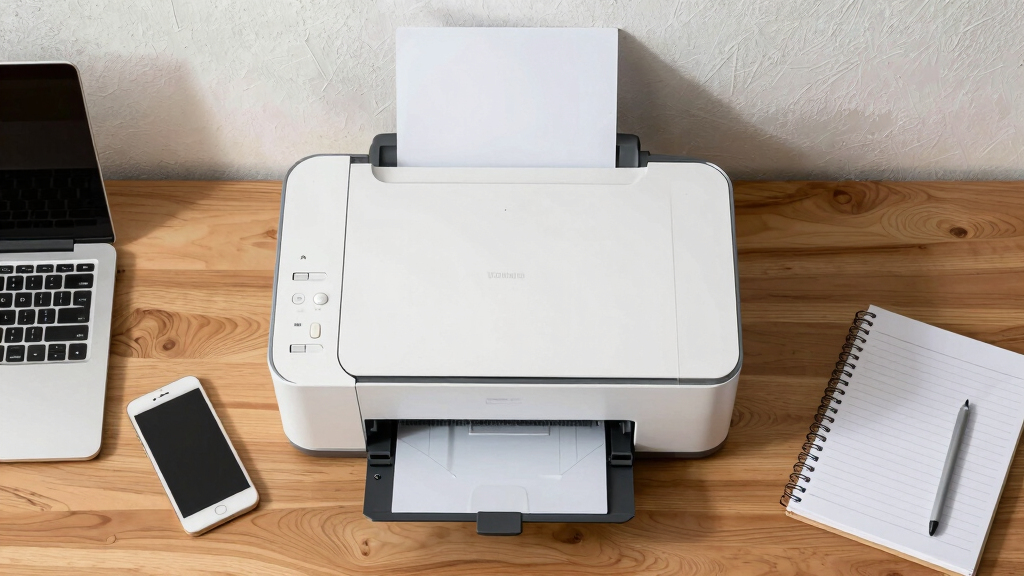
The best compact printers for college are small, wireless, and multifunctional. They save space, reduce ongoing costs, and connect easily to devices, making them perfect for dorms and small apartments.
Imagine squeezing a full-size printer into your tiny dorm corner — not happening. The good news? Compact printers now pack serious punch, fitting on a desk or shelf without crowding your space. Whether you’re printing notes, reports, or photos, choosing the right model makes all the difference. In this guide, you’ll learn how to pick a printer that’s small, smart, and budget-friendly — perfect for college life.
Forget bulky, noisy devices that take up half your room. Today’s models are sleek, quiet, and connect effortlessly to your laptop or phone. We’ll cover what features matter most, recent tech trends, and common questions students ask. Ready to find your ideal college printer? Let’s go.
Prioritize small size and lightweight design to maximize limited dorm space.
Wireless connectivity is essential for quick, cable-free printing from any device.
Multifunction models save space and offer versatility for scanning and copying.
Consider ongoing ink costs; refillable tanks or high-yield cartridges reduce long-term expenses.
Check device compatibility with your OS and mobile printing standards before buying.
Best Compact Printers for College
The sweet spot is small, wireless, and multifunctional. A smart dorm printer saves desk space, connects to every device, and keeps ink costs from quietly overtaking the purchase price.
Six features that earn their desk space
A low sticker price is only one part of the decision. College-friendly printers balance footprint, mobile access, useful functions, and affordable supplies across an entire semester.
Small footprint
Aim for a width near 12–18 inches. Measure the full desk or shelf depth, including room for paper loading.
Wireless first
Wi-Fi, AirPrint, mobile apps, and Bluetooth reduce cable clutter and make phone-to-printer jobs painless.
Multifunction
One device that prints, scans, and copies replaces several gadgets without taking over the room.
Low running cost
High-yield cartridges and refillable tanks can matter more than the initial price for frequent printing.
Useful speed
A practical 7–15 pages per minute is enough for notes and papers without painful deadline delays.
Every device
Confirm support for Windows, macOS, Android, iOS, and the mobile printing standard you actually use.
Width tells only half the story
Compact printers can still need clearance behind or above the body. Leave room for the input tray, output pages, power cable, and scanner lid before committing.
Relative printer width
Scale benchmark: 20-inch-wide desk zone. A shorter bar leaves more room for textbooks, chargers, and a laptop stand.
Three popular dorm-room profiles
Each model optimizes a different constraint: minimal size and price, balanced everyday capability, or lower long-term ink expense.
| Model | Dimensions | Weight | Functions | Connectivity | Price profile | Best fit |
|---|---|---|---|---|---|---|
| HP DeskJet 3755 | 15.5 W × 7.5 D × 4.5 H | 4.5 lb | Print, copy, scan | Wi-Fi, Bluetooth, AirPrint | $70–$100 | Tiny dorms and light use |
| Canon Pixma MG3620 | 17.5 W × 12.3 D × 5.3 H | 10.5 lb | Print, copy, scan | Wi-Fi, USB | $80–$130 | Balanced everyday printing |
| Epson EcoTank ET-2850 | 14 W × 7.7 D × 5.4 H | 13.4 lb | Print, copy, scan | Wi-Fi, Ethernet | About $200 | Frequent, lower-cost printing |
Prices and availability can vary. Confirm current specifications, supported mobile standards, and supply costs before purchase.
Cheap hardware can mean expensive semesters
Cartridge printers usually win on upfront price. Refillable tanks cost more initially but can become the better value when print volume rises.
Running-cost pressure
Relative comparison by supply system
Match the supply system to your workload
A simple decision rule for student printing
Print only occasional forms and short papers? A lower-cost cartridge model may be sufficient.
Print lecture notes, drafts, and readings every week? High-yield cartridges deserve priority.
Expect hundreds of pages per semester? A refillable tank can justify its higher purchase price.
From dorm constraint to smart purchase
The best choice emerges from a short chain: measure the room, map the workload, confirm connectivity, calculate supplies, then choose the smallest model that clears every requirement.
HP DeskJet 3755
Very light, unusually compact, and multifunctional. Best suited to modest print volume.
Choose when footprint wins.Canon Pixma MG3620
A familiar all-in-one profile with wireless and USB connectivity at an accessible price.
Choose for everyday versatility.Epson EcoTank ET-2850
Higher upfront cost, but the refillable system targets lower ongoing ink expense.
Choose for page volume.What students ask most
Reliable wireless performance, mobile compatibility, and realistic supply costs matter more than a long list of rarely used features.
What works best in a tiny dorm?
The HP DeskJet 3755 is among the smallest multifunction choices and fits comfortably into crowded workspaces.
Are wireless printers reliable?
Yes. With stable Wi-Fi, current firmware, and a maintained print queue, modern wireless models are dependable for college use.
Can students print from a phone?
Most recent compact printers support mobile apps, AirPrint, Bluetooth, or related wireless printing standards.
Is multifunction worth paying for?
Usually. Combining print, scan, and copy functions saves space and avoids purchasing separate equipment.
The bottom line: think small, wireless, and economical.
The ideal college printer fits the room, supports every device, handles scanning and copying, and keeps its supply costs predictable. Buy for the full semester—not just the checkout price.
Why Size Matters: How to Pick a Printer That Fits Your Dorm Space
Size is king when choosing a college printer. You want something small enough to tuck away but capable enough to handle your workload. Typical compact printers measure around 12-18 inches wide, fitting easily on a desk or shelf. For example, the HP DeskJet 3755 measures just 15.5 inches wide, perfect for tight spaces.
Imagine trying to fit an all-in-one printer on your cluttered desk — it’s a hassle. Instead, opt for models with a footprint no bigger than a standard notebook. Look for lightweight options (under 10 pounds) that you can carry between dorms or store away when not in use. Space-efficient design helps keep your room neat and your workflow smooth.
Pro tip: Measure your available space before buying. A quick tape measure can prevent a buyer’s regret. Remember, a smaller device isn’t necessarily less capable — it’s about smart design.
Popular right now

Bose QuietComfort Wireless Noise Cancelling Headphones, Sandstone

Bose QuietComfort True Wireless Noise-Cancelling Earbuds, Black

Bose QuietComfort Ultra Wireless Noise-Cancelling Headphones with Spatial Audio, Black
As an affiliate, we earn on qualifying purchases.
How Wireless Connectivity Saves Your Space and Time
Wireless printing isn’t just a luxury — it’s a game-changer for dorm living. Most compact printers now support Wi-Fi, allowing you to print directly from your laptop, tablet, or phone. No messy cables or extra adapters needed.
Picture this: You’re in the middle of studying, and your roommate asks for your notes. With a wireless printer, you can send the print job from your phone, then grab your pages without leaving your desk. This convenience saves time and keeps your space clutter-free.
Recent models like the Canon Pixma MG3620 support AirPrint and Google Cloud Print, making printing as easy as sending an email. Plus, many support NFC tap-to-print, so you can connect your device with a simple touch. Wireless connectivity keeps your dorm neat and your workflow quick.
Multifunctionality: Why a Combo Printer Might Be Your Best Bet
Multifunction printers combine printing, scanning, copying, and sometimes faxing into one compact device. For students, this means fewer gadgets cluttering your desk. Imagine printing your essay, scanning a handwritten note, and copying a class worksheet — all from one device.
Take the Epson EcoTank ET-2850, which measures about 14 inches wide but handles all functions easily. It’s perfect for students who need versatility without sacrificing space.
However, multifunction models can cost more upfront — typically between $100 and $200. The tradeoff? They save space and money over buying separate devices. Plus, with faster scans and copies, they boost your productivity during crunch time.
Comparing Top Compact Printers: Features, Costs, and Fit
| Model | Size (inches) | Weight | Functions | Connectivity | Price Range |
|---|---|---|---|---|---|
| HP DeskJet 3755 | 15.5 W x 7.5 D x 4.5 H | 4.5 lbs | Print, Copy, Scan | Wi-Fi, Bluetooth, AirPrint | $70-$100 |
| Canon Pixma MG3620 | 17.5 W x 12.3 D x 5.3 H | 10.5 lbs | Print, Copy, Scan | Wi-Fi, USB | $80-$130 |
| Epson EcoTank ET-2850 | 14 W x 7.7 D x 5.4 H | 13.4 lbs | Print, Copy, Scan | Wi-Fi, Ethernet | $200 |
What About Cost? Ink, Toner, and Running Expenses
Initial price is just the start. Inkjet models like the HP DeskJet 3755 cost around $10-$30 per cartridge, with high-yield options extending their life. Laser or ink tank models, such as the Epson EcoTank, have higher upfront costs (around $200) but dramatically lower ongoing ink expenses.
Imagine printing 300 pages over the semester. Inkjet costs might total $60, while refillable tanks could save you hundreds. Consider your print volume and budget before choosing — a cheap printer that costs a fortune in ink isn’t really saving you money in the long run.
Pro tip: Look for models with high-yield cartridges or refillable tanks. They keep your costs low and your dorm eco-friendly.
Fast, Easy, Reliable Printing — What You Need to Know
Print speed matters when deadlines are tight. Most compact printers deliver 7-15 pages per minute, enough for most student needs. For instance, the HP DeskJet 3755 prints about 8 pages per minute black-and-white.
Reliability is key. Wireless printers that support multiple devices and platforms tend to be more dependable if you keep your firmware updated. Regularly clearing print queues and maintaining ink levels prevents jams and delays.
In practice, a quick tap on your phone and a few seconds later, your notes are printed. Fast, fuss-free printing keeps you focused on what’s important — finishing assignments on time.
Your Most Common Questions, Answered
- What is the best compact printer for tiny dorms? — The HP DeskJet 3755 is one of the smallest multifunction printers, fitting comfortably on a cluttered desk.
- Are wireless printers reliable for college? — Yes, if you have a stable Wi-Fi, most models work smoothly and support mobile printing apps.
- How much do ink cartridges cost? — Inkjet cartridges run $10-$30 each, with high-yield options extending their lifespan and reducing costs.
- Can I print from my phone easily? — Most recent models support AirPrint, Google Cloud Print, or NFC, making mobile printing straightforward.
- Is a multifunction printer worth it? — Absolutely, especially when space and budget are tight. It consolidates functions and saves room.
Conclusion
Choosing a compact printer for college isn’t just about saving space — it’s about finding a reliable, easy-to-use device that keeps your workflow smooth. Think small, connect wirelessly, and pick multifunction when possible. Your perfect dorm printer is out there, ready to make study life a little easier.
Remember, a well-chosen printer frees up your desk and your mind. Make your choice today, and never let printing chaos slow you down again.