
TL;DR

Prime made for students and young adults
- Fast, free delivery for dorm and study essentials
- Prime Video and Amazon Music included
- Member-only deals
You can set up a highly effective study space for under $300 by choosing basic tech, space-saving furniture, and smart organization. Focus on ergonomic essentials and reliable devices to boost your productivity without overspending.
Best Study Setup Under $300
A focused dorm workspace does not need premium gear. Combine dependable refurbished tech, compact furniture, ergonomic basics, good lighting, and simple organization to create a setup that feels comfortable, open, and ready for serious work.
Build the essentials first
This sample budget uses a certified refurbished Chromebook and practical entry-level furnishings. Prices vary, so treat each line as a spending cap rather than a required product.
Recommended allocation
Keep the computer near half the total budget so there is still room for comfort, light, and organization.
Complete, compact, capable.
Suitable for browsing, documents, note-taking, research, video lectures, and everyday coursework.
Six pieces that earn their space
Every object should do at least one of three jobs: support your body, support your coursework, or remove friction from the room.
Reliable computer
Choose a Chromebook or certified refurbished laptop with at least 4GB RAM and 64GB solid-state storage. Verify the warranty, battery health, and return window.
Foldable desk
A slim desk that folds flat lets a dorm room switch between work and living space. Favor a stable frame over decorative extras.
Supportive chair
Look for lumbar support, a breathable back, and a seat height that keeps feet flat. Comfort protects focus during longer sessions.
Adjustable lamp
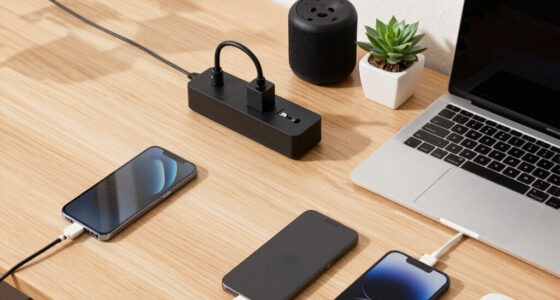
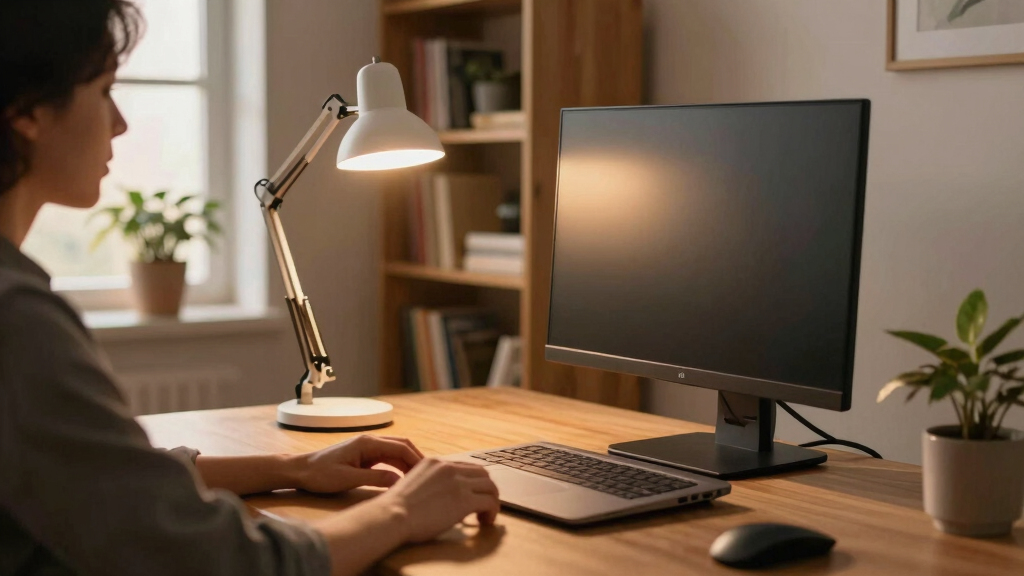
Use warm, even light and position it away from direct screen glare. Adjustable brightness and a built-in USB port add useful flexibility.
Wireless mouse
An inexpensive mouse can reduce wrist strain and makes a laptop easier to use at a desk. Keep a spare battery nearby.
Vertical organizer
Stackable bins, a pegboard, or wall shelves keep supplies visible without consuming desk surface. Clear space supports a clearer routine.
Turn gear into a routine
A productive setup is a connected system. Each step removes a small source of strain, clutter, or distraction before focused work begins.
Give your eyes a recurring reset
During long screen sessions, periodically look away from the display and refocus at a distance. Combine this with a lamp positioned to prevent reflections on the screen.
Where each option wins
The cheapest choice is not always the best value. Compare suitability, risk, flexibility, and the actual coursework you need to complete.
| Option | Under $200 | Study basics | Specialist apps | Low risk | Best use |
|---|---|---|---|---|---|
| New Chromebook | ✓ | ✓ | ✗ | ✓ | Browser-based classes and writing |
| Certified refurbished laptop | ~ | ✓ | ~ | ~ | Better specifications for the money |
| Entry-level Windows laptop | ~ | ✓ | ~ | ✓ | Windows-only course requirements |
| Uncertified used laptop | ✓ | ~ | ~ | ✗ | Experienced buyers who can inspect it |
✓ Strong fit ~ Depends on model or seller ✗ Usually not the right fit
Make every zone deliberate
A compact room feels larger when the work surface stays clear and storage moves upward. Arrange the setup by function rather than by product category.
Eye-level zone
Raise the screen when possible and keep reminders on a corkboard or pegboard behind the desk.
Reach zone
Place the mouse, notebook, lamp controls, and daily supplies within relaxed arm’s reach.
Storage zone
Use shelves, stackable drawers, and wall-mounted organizers for books and occasional supplies.
Reset zone
Give every cable and accessory a home so the desk can return to neutral in two minutes.
Before you check out
Use these final checks to keep a low price from turning into a poor purchase.
Can a sub-$300 laptop be useful?
Yes. Chromebooks and reputable refurbished laptops can handle research, documents, note-taking, email, and streamed lectures. Confirm that required course software is compatible first.
What matters most in a dorm?
A stable, space-saving desk and a supportive chair. Foldable or multi-purpose pieces adapt more easily when one room must support studying, relaxing, and storage.
Are wireless devices worth it?
Usually. A wireless mouse or headphones reduces cable clutter and improves mobility. Factor in batteries, charging, and connectivity before buying.
What is the safer route?
Certified refurbished tech from a reputable seller offers the best balance of savings and protection. Check the warranty, return policy, battery condition, and charger inclusion.
How to Choose a Laptop That Won’t Break the Bank but Gets the Job Done
When your budget is $300, your best bet is a Chromebook or a basic laptop. These devices excel at web browsing, note-taking, and streaming lectures — all core study tasks.
For example, a Lenovo Chromebook Duet sells for around $250. It’s lightweight, folds into a tablet, and has enough power for most student needs. If you prefer Windows, look for refurbished or entry-level models from brands like HP or ASUS.
Remember, a reliable device with at least 4GB RAM and a 64GB SSD will keep you running smoothly through your study sessions.
Popular right now

Shark Rocket Ultra-Light Corded Stick Vacuum, HV301, Gray/Orange

Bose QuietComfort True Wireless Noise-Cancelling Earbuds, Black

Bose QuietComfort Ultra Wireless Noise-Cancelling Headphones with Spatial Audio, Black
As an affiliate, we earn on qualifying purchases.
Space-Saving Furniture That Makes Your Dorm Feel Bigger
With limited dorm space, your furniture needs to do double duty. Opting for multi-functional furniture isn’t just about saving space—it’s about maximizing every square inch for both work and relaxation. The tradeoff here is between cost, durability, and versatility. For example, a foldable desk like the VASAGLE Folding Desk costs about $80 and folds flat, allowing you to quickly clear your workspace or store it when not in use. This flexibility is crucial in small dorms where space is at a premium. Pairing it with an ergonomic chair such as the BestOffice Mesh Office Chair (around $60) ensures comfort during long study hours, which directly impacts your focus and health. Using vertical space with wall-mounted shelves or stackable storage bins allows you to keep supplies organized and within reach, reducing clutter that can distract or stress you out. A wall-mounted corkboard or pegboard is also a smart addition—keeping reminders, schedules, and notes visible without taking up desk surface area. The key is to select furniture that offers flexibility and storage, which helps you maintain a clean, efficient, and more inviting study environment. The tradeoff is balancing affordability with durability—cheaper furniture might wear out faster, so investing in slightly higher-quality pieces can save money in the long run. Remember, the goal is to create a space that feels open and functional, not cramped or cluttered, which can negatively impact your focus and motivation.
Lighting That Keeps You Focused and Reduces Eye Strain
Good lighting is often overlooked but makes a huge difference. An adjustable desk lamp with a warm light bulb, like the LEPOWER Metal Desk Lamp (about $25), can help you focus and reduce eye fatigue. Proper lighting not only prevents eye strain but also influences your mood and alertness. The implication here is that inadequate lighting can cause headaches, fatigue, and decreased concentration, which hampers your study efficiency. Warm light creates a cozy, inviting atmosphere, reducing fatigue during long study sessions, while adjustable brightness allows you to tailor the lighting to your needs. Position the lamp to avoid glare directly into your eyes or onto your screen, which can cause discomfort and distraction. If your dorm has limited outlets, choose a lamp with a USB port—this helps you keep your devices charged without cluttering your space with multiple adapters. Natural light is also a powerful tool—setting up near a window during the day can significantly boost your energy and focus, making your study time more effective and less monotonous. Incorporating good lighting choices is about creating a balanced environment that minimizes fatigue and maximizes alertness, which ultimately enhances your productivity and comfort. The tradeoff is that cheaper lighting options may not last as long or provide as even a light spectrum, so investing in a quality lamp can be more cost-effective over time.
Essential Accessories That Make Your Study Time More Efficient
Small details matter because they can significantly impact your focus and comfort. An inexpensive wireless mouse (around $20) paired with your laptop prevents wrist strain and encourages better ergonomics—especially when using a laptop on a desk or bed. The tradeoff here is between the convenience of wireless versus potential connectivity issues or battery life limitations. A simple notepad or whiteboard (about $10) helps you plan, visualize deadlines, and break down tasks into manageable steps, which reduces procrastination and enhances productivity. The benefit of a whiteboard or notepad is that it provides immediate visual cues that keep you organized and motivated. Organizing pens, chargers, and notes with small plastic drawers or desk caddies keeps clutter out of sight and easy to access, allowing you to focus on your work rather than hunting for supplies. A clutter-free workspace promotes a clearer mind and reduces stress, which is especially important in small dorms. A good pair of headphones, like the Anker Soundcore Life Q20 (roughly $50), helps block distractions—critical when you need deep focus or are in noisy environments. The tradeoff with quality headphones is the cost, but investing in a reliable pair can significantly improve your study efficiency and mental clarity. These small but impactful accessories enhance your overall study experience by making it more comfortable, organized, and distraction-free, which can lead to better retention and efficiency.