
TL;DR

Prime made for students and young adults
- Fast, free delivery for dorm and study essentials
- Prime Video and Amazon Music included
- Member-only deals
Dorms are packed with devices, but safety rules are strict. A UL-listed surge protector with a good joule rating and proper outlet spacing keeps your devices safe and your room compliant. Avoid daisy-chaining and plug high-wattage appliances directly into the wall.
Power strips are the unsung heroes of dorm life — they turn one outlet into a hub of chargers, lamps, and gadgets. But not all strips are created equal, and some can turn your cozy room into a fire hazard or violate campus rules.
Knowing what to look for isn’t just about convenience — it’s about safety. Many students buy cheap, non-listed strips, unaware they could be risking damage to their devices or worse, starting a fire. This guide will walk you through picking dorm-friendly power strips and surge protectors that keep your space safe and compliant.
Choose UL-listed surge protectors with at least 600 joules for dorm safety.
Avoid daisy-chaining power strips — it’s a fire hazard and often against campus rules.
High-wattage appliances must plug directly into the wall, never into a strip.
Look for features like wide outlet spacing, USB-C PD ports, and built-in circuit breakers.
Verify your dorm’s electrical rules before buying to prevent confiscation.
The Dorm-Friendly Guide to Power Strips & Surge Protectors
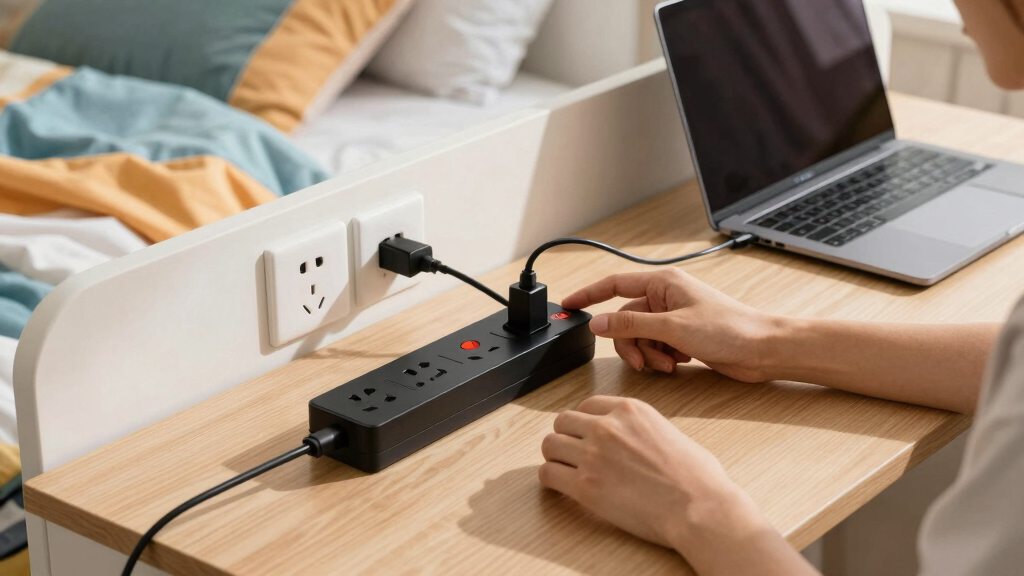
One outlet, a dozen devices, and strict fire codes. Power strips are the unsung heroes of dorm life — but the wrong one is a fire hazard and a confiscation waiting to happen. Here’s how to pick a strip that’s safe, compliant, and actually protects your gear.
A Power Strip Is Not a Surge Protector
A $5 power strip only multiplies outlets — it offers zero defense against voltage spikes from lightning, faulty wiring, or grid fluctuations. A surge protector contains MOVs (metal oxide varistors) that divert excess voltage before it fries your laptop. Check the label: it must say “surge protector” or “transient voltage surge suppressor” and list a joule rating.
| Feature | $5 Basic Power Strip | UL-Listed Surge Protector ✓ |
|---|---|---|
| Adds extra outlets | ✓ Yes — that’s all it does | ✓ Yes |
| Blocks voltage spikes (MOVs) | ✗ No protection at all | ✓ Diverts surges away from devices |
| Joule rating on label | ✗ None listed | ✓ 600–1,000+ joules for dorms |
| UL 1449 / UL 1363 certification | ~ Often missing on cheap imports | ✓ Rigorously safety-tested |
| “Protected” status LED | ✗ No indicator | ✓ Warns when MOVs wear out |
| Resettable 15A circuit breaker | ~ Sometimes | ✓ Cuts power during overloads |
| Meets most campus housing rules | ✗ Risk of confiscation | ✓ The sanctioned option |
* Bottom line: the $10–20 upgrade can save hundreds in device repairs or replacements.
How to Spot a Dorm-Safe Surge Protector
Five checks before anything goes in your cart. A high joule number without a UL listing is not a safety guarantee — you need both certification and capacity.
Check for UL 1449 or UL 1363
These markings prove rigorous safety testing. Unlisted or counterfeit imports may lack proper internal components — a real fire risk.
Verify the Joule Rating
Aim for at least 600 joules; 1,000+ lasts longer and absorbs bigger surges. Joules measure total energy absorbed before failure.
Demand a “Protected” LED
MOVs degrade silently. The indicator dims or dies when protection is gone — your signal to replace the unit, not keep trusting it.
Circuit Breaker Switch
A resettable 15A breaker disconnects power during overloads, preventing overheating — and unlike a fuse, it’s reusable after tripping.
Read Reviews, Skip No-Names
Trustworthy brands have better quality control. $15–$25 buys peace of mind — cheap unlisted imports are the most common failure point.
Check Housing Policy First
Photograph your policy’s electrical section before buying. Many schools confiscate non-compliant gear during inspections.
Dorm Electrical Rules You Can’t Ignore
Fire codes restrict stacking outlets for a reason: daisy-chaining overloads circuits, generates heat, and is a frequently cited factor in dorm fires. Even a UL-listed strip isn’t designed for continuous high loads.
- Use UL-listed surge protectors with built-in cords — the sanctioned alternative to extension cords.
- Plug high-wattage appliances directly into the wall — space heaters, hot plates, toasters, and AC units never go into a strip.
- Give mini-fridges and microwaves their own wall outlet — compressor startup loads overwhelm strips.
- Check the “protected” LED regularly and replace the unit when the light goes out.
- Confirm your school’s cord-length cap — some specify 6 ft or 10 ft maximum.
- Daisy-chain strips — strip into strip, or strip into extension cord. Banned by fire code and nearly every housing policy.
- Overload the circuit — a standard dorm circuit is 15A / 1,800W total, and strips don’t add capacity.
- Run cords under rugs, through doorways, or pinched by furniture — damaged cords are a fire and tripping hazard.
- Buy cheap non-listed strips — they risk your devices, your room, and your housing contract.
- Use 120V surge protectors abroad — international students need dual-voltage gear or proper transformers.
What Your 1,800W Circuit Is Really Carrying
Typical device draw versus a standard 15A dorm circuit. Everyday electronics sit comfortably under the line — one space heater nearly maxes it out alone, which is exactly why it goes in the wall, not a strip.
Bar length = share of a 1,800 W / 15 A dorm circuit · Green = fine on a surge-protected strip · Amber = direct wall outlet · Red = wall only, often banned outright
Six Features That Matter Most in a Dorm
Beyond safety certification, these are the quality-of-life details that separate a strip you’ll love from one you’ll fight with all semester.
Wide-Spaced Outlets
Fits bulky wall-wart adapters without blocking neighbors. Prevents overcrowding, improves airflow, and keeps everything organized.
USB-C Power Delivery
Built-in USB-A plus USB-C PD at 18–65W can replace your laptop brick entirely — a huge clutter win in a small room.
6–10 ft Cord
Six feet is the common sweet spot: placement flexibility without a tripping hazard. Verify whether your school caps cord length.
Flat / Right-Angle Plug
Slides behind beds and desks pushed flush against walls — no awkward protrusion, no accidental disconnections. Genuinely dorm-relevant.
Resettable 15A Breaker
Automatically disconnects power during faults and overloads, protecting both your devices and your room’s wiring. Often required by policy.
Cube, Tower or Mountable
Desk-clamp, vertical tower, and mountable designs exploit vertical space in cramped rooms — and look for fire-retardant casing (~750°C rated).
The Four Numbers on the Box, Translated
Marketing loves big numbers. Here’s what each spec actually tells you — and which ones are mostly noise.
“A surge protector with at least 600 joules can effectively guard your devices against typical dorm power spikes — yet many students overlook this, risking both damage and safety hazards for the sake of saving ten dollars.”
— Key Insight · The Practical GuideFrom Move-In Day to Safe Setup
Follow the chain in order — skipping step one is how surge protectors end up in the confiscation bin.
What’s the difference between a power strip and a surge protector? Here’s what you need to know
Power strips simply multiply outlets — they don’t protect your devices from power surges. Surge protectors include components called MOVs that divert excess voltage, shielding your electronics. This distinction is crucial because while a power strip may give you more sockets, it offers no safeguard against voltage spikes caused by lightning, power fluctuations, or faulty wiring. Using only a power strip in place of a surge protector leaves your devices vulnerable to damage, which can be costly and inconvenient.
Look for clear labeling: “surge protector” or “transient voltage surge suppressor,” plus a joule rating to gauge protection strength. A $5 power strip without surge protection won’t guard your laptop from lightning-induced voltage spikes. The tradeoff here is cost versus safety—cheap strips might seem appealing but can be ineffective or even dangerous if they lack proper surge protection features.
In dorms, a surge protector with a joule rating of at least 600–1000 is recommended. This small upgrade can save hundreds of dollars in device repairs or replacements, as it absorbs and disperses damaging voltage spikes before they reach your electronics. Choosing the right surge protector balances affordability with the level of protection needed for your devices’ longevity and safety.
Popular right now

Dyson Car+Boat Cordless Handheld Vacuum

Shark Rocket Ultra-Light Corded Stick Vacuum, HV301, Gray/Orange

KitchenAid Classic Series 4.5-Quart Tilt-Head Stand Mixer, Onyx Black
As an affiliate, we earn on qualifying purchases.
How to spot a UL-listed surge protector that’s safe for dorm use
- Check for UL 1449 or UL 1363 markings on the packaging or device. These certifications ensure the surge protector has undergone rigorous safety testing, which is vital because unlisted or counterfeit products may lack proper internal components, increasing fire risk or failing to provide adequate surge protection.
- Verify the joule rating — aim for at least 600 joules. Higher ratings last longer and absorb bigger surges, but remember that joules are just one aspect; a high joule rating without a UL listing might not guarantee safety. For dorm use, a balance of certification and sufficient joule capacity is essential to ensure both safety and durability during power events.
- Look for an indicator LED showing “protected” status. This light dims or turns off when the MOVs degrade, signaling it’s time for a replacement. Ignoring this indicator could mean relying on a surge protector that no longer offers protection, leaving your devices exposed to potential damage from future surges.
- Ensure the device has a circuit breaker or resettable switch — it adds an extra layer of safety by disconnecting power during overloads, preventing overheating or electrical fires. A resettable breaker is preferable over a fuse, as it can be reused after tripping, providing ongoing protection without replacement.
- Read reviews and avoid cheap, unlisted imports from unknown brands. Trustworthy brands with good reviews often have better quality control and safer designs, reducing the risk of fire hazards or device damage.
For example, a typical dorm surge protector might cost $15–$25, but it’s worth it for peace of mind and device protection. Investing in a certified, high-quality surge protector minimizes hazards, prolongs device life, and complies with campus safety standards.
Dorm rules you must know about power strips — and what to do about them
Most dorms ban daisy-chaining multiple strips or plugging extension cords into power strips. Fire codes restrict stacking outlets — it’s a common cause of fires. This rule exists because daisy-chaining can overload circuits, generate heat, and cause electrical fires — especially when multiple high-wattage devices are involved. Understanding these rules helps prevent accidental violations that could lead to confiscation or safety hazards.
High-wattage appliances like space heaters, hot plates, or toasters must plug directly into wall outlets — never into a strip. Overloading a power strip by connecting appliances that draw more current than it’s rated for can cause overheating and fire. The implication is that even if your strip is UL-listed, it’s not designed for continuous high loads, and misusing it can still be dangerous.
Mini-fridges and microwaves usually require direct wall outlets, and cords shouldn’t run under rugs or through doorways. Improper cord management can cause tripping hazards or damage to cords, increasing fire risk. Proper placement and organization are essential to maintain safety and accessibility.
Before you buy, photograph your housing policy’s electrical section and confirm what’s allowed. Many schools confiscate non-compliant equipment during inspections, which can be frustrating and costly. Familiarizing yourself with these policies beforehand helps you choose compliant equipment and avoid surprises.
Bottom line: stick to UL-listed surge protectors with built-in cords, and avoid daisy-chaining or overloading outlets. This approach minimizes fire hazards, ensures compliance, and promotes a safe dorm environment.
Choosing the best dorm-friendly power strip: what features matter most
When shopping, focus on these key features to maximize safety and convenience:
- Outlet count and spacing: Wide-spaced outlets fit bulky adapters and wall-warts. Proper spacing prevents overcrowding, which can lead to overheating and makes it easier to organize multiple devices without blocking other outlets.
- USB ports: Built-in USB-A and USB-C ports with Power Delivery (18–65W) can replace laptop bricks, reducing clutter and making charging more efficient. This feature is especially valuable in small dorm rooms where space is limited, and multiple chargers can be cumbersome.
- Cord length: 6–10 ft cords give flexibility without clutter. Longer cords allow placement flexibility but can create tripping hazards if not managed properly. Consider your room layout carefully for optimal positioning.
- Flat or right-angle plugs: Fit behind beds or desks pushed against walls. These designs prevent plugs from protruding awkwardly, saving space and reducing accidental disconnections or damage.
- Circuit breaker / on-off switch: A resettable 15A breaker prevents overloads and makes unplugging easy. It provides an extra safety layer by automatically disconnecting power during electrical faults, protecting both your devices and the wiring in your room.
- Form factor: Cube, tower, or mountable models save space in cramped dorms. The right form factor can improve organization, airflow, and ease of access, all contributing to a safer environment.
- Protection LED and Joule rating: Confirm the protector is active and rated for dorm needs. A clear indicator ensures you know it’s functioning properly, and an adequate joule rating provides peace of mind against power surges that could otherwise damage your electronics.
For example, a cube-style surge protector with 8 outlets, 2 USB-C PD ports, and a 900-joule rating offers a blend of safety, capacity, and space efficiency. Choosing features that align with your needs ensures both safety and practicality, making your dorm life easier and safer.
Latest trends in dorm power strips — what’s new and what matters
Recent innovations include GaN (gallium nitride) USB-C chargers that pack 65W–100W into compact strips. They can power laptops without a bulky brick, saving space and reducing clutter. These advancements mean you can have high-power charging capabilities in a small, portable device, which is especially useful in tight dorm spaces.
Flat plugs and braided cords have become standard for durability and a sleek look. Desk-clamp and under-desk mountable designs are perfect for small rooms or lofted beds, helping to keep cords organized and out of the way. Such features contribute to a safer environment by reducing tripping hazards and clutter.
Smart power strips with Wi-Fi control, individual outlet scheduling, and energy monitoring are gaining popularity. They can help manage power consumption and prevent overloads, but check your campus Wi-Fi policies — some schools restrict IoT devices to prevent network congestion or security issues.
Strict fire code enforcement means students should avoid non-listed, daisy-chained, or cheap imported strips. Many campuses conduct inspections and confiscate non-compliant equipment, which can be costly and disruptive. Staying informed about these trends helps you choose the safest and most compliant options.
UL 1449 remains the standard for surge protectors, with recent updates tightening safety. Beware of counterfeits sold online that lack proper certification. Investing in certified, reputable products ensures safety and compliance, protecting your devices and your peace of mind.
What’s the right joule rating for your dorm devices? Here’s the scoop
Joule rating measures how much energy a surge protector can absorb before failing. For dorm use, a rating of at least 600 joules is recommended for protecting laptops, phones, and small electronics. This capacity is generally sufficient to handle typical power spikes caused by electrical storms or minor fluctuations, but it’s important to understand that joule ratings don’t tell the whole story about protection quality.
Higher ratings, like 900–1,200 joules, provide longer-lasting protection against bigger surges, which are less frequent but potentially more damaging. However, relying solely on joule ratings can be misleading — a high joule number without a UL listing or indicator lights may not guarantee safety or effectiveness. It’s essential to consider the overall build quality and certification to ensure your devices are genuinely protected during unexpected power events.
For example, during a lightning storm, a 600-joule protector might absorb small spikes, but a 1,200-joule strip offers a bigger safety buffer for your gear. Remember, investing in a surge protector with a balanced combination of joule capacity, certification, and features like indicator lights provides comprehensive protection and peace of mind in dorm settings.
Frequently Asked Questions
What’s the difference between a power strip and a surge protector?
A power strip adds outlets but doesn’t protect against voltage spikes. A surge protector contains MOVs that divert excess voltage, shielding your electronics from surges and lightning strikes.
Are power strips allowed in dorms?
Most dorms permit UL-listed surge protectors, but daisy-chaining or non-listed strips are banned. Always check your housing policy to confirm what’s allowed and avoid confiscation.
Can I plug my mini-fridge or microwave into a surge protector?
No — these high-wattage appliances should plug directly into the wall. Using a surge protector can cause overloads or damage the device’s compressor or heating element.
How often should I replace my surge protector?
Replace it when the “protected” LED dims or goes out, after a major surge, or every 3–5 years. MOVs degrade over time, reducing protection.
Is a cheaper online strip safe for dorm use?
Risky — many cheap imports lack UL listing or may be counterfeit. Always buy from reputable brands with verified safety certifications to protect your devices and stay compliant.
Conclusion
Smart dorm living means more than just having enough outlets — it’s about safety and compliance, too. Pick a UL-listed surge protector with proper joule ratings, avoid daisy-chaining, and respect your housing policies.
Picture your room, neatly organized with a sleek, space-efficient strip, safeguarding your devices against surges and fire hazards. That’s dorm-ready living. Make safety your priority — your gear (and your future self) will thank you.