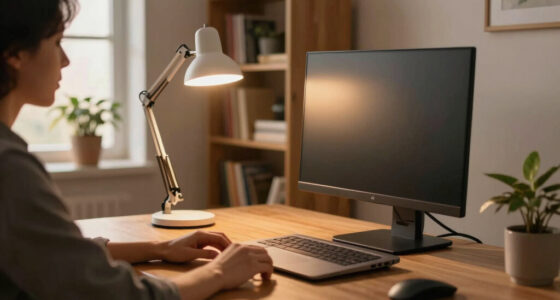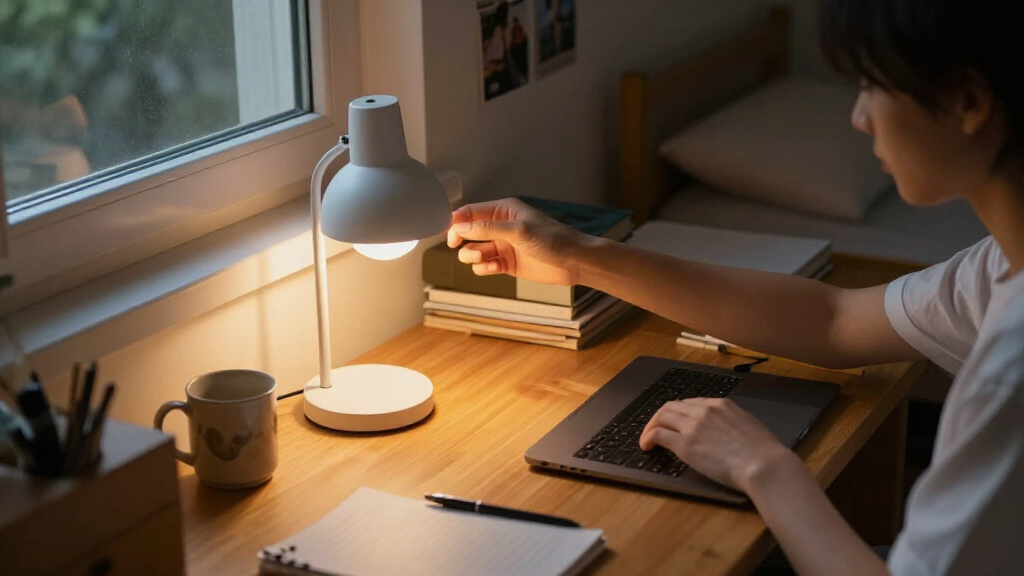

Choosing a compact dorm desk lamp is less about finding the smallest-looking fixture and more about deciding what your limited desk space needs to do. A clamp-on LED lamp attaches to the desk edge, leaving the work surface open for a laptop, books, and a drink. A compact freestanding LED lamp takes up some surface area, but it can move wherever light is needed and does not depend on a suitable edge.

Prime made for students and young adults
- Fast, free delivery for dorm and study essentials
- Prime Video and Amazon Music included
- Member-only deals

One Beat LED Desk Lamp with Power Strip, 3 Outlets, 4 USB Ports and 5 ft Cord
- ✔ USB ports: 4: 2 USB-A and 2 USB-C
- ✔ AC outlets: 3
- ✔ Brightness levels: 5

LED Desk Lamp with USB-A and USB-C Ports, Touch Controls, 5 Color Modes, and 3 Brightness Levels
- ✔ Wattage: 8 watts
- ✔ Light colors: 5
- ✔ Brightness levels: 3

LEPOWER Adjustable Metal Desk Lamp
- ✔ Material: Metal
- ✔ Bulb base: E26
- ✔ Bulb shape: A19
The real tradeoff is space efficiency versus placement flexibility. Clamp lamps suit students with crowded desks and sturdy, accessible edges; freestanding lamps suit students who rearrange their workspace, share furniture, or want a lamp that can move to a shelf or bedside table. Across both types, compare footprint, stability, light adjustment, power, portability, and cost rather than choosing on appearance alone.
At a Glance
| Criteria | Compact clamp-on LED desk lamp | Compact freestanding LED desk lamp | Winner |
|---|---|---|---|
| Desk footprint | Uses little or no desk surface; clamp needs usable edge space | Uses a small but permanent patch of desk surface | A |
| Placement flexibility | Limited to edges the clamp can securely grip | Can sit on most flat, level surfaces | B |
| Stability | Secure on a compatible, sturdy desk; unsuitable edges can make it unreliable | Depends on base weight, shape, and surface; easier to move accidentally | Depends |
| Light positioning | Often offers an adjustable arm, but reach depends on clamp position | Can be repositioned by moving the whole lamp; arm adjustment varies | Depends |
| Portability | Compact, though the clamp may slow setup on a new surface | Easy to pick up and relocate, though the base adds bulk | B |
| Power and setup | Usually powered by USB or an adapter; check cable reach and outlet access | Usually simple to set down and plug in; cable needs a clear route | Tie |
| Value | Strong value when recovering desk space matters most | Better value when flexible placement matters more than a clear desktop | Depends |
One Beat LED Desk Lamp with Power Strip, 3 Outlets, 4 USB Ports and 5 ft Cord
The One Beat LED Desk Lamp with Power Strip is our best overall pick for a dorm desk where the outlet situation is as cramped as the desktop. It pairs a touch-controlled lamp with three AC outlets and four USB ports, so a student can consolidate lighting and common charging connections rather than arranging a separate power strip and USB adapter beside the lamp. Its low-profile angled plug and five-foot cord may also make it easier to route power behind furniture than a bulky straight plug.Lighting flexibility is a strength: four color temperatures and five brightness levels give us more ways to tune the lamp for reading, writing, or a softer late-evening setting than the USB-equipped foldable lamp, which has three brightness levels. The arm folds and the head adjusts, helping the lamp adapt to a small work surface. That said, we should not mistake integrated outlets for unlimited power. The listed maximum load is 1875 W / 15 A, and users need to stay within it. The product details also note that the lamp head may become hot during extended use.Compared with the simpler USB lamp, One Beat makes more sense when several devices need connections at the desk; compared with LEPOWER, it adds much more integrated utility but has a more involved electrical setup. It is the strongest all-round choice if charging access and adjustable light matter together, but students who already have ample outlets or want a basic, conventional lamp may prefer a less feature-dense option.
Pros:
- Combines three AC outlets with two USB-A and two USB-C ports.
- Four color temperatures and five brightness levels allow more lighting adjustment than the other two picks.
- Foldable arm and adjustable head help adapt the lamp to a crowded desk.
- Five-foot cord and low-profile angled plug support flexible placement.
Cons:
- The power strip has a listed maximum load of 1875 W / 15 A.
- The lamp head may become hot during extended use.
- Its integrated power features may be unnecessary if the desk already has convenient outlets.
Best for: Students with limited accessible outlets who want adjustable lighting and a mix of AC and USB connections in one desk accessory.
Not ideal for: Buyers who need a plain lamp only, have concerns about managing connected-device loads, or want a lamp with no reported head warmth during extended use.
Bottom line: We recommend One Beat for dorm desks that need a capable adjustable lamp and meaningful outlet expansion in one footprint.
“We recommend One Beat for dorm desks that need a capable adjustable lamp and meaningful outlet expansion in one footprint.”
LED Desk Lamp with USB-A and USB-C Ports, Touch Controls, 5 Color Modes, and 3 Brightness Levels
For students who want a desk lamp that can fold away and charge a phone or other device, this USB-equipped LED desk lamp is the more focused alternative to One Beat. Its lighter 1.4-pound build, adjustable arm, and compact listed dimensions make it a plausible fit for a desk that needs to switch between studying and other uses. The lamp includes USB-A and USB-C ports, five light colors, three brightness levels, touch controls, and a soft night light.Those five color modes give it useful flexibility for different tasks, but the three brightness levels offer less fine adjustment than One Beat’s five. It also does not list AC outlets, so it cannot replace a desk power strip in the way our top pick can. On the other hand, buyers who only want a couple of device-charging connections may not need that extra bulk or complexity. Its adjustable arm and base axis offer more positioning flexibility than the basic product details supplied for LEPOWER, while folding supports storage when the work surface needs clearing.The tradeoffs are practical rather than dramatic: it still needs corded power, and it is not water resistant, so it should stay clear of drinks and damp surfaces. The USB specification is listed as 5V/2.1A, which helps set expectations for charging but does not make this a substitute for every dedicated charger. Choose it over One Beat if portability and a night-light feature matter more than AC outlet expansion; choose LEPOWER if you would rather use a conventional E26 bulb and metal construction.
Pros:
- Offers five light colors and three brightness levels with touch controls.
- Includes USB-A and USB-C ports for device charging.
- Foldable, adjustable design supports flexible positioning and storage.
- Soft night light adds a lower-intensity lighting option.
Cons:
- Does not list AC outlets, unlike the One Beat lamp.
- Requires corded power and is not water resistant.
- Three brightness levels provide less adjustment than the One Beat’s five.
Best for: Students who want a foldable, lightweight desk lamp with USB-A and USB-C charging and a soft night-light option.
Not ideal for: Buyers who need extra AC outlets, want more than three brightness steps, or need equipment suited to damp or spill-prone areas.
Bottom line: We would choose this lamp for foldable USB convenience when a full power strip would be more than the desk needs.
“We would choose this lamp for foldable USB convenience when a full power strip would be more than the desk needs.”
LEPOWER Adjustable Metal Desk Lamp
The LEPOWER Adjustable Metal Desk Lamp takes a more traditional route than the two integrated LED options. A metal shade and base, flexible swing arm, and base-mounted push-button switch keep the layout familiar and direct: aim the light where it is needed, then reach the switch without searching along the cord. For a student who wants a conventional tabletop lamp rather than a charging hub, that simplicity can be a real advantage.Its biggest difference is also its main compromise: the lamp uses an E26 socket, and the provided product details do not say that a bulb is included. We should account for selecting a compatible A19 bulb rather than assuming the lamp is ready to use straight from the box. That bulb format can appeal to buyers who want to choose a replacement themselves, but it adds a decision and may take up more planning than either integrated LED model. Unlike One Beat, LEPOWER has no listed built-in USB ports or AC outlets; unlike the foldable USB lamp, it does not list multiple color modes, brightness steps, or a night light.For compact-dorm use, the metal shade and base give it a more conventional, solid-material feel than the plastic shade on the USB-equipped lamp, but the supplied details do not provide dimensions or weight to confirm how small it sits on a desk. Its adjustable swing arm helps direct light, although buyers should compare its movement and storage needs with the foldable arms of the other two picks. This is the right choice when we value a simple lamp and replaceable bulb format over built-in charging and integrated lighting presets; it is not the most space-efficient all-in-one solution.
Pros:
- Metal shade and base offer a straightforward alternative to the plastic-shade USB lamp.
- Flexible swing arm helps direct light toward a book or work area.
- Base-mounted push-button switch is easy to reach.
- E26 socket allows the buyer to select a compatible A19 bulb.
Cons:
- The provided specifications do not confirm that a bulb is included.
- No built-in USB ports or AC outlets are listed.
- The details do not provide dimensions or weight for assessing its exact desk footprint.
Best for: Students who want a conventional, adjustable metal tabletop lamp and prefer choosing an E26 bulb separately.
Not ideal for: Buyers who need built-in USB charging, additional AC outlets, multiple integrated light modes, or a confirmed fold-flat storage design.
Bottom line: We recommend LEPOWER when a simple adjustable lamp and metal construction matter more than integrated charging or LED presets.
“We recommend LEPOWER when a simple adjustable lamp and metal construction matter more than integrated charging or LED presets.”
As an Amazon Associate we earn from qualifying purchases.
Key Differences
The clamp lamp’s central advantage is reclaimed surface area. That matters in a dorm, where the same small desk may need to hold a laptop, notebooks, chargers, and food. Attaching the lamp to an edge keeps its base out of the way and can make a cramped setup feel more usable. The benefit is conditional: the desk must have an edge the clamp fits, enough clearance for the clamp, and a surface the clamp can hold without damage or slipping.
A freestanding lamp asks for a little desk space in exchange for fewer placement restrictions. It can move to another corner, a shelf, or a bedside table without finding a clamping edge. Its base can be bumped, and moving it may disrupt the light position, but it is the safer general-purpose pick when furniture varies or the room layout changes. Neither type automatically provides better illumination: brightness, color temperature, glare control, and arm range depend on the particular model. Check those specifications before treating form factor as a proxy for lighting quality.
For most students with a crowded desk and a compatible edge, choose the clamp style. For students who want one lamp to serve several surfaces or cannot confirm desk compatibility, choose a compact base lamp. Paying extra for a clamp is justified only if it solves a real space problem and fits the furniture; otherwise, flexibility is better value than unused space-saving hardware.
Detailed Comparison
Desk footprint (Compact clamp-on LED desk lamp wins — major)
Winner: A, by a major margin when desk area is scarce. The clamp-on lamp keeps its base off the work surface, so the freed space can hold a notebook or let a mouse move without obstruction. A base lamp occupies a small patch even when its head and arm are compact. If the desk is already crowded, that permanent footprint is a daily cost. If the surface is roomy, the practical difference shrinks, and the freestanding lamp’s flexibility may matter more.
Placement flexibility (Compact freestanding LED desk lamp wins — moderate)
Winner: B, moderately. A freestanding lamp can sit on nearly any level surface that can support its base. The clamp style needs a compatible edge and enough clearance to attach securely, which can rule out thick, rounded, or fragile furniture. A clamp can still be repositioned, but it takes more effort and is less useful on shelves without a suitable lip. Choose based on the actual dorm furniture, not just the desk pictured in a product listing.
Stability (moderate difference)
Winner: Depends; the gap is moderate and model-specific. A well-fitted clamp can hold the lamp steady without a base taking up space. But a poor fit, an uneven edge, or a clamp tightened against a delicate surface can create trouble. A freestanding model is simpler on a level desk, though a lightweight or narrow base can tip if bumped. Look for a clear clamp-fit range or a broad, weighted base, and avoid assuming either construction is stable without checking its design.
Light positioning (minor difference)
Winner: Depends; the difference is usually minor. Clamp lamps often use an arm that can extend over the desk, but the lamp’s reach and angle depend on where the clamp attaches. A base lamp can be moved closer to a book or farther from a screen, although shifting its base uses workspace and may require readjusting the light. In either category, joint range and head adjustability matter more than the mounting style. Check whether the lamp can aim down at paper without shining into your eyes or screen.
Portability (Compact freestanding LED desk lamp wins — moderate)
Winner: B, moderately. A freestanding lamp is generally easier to pick up and set down in another location; there is no clamp to release and refit. The base may make it bulkier in a packed bag, so this is not the same as being travel-sized. A clamp lamp can also move between rooms, but repeated setup takes longer and the new surface must fit. For a student who studies at a desk and occasionally reads in bed, the base style is the more convenient shared lamp.
Power and setup (minor difference)
Winner: Tie, with product-level differences more important than form. Both styles commonly use a USB connection or a power adapter, and both need a cable routed to an outlet or power source. A clamp lamp may keep the lamp body out of the way but can leave a cable hanging along the desk edge. A base model is quick to place, though its cord may cross the work surface. Check connector type, cable length, and whether the listed power source is included; neither mounting style guarantees a simpler electrical setup.
Value (moderate difference)
Winner: Depends on the problem being solved; the difference is moderate. A clamp lamp earns its cost when its space savings improve a genuinely cramped desk every day. If the desk has room, paying extra for a clamp brings little benefit and may add fit restrictions. A freestanding lamp can be better value for students who need one light across multiple surfaces. Compare brightness, dimming, color settings, arm construction, and warranty within the same budget: the mounting style alone does not justify a premium.
Compact clamp-on LED desk lamp: Pros and Cons
Pros:
- Preserves desk surface for study materials and devices
- Can position light over the work area without a base in the way
- A good fit for a crowded, stable desk with a compatible edge
Cons:
- Requires a suitable edge and a clamp that matches its thickness
- Takes more effort to move between desks or surfaces
- May be unsuitable for delicate, rounded, or awkwardly shaped furniture
Compact freestanding LED desk lamp: Pros and Cons
Pros:
- Works on most flat surfaces without clamp compatibility checks
- Easy to move between a desk, shelf, and bedside table
- Simple to place and remove when a workspace needs rearranging
Cons:
- Uses desk surface even when the base is compact
- Can shift or tip if bumped, depending on base design
- Moving the lamp may mean readjusting its position and aim
Who Should Choose What
Choose Compact clamp-on LED desk lamp if:
- Your dorm desk is crowded and every inch of clear surface helps.
- The desk has a sturdy edge that fits the clamp’s stated thickness range.
- You plan to keep the lamp in one place and want its base out of the way.
Choose Compact freestanding LED desk lamp if:
- You are not sure what desk or furniture you will have.
- You want to move the lamp between your desk, a shelf, and your bedside.
- Your desk has no accessible edge, or you do not want a clamp touching its finish.
Skip both if: Skip both until you check the furniture and lighting need if your desk has no safe clamp point and no room for even a small base. A wall-mounted or clip light may fit better, subject to dorm rules and safe access to power.
Value for Money
Pay more for a clamp lamp only when it delivers a benefit you will use daily: clear desk space on furniture that can hold the clamp securely. That can make a modest premium worthwhile for students working on a narrow surface. If your desk is reasonably open, the clamp’s main advantage has little value, and a less expensive freestanding lamp may serve more purposes around the room.
Do not pay extra based on mounting style alone. Compare brightness, dimming, color settings, arm reach, power connection, and build quality. A basic lamp that cannot aim comfortably at a book or produces distracting glare is poor value regardless of its footprint. For uncertain dorm furniture or regular repositioning, the freestanding style is usually the lower-risk purchase; for a confirmed tight desk, the clamp style can be the better value even if it costs more.
Final Verdict
For most students with a cramped desk and a compatible edge, choose the compact clamp-on LED lamp. Its space savings address the main dorm-room constraint directly, and keeping the base off the desktop makes the work area more usable. The recommendation changes if the desk is temporary, the edge is unsuitable, or you want to use the lamp in several places: choose the compact freestanding model instead. The deciding factor is not which lamp looks smaller, but whether your desk can safely accept a clamp and whether you will benefit from the space it recovers. Pay more for the clamp only when both answers are yes.
Frequently Asked Questions
Is a clamp desk lamp better for a small dorm desk?
Usually, if the desk has a sturdy edge that fits the clamp. It keeps the lamp base off the work surface, leaving more room for books and a laptop. If the edge is unsuitable or the desk finish could be damaged, a compact base lamp is the safer choice.
Can a freestanding lamp still work in a very small room?
Yes, if its base fits without blocking the main work area. Measure the spot you can spare and check the base dimensions, not just the lamp’s height. A small base is still a tradeoff, but the lamp can move to another flat surface when the desk needs to be cleared.
Which style is easier to move?
A freestanding lamp is easier to relocate because it only needs to be picked up and set down. A clamp lamp can move too, but it must be detached and fitted to another compatible edge. If you expect to switch between desk and bedside use, the base style is more convenient.
Does a clamp lamp provide better light?
Not automatically. Mounting style affects where the lamp sits, but brightness, color settings, glare, and arm range depend on the specific model. Compare those features directly and check that the lamp can aim at your reading area without shining into your eyes or screen.
Halloween Picks
halloween
As an affiliate, we earn on qualifying purchases.