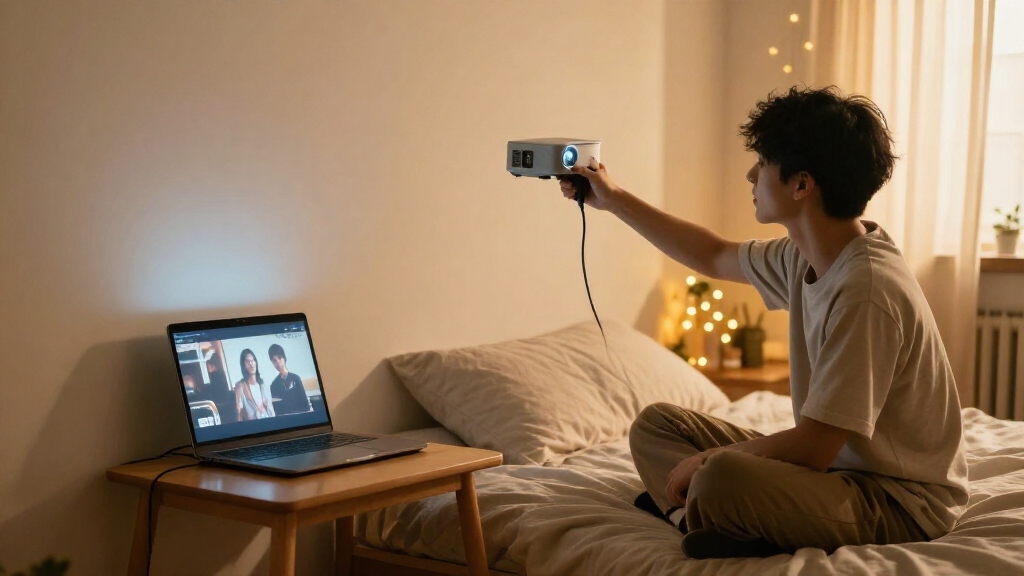

Choosing a projector for a dorm room is a space and setup decision as much as a picture-quality decision. The Anker Nebula Capsule 3 and ViewSonic M1 Mini Plus are both compact enough to store between movie nights, but they serve different priorities: the Capsule 3 is a more self-contained 1080p projector with a rechargeable battery, while the M1 Mini Plus costs less and weighs less but projects at 720p and needs a power source while in use.

Prime made for students and young adults
- Fast, free delivery for dorm and study essentials
- Prime Video and Amazon Music included
- Member-only deals

YGSKK Mini Projector with Wi-Fi 6, Bluetooth 5.3, Built-in Apps, Native 1080P, Electric Focus, and 210° Rotating Stand
- ✔ Native resolution: 1080P
- ✔ Brightness: 300 ANSI lumens
- ✔ Projection size: 50–200 inches

HY300Pro Mini Projector with Android 14, WiFi 6, Bluetooth 5.4, and 4K Support
- ✔ Native resolution: 1280 × 720 (720P)
- ✔ Maximum supported resolution: 3840 × 2160 (4K decoding)
- ✔ Brightness: 200 ANSI lumens

Magcubic HY300Pro Mini Projector with WiFi 6, Bluetooth 5.4, 4K Support, Auto Keystone, and 180° Rotation
- ✔ Native resolution: Not specified
- ✔ Resolution support: 4K support (native output unspecified)
- ✔ Brightness: 200 ANSI lumens
That gap matters if you plan to stream films on a blank wall, move the projector around, or use it away from an outlet. Choose the Capsule 3 if you want a convenient all-in-one setup and expect to watch regularly. Choose the M1 Mini Plus if the budget is tight, viewing is occasional, and you can supply a streaming device or other video source. Neither is a substitute for a bright television in a sunlit room: both work best when you can dim the lights.
At a Glance
| Criteria | Anker Nebula Capsule 3 | ViewSonic M1 Mini Plus | Winner |
|---|---|---|---|
| Native resolution | 1080p Full HD | 720p HD | A |
| Portability and power | About 0.85 kg; built-in rechargeable battery, with runtime varying by use | About 0.3 kg; no battery for projection, so it needs an outlet or compatible external power | A |
| Streaming and setup | Google TV and licensed streaming apps built in | Wi-Fi smart features are available, but app support and setup can be less straightforward; HDMI or USB-C sources are alternatives | A |
| Brightness and room conditions | Around 300 ANSI lumens; best in a darkened room | Around 120 ANSI lumens; needs a dark room and a modest image size for a watchable picture | A |
| Audio | Built-in 8 W speaker | Built-in Harman Kardon speaker | Depends |
| Dorm-room placement | Compact cylindrical body; automatic focus and keystone correction help with quick setup | Very small body with a flexible stand; external device and cables can add clutter | B |
| Purchase value | Higher upfront cost buys a sharper image and more self-contained viewing | Lower cost suits occasional use if you already have a video source | Depends |
YGSKK Mini Projector with Wi-Fi 6, Bluetooth 5.3, Built-in Apps, Native 1080P, Electric Focus, and 210° Rotating Stand
For a shared room where picture detail and quick setup both count, the YGSKK is our most balanced choice. Its stated native 1080P resolution gives it a clear advantage over the two HY300Pro options, whose listed specifications indicate 720P for one and leave native resolution unclear for the other. That distinction matters with subtitles, menus, and smaller text, which can look softer when projected at lower native resolution. Its electric focus and 210° rotating stand also make it easier to adjust after moving a desk or changing from wall to ceiling viewing.The built-in apps for Prime Video, YouTube, and Hulu reduce the need to bring a separate streaming stick, and Wi-Fi 6 plus Bluetooth 5.3 covers wireless networking and audio-device pairing. That is more straightforward for streaming than relying on phone mirroring, which has limitations: Bluetooth is for audio devices, and Android screen mirroring requires a specific app. Although the listing describes 300 ANSI lumens, this remains a compact projector; dim the room and keep expectations realistic about daytime viewing. Its advertised image range up to 200 inches is not a dorm-room target by itself. Compared with the HY300Pro Android model, we get sharper stated native resolution, but give up that model’s explicitly listed short throw ratio and Android 14. Compared with Magcubic, YGSKK states a native resolution and offers electric rather than manual adjustment, though it weighs more on the supplied spec sheet’s account, which does not list a weight.
Pros:
- Stated native 1080P resolution offers more detail than the listed 720P HY300Pro.
- Electric focus makes image adjustment easier after repositioning.
- 210° rotating stand supports wall and ceiling placement.
- Built-in apps, Wi-Fi 6, and Bluetooth audio support reduce setup accessories.
Cons:
- 300 ANSI lumens is still better suited to a dim room than a bright dorm.
- 4K compatibility does not mean native 4K projection.
- Phone mirroring has limits, including an app requirement for Android.
Best for: Students who want the clearest stated native resolution in this group and convenient focus adjustments for a shared or frequently rearranged room.
Not ideal for: Anyone who needs reliable viewing with daylight or bright overhead lights, or who expects 4K content to display at native 4K resolution.
Bottom line: We recommend the YGSKK first for dorm viewers who value native 1080P detail and convenient setup, provided they can darken the room.
“We recommend the YGSKK first for dorm viewers who value native 1080P detail and convenient setup, provided they can darken the room.”
HY300Pro Mini Projector with Android 14, WiFi 6, Bluetooth 5.4, and 4K Support
The Android 14 HY300Pro is a practical fit when a dorm setup needs to do double duty: streaming on its own and projecting at an unusual angle. Its 0.9:1 throw ratio is the clearest small-room advantage in this lineup. At a given distance, a shorter throw can produce a larger image than a longer-throw design, which helps when a desk or wall is close to the projector. The 180-degree rotatable lens also supports ceiling viewing without requiring a separate mount, a useful option when wall space is occupied or a roommate prefers lights out.Android 14 provides direct app access without an external streaming stick, and built-in 5W speakers mean a minimal setup can work for casual viewing. Wi-Fi 6 and Bluetooth 5.4 add flexibility for network use and pairing audio. The tradeoff is image detail: the stated native resolution is 1280 × 720, while 4K describes supported decoding. That puts it behind YGSKK’s stated native 1080P for crisp subtitles or fine detail. Its 200 ANSI lumens also make blackout curtains or evening viewing important, and focus is manual, so placement may take more fiddling than the YGSKK’s electric focus. Compared with Magcubic, this model gives us more specific projection-distance and native-resolution information, plus an explicitly named operating system; Magcubic instead lists auto keystone. Choose this HY300Pro for short-distance placement and self-contained streaming, not maximum sharpness or bright-room use.
Pros:
- 0.9:1 throw ratio can suit a projector placed close to the wall.
- Android 14 offers built-in access to streaming apps without an external stick.
- 180° rotation supports ceiling and wall projection.
- Light 0.77 lb design and built-in 5W speaker suit a simple portable setup.
Cons:
- Native 720P resolution is less detailed than YGSKK’s stated native 1080P.
- 200 ANSI lumens limits visibility in ambient light.
- Manual focus takes more adjustment than electric focus.
Best for: Students with little throw distance who want built-in Android apps and the option to project onto the ceiling.
Not ideal for: Viewers who prioritize native 1080P detail, need automatic focus, or plan to watch with room lights on.
Bottom line: We would choose this HY300Pro when short throw placement and built-in Android streaming matter more than sharper native resolution.
“We would choose this HY300Pro when short throw placement and built-in Android streaming matter more than sharper native resolution.”
Magcubic HY300Pro Mini Projector with WiFi 6, Bluetooth 5.4, 4K Support, Auto Keystone, and 180° Rotation
When portability and flexible placement lead the decision, the Magcubic HY300Pro is the easiest one in this set to carry between a dorm room, a study space, and a friend’s room. At 350g (0.77 lb), it matches the listed weight of the Android 14 HY300Pro and includes 180-degree rotation plus auto keystone. Keystone correction helps square up a picture when the projector cannot sit directly in front of the wall, a common constraint on crowded desks. That makes this model more forgiving to place than a projector that requires a perfectly aligned position.Its compact body and Wi-Fi 6/Bluetooth 5.4 connectivity support a simple, movable setup. The limitation is that the supplied description says it supports 4K but does not state a native resolution. We should therefore avoid treating 4K support as evidence of a 4K image panel; the Android 14 HY300Pro at least specifies native 720P, and the YGSKK states native 1080P. Magcubic also lists 200 ANSI lumens, so it shares the dim-room limitation of the Android model. Another practical consideration is software upkeep: the product description says manual system updates may be needed to keep built-in apps compatible. Compared with the Android 14 HY300Pro, Magcubic adds auto keystone but gives less detail about its operating system and image resolution. Compared with YGSKK, it is a clearer portability choice, while YGSKK is the more defensible pick for stated picture sharpness. We see it as a flexible secondary-room projector, not the best choice for buyers who need clear resolution specifications.
Pros:
- 350g weight is easy to carry between rooms.
- Auto keystone helps correct angled placement.
- 180° rotation enables wall or ceiling projection.
- Wi-Fi 6 and Bluetooth 5.4 provide wireless connectivity options.
Cons:
- Native resolution is not specified in the supplied details, despite 4K support claims.
- 200 ANSI lumens is suited to dark-room use.
- Manual system updates may be needed for built-in app compatibility.
Best for: Students who frequently move a compact projector between rooms and need some placement flexibility from auto keystone and rotation.
Not ideal for: Buyers who want a clearly stated native resolution, brighter viewing, or a projector whose apps need minimal maintenance.
Bottom line: We recommend Magcubic for students who prize portability and flexible placement, with the caveat that its native image resolution is unspecified.
“We recommend Magcubic for students who prize portability and flexible placement, with the caveat that its native image resolution is unspecified.”
As an Amazon Associate we earn from qualifying purchases.
Key Differences
The biggest practical gap is the viewing experience. The Capsule 3’s 1080p resolution gives text, subtitles and fine details more definition than the M1 Mini Plus’s 720p image, particularly when the picture is projected large. Neither projector is bright enough to compete comfortably with daylight, but the Capsule 3 has a brightness advantage. In a dorm, that means it is the more forgiving choice after dark; it still benefits from closing curtains and keeping the projected image to a sensible size.
The second gap is how much gear you need to bring to movie night. The Capsule 3 includes a battery and Google TV, so it can be set up with fewer cables and used away from an outlet for a limited period. The M1 Mini Plus is remarkably light and has a handy stand, but its lower price does not buy a battery-powered projection setup. You may need a power adapter and a streaming stick, laptop or console, which can reduce its portability advantage.
Value comes down to frequency of use. For a student who watches often and wants a simple setup, the Capsule 3’s higher price pays for convenience and a clearer picture. For occasional viewing, especially with a laptop already on hand, the M1 Mini Plus keeps the initial cost down. If you need a bright image in daytime or a big-screen replacement for a shared room, these compact models are a poor match.
Detailed Comparison
Native resolution (Anker Nebula Capsule 3 wins — major)
The Capsule 3 projects at 1080p, while the M1 Mini Plus is 720p. That is a moderate-to-major advantage for the Capsule 3 when displaying subtitles, menus, presentations or a large movie image. At a small image size or from farther away, the difference is less obvious, but the Capsule 3 is the better pick for detail.
Portability and power (Anker Nebula Capsule 3 wins — moderate)
The M1 Mini Plus is lighter and easier to tuck into a bag, which makes it appealing for a student carrying gear between rooms. The Capsule 3 is heavier, yet its built-in battery lets it project without a nearby outlet. For moving it around the dorm or taking it to a common room, the Capsule 3 is usually more practical overall; for carrying weight alone, the M1 Mini Plus wins. Battery runtime depends on settings and content, so plan for limited sessions rather than uninterrupted all-night viewing.
Streaming and setup (Anker Nebula Capsule 3 wins — moderate)
The Capsule 3 has Google TV and licensed streaming apps built in, giving it the cleaner setup for watching online services. The M1 Mini Plus can connect to sources through available inputs and offers smart features, but its app experience may not match a dedicated streaming platform. For viewers who want to turn it on and pick a show, this is a moderate win for the Capsule 3. Check service compatibility in your region before buying either projector.
Brightness and room conditions (Anker Nebula Capsule 3 wins — major)
The Capsule 3 is rated around 300 ANSI lumens compared with about 120 ANSI lumens for the M1 Mini Plus. The Capsule 3 wins, but both are designed for dim conditions rather than bright daylight. In practice, it gives more room to use a comfortably sized picture after dark; it does not make the projector suitable for a sunlit wall or replace a television for daytime viewing.
Audio (minor difference)
The Capsule 3 has an 8 W speaker, while ViewSonic equips the M1 Mini Plus with Harman Kardon audio. Wattage and brand names alone do not predict how sound will come across in a particular room, and both built-in speakers are convenient for casual viewing. This is a practical tie for a quiet dorm. Headphones or an external speaker may be preferable if the room is noisy or you want fuller sound, subject to dorm rules and compatible connections.
Dorm-room placement (ViewSonic M1 Mini Plus wins — minor)
The M1 Mini Plus has an especially small, light body and a flexible stand that helps with quick placement on a desk or shelf. The Capsule 3 is still compact, and its automatic focus and keystone features reduce adjustment work. The ViewSonic has a minor edge when storage size and weight are the main constraints; the Capsule 3 can be easier to set up for a quick movie without arranging as many accessories.
Purchase value (major difference)
The M1 Mini Plus has the lower entry price and can be sensible for occasional use if you already own a laptop or streaming device. The Capsule 3 asks more upfront, but offers a sharper picture, stronger brightness and a battery with built-in streaming. The better value depends on use: pay more for the Capsule 3 if you expect frequent, convenient viewing; save with the ViewSonic if low cost and low weight matter more than resolution and self-contained operation.
Anker Nebula Capsule 3: Pros and Cons
Pros:
- 1080p image is sharper for films, subtitles and text.
- Built-in battery supports viewing away from an outlet for a limited session.
- Google TV and streaming apps reduce reliance on extra devices.
- Higher rated brightness gives it an advantage in dark-room viewing.
Cons:
- Costs more than the M1 Mini Plus.
- Heavier than the ViewSonic.
- Battery life varies by use and limits long sessions away from power.
- Still needs a dim room for a satisfying picture.
ViewSonic M1 Mini Plus: Pros and Cons
Pros:
- Very light and easy to store or carry.
- Lower purchase price suits occasional viewing.
- Flexible stand helps with placement in a cramped room.
- Built-in Harman Kardon speaker is convenient for casual use.
Cons:
- 720p resolution shows less detail than the Capsule 3.
- Lower brightness makes a dark room especially important.
- Projection requires a power source, limiting cable-free portability.
- A separate streaming source may add cost, cables and setup.
Who Should Choose What
Choose Anker Nebula Capsule 3 if:
- You watch films or shows often and want a sharper image on a dorm wall.
- You want streaming apps built in and prefer fewer cables.
- You expect to move the projector between rooms or use it away from an outlet for shorter sessions.
- You can pay more for convenience and the stronger overall picture.
Choose ViewSonic M1 Mini Plus if:
- Your budget is the main constraint and viewing will be occasional.
- You already have a laptop, console or streaming device to connect.
- Low weight and easy storage matter more than battery-powered projection.
- You can darken the room and are comfortable with a 720p picture.
Skip both if: You need a bright, large image in daylight, reliable long sessions without access to power, or a replacement for a television used by several people throughout the day.
Value for Money
The M1 Mini Plus is the lower-cost buy, but its real cost can rise if you need to add a streaming device, cables or a compatible power solution. It makes financial sense when you already own the gear and will use the projector now and then. The Capsule 3 costs more, and that premium is worth paying for students who watch regularly, value 1080p detail and want a battery-powered setup with streaming built in. If those conveniences would go unused, the cheaper ViewSonic is the better value.
Final Verdict
For most dorm residents choosing a single projector for regular movie nights, the Anker Nebula Capsule 3 is the stronger recommendation. Its 1080p image, brighter output, built-in streaming and rechargeable battery address the hassles of a small shared room, making the extra cost easier to justify. Choose the ViewSonic M1 Mini Plus if keeping the purchase price and carry weight low matters more, you already have a source device, and you accept 720p viewing with a power cable. The deciding factor is whether you will use the Capsule 3’s sharper, more self-contained experience often enough to earn back its premium.
Frequently Asked Questions
Which projector is better for watching movies in a dorm?
The Nebula Capsule 3 is the better fit for regular movie nights because it offers 1080p resolution, built-in streaming and a battery. The M1 Mini Plus can work for casual viewing when paired with a source device and used in a dark room.
Can either projector be used in a bright room?
Neither is a strong choice for bright conditions. Both are low brightness compact projectors, and the M1 Mini Plus is especially dependent on a darkened room. Close curtains, reduce other lighting and avoid projecting an unnecessarily large image.
Is the Capsule 3 worth paying more for?
Yes, if you watch often and value sharper 1080p detail, built-in streaming and battery-powered use. For occasional sessions with a laptop or streaming stick you already own, the M1 Mini Plus can be the more economical choice.
Does the M1 Mini Plus need a streaming stick?
Not necessarily, but many buyers will prefer an external device or computer if the available smart apps do not cover their services. Confirm current app support and input compatibility before purchase, and include any extra device in your budget.