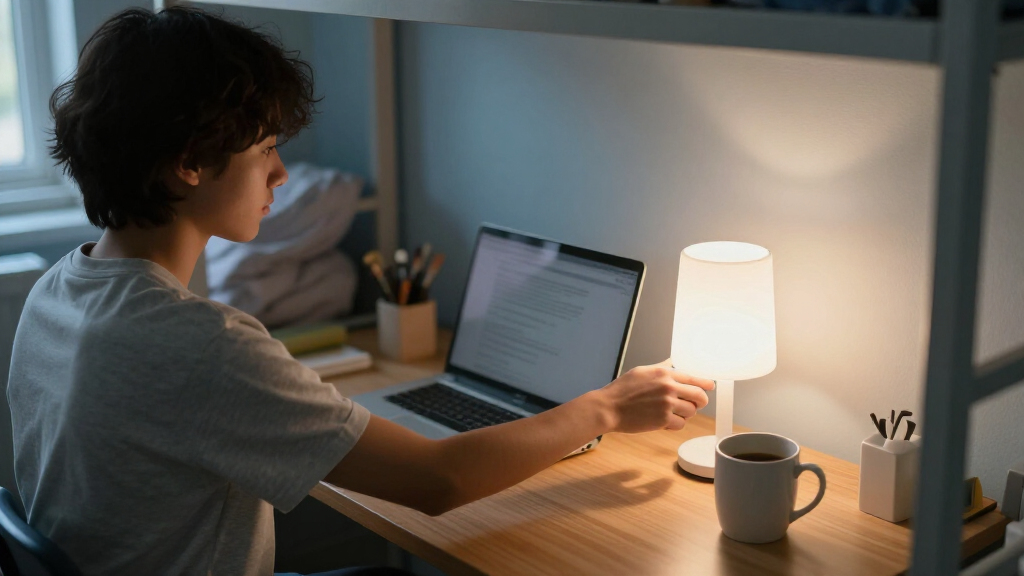

Choose and set up a compact dorm desk lamp that fits your workspace, lights your reading or laptop area, and does not crowd your desk. This guide is for students with little or no experience selecting desk lighting; you will compare a few practical features, check your dorm’s rules and outlet setup, position the lamp, and test it before relying on it for study. Allow about 20–40 minutes, including time to measure the desk and adjust the light.

Prime made for students and young adults
- Fast, free delivery for dorm and study essentials
- Prime Video and Amazon Music included
- Member-only deals

One Beat LED Desk Lamp with Power Strip, 3 Outlets, 4 USB Ports and 5 ft Cord
- ✔ AC outlets: 3
- ✔ USB ports: 4 total: 2 USB-A and 2 USB-C
- ✔ Cord length: 5 ft

LED Desk Lamp with USB-A and USB-C Ports, Touch Controls, 5 Color Modes, and 3 Brightness Levels
- ✔ Light source: LED
- ✔ Wattage: 8 watts
- ✔ Light colors: 5

LEPOWER Adjustable Metal Desk Lamp
- ✔ Material: Metal
- ✔ Bulb base: E26
- ✔ Bulb shape: A19
Difficulty: Beginner | Time: 20–40 minutes
What You’ll Need
Tools & Materials:
- Tape measure or ruler
- Phone or notebook for recording measurements
- Desk lamp options or product specifications
- A working outlet or approved power strip, if the lamp uses a plug
Knowledge:
- Basic ability to measure a desk and read a product label
- No electrical or installation experience required
Check your residence hall’s rules before buying or plugging in a lamp. Some halls restrict halogen bulbs, clamp-on fixtures, extension cords, or particular types of power strips. If you do not have a lamp yet, use the steps to choose one before setting it up. Keep the lamp’s packaging and receipt until you have tested it.
One Beat LED Desk Lamp with Power Strip, 3 Outlets, 4 USB Ports and 5 ft Cord
When a dorm desk has too few convenient places to plug in, this is the most complete option in the lineup. The three AC outlets and four USB ports bring power access directly to the lamp, while the five-foot cord offers some flexibility in where it sits. Unlike the USB-A/USB-C lamp, which only supplies USB charging, One Beat can also accommodate compatible AC-powered devices. That combination makes it especially useful when a desk is already crowded with a laptop, phone, and study accessories.Its lighting is more adjustable than the LEPOWER’s straightforward bulb-based setup: we get four color temperatures and five brightness levels, plus a foldable arm and an up-and-down adjustable head. Those settings can help tailor the light for reading, screen-adjacent work, or a dimmer evening environment. The foldable design also gives it a practical storage advantage over a lamp that is primarily adjusted by its swing arm, although folding it does not eliminate the footprint of the power-strip base.The added power functionality is also the key caution. Its maximum load is 1875W/15A, and connected devices must stay within that rating; this is not a reason to treat every outlet as unlimited. The listed drawback that the lamp head may become hot during extended use is worth considering for long study sessions. Compared with the simpler LED model, One Beat offers more desk infrastructure, but it asks buyers to pay closer attention to load and heat. For a student who needs both adaptable lighting and consolidated connections, that trade is compelling; for someone who only wants a small light, it may be more equipment than necessary.
Pros:
- Combines a foldable adjustable lamp with three AC outlets and four USB ports.
- Four color temperatures and five brightness levels support varied study tasks.
- Five-foot cord can help place the lamp where desk access is most useful.
- Adjustable head and foldable arm make positioning and storage more flexible.
Cons:
- The 1875W/15A maximum load must be respected across connected devices.
- Lamp head may become hot during extended use.
- Its power-strip functionality may be unnecessary for buyers who only want illumination.
Best for: Students who need flexible task lighting and a convenient mix of AC outlets and USB charging at one desk location.
Not ideal for: Buyers who only need a basic lamp, prefer minimal built-in electrical gear, or cannot keep connected devices within the stated 15A maximum load.
Bottom line: We recommend One Beat as the strongest all-around dorm choice when adjustable lighting and more device connections matter as much as a compact form.
“We recommend One Beat as the strongest all-around dorm choice when adjustable lighting and more device connections matter as much as a compact form.”
LED Desk Lamp with USB-A and USB-C Ports, Touch Controls, 5 Color Modes, and 3 Brightness Levels
This lamp is the better fit when lighting flexibility and a tidy, fold-away form matter more than extra AC outlets. Its five light colors and three brightness levels give it more specified lighting choices than the LEPOWER, whose light depends on the E26 bulb selected. The touch controls keep adjustment simple, and the soft night light adds a low-key option that the other two lamps do not list. For a student who moves between reading, general desk work, and winding down, those modes offer useful variety without adding a power strip to the setup.The foldable arm is a practical difference from the LEPOWER’s flexible swing arm: it is described as adjustable through 230 degrees, with a 90-degree base-axis adjustment, and the lamp folds for compact storage. Its listed dimensions and 1.4-pound weight also give shoppers concrete context when comparing desk and storage needs. Compared with the One Beat, however, this model has USB-A and USB-C charging rather than AC outlets. That makes it less capable as a hub for multiple desk devices, but also keeps its purpose more focused on lighting and USB charging.There are limits to that convenience. It is corded, so it still needs a nearby outlet, and its USB ports are specified at 5V/2.1A; buyers should not assume they substitute for a dedicated high-power charger. It is also not water resistant, which is a reminder that this is an indoor desktop product, not something for a spill-prone or outdoor setting. Choose it over One Beat if folding storage and lighting modes are the priorities; skip it if the main dorm problem is a shortage of AC connections.
Pros:
- Offers five light colors and three brightness levels.
- Foldable adjustable arm and base axis make positioning and storage more flexible.
- USB-A and USB-C ports provide a convenient place to charge compatible devices.
- Soft night-light mode adds an option not listed for the other lamps.
Cons:
- Corded power still requires a nearby outlet.
- USB charging does not provide the AC outlet expansion found on the One Beat.
- Not water resistant.
Best for: Students who want a folding lamp with several light modes, touch controls, and basic USB-A/USB-C charging.
Not ideal for: Buyers who need AC outlets at the desk, want cordless operation, or need a lamp for spaces where water resistance is important.
Bottom line: We would choose this model over the LEPOWER for lighting variety and foldable storage, but prefer One Beat when AC outlet access is the bigger dorm need.
“We would choose this model over the LEPOWER for lighting variety and foldable storage, but prefer One Beat when AC outlet access is the bigger dorm need.”
LEPOWER Adjustable Metal Desk Lamp
LEPOWER is for the student who wants a directable light without building charging features into the lamp. Its metal shade and base give it a different feel from the LED models with multiple touch-selected modes, while the flexible swing arm lets us aim light toward notes or a work area. The tabletop design is compact, and a base push-button switch keeps operation straightforward. Compared with the One Beat and the USB-equipped LED lamp, this is the least feature-heavy choice—and that simplicity is precisely its appeal for a buyer who already has charging handled elsewhere.The E26 bulb base also changes the choice. Rather than choosing among built-in color temperatures and brightness settings as on One Beat, or five color modes and three brightness levels as on the USB model, buyers select the bulb for this lamp. That can suit someone who prefers a standard replaceable bulb format, but it means the final lighting experience depends on the bulb chosen. The product information does not specify that a bulb is included, so we would confirm what comes in the package and factor in the need to obtain a compatible A19 bulb if necessary.Its tradeoffs are clear in a dorm context. There are no listed USB ports, AC outlets, fold-away features, or night-light mode, so it cannot compete with the other two as a desk hub or a multi-mode lamp. It is also corded and not water resistant, just like the practical indoor limitations of the USB lamp. Choose LEPOWER when a metal, swing-arm lamp and a bulb-based setup matter more than integrated conveniences. If desk versatility is the deciding factor, One Beat does more, and the USB LED model offers more built-in lighting control.
Pros:
- Metal shade and base provide a simple, durable-feeling construction choice.
- Flexible swing arm helps direct light where it is needed.
- Compact tabletop format suits a basic dorm study setup.
- E26 bulb base lets buyers choose a compatible bulb for their preferred setup.
Cons:
- Bulb inclusion is not specified, so buyers may need to source one separately.
- No integrated USB ports or AC outlets are listed.
- Corded design requires a nearby outlet and the lamp is not water resistant.
Best for: Students who want a straightforward metal tabletop lamp with an adjustable swing arm and a standard E26 bulb base.
Not ideal for: Buyers who need integrated USB charging, extra AC outlets, foldable storage, or multiple built-in brightness and color settings.
Bottom line: We recommend LEPOWER for buyers who value a simple metal swing-arm lamp and bulb choice, not for anyone seeking an all-in-one dorm desk station.
“We recommend LEPOWER for buyers who value a simple metal swing-arm lamp and bulb choice, not for anyone seeking an all-in-one dorm desk station.”
As an Amazon Associate we earn from qualifying purchases.
Before You Start
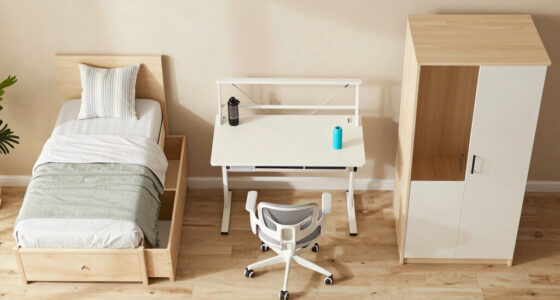
Decide where you will use the lamp: for reading paper, writing, working on a laptop, or a mix. A small base may take up little surface area, while a clamp lamp needs a sturdy edge and enough clearance behind the desk. Check the available outlet, cord route, and the space above the desk, including shelves or a loft bed. Do not place a lamp where it could be knocked onto bedding, covered by papers, or pressed against curtains.
If you are comparing models, look for stable construction, an adjustable head or arm, and a light source suited to your eyes. An integrated LED lamp is often compact and cool to the touch; a replaceable-bulb lamp may be easier to service. Check the product’s stated bulb type and maximum wattage rather than assuming any bulb will fit. A dimmer or multiple brightness settings can help accommodate both late-night reading and screen work.
Step-by-Step Instructions
Step 1: Measure the desk and available clearance
Measure the desktop’s width and depth, then note how much space your books, laptop, and writing area already occupy. Identify a spot for the lamp that will not block your screen or leave the lamp at risk of being bumped. Measure the desk edge if you are considering a clamp lamp, and check the clearance above the desk for shelves or a bunk.
Write down the measurements before comparing products. Compare the lamp’s base dimensions, overall height, and arm reach with the space you have. For a very small desk, a narrow base or a clamp model may free up useful surface area, but only select a clamp fixture if your desk edge is suitable and the dorm allows it.
Tip:Allow room to reach the lamp switch and move its arm. A lamp that technically fits but cannot be adjusted without hitting a shelf will be awkward to use.
Check: You have a specific placement area and measurements that can be checked against each lamp’s listed dimensions.
Step 2: Check dorm rules and power access
Read your residence hall’s electrical and furniture policies, or ask housing staff if the rules are unclear. Confirm whether the lamp type, bulb type, and any proposed power strip are permitted. Locate an outlet and plan a cord route that will not cross a walkway, become trapped under a chair, or stretch tightly across the desk.
Choose a lamp with a plug and cord that can reach the outlet safely, or a rechargeable model if permitted and practical. Do not plan to solve a short cord with a daisy chain of power strips or an unapproved extension cord. Follow the lamp maker’s power requirements and the hall’s rules.
Tip:Rules can differ between residence halls. Do not rely on a roommate’s lamp or an online listing as proof that a model is permitted.
Check: The lamp and its planned power arrangement comply with the dorm’s rules, and the outlet can be reached without an unsafe cord route.
Step 3: Select a lamp that fits the task
Compare lamps using the desk measurements and the kind of work you do. For reading and writing, choose a head or arm that can direct light onto the page. For laptop work, position the light so it illuminates notes without shining into your eyes or reflecting strongly on the screen. If you switch between tasks, an adjustable lamp with more than one brightness setting can be useful.
Check the lamp’s size, stability, controls, light-source details, and return policy. If it uses a replaceable bulb, match the base type and stay within the stated maximum wattage. If it has an integrated LED, check that the color and brightness suit your needs and whether the product specifies a dimming feature. Pick a neutral or warm-white option if you prefer less stark light; personal comfort matters more than choosing a particular label.
Tip:Do not judge brightness from a product photo alone. Compare the maker’s specifications and, when possible, test the lamp in a store or buy from a seller with a return window.
Check: Your chosen lamp fits the space, provides an adjustable or well-aimed light source, and uses a power and bulb configuration allowed by the dorm.
Step 4: Inspect the lamp before powering it
Unpack the lamp on a clear surface and check the body, plug, cord, shade, and controls for cracks, loose parts, or damage. Read the supplied instructions. If the lamp uses a separate bulb, confirm its base and wattage match the lamp label, then install it with the lamp unplugged. Tighten only parts the maker instructs you to secure.
Do not use a lamp with a damaged cord, exposed wiring, a cracked plug, or a loose electrical connection. Keep any protective film or packing material away from the bulb and vents, and remove it before use if the instructions call for removal. Do not modify the plug or force parts together.
Tip:If a new lamp arrives damaged, stop and contact the seller or manufacturer instead of testing it.
Check: The lamp is intact, assembled according to its instructions, and fitted with the correct bulb if one is required.
Step 5: Place and power the lamp
Set the lamp on the planned area of the desk, or attach its clamp as directed to a firm, compatible edge. Keep the base stable and leave space around the lamp head. Aim the cord toward the outlet without pulling it taut. Keep the cord away from hot surfaces, sharp edges, moving chair parts, and places where it could be pinched.
Plug the lamp directly into an approved outlet or an approved power strip, following the lamp instructions. Keep the lamp away from water and do not cover it with clothing, paper, or bedding. Switch it on and confirm that the light works before arranging study materials around it.
Tip:Unplug the lamp before moving it, changing a bulb, or adjusting any part the instructions identify as unsafe to move while powered.
Check: The lamp stands or clamps securely, the cord is not stretched or trapped, and the light turns on without flickering or unusual odor.
Step 6: Adjust the beam for your study area
Sit in your usual study position and place a book or notebook where you normally read. Adjust the lamp so its light falls across the work surface instead of directly into your eyes. If you write with one hand, position the light to reduce the shadow cast by that hand; for a right-handed writer, a light on the left often helps, and for a left-handed writer, the right may work better.
Check your laptop screen from your normal seat. Move or angle the lamp if you see a bright reflection or glare. Try the available brightness settings in the room’s usual evening lighting, and use the lowest setting that lets you see your task comfortably. Avoid aiming a bright lamp at a roommate’s bed or directly across the room.
Tip:Make small adjustments to the arm or head rather than moving the lamp by its cord. Keep joints within the range described in the instructions.
Check: Your page or work surface is easy to see, the light is not shining into your eyes, and your screen has no distracting lamp reflection.
Step 7: Test stability, controls, and cord routing
With the lamp in its final position, gently operate the switch or touch controls and move the adjustable arm through the range you expect to use. Check that the base does not tip and that the clamp stays firm. Look beneath the desk to confirm the cord does not cross a walking path or interfere with your chair.
Use the lamp for several minutes while reading or working at your normal desk position. Notice whether the light feels too dim, harsh, or distracting. If it does, adjust the angle or setting first. If the lamp still fails to provide comfortable light, use the return period to compare a better-sized or more adjustable model.
Tip:Do not add heavy objects to a lamp base or clamp to keep it in place. A lamp that will not stay stable should be repositioned or replaced.
Check: The lamp remains stable during normal adjustment, the controls respond correctly, and the cord stays clear of feet and chair movement.
Common Mistakes to Avoid
- Buying a lamp before measuring the desk or checking shelf clearance. — Measure the placement area, lamp height, and clamp edge before purchasing; compare those figures with the product specifications.
- Choosing a bulb based only on appearance or brightness. — Match the bulb base and type to the lamp label, and never exceed the lamp’s listed maximum wattage.
- Positioning the lamp so it glares on a screen or shines into the user’s eyes. — Test the beam from the normal seated position and adjust the head until the work surface is lit without direct glare.
- Routing the cord across a walkway or using an unapproved power arrangement. — Check dorm policy first and route the cord along a safe path to an approved outlet without stretching, pinching, or daisy-chaining power strips.
Troubleshooting
Problem: The lamp does not turn on.
Solution:
Switch it off and check that the plug is fully seated in a working, approved outlet. For a replaceable-bulb lamp, unplug it and confirm the bulb is the correct type and firmly installed. Check the instructions for a switch or touch-control sequence. If the outlet works but the lamp still fails, stop using it and contact the seller or manufacturer.
Problem: The lamp flickers or switches off when the arm moves.
Solution:
Stop adjusting it and unplug it. Check for a loose bulb only if the instructions allow you to do so safely and the lamp has cooled. Inspect the cord and plug; do not use the lamp if either is damaged or if movement affects the connection. Request repair or replacement rather than opening the electrical housing.
Problem: The lamp takes up too much desk space or will not fit beneath a shelf.
Solution:
Move it to a measured alternate spot if that keeps the cord safe and the light useful. If not, return or exchange it for a lower-profile model, a smaller base, or a permitted clamp lamp that matches the desk edge.
Problem: The light feels too harsh or reflects on the screen.
Solution:
Angle the head toward the page rather than the screen, lower the brightness if adjustable, and move the lamp slightly to the side. If the light remains uncomfortable, try a suitable lower-brightness source approved for the fixture or select a different lamp with better adjustment.
What Success Looks Like
The completed setup has a compact lamp that fits the measured desk space, complies with dorm rules, and stays stable during normal use. Its cord reaches an approved power source without crossing a walkway or becoming pinched. The lamp turns on reliably and lights books or notes without shining into your eyes or creating a distracting screen reflection. The controls are reachable, the lamp does not obstruct your work area, and you can adjust it without tipping the base or loosening the clamp.
Next Steps
Keep the lamp instructions and receipt where you can find them during the return or warranty period. Turn the lamp off when you leave the room, and unplug it before cleaning, moving it, or changing a bulb when the maker’s instructions call for it. Dust the shade and base with the lamp off and cool; keep liquids away from electrical parts. Check the cord and plug periodically for damage. Stop using the lamp and contact the seller, manufacturer, or housing staff if you notice exposed wires, unusual heat, a burning smell, repeated flickering, or a loose connection.
Frequently Asked Questions
What kind of compact desk lamp works best in a dorm?
Choose one that fits your measured space, stays stable, and directs light onto your work. A narrow-base lamp suits a desk with some open surface; a clamp lamp can free desk area if the edge is compatible and the dorm permits it. Adjustable brightness and an aimable head are helpful for switching between reading and screen work.
Should I choose an LED lamp or a replaceable-bulb lamp?
Either can work. An integrated LED model is often compact and needs no bulb replacement, while a replaceable-bulb lamp lets you change the bulb when needed. Compare the size, brightness controls, color of the light, and service information, and follow the maker’s directions for the specific model.
Can I use a clamp lamp on a dorm desk?
Use one only if your housing rules allow it and the desk edge is firm, compatible with the clamp, and within the maker’s specified thickness range. Attach it as directed and check that it stays secure when you adjust the arm. Do not clamp it to a shelf or surface that could crack or loosen.
Where should I place the lamp if I write by hand?
Place it on the side opposite your writing hand to reduce hand shadows: usually the left for a right-handed writer and the right for a left-handed writer. Adjust the beam from your normal seated position and move it if it causes screen glare.
Is a power strip safe for a dorm desk lamp?
Use a power strip only if your residence hall permits it and the strip meets its requirements. Follow the lamp and power-strip instructions, connect the strip to an approved outlet, and do not plug one power strip into another. Ask housing staff if the policy or outlet arrangement is unclear.
Halloween Picks
halloween
As an affiliate, we earn on qualifying purchases.