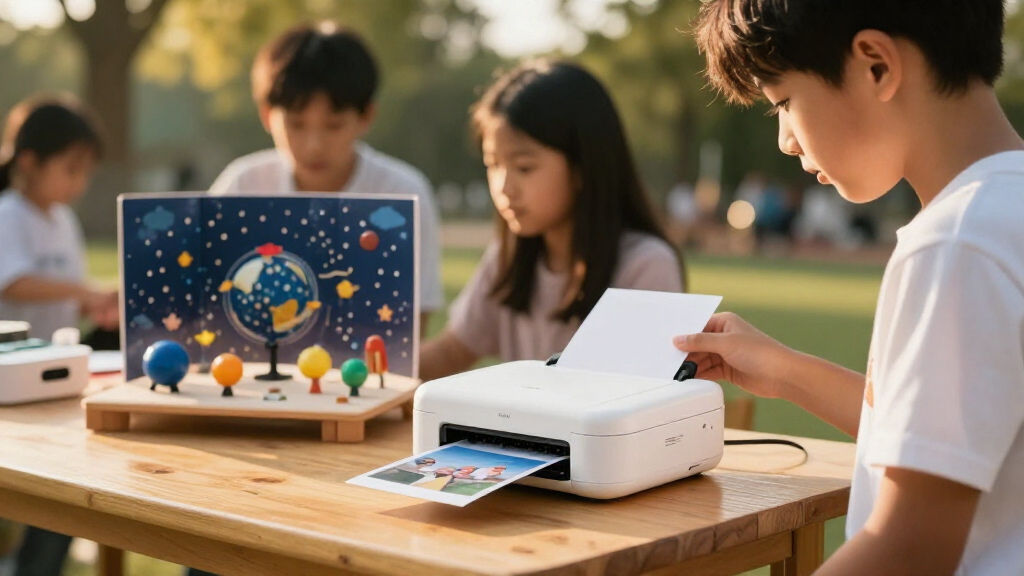

The best portable photo printer for most people is the Canon SELPHY CP1500, thanks to its larger 4-by-6-inch prints and flexible ways to print, while the KODAK Mini 2 Retro suits pocket-size keepsakes and the Liene M100 is a strong pick for batches of larger photos. The main tradeoff is between compact, adhesive-backed 2-by-3-inch prints and bigger 4-by-6-inch photos that take more space and supplies. Print technology, phone compatibility, and the cost and availability of paper or cartridges also shape the choice. This lineup includes ZINK, dye-sublimation, and 4PASS models, so similar-looking printers may produce different kinds of keepsakes. Read on for a comparison of all 15 portable photo printers and guidance on choosing the right format for your plans.

Prime made for students and young adults
- Fast, free delivery for dorm and study essentials
- Prime Video and Amazon Music included
- Member-only deals
Key Takeaways
- The Canon SELPHY CP1500 leads for flexibility: its 4-by-6-inch output better suits albums and gifts than the smaller prints from the mini printers.
- The KODAK Mini 2 Retro and Liene M100 serve different print habits: one favors compact 2-by-3-inch keepsakes, while the other is designed around batches of full-size prints.
- ZINK printers trade print supplies for convenience: the KODAK Step, Canon IVY 2, HP Sprocket, and Liene Pearl K100 use small adhesive-backed media rather than separate ink cartridges.
- The two Nelko PP01 color variants share a basic use case: choose between them by availability, included supplies, and finish rather than assuming the color changes print performance.
- Printer size alone does not tell the whole story: print format and media replenishment determine whether a model is practical for travel, parties, journaling, or home albums.
| KODAK Step Portable ZINK Instant Photo Printer, Pink |  | Best for Creative Scrapbooking | Printing technology: ZINK | Connectivity: Bluetooth, NFC | Compatible devices: iOS and Android smartphones | VIEW LATEST PRICE | See Our Full Breakdown |
| Canon IVY 2 Mini Photo Printer, White |  | Best for Sharper-Looking Small Prints | Printing technology: ZINK | Connectivity: Bluetooth 5.0 | Compatible devices: iOS and Android smartphones and tablets | VIEW LATEST PRICE | See Our Full Breakdown |
| KODAK Step Portable ZINK Smartphone Photo Printer, White |  | Best for Printing on the Go | Printing technology: ZINK | Connectivity: Bluetooth, NFC | Compatible devices: iOS and Android smartphones | VIEW LATEST PRICE | See Our Full Breakdown |
| Liene Pearl N200 Pro Portable Dye-Sublimation Photo Printer, Gold |  | Best for Customizable Color and Monochrome Stickers | Printing technology: Dye sublimation | Connectivity: Bluetooth | Compatible devices: Android and iOS smartphones | VIEW LATEST PRICE | See Our Full Breakdown |
| HP Sprocket 2nd Edition 2×3-Inch Portable Wireless Photo Printer, Purple |  | Best for Shared Printing | Printing technology: ZINK | Connectivity: Bluetooth wireless | Compatible devices: iOS 10 or later; Android 5 or later | VIEW LATEST PRICE | See Our Full Breakdown |
| HP Sprocket Portable Photo Printer (2nd Edition), Luna Pearl |  | Best for Social Sharing | Printer technology: ZINK Zero Ink | Print size: 2 × 3 inches | Print resolution: 313 × 400 DPI | VIEW LATEST PRICE | See Our Full Breakdown |
| KODAK Mini 2 Retro 2×3 Portable Photo Printer, 4PASS, White |  | Best for Durable Prints | Print technology: 4PASS dye sublimation | Print size: 2.1 × 3.4 inches | Print resolution: 291 × 300 dpi | VIEW LATEST PRICE | See Our Full Breakdown |
| Canon Ivy 2 Mini Photo Printer, Blush Pink | 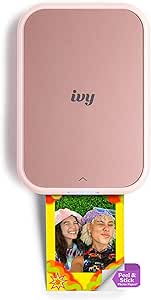 | Best for Simple Sticker Printing | Printer type: Portable ZINK photo printer | Print size: 2 × 3 inches | Print resolution: 512 dpi | VIEW LATEST PRICE | See Our Full Breakdown |
| Nelko PP01 Portable 2×3-Inch Photo Printer, Pink |  | Best for App-Based Photo Editing | Printer type: Inkjet | Print size: 2 × 3 inches | Print resolution: 600 × 600 DPI | VIEW LATEST PRICE | See Our Full Breakdown |
| Liene Pearl K100 Portable 2×3-Inch Zink Photo Printer with 50 Adhesive Sheets |  | Best for Printing More Between Refills | Printer type: ZINK | Print size: 2 × 3 inches | Maximum print resolution: 300 dpi | VIEW LATEST PRICE | See Our Full Breakdown |
| Canon SELPHY CP1500 Wireless Compact Photo Printer with RP-108 Ink and Paper Set, Black |  | Best for Flexible 4×6 Printing | Print size: 4 × 6 inches | Connectivity: Wi-Fi, USB, memory card | Display: 3.5-inch built-in display | VIEW LATEST PRICE | See Our Full Breakdown |
| KODAK Dock Plus 4×6 Photo Printer |  | Best for a Phone-Charging Home Setup | Printer type: 4PASS dye sublimation | Maximum media size: 4 × 6 inches | Resolution: 300 dpi | VIEW LATEST PRICE | See Our Full Breakdown |
| Nelko PP01 Portable 2×3-Inch Photo Printer, White |  | Best for Adhesive Prints on the Go | Printer type: Inkjet | Print size: 2 × 3 inches | Resolution: 600 × 600 DPI | VIEW LATEST PRICE | See Our Full Breakdown |
| Liene M100 Portable 4×6 Photo Printer with 100 Sheets and 3 Cartridges |  | Best Starter Kit for Shared 4×6 Printing | Printer type: Dye sublimation | Print resolution: 300 × 300 dpi | Connectivity: Wi-Fi, USB-C | VIEW LATEST PRICE | See Our Full Breakdown |
| KODAK Step Portable ZINK Instant Photo Printer, 2 x 3 Inch Sticky-Back Prints, Bluetooth and NFC, Black |  | Best for Cartridge-Free Pocket Printing | Printer technology: ZINK | Print size: 2 × 3 inches | Connectivity: Bluetooth, NFC | VIEW LATEST PRICE | See Our Full Breakdown |
| portable photo printer | Connectivity | Weight | Print size | Print resolution |
|---|---|---|---|---|
| KODAK Step Portable ZINK Insta | Bluetooth, NFC | 0.07 kg | 2 × 3 inches | 300 dpi |
| Canon IVY 2 Mini Photo Printer | Bluetooth 5.0 | 145 g | 2 × 3 inches | 313 × 512 dpi |
| KODAK Step Portable ZINK Smart | Bluetooth, NFC | 0.07 kg | 2 × 3 inches | 300 × 300 dpi |
| Liene Pearl N200 Pro Portable | Bluetooth | 340 g | — | 300 × 300 dpi |
| HP Sprocket 2nd Edition 2×3-In | Bluetooth wireless | 7.1 ounces | 2 × 3 inches | 313 × 400 dpi |
| HP Sprocket Portable Photo Pri | Bluetooth 5.0 | 6.1 ounces | 2 × 3 inches | 313 × 400 DPI |
| KODAK Mini 2 Retro 2×3 Portabl | Bluetooth | 255 g | 2.1 × 3.4 inches | 291 × 300 dpi |
| Canon Ivy 2 Mini Photo Printer | Bluetooth 5.0 | 8.8 ounces | 2 × 3 inches | 512 dpi |
| Nelko PP01 Portable 2×3-Inch P | Bluetooth | 308 g | 2 × 3 inches | 600 × 600 DPI |
| Liene Pearl K100 Portable 2×3- | Bluetooth 5.2 | 200 g | 2 × 3 inches | — |
| Canon SELPHY CP1500 Wireless C | Wi-Fi, USB, memory card | — | 4 × 6 inches | — |
| KODAK Dock Plus 4×6 Photo Prin | Bluetooth, docking, USB Type-C | — | — | — |
| Nelko PP01 Portable 2×3-Inch P | Bluetooth | 308 g | 2 × 3 inches | — |
| Liene M100 Portable 4×6 Photo | Wi-Fi, USB-C | 200 g | — | 300 × 300 dpi |
| KODAK Step Portable ZINK Insta | Bluetooth, NFC | 0.07 kg | 2 × 3 inches | 300 dpi |
More Details on Our Top Picks
KODAK Step Portable ZINK Instant Photo Printer, Pink
The pink KODAK Step suits phone photographers who want pocketable prints they can stick straight into journals, planners, or cards. Its Bluetooth and NFC connections give it two ways to pair with iOS or Android phones, while the app adds filters, stickers, borders, text, and collage tools for decorating images before printing. Like the white KODAK Step, it uses ink-free ZINK paper and produces only 2 × 3-inch prints; the choice between them is mainly color and the white model’s listed print-time and accessory details, not a different print format. At 70 g, it is exceptionally light to carry, but the tradeoff is a modest 25 prints per charge and room for just 10 sheets at a time. Choose it for small creative projects, not larger keepsakes or long print sessions.
Pros:- Very light 70 g body is easy to pack for events or travel.
- Bluetooth and NFC offer two pairing options with compatible phones.
- ZINK printing avoids separate ink, toner, or ribbon supplies.
- App tools support filters, stickers, text, borders, and collages.
Cons:- Prints are limited to 2 × 3 inches.
- Battery supports up to 25 prints per charge.
- The paper tray holds only 10 sheets.
Best for: Journalers, scrapbookers, and students who want a lightweight printer with app tools for customizing small adhesive photos.
Not ideal for: Buyers who want larger photo prints or plan to print many images away from a charger; it is limited to 2 × 3 inches and up to 25 prints per charge.
- Printing technology:ZINK
- Connectivity:Bluetooth, NFC
- Compatible devices:iOS and Android smartphones
- Print size:2 × 3 inches
- Print resolution:300 dpi
- Weight:0.07 kg
- Battery output:Up to 25 prints per charge
- Paper capacity:10 sheets
Our verdict“Choose the pink KODAK Step for lightweight, customizable sticky-back prints, but pick a larger-format printer if small stickers are not enough.”
Canon IVY 2 Mini Photo Printer, White
The Canon IVY 2 is a sensible pick for phone users who care about how faces and fine detail appear in small prints. Canon specifies 313 × 512 dpi and describes improved skin tones, contrast, and sharpness, giving it a detail-focused edge on paper over the 300 dpi KODAK Step models. That distinction matters most for portraits and images with subtle tonal changes, though it does not change the shared 2 × 3-inch format. Bluetooth 5.0 connects compatible iOS and Android phones or tablets through the Canon Mini Print app, so it is less flexible for anyone who wants printing outside a mobile-app workflow. Its 10-sheet capacity also favors short batches rather than group events. Pick this white IVY 2 for compact portrait prints; skip it if NFC pairing or a longer feature set matters more than its stated resolution.
Pros:- Listed 313 × 512 dpi resolution is higher than the KODAK Step’s listed 300 dpi.
- Canon highlights improved skin tones, contrast, and sharpness for small photos.
- Bluetooth 5.0 supports printing from compatible phones and tablets.
- Peel-and-stick ZINK paper avoids ink cartridges.
Cons:- Limited to 2 × 3-inch prints.
- Printing depends on compatible mobile devices and the Canon Mini Print app.
- The 10-sheet media capacity requires frequent reloading during larger batches.
Best for: Phone photographers who mainly print portraits and want a compact ZINK printer with a stated higher resolution than the KODAK Step.
Not ideal for: People who want NFC pairing, prints larger than 2 × 3 inches, or a printer that works without the Canon Mini Print app.
- Printing technology:ZINK
- Connectivity:Bluetooth 5.0
- Compatible devices:iOS and Android smartphones and tablets
- Print size:2 × 3 inches
- Print resolution:313 × 512 dpi
- Weight:145 g
- Media capacity:10 sheets
- Warranty:1 year
Our verdict“Pick the Canon IVY 2 if portrait detail is your priority in a pocket-size printer, and choose another option if you need NFC or more paper capacity.”
KODAK Step Portable ZINK Smartphone Photo Printer, White
For travelers who want a printer that is easy to pack and ready to use with common smartphones, the white KODAK Step keeps the setup straightforward: pair by Bluetooth or NFC, edit in the Kodak app, and print 2 × 3-inch adhesive photos. Its stated print time of under 60 seconds helps when you want to hand someone a keepsake without waiting through a long process. The white version shares the pink KODAK Step’s 70 g weight and 25-print battery limit, so it does not offer longer sessions; its listed package also includes a charging cable and starter paper. Compared with the Canon IVY 2, it adds NFC pairing and more named app-decorating tools, while Canon lists a higher resolution. Choose the Step for travel-friendly simplicity and creative edits, not for larger prints or extended batches.
Pros:- 70 g weight makes it easy to carry in a bag or large pocket.
- Bluetooth and NFC provide flexible pairing with iOS and Android phones.
- App includes filters, stickers, borders, text, and collage tools.
- Package includes a Micro USB cable and starter ZINK paper.
Cons:- Small 2 × 3-inch output is not suited to larger keepsakes.
- Battery is rated for up to 25 photos per charge.
- Listed 300 × 300 dpi resolution is lower than the Canon IVY 2’s stated resolution.
Best for: Travelers and event guests who want a lightweight phone printer with NFC pairing and included starter paper.
Not ideal for: Users prioritizing higher stated resolution or long print runs; the printer is limited to 2 × 3 inches and up to 25 prints per charge.
- Printing technology:ZINK
- Connectivity:Bluetooth, NFC
- Compatible devices:iOS and Android smartphones
- Print size:2 × 3 inches
- Print resolution:300 × 300 dpi
- Print time:Under 60 seconds
- Weight:0.07 kg
- Battery output:Up to 25 photos per charge
- Included accessories:Micro USB charging cable, starter ZINK photo paper, quick start guide
Our verdict“Choose the white KODAK Step for lightweight travel printing and NFC pairing, but favor the Canon IVY 2 if its higher listed resolution matters more.”
Liene Pearl N200 Pro Portable Dye-Sublimation Photo Printer, Gold
The Liene Pearl N200 Pro breaks from the ZINK approach used by the KODAK Step and Canon IVY 2: its dye-sublimation system prints both color and monochrome images, while the app adds background removal, watermarks, timestamps, frames, and filters. That makes it a better fit for users who want to shape the look of a sticker before printing, rather than simply print a phone snapshot. A built-in camera filter and one-touch capture also offer a more direct creative workflow than the app-centered KODAK Step. The tradeoffs are a 340 g weight, a 10-sheet maximum capacity, and the same small 2 × 3-inch output ceiling. It comes with 50 adhesive sheets and five cartridges, but replacement consumables are part of its printing system. Choose it for creative variety, not the lightest carry or larger photo prints.
Pros:- Dye-sublimation printing supports both color and monochrome output.
- App offers background removal, frames, filters, watermarks, and timestamps.
- One-touch capture and built-in camera filters add an alternative to app-only editing.
- Includes 50 sheets of adhesive paper and five cartridges.
Cons:- At 340 g, it is heavier than the 70 g KODAK Step.
- Maximum media size remains 2 × 3 inches.
- The 10-sheet capacity limits how many sheets can be loaded at once.
Best for: Creative phone photographers who want color and monochrome adhesive prints, background removal, and built-in camera effects.
Not ideal for: Minimalists seeking the lightest ink-free printer or anyone who wants prints larger than 2 × 3 inches; this model weighs more than the KODAK Step and uses cartridges.
- Printing technology:Dye sublimation
- Connectivity:Bluetooth
- Compatible devices:Android and iOS smartphones
- Maximum media size:2 × 3 inches
- Print resolution:300 × 300 dpi
- Weight:340 g
- Battery output:Up to 27 stickers per charge
- Maximum sheet capacity:10 sheets
- Included supplies:50 sheets of adhesive paper, 5 cartridges
Our verdict“Choose the Liene Pearl N200 Pro for its creative controls and monochrome option, but select a ZINK model if lighter weight and avoiding cartridges matter more.”
HP Sprocket 2nd Edition 2×3-Inch Portable Wireless Photo Printer, Purple
The purple HP Sprocket 2nd Edition stands out for group use: multiple devices can connect for shared printing, making it more suited to parties or family gatherings than a printer intended for one person’s phone. Its up to 35 prints per charge also exceeds the 25-print limit listed for both KODAK Step models, which can mean fewer charging interruptions during an event. Like those Kodak printers, it uses ZINK paper with sticky backs and skips ink cartridges; the format stays at 2 × 3 inches, however, so this is for handing out small snapshots rather than making larger keepsakes. It weighs 7.1 ounces, considerably more than the 70 g KODAK Step, and uses Micro USB charging. Pick the HP when shared access and a longer stated battery run matter more than minimum carry weight.
Pros:- Multiple connected devices can share printing duties.
- Up to 35 prints per charge, compared with up to 25 for the KODAK Step.
- ZINK sticky-back paper avoids ink cartridges and resists water, smudges, and tears.
- Compact body supports portable use.
Cons:- At 7.1 ounces, it is heavier than the 70 g KODAK Step.
- Prints are limited to 2 × 3 inches.
- Uses Micro USB charging rather than a stated newer charging connection.
Best for: Families and event hosts who want several people to send phone photos to one compact printer and need more prints per charge than the KODAK Step offers.
Not ideal for: Travelers focused on minimum weight or buyers who want prints larger than 2 × 3 inches; the HP is heavier than the KODAK Step and shares its small-format limit.
- Printing technology:ZINK
- Connectivity:Bluetooth wireless
- Compatible devices:iOS 10 or later; Android 5 or later
- Print size:2 × 3 inches
- Print resolution:313 × 400 dpi
- Weight:7.1 ounces
- Dimensions:3.15 × 4.63 × 0.98 inches
- Battery output:Up to 35 prints per charge
- Charging:Rechargeable; Micro USB
Our verdict“Choose the HP Sprocket for shared event printing and its higher stated print count per charge, but pick the KODAK Step if carrying the lightest printer is your priority.”
HP Sprocket Portable Photo Printer (2nd Edition), Luna Pearl
The HP Sprocket 2nd Edition makes the most sense for people who want to turn phone photos into small, shareable keepsakes without carrying ink or cartridges. Its 2 × 3-inch peel-and-stick ZINK prints are easy to add to journals, lockers, or cards, while the app adds photo customization, social-media printing, shared albums, and augmented-reality features. Compared with the Canon Ivy 2, it offers a similar pocket-friendly, inkless format but puts extra emphasis on sharing and app-based effects. That convenience comes with familiar limits: prints stay small, and the 10-sheet capacity means a busy group outing can use up the loaded paper quickly. I’d choose it for casual, interactive printing rather than larger keepsakes or long print sessions.
Pros:- Pocket-sized 6.1-ounce design is easy to carry
- ZINK printing avoids separate ink cartridges
- Peel-and-stick prints suit journals, cards, and displays
- App includes social printing, shared albums, customization, and augmented-reality features
Cons:- Prints are limited to 2 × 3 inches
- The 10-sheet capacity requires frequent reloading during group use
- Printing depends on a compatible smartphone and the HP app
Best for: Social-media users and friends who want pocketable, peel-and-stick snapshots with app-based sharing and creative effects.
Not ideal for: Travelers who want to print many photos between refills or anyone who needs prints larger than 2 × 3 inches.
- Printer technology:ZINK Zero Ink
- Print size:2 × 3 inches
- Print resolution:313 × 400 DPI
- Connectivity:Bluetooth 5.0
- Paper capacity:10 sheets
- Weight:6.1 ounces
- Dimensions:3.15 × 4.63 × 0.98 inches
- Included paper:10 sheets of 2 × 3-inch peel-and-stick ZINK photo paper
Our verdict“Choose the HP Sprocket if app-based sharing and sticker-backed snapshots matter more than print size or paper capacity.”
KODAK Mini 2 Retro 2×3 Portable Photo Printer, 4PASS, White
The KODAK Mini 2 Retro is the pick here for buyers who prefer a finished photo-paper print over an inkless sticker. Its 4PASS dye-sublimation process adds a protective laminate intended to resist fingerprints, water, and fading, giving its 2.1 × 3.4-inch prints a different feel from the adhesive-backed ZINK output of the HP Sprocket 2nd Edition. The included 38 sheets and four cartridges also make it ready for more printing out of the box than models supplied with only a small starter stack. The tradeoff is a roughly 55-second print time and a need to manage cartridges as well as paper. Its prints are still compact, so I’d skip it if you want larger photos or a no-consumables workflow.
Pros:- 4PASS dye-sublimation process adds a protective laminate
- Includes 38 sheets of photo paper and four cartridges
- Compact body weighs 255 g
- App supports photo editing, cropping, and customization
Cons:- Printing takes approximately 55 seconds per photo
- Requires both photo paper and cartridges, unlike ZINK models such as the HP Sprocket
- Prints remain limited to a compact 2.1 × 3.4-inch format
Best for: Phone photographers who want small glossy prints with a protective finish and a useful starter supply of paper and cartridges.
Not ideal for: People who prioritize instant output, adhesive-backed prints, or a cartridge-free setup.
- Print technology:4PASS dye sublimation
- Print size:2.1 × 3.4 inches
- Print resolution:291 × 300 dpi
- Print time:Approximately 55 seconds
- Connectivity:Bluetooth
- Weight:255 g
- Dimensions:3 × 5 × 1 inches
- Included supplies:Four cartridges and 38 sheets of photo paper
Our verdict“Choose the KODAK Mini 2 Retro if a laminated glossy finish and included supplies matter more than faster, cartridge-free printing.”
Canon Ivy 2 Mini Photo Printer, Blush Pink
The Canon Ivy 2 is a straightforward choice for smartphone owners who want to print small adhesive-backed photos without handling ink cartridges. Its Bluetooth 5.0 connection and Canon Mini Print app keep the workflow phone-focused, while the included 10 sheets provide a starter supply. Compared with the KODAK Mini 2 Retro, the Ivy 2 trades that model’s laminated dye-sublimation finish for inkless ZINK printing and peel-and-stick backing—handier for decorating, less suited to buyers seeking conventional glossy prints. Its listed 512 dpi resolution is a strong specification, but it doesn’t change the core limitation: output is only 2 × 3 inches. The paper tray also holds just 10 sheets, and the printer requires compatible ZINK media, so regular printing means keeping the right paper on hand.
Pros:- ZINK technology prints without ink cartridges
- Peel-and-stick backing makes photos easy to place
- Bluetooth 5.0 supports printing from compatible iOS and Android phones
- Includes 10 sheets of ZINK paper and a USB charging cable
Cons:- Print size is limited to 2 × 3 inches
- The 10-sheet capacity is restrictive for extended printing
- Requires compatible ZINK photo paper
Best for: Journal makers, students, and smartphone users who want small sticker-backed color prints with a simple Bluetooth workflow.
Not ideal for: Buyers who want larger photos, a high-capacity paper supply, or laminated dye-sublimation prints like those from the KODAK Mini 2 Retro.
- Printer type:Portable ZINK photo printer
- Print size:2 × 3 inches
- Print resolution:512 dpi
- Connectivity:Bluetooth 5.0
- Paper capacity:10 sheets
- Weight:8.8 ounces
- Dimensions:4.69 × 0.79 × 3.29 inches
- Included accessories:10 sheets of ZINK photo paper, SMART SHEET, and USB charging cable
Our verdict“Pick the Canon Ivy 2 for easy phone-to-sticker printing, but choose the KODAK Mini 2 Retro if you want laminated, non-sticky photo-paper output.”
Nelko PP01 Portable 2×3-Inch Photo Printer, Pink
The Nelko PP01 stands apart from the ZINK printers in this lineup by using four-color inkjet printing on adhesive-backed photo paper. Its 600 × 600 DPI specification and app tools—including filters, frames, collages, stickers, text, and AI image editing—make it a fit for buyers who want to customize a photo before printing. Compared with the Canon Ivy 2, it offers more detailed app editing and a higher stated resolution, but it also brings ink and cartridge yield into the ownership equation rather than relying on inkless ZINK media. The adhesive paper is described as resistant to smudges, water, and tears, which suits travel keepsakes, though the prints still top out at 2 × 3 inches. The included USB cable has no power adapter, so you’ll need a compatible charging source.
Pros:- 600 × 600 DPI color printing
- App offers extensive editing tools, including collages and AI image editing
- Adhesive-backed paper is designed to resist smudges, water, and tears
- Bluetooth supports iOS and Android smartphones
Cons:- Uses cyan, magenta, yellow, and black ink rather than inkless ZINK technology
- Prints are limited to 2 × 3 inches
- USB charging cable is included, but the power adapter is not
Best for: Creative smartphone users who like adding text, stickers, filters, or collages before printing adhesive-backed snapshots.
Not ideal for: Buyers who want inkless operation, larger prints, or a complete charging setup straight from the box.
- Printer type:Inkjet
- Print size:2 × 3 inches
- Print resolution:600 × 600 DPI
- Supported ink colors:Cyan, magenta, yellow, and black
- Connectivity:Bluetooth
- Compatible devices:iOS and Android smartphones
- Weight:308 g
- Dimensions:4.2 × 1.69 × 5.04 inches
- Charging accessories:USB cable included; power adapter not included
Our verdict“Choose the Nelko PP01 if creative app editing and its stated 600 DPI output outweigh the simpler inkless workflow of the Canon Ivy 2.”
Liene Pearl K100 Portable 2×3-Inch Zink Photo Printer with 50 Adhesive Sheets
Among these pocket-photo options, the Liene Pearl K100 is the clearest choice for buyers who want to carry a substantial paper supply: it includes 50 adhesive ZINK sheets, compared with the 10-sheet capacities listed for the HP Sprocket and Canon Ivy 2. That larger bundle makes it better suited to outings or small gatherings where frequent reloading would interrupt printing. Its Bluetooth 5.2 connection, USB-C charging, and stated capacity of up to 30 photos per charge support mobile use, while color and monochrome output add flexibility. The tradeoff is a more app-dependent experience: photos can only be printed through the Liene app, and monochrome printing needs separately purchased paper. Cleaning also calls for a blue calibration card, adding a small maintenance step absent from the basic pitch of the Canon Ivy 2.
Pros:- Includes 50 adhesive-backed ZINK sheets
- Prints color and monochrome photos
- Bluetooth 5.2 and USB Type-C charging suit portable use
- Battery is specified for up to 30 photos per charge
Cons:- Printing is limited to the Liene app
- Monochrome printing requires separately purchased paper
- Print-head cleaning requires a blue calibration card
Best for: Travelers and groups who want a portable ZINK printer with a larger included paper supply and fewer reloads.
Not ideal for: People who want to print from outside the Liene app or expect monochrome paper and maintenance supplies to be included.
- Printer type:ZINK
- Print size:2 × 3 inches
- Maximum print resolution:300 dpi
- Connectivity:Bluetooth 5.2
- Included paper:50 adhesive ZINK sheets
- Battery capacity:Up to 30 photos per charge
- Charging port:USB Type-C
- Weight:200 g
- Dimensions:4.92 × 3.35 × 0.98 inches
Our verdict“Pick the Liene Pearl K100 if its 50-sheet bundle and stated battery capacity matter more than app flexibility or included monochrome media.”
Canon SELPHY CP1500 Wireless Compact Photo Printer with RP-108 Ink and Paper Set, Black
The Canon SELPHY CP1500 suits buyers who want 4×6 prints without being tied to a phone-only workflow. Wi-Fi, USB, and memory-card support make it more flexible for cameras and computers than the KODAK Dock Plus, while its 3.5-inch display lets you review images and apply filters at the printer. Prints are described as instantly dry and water resistant, a practical advantage for handing photos around soon after printing. It is compact for a 4×6 model, but not pocket-sized like the Nelko PP01 or KODAK Step. The main portability catch is that the battery pack is optional, so true untethered printing requires an extra purchase. The included 108-sheet set gives it a useful start, though frequent printing will call for more media.
Pros:- Accepts print jobs over Wi-Fi, USB, and memory cards, offering broader input options than phone-focused mini printers.
- Built-in 3.5-inch display supports image review, editing, and filter effects without relying entirely on a phone screen.
- Instant-dry, water-resistant prints are practical for sharing and handling.
- Includes 108 sheets of 4×6 media and ink to get started.
Cons:- The battery pack is optional, limiting out-of-box printing away from power.
- Its 4×6 format and larger footprint are less convenient to carry than 2×3-inch pocket printers.
- The included 108-sheet supply will need replenishment for regular use.
Best for: Families and hobby photographers who want durable 4×6 prints from phones, cameras, memory cards, or computers.
Not ideal for: Travelers who need a pocketable printer that works away from an outlet without buying an optional battery pack.
- Print size:4 × 6 inches
- Connectivity:Wi-Fi, USB, memory card
- Display:3.5-inch built-in display
- Included media:RP-108 color ink and paper set
- Included sheet capacity:108 sheets
- Print features:Instant-dry, water-resistant prints; filter effects; QR code printing
- Print longevity:Up to 100 years, as described
- Color:Black
Our verdict“Choose the SELPHY CP1500 if you want flexible, durable 4×6 prints and can accept an optional battery for genuinely mobile use.”
KODAK Dock Plus 4×6 Photo Printer
The KODAK Dock Plus is a home-oriented choice for people who want straightforward 4×6 printing from a compatible smartphone. Its built-in dock can charge the connected phone while printing, giving it a useful role that the Canon SELPHY CP1500 does not center on. Bluetooth and a companion app keep setup simple, and 4PASS dye sublimation adds protective lamination for prints described as water-, fingerprint-, and fade-resistant. At about 55 seconds per photo, it is suited to occasional sharing rather than rapid batches. The tradeoff is clear: it needs an AC outlet, so it is less useful on trips than the battery-powered KODAK Step, and it only prints 4×6 photos. Choose it for a desk or family room, not for a bag-ready kit.
Pros:- Integrated docking station can charge a connected smartphone while printing.
- 4PASS prints receive protective lamination and are described as water-, fingerprint-, and fade-resistant.
- Bluetooth connection and app-based editing offer a simple phone-centered workflow.
- Prints standard 4×6 photos rather than the smaller keepsake format of the KODAK Step.
Cons:- Requires an AC outlet, unlike rechargeable portable options such as the KODAK Step.
- Prints only 4×6-inch photos.
- Around 55 seconds per photo makes larger print batches a slower process.
Best for: Households that mainly print smartphone photos at home and like having a charging dock at the printing spot.
Not ideal for: Travelers or event hosts who need battery-powered printing, multiple print sizes, or a compact printer to carry around.
- Printer type:4PASS dye sublimation
- Maximum media size:4 × 6 inches
- Resolution:300 dpi
- Connectivity:Bluetooth, docking, USB Type-C
- Compatible devices:iOS and Android smartphones, tablets
- Print speed:Approximately 55 seconds per photo
- Sheet capacity:50 sheets
- Power source:AC power outlet
- Dimensions:4.5 × 8.5 × 2 inches
Our verdict“Pick the Dock Plus for convenient, durable 4×6 smartphone prints at home, but skip it if outlet-free portability matters.”
Nelko PP01 Portable 2×3-Inch Photo Printer, White
The Nelko PP01 is a pocket-friendly pick for people who want small, sticky-back photos for journals, labels, or travel scrapbooks. At 308 g, it is easier to carry than the 4×6 Canon SELPHY CP1500, and its 2×3-inch adhesive media turns each print into something that can be placed directly on a page or surface. The listed 600 × 600 DPI resolution is higher than the 300 dpi figure supplied for the KODAK Step, while the app adds filters, frames, and collage tools. Its inkjet approach is a different tradeoff from the Step’s cartridge-free ZINK system: the PP01 lists four ink colors and a yield of up to 80 prints. Prints are small, output is limited to about one color page per minute, and the charging adapter is not included.
Pros:- Lightweight 308 g body is easier to pack than a 4×6 printer such as the Canon SELPHY CP1500.
- 2×3-inch adhesive-backed glossy media suits journals, scrapbooks, and small keepsakes.
- Listed 600 × 600 DPI resolution and app editing tools support customized prints.
- Prints are described as resistant to water, smudges, and tears.
Cons:- Prints are limited to 2×3 inches, much smaller than 4×6 options such as the Liene M100.
- Output is listed at one color page per minute, making batches slow.
- USB charging cable is included, but the power adapter is not.
Best for: Journalers, students, and travelers who want lightweight adhesive-backed photos with app-based editing.
Not ideal for: Anyone who needs full-size photos, fast batches, or a ready-to-use charging setup without sourcing an adapter.
- Printer type:Inkjet
- Print size:2 × 3 inches
- Resolution:600 × 600 DPI
- Connectivity:Bluetooth
- Compatible devices:iOS and Android smartphones
- Media:Glossy adhesive-backed photo paper
- Weight:308 g
- Print speed:1 color page per minute
- Cartridge yield:Up to 80 prints
Our verdict“Choose the PP01 for portable, customizable adhesive prints, provided small format and slower output fit your needs.”
Liene M100 Portable 4×6 Photo Printer with 100 Sheets and 3 Cartridges
The Liene M100 is a stronger fit for a household or small group than for solo pocket carry: it prints full-size 4×6 photos and supports up to five device connections, while the Nelko PP01 is lighter and aimed at individual 2×3 prints. A built-in Wi-Fi hotspot means phones and computers can connect without relying on an existing network, and the included 100 sheets and three cartridges make the package ready for a batch of prints. Dye-sublimation output is described as water-, scratch-, and fade-resistant. Still, “portable” has limits here: the listed dimensions are substantially larger than mini printers, and a 20-sheet capacity means the full starter supply is not loaded at once. Proprietary media and regular print-head cleaning add ongoing upkeep compared with the cartridge-free KODAK Step.
Pros:- Prints standard 4×6 photos, offering a larger keepsake format than the 2×3 Nelko PP01.
- Built-in Wi-Fi hotspot supports connection without an external network.
- Can support up to five simultaneous device connections for shared use.
- Includes 100 sheets and three color cartridges for a substantial starter supply.
Cons:- Proprietary Liene paper and cartridges can limit media flexibility.
- Regular print-head cleaning is needed to help prevent smudges and maintain output quality.
- The 20-sheet capacity and larger body make it less convenient to carry than pocket printers.
Best for: Families or groups who want to print batches of 4×6 photos from several phones, tablets, or computers.
Not ideal for: Solo travelers seeking a pocket-sized printer, or buyers who want broad third-party media choices and minimal maintenance.
- Printer type:Dye sublimation
- Print resolution:300 × 300 dpi
- Connectivity:Wi-Fi, USB-C
- Compatible devices:iOS, Android, Windows, Mac
- Paper size:4 × 6 inches
- Sheet capacity:20 sheets
- Weight:200 g
- Included media:100 sheets and three color cartridges
- Warranty:12 months
Our verdict“The M100 makes sense for shared, at-home 4×6 printing with a generous starter kit, not for pocket-first portability.”
KODAK Step Portable ZINK Instant Photo Printer, 2 x 3 Inch Sticky-Back Prints, Bluetooth and NFC, Black
The KODAK Step is the clearest choice here for grab-and-go prints when convenience matters more than photo size. Its ZINK technology needs no ink cartridges, toner, or ribbons, unlike the inkjet-based Nelko PP01; that reduces supplies to carry, though buyers still need compatible ZINK paper. Bluetooth and NFC pairing, a rechargeable battery, and a listed weight of just 0.07 kg make it easier to bring along than the larger Canon SELPHY CP1500. The app adds stickers, borders, text, filters, and collage tools for quick social or scrapbook prints. The limits are just as clear: output is only 2×3 inches, the tray holds 10 sheets, and the battery is listed for up to 25 prints per charge. It is a personal keepsake printer, not a substitute for 4×6 printing.
Pros:- ZINK printing requires no ink cartridges, toner, or ribbons.
- Rechargeable battery and 0.07 kg listed weight support easy carry.
- Bluetooth and NFC offer phone-friendly connection options.
- Companion app includes filters, stickers, borders, text, and collage tools.
Cons:- Prints are limited to 2×3 inches, unlike the 4×6 Canon SELPHY CP1500.
- The 10-sheet capacity requires frequent reloading during a print session.
- Battery is listed for up to 25 prints per charge.
Best for: Phone users who want a lightweight, rechargeable printer for small sticky-back photos and creative app edits.
Not ideal for: People who want 4×6 prints, larger print batches, or more than 25 prints between charges.
- Printer technology:ZINK
- Print size:2 × 3 inches
- Connectivity:Bluetooth, NFC
- Compatible devices:iOS and Android smartphones and tablets
- Battery:Rechargeable lithium-ion
- Prints per charge:Up to 25
- Print resolution:300 dpi
- Maximum sheet capacity:10 sheets
- Weight:0.07 kg
Our verdict“Pick the KODAK Step for cartridge-free, rechargeable 2×3 keepsakes, but choose a 4×6 model for larger prints.”
How We Picked
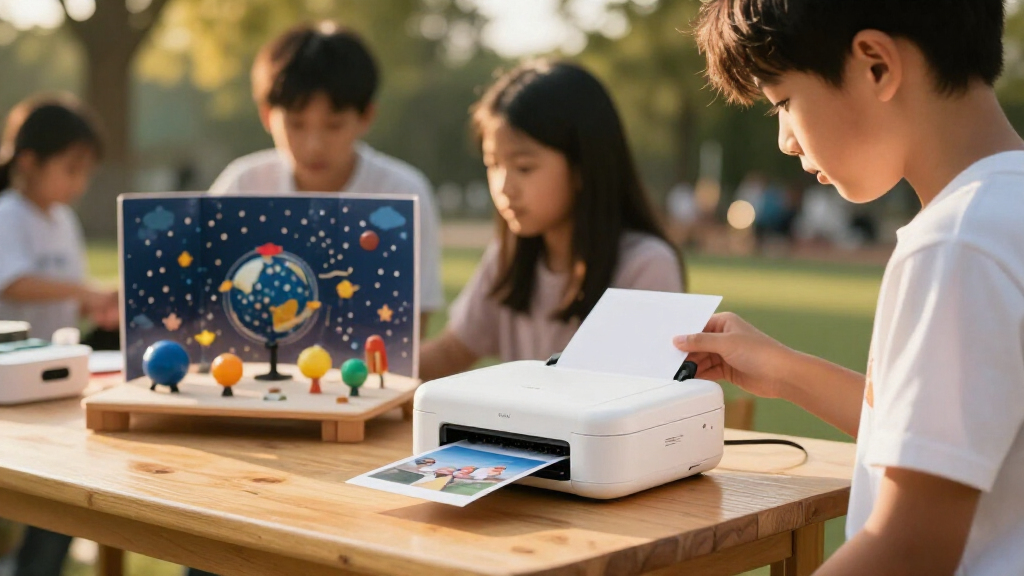
I compared these 15 printers by how well they suit real portable-printing jobs: carrying one with a phone, making prints on the go, and keeping supplies on hand. The main criteria were print size and process, connection and app workflow, portability, the type and availability of compatible media, and whether a model makes sense for occasional snapshots or repeated batches. I also separated pocket-size adhesive prints from larger 4-by-6-inch output, since they meet different needs and should not be ranked as if they were interchangeable.
The order favors useful flexibility first, then clear strengths for particular formats and users. The Canon SELPHY CP1500 ranks highly for buyers who want larger prints and multiple ways to print; the KODAK Mini 2 Retro and Liene M100 follow with distinct compact and batch-printing roles. Smaller ZINK models rank lower as all-purpose choices, not because they lack portability, but because their format is more limited. Closely related color variants are treated as near-equivalents, with selection driven by the buyer’s preferred finish and the exact media bundle.
| portable photo printer | Compatible devices |
|---|---|
| KODAK Step Portable ZINK Insta | iOS and Android smartphones |
| Canon IVY 2 Mini Photo Printer | iOS and Android smartphones and tablets |
| KODAK Step Portable ZINK Smart | iOS and Android smartphones |
| Liene Pearl N200 Pro Portable | Android and iOS smartphones |
| HP Sprocket 2nd Edition 2×3-In | iOS 10 or later; Android 5 or later |
| HP Sprocket Portable Photo Pri | — |
| KODAK Mini 2 Retro 2×3 Portabl | — |
| Canon Ivy 2 Mini Photo Printer | — |
| Nelko PP01 Portable 2×3-Inch P | iOS and Android smartphones |
| Liene Pearl K100 Portable 2×3- | — |
| Canon SELPHY CP1500 Wireless C | — |
| KODAK Dock Plus 4×6 Photo Prin | iOS and Android smartphones, tablets |
| Nelko PP01 Portable 2×3-Inch P | iOS and Android smartphones |
| Liene M100 Portable 4×6 Photo | iOS, Android, Windows, Mac |
| KODAK Step Portable ZINK Insta | iOS and Android smartphones and tablets |
Factors to Consider When Choosing Portable Photo Printers
Before choosing a portable photo printer, decide what you want the print to do after it leaves the printer. A pocket-size sticker for a journal, a keepsake to hand to a friend, and a photo for a frame call for different formats and supply plans. These broader checks can prevent a compact printer from turning into a poor fit once you start printing regularly.
Pick the print size before the printer
Start with the destination: a wallet, scrapbook, refrigerator, album, or frame. Many portable models in this roundup make 2-by-3-inch prints, which are easy to carry and often suit journaling or quick sharing, but can feel small as standalone photos. A 4-by-6-inch printer takes up more room and may be less convenient to carry, yet its output is closer to a standard photo-print size. A common mistake is to buy based on printer dimensions and only later realize the print itself is too small for the intended use. If you want both pocket prints and larger album photos, decide which format you will use most rather than expecting one printer to excel at both.
Compare print processes by the result and the supplies
ZINK, dye-sublimation, and 4PASS describe different printing approaches, so the printer’s label alone does not settle which one you will prefer. ZINK models use specially coated paper and can be appealing when you want small, simple, adhesive-backed prints without separate ink cartridges. Dye-sublimation and 4PASS models rely on a matched supply system, and their print workflow may suit buyers seeking a different finish or larger output. Check what media each specific model accepts, whether paper and cartridges are bundled, and how easy replacements are to find. Do not assume that two printers with the same print dimensions produce identical results just because both connect to a phone.
Work out the real cost of frequent printing
The printer is only one part of the ongoing commitment: every print consumes compatible paper, a cartridge, or a combined media pack. Bundles can be useful for getting started, but compare the supply format before treating a large included-sheet count as a long-term advantage. For occasional prints, convenience and compactness may matter more than maximizing the number of sheets on hand. For parties, travel groups, or regular journaling, supply availability and pack size can shape whether printing stays easy. Check whether a printer needs matched paper and cartridges or uses an all-in-one media pack, and avoid buying supplies until you confirm they fit the exact model.
Check the phone workflow you will actually use
Portable printers often depend on a companion app for selecting, editing, and sending images, so the app is part of the buying decision. Confirm that the printer supports your phone and that its connection method fits how you plan to print; a printer that pairs easily at home may feel less convenient when several guests want to send photos. Look for the editing tools you will genuinely use, such as cropping or adding borders, rather than choosing by the length of a feature list. If you print with family or friends, check whether the workflow is limited to one paired phone at a time. The smoothest choice is the one that makes your usual path from camera roll to print straightforward.
Balance portability against batch-printing needs
Small printers are easier to tuck into a bag, but their compact format may be a poor match for printing a stack of full-size photos. Larger models can be more practical at home, gatherings, or a craft table even if they are less pocket-friendly. Think about where the printer will sit while it works, how you will carry its supplies, and whether you need to print one photo at a time or several in a session. Buyers often focus on carrying weight but overlook the paper or cartridge packs that travel with the printer. If travel is occasional and bigger prints matter, a compact tabletop-style model may serve better than the smallest option.
Treat sticky-backed paper as a format choice
Adhesive-backed prints work well for notebooks, labels, and informal displays, but they are not a universal upgrade over standard photo paper. The backing can limit where you use a print and may not suit albums that call for loose photos or frames that need a clean border. Consider whether you want stickers as a regular part of your printing or only as an occasional effect. If you expect to preserve prints, check the media type and storage recommendations rather than assuming every small print belongs in the same album. Choosing adhesive media for a specific project can be useful; choosing it by default may narrow how you can use your photos.
Frequently Asked Questions
Should I choose a 2-by-3-inch printer or a 4-by-6-inch model?
Choose 2-by-3-inch output if portability, quick sharing, or placing photos in a journal matters most. A 4-by-6-inch model is a better fit for albums, frames, and gifts where a larger image has more presence. In this roundup, the Canon SELPHY CP1500 and Liene M100 cover the larger format, while most of the other options focus on compact prints. Consider where your photos will end up before comparing printer size. If you are unsure, a standard photo size may be more versatile, while mini prints are easier to carry and use casually.
Are ZINK printers a better choice than dye-sublimation or 4PASS models?
Neither approach is automatically better; the right choice depends on the print format, workflow, and supplies you want to manage. ZINK printers use compatible paper and suit buyers who value small, simple prints, often with adhesive backing. Dye-sublimation and 4PASS models use their own media systems and appear in this lineup among the larger-format or compact keepsake options. Compare the exact compatible supplies and print dimensions for each printer rather than relying on the process name alone. If you print often, supply availability may matter as much as the process.
Do portable photo printers need ink cartridges?
It depends on the printing technology. The ZINK models in this roundup use specially made paper rather than separate ink cartridges, while other printers rely on a matched cartridge-and-paper system or a related media pack. That difference changes what you need to carry and replace, but it does not remove ongoing supply needs. Check the exact printer’s compatible media before purchasing extra paper or cartridges. A bundle can help you start printing, but it is not proof that future supplies will be interchangeable with another model.
Can I use one of these printers for group events?
Yes, but the best fit depends on how many people will print and what they expect to take home. A small 2-by-3-inch printer can make compact favors or journal stickers, while a 4-by-6-inch model better suits guests who want a more traditional photo. Before an event, check the app and connection workflow, then confirm how much compatible media you will have available. A printer intended for casual, one-at-a-time use may be less convenient when a line forms. Test the phone-to-printer process and prepare supplies before the gathering rather than relying on a last-minute setup.
Are the different color versions of the same printer meaningfully different?
A color name by itself does not indicate a different print process or capability. The KODAK Step, Canon IVY 2, HP Sprocket, and Nelko PP01 appear in this lineup in multiple finishes, so compare the model details and included media rather than assuming the color changes how the printer works. Bundles and exact product versions can differ, which may affect what you can print immediately. If two listings share the same core model, pick by finish and verified package contents. Confirm the model name and compatible supplies before ordering replacements.
Conclusion
For the best overall balance of print size and flexibility, I would start with the Canon SELPHY CP1500; choose the Liene M100 if your priority is printing larger photos in batches. The KODAK Mini 2 Retro is my pick for compact keepsakes, while the KODAK Step or Canon IVY 2 makes more sense for beginners who want a small phone-connected printer and adhesive-backed prints. For a premium-leaning choice focused on larger output, compare the Canon SELPHY CP1500 with the Liene M100 by their media systems and the way you plan to print; neither is the right choice if pocket-size portability is your main goal. If you want a straightforward value-oriented mini option, compare the Liene Pearl K100 and Nelko PP01 by included supplies and compatible media. Match print format to your use first, then choose the printer whose app and supply system fit your routine.
Black Friday Picks

Vitamix Nano Personal Blender with SmoothiePilot, Black
As an affiliate, we earn on qualifying purchases.