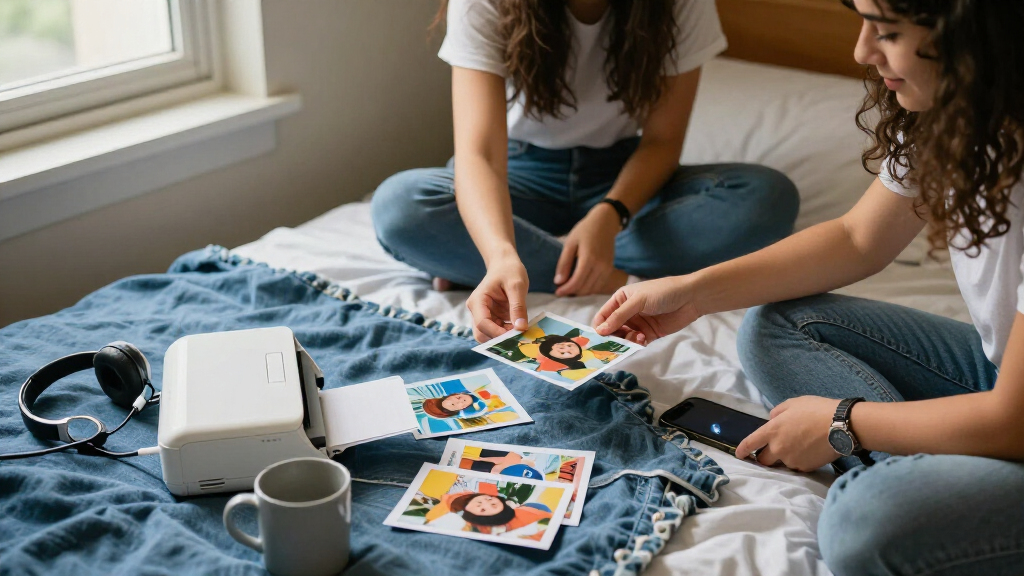

For most college students, I’d put the Canon SELPHY CP1500 at the top: it prints larger 4×6-inch photos and suits dorm displays, albums, and gifts. The Liene M100 is a strong alternative for students who want phone-based printing, while the Canon IVY 2 and KODAK Step are better fits for pocketable, sticker-style prints. The main tradeoff is between print size and finish and compactness and supply convenience; a small printer may be easier to carry but produces smaller images. I also weigh how each model connects, what its print supplies demand, and whether it suits shared dorm life. Read on for the full breakdown of all 15 options and how to choose one for campus.

Prime made for students and young adults
- Fast, free delivery for dorm and study essentials
- Prime Video and Amazon Music included
- Member-only deals
Key Takeaways
- The SELPHY CP1500 models lead when print size matters: they make 4×6-inch photos, a more useful format for albums and room displays than the 2×3-inch prints from pocket models.
- The Liene M100 stands out as a phone-first 4×6-inch alternative: it offers a different route to larger prints, while the Canon SELPHY options provide several bundle configurations.
- Small ZINK printers trade print scale for carryability: the Canon IVY 2, KODAK Step, and Liene Pearl K100 are better suited to quick keepsakes and adhesive-backed prints than wall-sized dorm photos.
- Bundles change the supply picture, not the printer’s core role: the SELPHY CP1500 listings with extra paper or ink sets may suit students planning a print-heavy term, but the printer itself remains the same basic format.
- The PIXMA TR160 is the outlier for mixed schoolwork: it is an inkjet option rather than a dedicated snapshot printer, so it may suit someone who also needs document printing better than someone seeking the smallest photo setup.
| Canon SELPHY CP1500 Compact Photo Printer with Two KP-108IN Ink and Paper Sets |  | Best for Dorm-Room Photo Collections | Printer type: Dye sublimation | Print resolution: 300 × 300 dpi | Maximum media size: 4 × 6 inches | VIEW LATEST PRICE | See Our Full Breakdown |
| Liene Pearl N200 Pro Portable Dye-Sublimation Photo Printer, Purple |  | Best for Creative Sticker-Making | Printer type: Dye sublimation | Print media: 2 × 3-inch adhesive thermal paper | Connectivity: Bluetooth | VIEW LATEST PRICE | See Our Full Breakdown |
| Liene M100 4×6-Inch Dye-Sublimation Photo Printer |  | Best for Group Printing | Printer type: Dye sublimation | Print resolution: 300 × 300 dpi | Maximum media size: 4 × 6 inches | VIEW LATEST PRICE | See Our Full Breakdown |
| Nelko PP01 Portable 2×3 Photo Printer |  | Best for Higher-Resolution Mini Prints | Printer type: Inkjet | Print size: 2 × 3 inches | Resolution: 600 × 600 DPI | VIEW LATEST PRICE | See Our Full Breakdown |
| Canon IVY 2 Mini Photo Printer, White |  | Best for Pocketable, Ink-Free Printing | Printer type: ZINK portable photo printer | Print size: 2 × 3 inches | Print resolution: 313 × 512 dpi | VIEW LATEST PRICE | See Our Full Breakdown |
| KODAK Dock Plus 4×6 Photo Printer with Smartphone Docking |  | Best for Desk-Side Printing | Printer type: 4PASS dye sublimation | Print size: 4 × 6 inches | Print time: Approximately 55 seconds per photo | VIEW LATEST PRICE | See Our Full Breakdown |
| Canon SELPHY CP1500 Compact Photo Printer, White |  | Best for Flexible Printing | Printer type: Compact photo printer | Connectivity: Wi-Fi, USB, and memory card | Display: 3.5-inch | VIEW LATEST PRICE | See Our Full Breakdown |
| Canon SELPHY CP1500 Wireless Photo Printer Bundle, White |  | Best Ready-to-Print Bundle | Printer type: Dye sublimation | Connectivity: Wi-Fi | Maximum media size: 4 × 6 inches | VIEW LATEST PRICE | See Our Full Breakdown |
| Canon SELPHY CP1500 Wireless Photo Printer Bundle with 108 Sheets of Paper |  | Best for Shared Dorm Printing | Brand and model: Canon SELPHY CP1500 | Printer type: Dye sublimation | Connectivity: Wi-Fi | VIEW LATEST PRICE | See Our Full Breakdown |
| Liene M100 4×6-Inch Wi-Fi Dye-Sublimation Photo Printer |  | Best for Small-Group Printing | Printer type: Thermal dye-sublimation | Print size: 4 × 6 inches | Resolution: 300 × 300 dpi | VIEW LATEST PRICE | See Our Full Breakdown |
| KODAK Step Instant Smartphone Photo Printer |  | Best for Pocketable Prints | Printer technology: ZINK | Print size: 2 × 3 inches | Connectivity: Bluetooth, NFC | VIEW LATEST PRICE | See Our Full Breakdown |
| Canon PIXMA TR160 Wireless Portable Color Inkjet Printer |  | Best for Photos and Coursework | Printer type: Inkjet | Maximum print size: 8.5 × 11 inches | Print resolution: Up to 4800 × 1200 dpi | VIEW LATEST PRICE | See Our Full Breakdown |
| Liene Pearl K100 Portable Zink Photo Printer with 50 Adhesive Sheets |  | Best Starter Bundle | Printer type: ZINK | Photo size: 2 × 3 inches | Print resolution: 300 × 300 | VIEW LATEST PRICE | See Our Full Breakdown |
| Liene Amber M110 Bluetooth Photo Printer with 80 Sheets and 2 Cartridges |  | Best for Larger, Durable Prints | Printer type: Thermal dye sublimation | Supported media sizes: 4 × 6 inches and 3 × 3 inches | Included paper: 60 sheets of 4 × 6-inch paper and 20 sheets of 3-inch square sticker paper | VIEW LATEST PRICE | See Our Full Breakdown |
| KODAK Mini 2 Retro Portable Photo Printer, 2 x 3 in, White |  | Best Compact Dye-Sublimation Pick | Printer type: Dye sublimation | Print size: 2.1 × 3.4 inches | Print resolution: 291 × 300 | VIEW LATEST PRICE | See Our Full Breakdown |
| portable photo printers for college student | Connectivity | Printer type | Weight | Compatible devices |
|---|---|---|---|---|
| Canon SELPHY CP1500 Compact Ph | Wi-Fi, Bluetooth, USB, SD card | Dye sublimation | — | PC, iOS and Android smartphones |
| Liene Pearl N200 Pro Portable | Bluetooth | Dye sublimation | 340 g | Android and iOS smartphones |
| Liene M100 4×6-Inch Dye-Sublim | Wi-Fi, USB Type-C | Dye sublimation | — | — |
| Nelko PP01 Portable 2×3 Photo | Bluetooth | Inkjet | 308 g | iOS and Android smartphones |
| Canon IVY 2 Mini Photo Printer | Bluetooth 5.0 | ZINK portable photo printer | 145 g | iOS and Android smartphones and tablets |
| KODAK Dock Plus 4×6 Photo Prin | Bluetooth and integrated docking | 4PASS dye sublimation | — | — |
| Canon SELPHY CP1500 Compact Ph | Wi-Fi, USB, and memory card | Compact photo printer | 1.58 kg | — |
| Canon SELPHY CP1500 Wireless P | Wi-Fi | Dye sublimation | — | — |
| Canon SELPHY CP1500 Wireless P | Wi-Fi | Dye sublimation | — | — |
| Liene M100 4×6-Inch Wi-Fi Dye- | Built-in Wi-Fi hotspot; wired connection for PC | Thermal dye-sublimation | 2.2 pounds | — |
| KODAK Step Instant Smartphone | Bluetooth, NFC | — | 0.07 kg | iOS and Android smartphones |
| Canon PIXMA TR160 Wireless Por | Wireless, Wireless Direct | Inkjet | 4.5 lbs | PCs, smartphones, tablets |
| Liene Pearl K100 Portable Zink | Bluetooth 5.2 | ZINK | 0.4 lb | iOS and Android smartphones |
| Liene Amber M110 Bluetooth Pho | Bluetooth, USB | Thermal dye sublimation | 2.9 pounds | Android and iOS devices, laptops, PCs, smartphones, and tablets |
| KODAK Mini 2 Retro Portable Ph | Bluetooth | Dye sublimation | 255 g | iOS and Android smartphones |
More Details on Our Top Picks
Canon SELPHY CP1500 Compact Photo Printer with Two KP-108IN Ink and Paper Sets
For students who want prints that feel closer to standard photo-lab snapshots than tiny stickers, the SELPHY CP1500 is the strongest fit in this group. Its 4 × 6-inch dye-sublimation prints give you room for dorm displays, scrapbooks, and photos to send home; the two included ink-and-paper sets also mean more printing before you need to restock. Wi-Fi, Bluetooth, USB, and SD-card support offer more ways to print than the Bluetooth-only Canon IVY 2, while the 3.5-inch screen can help when you do not want to edit everything on a phone. The tradeoff is portability: it is compact, but larger and less pocketable than the mini printers, and its 4 × 6-inch output is still the maximum size. Pick it for keepsake prints, not spontaneous pocket printing.
Pros:- Prints up to 4 × 6 inches, larger than the mini printers in this lineup
- Wi-Fi, Bluetooth, USB, and SD-card printing suit different devices and workflows
- Includes two KP-108IN ink-and-paper sets
- Supports different paper sizes, finishes, and photo effects
Cons:- Less pocketable than the Canon IVY 2 and other mini printers
- Prints only up to 4 × 6 inches
- Requires both compatible ink and paper supplies
Best for: Students who want larger 4 × 6-inch keepsake prints for dorm walls, albums, or gifts, and value having multiple connection options.
Not ideal for: Students who want a printer they can carry in a pocket or mainly want small, peel-and-stick photos; the CP1500 is less compact than mini models and does not print larger than 4 × 6 inches.
- Printer type:Dye sublimation
- Print resolution:300 × 300 dpi
- Maximum media size:4 × 6 inches
- Connectivity:Wi-Fi, Bluetooth, USB, SD card
- Compatible devices:PC, iOS and Android smartphones
- Display:3.5-inch LCD
- Included bundle:Printer and two KP-108IN color ink and paper sets
- Warranty:Limited 1-year manufacturer warranty
Our verdict“Choose the SELPHY CP1500 if you want larger dorm-worthy prints and flexible connections more than pocket-sized portability.”
Liene Pearl N200 Pro Portable Dye-Sublimation Photo Printer, Purple
The Liene Pearl N200 Pro is for students who want small adhesive photos with a playful, app-led workflow. Its 2 × 3-inch prints suit laptop lids, planners, and shared scrapbook pages, while the app adds frames, stickers, background removal, and AI styles. InstaPic mode also offers one-touch shoot-and-print, a different kind of convenience from the larger-print Canon SELPHY CP1500, which is better suited to 4 × 6-inch keepsakes. The Pearl is genuinely easy to carry at 340 g and can print up to 27 stickers per charge, but output is limited to one page per minute, so it is not the pick for a stack of photos between classes. Its adhesive thermal paper and cartridges are specific supplies, another ongoing constraint. Choose it for creative, shareable mini prints rather than size or speed.
Pros:- Compact 340 g design is easy to carry between classes
- App includes creative tools such as background removal, frames, stickers, and AI styles
- InstaPic mode supports one-touch shoot-and-print
- A full charge supports up to 27 stickers
Cons:- Print speed is listed as one page per minute
- Limited to 2 × 3-inch adhesive prints
- Requires compatible adhesive thermal paper and cartridges
Best for: Students who decorate planners, laptops, and shared scrapbook pages with edited, adhesive 2 × 3-inch photos.
Not ideal for: Students who need larger prints, fast batches, or supplies that are easy to substitute; it prints slowly and relies on compatible adhesive paper and cartridges.
- Printer type:Dye sublimation
- Print media:2 × 3-inch adhesive thermal paper
- Connectivity:Bluetooth
- Compatible devices:Android and iOS smartphones
- Weight:340 g
- Dimensions:5.69 × 3.44 × 1.16 inches
- Maximum resolution:300 × 300 dpi
- Battery capacity:Up to 27 stickers per charge
- Included supplies:50 sheets of adhesive paper and 5 cartridges
Our verdict“Pick the Pearl N200 Pro if app-powered edits and portable sticker prints matter more than larger output or batch speed.”
Liene M100 4×6-Inch Dye-Sublimation Photo Printer
When a study group or dorm floor wants to print together, the Liene M100 has an advantage many pocket models lack: its built-in Wi-Fi hotspot supports up to five connected devices. That makes it a more practical shared printer than the phone-focused Canon IVY 2, especially when everyone wants full 4 × 6-inch photos rather than small stickers. Dye-sublimation output has a laminated surface designed to resist water, scratches, fingerprints, and fading, which suits prints handled often or displayed around a room. The included 100 sheets help start a larger batch, but the printer still needs proprietary Liene cartridges, and the listed dimensions make it less pocketable than its “compact” label may suggest. It also may need print-head cleaning if smudges appear. Choose it as a shared dorm printer, not a jacket-pocket companion.
Pros:- Built-in Wi-Fi hotspot supports up to five simultaneous device connections
- Prints 4 × 6-inch photos rather than mini stickers
- Laminated print surface is designed to resist water, scratches, fingerprints, and fading
- Includes 100 sheets of photo paper and three color cartridges
Cons:- Uses proprietary Liene cartridges
- Listed dimensions make it less suitable for pocket carry than mini printers
- Print head may need cleaning if smudges appear
Best for: Roommates and student clubs who want to send 4 × 6-inch photos to one printer from several phones or computers.
Not ideal for: Students who need pocket portability or want to avoid brand-specific consumables and occasional print-head maintenance.
- Printer type:Dye sublimation
- Print resolution:300 × 300 dpi
- Maximum media size:4 × 6 inches
- Connectivity:Wi-Fi, USB Type-C
- Device capacity:Up to five simultaneous device connections
- Compatible devices and systems:Smartphones, laptops, and PCs; iOS, Android, Windows, and Mac
- Included photo paper:100 sheets
- Included color cartridges:3
- Warranty:12 months
Our verdict“Choose the M100 for shared dorm printing and durable 4 × 6-inch photos, but skip it if compact carry is your priority.”
Nelko PP01 Portable 2×3 Photo Printer
The Nelko PP01 stands out among the mini printers for its listed 600 × 600 DPI resolution, giving students a spec-led reason to choose it over the 313 × 512 dpi Canon IVY 2. Both produce small peel-and-stick photos, but the PP01 uses inkjet printing and supports app edits, filters, stickers, and collages for more hands-on layout work. Its 308 g weight and compact dimensions make it easy to take to a club meeting or study session. The tradeoff is a supply chain tied to Nelko photo paper and ink cartridges; unlike the IVY 2’s no-ink ZINK approach, the PP01 needs ink. It prints at one color page per minute, and the charging cable comes without an adapter. This is a better fit for students who prize resolution and editing over ink-free simplicity.
Pros:- Listed 600 × 600 DPI resolution is higher than the Canon IVY 2’s listed resolution
- Compact 308 g build suits travel between campus spaces
- Bluetooth printing works with iOS and Android phones
- Nelko app offers editing, filters, stickers, and collage tools
Cons:- Requires Nelko photo paper and ink cartridges
- Print speed is one color page per minute
- USB charging cable is included, but the adapter is not
Best for: Students who want editable, adhesive mini photos and prefer a higher listed resolution over the simpler ink-free setup of the Canon IVY 2.
Not ideal for: Students who want to avoid ink cartridges, use readily interchangeable paper, or need an included charging adapter.
- Printer type:Inkjet
- Print size:2 × 3 inches
- Resolution:600 × 600 DPI
- Connectivity:Bluetooth
- Compatible devices:iOS and Android smartphones
- Dimensions:4.2 × 1.69 × 5.04 inches
- Weight:308 g
- Maximum sheet capacity:30
- Ink cartridge yield:Up to 80 photos
Our verdict“Choose the PP01 if higher listed resolution and app-based collage tools matter more than ink-free printing.”
Canon IVY 2 Mini Photo Printer, White
At just 145 g, the Canon IVY 2 is the easiest option here to keep in a student bag for quick, casual prints. It pairs with iOS and Android devices over Bluetooth 5.0, and its ZINK system needs no ink cartridges; peel-and-stick backs make the output handy for notebooks, dorm boards, and photo swaps. Compared with the inkjet Nelko PP01, the IVY 2 has a lighter, simpler supply setup, while the PP01 lists a higher resolution and offers more app editing tools. The tradeoff is size and pace: the IVY prints only 2 × 3 inches, holds 10 sheets, and an initial print can take up to 50 seconds. It is not a replacement for the 4 × 6-inch Canon SELPHY CP1500. Pick it for portability and quick keepsakes, not larger photo displays.
Pros:- Lightweight at 145 g for everyday bag carry
- ZINK printing requires no ink cartridges
- Peel-and-stick backing suits notebooks and dorm displays
- Bluetooth 5.0 works with compatible iOS and Android devices
Cons:- Prints are limited to 2 × 3 inches
- Paper capacity is 10 sheets
- An initial print can take up to 50 seconds
Best for: Students who want the lightest carry option for occasional peel-and-stick photos from an iOS or Android phone or tablet.
Not ideal for: Students who need 4 × 6-inch prints, larger batches between refills, or faster output than an initial print taking up to 50 seconds.
- Printer type:ZINK portable photo printer
- Print size:2 × 3 inches
- Print resolution:313 × 512 dpi
- Connectivity:Bluetooth 5.0
- Compatible devices:iOS and Android smartphones and tablets
- Paper capacity:10 sheets
- Weight:145 g
- Warranty:1 year
Our verdict“Choose the IVY 2 for light, ink-free mini prints, but pick the SELPHY CP1500 if you need larger photos.”
KODAK Dock Plus 4×6 Photo Printer with Smartphone Docking
The KODAK Dock Plus suits students who want full-size prints for dorm walls, albums, or gifts rather than tiny photos to carry around. Its integrated phone dock can charge a compatible device while printing, and Bluetooth offers a wireless alternative. Compared with the Liene M100, the Kodak’s dock adds a convenient place to set a phone, while the Liene can connect up to five devices through its built-in hotspot. Kodak’s 4PASS process produces laminated, borderless 4×6 photos designed to resist water, fingerprints, and fading. The tradeoff is portability: this is a desktop printer that needs an outlet, not a printer to toss in a backpack for campus events. It also accepts only 4×6-inch media, unlike a printer built for smaller keepsake formats.
Pros:- Produces borderless 4×6-inch color photos
- Integrated dock can charge a connected phone while printing
- Laminated prints are designed to resist water, fingerprints, and fading
- KODAK app supports editing and cropping
Cons:- Designed for desktop use and requires a power outlet
- Limited to 4×6-inch photo media
Best for: Students with a dorm-room desk who want borderless 4×6 prints and a dock that can charge their phone during printing
Not ideal for: Students who need battery-powered printing around campus or want to print more than one photo size
- Printer type:4PASS dye sublimation
- Print size:4 × 6 inches
- Print time:Approximately 55 seconds per photo
- Connectivity:Bluetooth and integrated docking
- Compatibility:iOS and Android smartphones and tablets
- Resolution:300 dpi
- Dimensions:4.5 × 8.5 × 2 inches (D × W × H)
- USB port:USB Type-C
Our verdict“Choose the Dock Plus for convenient, durable 4×6 prints at a dorm desk, not for printing on the move.”
Canon SELPHY CP1500 Compact Photo Printer, White
The Canon SELPHY CP1500 is the most flexible pick here for students who print from more than a phone. Its Wi-Fi, USB, and memory card connections accommodate cameras, computers, and mobile devices, while the 3.5-inch display lets you preview and adjust images without relying entirely on an app. Compared with the KODAK Dock Plus, it supports more input sources and has an optional battery pack for printing away from an outlet; the Kodak instead offers phone charging through its dock. The Canon makes water-resistant prints designed to last up to 100 years, useful for photos that may go into albums or display boards. The battery is sold separately, though, and the printer tops out at 4×6 inches. Its 1.58 kg weight also makes it less appealing for everyday campus carry than a pocket-size printer.
Pros:- Wi-Fi, USB, and memory card connectivity support multiple sources
- Built-in 3.5-inch display enables image preview, editing, and filters
- Water-resistant prints are designed to last up to 100 years
- Optional battery pack allows portable printing
Cons:- Battery pack is optional rather than included
- Maximum media size is 4 × 6 inches
- At 1.58 kg, it is relatively heavy for regular backpack carry
Best for: Students who print from a mix of phones, cameras, computers, and memory cards and want on-printer image preview
Not ideal for: Students seeking a lightweight, ready-to-carry printer or who need battery operation without buying an extra pack
- Printer type:Compact photo printer
- Connectivity:Wi-Fi, USB, and memory card
- Display:3.5-inch
- Maximum media size:4 × 6 inches
- Resolution:300 × 300 dpi
- Weight:1.58 kg
- Dimensions:5.2 × 7.2 × 2.3 inches
- Battery:Optional battery pack
- Print durability:Water-resistant; prints designed to last up to 100 years
Our verdict“Pick the CP1500 if you value broad connection options and on-device editing more than minimal carry weight.”
Canon SELPHY CP1500 Wireless Photo Printer Bundle, White
This SELPHY CP1500 bundle is aimed at students who want to start printing without assembling paper and ink supplies separately: it includes 108 sheets of photo paper, three color ink cartridges, and a cleaning cloth. Wi-Fi printing from phones, tablets, and computers keeps setup suited to shared dorm use. Against the nearly identical Canon SELPHY CP1500 Wireless Photo Printer Bundle with 108 Sheets of Paper, the listed essentials are much the same, so the choice comes down to the exact bundle listing rather than a clear capability difference. Compared with the Liene M100, this package supplies substantially more paper to begin with, while the Liene supports up to five simultaneous device connections. The Canon prints water- and fingerprint-resistant 4×6 photos, but it is print-only and cannot handle larger media or scan assignments.
Pros:- Includes 108 sheets of photo paper and three color ink cartridges
- Wi-Fi printing supports phones, tablets, and computers
- Produces water- and fingerprint-resistant photos
- Compact format suits a dorm desk
Cons:- Print-only device with no scanning function
- Limited to 4×6-inch photo media
- Wireless connection is the listed connectivity option
Best for: Students who want a Wi-Fi photo printer with a substantial starter supply of paper and cartridges for dorm-room projects
Not ideal for: Students who need scanning, larger-than-4×6 output, or a printer that handles coursework as well as photos
- Printer type:Dye sublimation
- Connectivity:Wi-Fi
- Maximum media size:4 × 6 inches
- Resolution:300 × 300
- Print speed:10 pages per minute
- Included paper:108 sheets
- Included accessories:Three color ink cartridges and microfiber cleaning cloth
- Functions:Print only
Our verdict“Choose this bundle for a ready-to-print dorm setup with plenty of included paper, provided you only need photo printing.”
Canon SELPHY CP1500 Wireless Photo Printer Bundle with 108 Sheets of Paper
For a dorm group that plans to print together, this Canon SELPHY CP1500 bundle pairs wireless printing with a clearly specified supply of 108 sheets of KP-108 photo paper and three color ink cartridges. That gives several students a useful starting stock for albums, club displays, or room decorations. Compared with the KODAK Dock Plus, it avoids a phone dock and focuses on Wi-Fi access from phones, tablets, and computers; the Kodak’s dock is handier for one person printing beside a desk. This bundle’s water-resistant 4×6 output is practical for keepsakes, but the media limit rules out smaller sticker-style prints and larger posters. It is a dedicated photo printer, not a general student printer, and simplex output means it does not print on both sides.
Pros:- Includes 108 sheets of KP-108 photo paper
- Comes with three color ink cartridges and a microfiber cleaning cloth
- Wi-Fi supports printing from smartphones, tablets, and computers
- Produces vibrant, water-resistant color photos
Cons:- Maximum media size is 4 × 6 inches
- Simplex printing only
- Photo-printing function does not replace a document or scanning printer
Best for: Roommates or student groups who want to share a wireless 4×6 photo printer and use the included paper supply
Not ideal for: Students who need duplex printing, scanning, or media sizes outside 4×6 inches
- Brand and model:Canon SELPHY CP1500
- Printer type:Dye sublimation
- Connectivity:Wi-Fi
- Maximum media size:4 × 6 inches
- Resolution:1200 × 1200
- Included photo paper:108 sheets of KP-108 photo paper
- Bundle contents:Printer, three color ink cartridges, and microfiber cleaning cloth
- Duplex printing:Simplex
Our verdict“This bundle fits shared dorm photo projects best if everyone is happy with wireless, single-sided 4×6 printing.”
Liene M100 4×6-Inch Wi-Fi Dye-Sublimation Photo Printer
The Liene M100 stands out for study groups and roommates: its built-in Wi-Fi hotspot can connect up to five devices, so printing does not depend on one person’s phone or a shared campus network. The app adds frames and filters and can show print status, while the protective finish is designed to resist water, scratches, and fading. Compared with the KODAK Dock Plus, the M100 prioritizes multi-device wireless access rather than a phone-charging dock; the Kodak also lists a faster, approximately 55-second print time, while no print time is supplied for the Liene. It includes 20 sheets and one cartridge, a useful start but a modest supply for a group. At 2.2 pounds, it is portable between rooms, though its 4×6-only format is less flexible than pocket printers offering smaller prints.
Pros:- Built-in Wi-Fi hotspot supports up to five connected devices
- Protective finish is designed to resist water, scratches, and fading
- App supports frames, filters, and print-status checks
- Includes 20 sheets of photo paper and one cartridge
Cons:- Limited to 4×6-inch media
- Maximum sheet capacity is 20
- Included paper supply may run short for frequent shared use
Best for: Roommates or student clubs who want several phones or computers to connect to one 4×6 photo printer
Not ideal for: Students who need pocket-sized carry, multiple print sizes, or enough included paper for frequent group printing
- Printer type:Thermal dye-sublimation
- Print size:4 × 6 inches
- Resolution:300 × 300 dpi
- Connectivity:Built-in Wi-Fi hotspot; wired connection for PC
- Simultaneous device connections:Up to 5
- Weight:2.2 pounds
- Dimensions:7.48 × 9.88 × 7.48 inches
- Included supplies:20 sheets of photo paper and one cartridge
- Warranty:12 months
Our verdict“Choose the M100 for convenient multi-device printing in a shared room, as long as 4×6 prints meet your needs.”
KODAK Step Instant Smartphone Photo Printer
The KODAK Step is a good match for students who want quick, small photos for a dorm wall, scrapbook, or notebook without carrying a larger printer. Its 2 × 3-inch ZINK prints have sticky backs, and the app adds basic editing and customization before printing. Bluetooth and NFC support give compatible phones two ways to connect, while the 0.07 kg listed weight makes this the lightest-feeling option in this group on paper. Compared with the Canon PIXMA TR160, it is far easier to slip into a bag, but it cannot handle class documents or larger photos. The tradeoff is a modest up to 25 prints per charge, plus a format limited to small snapshots. I’d pick it for casual, portable keepsakes rather than prints meant to fill a frame.
Pros:- Very light listed weight makes it easy to carry between classes
- Sticky-back ZINK prints can go straight into journals or onto lockers
- Bluetooth and NFC offer flexible phone pairing
- Companion app provides photo editing and customization tools
Cons:- Prints only 2 × 3-inch photos
- Battery is rated for up to 25 prints per charge
- Cannot print course documents like the Canon PIXMA TR160
Best for: Students who want lightweight, adhesive mini-prints for planners, dorm decorations, and scrapbooks.
Not ideal for: Students who need full-size photos, document printing, or frequent batches larger than the battery’s stated 25 prints per charge.
- Printer technology:ZINK
- Print size:2 × 3 inches
- Connectivity:Bluetooth, NFC
- Compatible devices:iOS and Android smartphones
- Print resolution:300 × 300 dpi
- Print time:Under 60 seconds
- Battery:Rechargeable lithium-ion; up to 25 prints per charge
- Weight:0.07 kg
Our verdict“Choose the KODAK Step if carrying adhesive snapshots matters more than printing larger photos or documents.”
Canon PIXMA TR160 Wireless Portable Color Inkjet Printer
The Canon PIXMA TR160 is the practical pick for a student whose idea of portable printing includes both photos and class materials. Unlike the pocket photo printers here, it handles color documents up to 8.5 × 11 inches and can produce borderless photos, giving it much more range for assignments, forms, or a larger image. Wireless and Wireless Direct support make printing from a phone, tablet, or computer possible, and the OLED display helps show printer status and ink levels. Compared with the KODAK Step, it is far less pocketable and takes up more desk or bag space, but it is also the only option in this group built for full-size coursework. Its main catch for campus use is that the battery is optional; without it, printing away from an outlet is not an option. It also prints one side at a time.
Pros:- Prints color documents and photos up to 8.5 × 11 inches
- Supports borderless photos for larger prints
- Wireless and Wireless Direct support printing from compatible phones, tablets, and computers
- OLED display shows printer status and ink levels
Cons:- Portable printing away from an outlet requires an optional battery
- Simplex printing means pages must be turned manually for two-sided work
- Heavier and bulkier than the KODAK Step and other pocket photo printers
Best for: Students who need one compact printer for full-size class documents as well as color photos.
Not ideal for: Students seeking a truly cordless, pocket-sized printer for quick snapshots; the battery is optional and the unit is larger than mini photo printers.
- Printer type:Inkjet
- Maximum print size:8.5 × 11 inches
- Print resolution:Up to 4800 × 1200 dpi
- Print speed:Up to 9 ppm black and white; 5.5 ppm color
- Connectivity:Wireless, Wireless Direct
- Compatible devices:PCs, smartphones, tablets
- Weight:4.5 lbs
- Paper tray capacity:50 sheets
- Display:1.44-inch monochrome OLED
Our verdict“Pick the PIXMA TR160 if document printing matters as much as photos and you can account for its optional battery.”
Liene Pearl K100 Portable Zink Photo Printer with 50 Adhesive Sheets
The Liene Pearl K100 makes sense for students who want to start printing without immediately shopping for a separate paper pack: it includes 50 adhesive sheets and connects to iOS or Android phones over Bluetooth 5.2. Its 2 × 3-inch ZINK format suits planner pages, laptop lids, and dorm displays, while the compact body is easy to stash in a backpack. Compared with the KODAK Step, the main appeal is the included sheet count and USB Type-C charging, rather than NFC pairing or a listed print-per-charge figure. The limits are noticeable: printing goes through the Liene app only, so it offers less flexibility if you prefer another workflow, and clearing print-head issues may require the supplied blue calibration card. It is a straightforward starter choice, but students wanting larger, more durable-feeling prints should look at the dye-sublimation KODAK Mini 2 Retro instead.
Pros:- Includes 50 adhesive photo sheets
- Compact body weighs 0.4 lb and is under an inch thick
- ZINK printing avoids ink cartridges
- USB Type-C charging and Bluetooth 5.2 support
Cons:- Printing is limited to the Liene app
- Print-head cleaning requires a blue calibration card
- 2 × 3-inch output is smaller than the Liene Amber M110’s supported 4 × 6-inch prints
Best for: Students who want a compact phone printer with a substantial starter supply of adhesive paper for crafts and dorm decor.
Not ideal for: Students who prefer printing from multiple apps or need larger prints; this model requires the Liene app and makes only 2 × 3-inch photos.
- Printer type:ZINK
- Photo size:2 × 3 inches
- Print resolution:300 × 300
- Included paper:50 adhesive sheets
- Connectivity:Bluetooth 5.2
- Compatible devices:iOS and Android smartphones
- Charging and interface:USB Type-C
- Weight:0.4 lb
- Dimensions:4.92 × 3.35 × 0.98 inches
Our verdict“Choose the Pearl K100 if you want an easy-to-pack ZINK printer with plenty of adhesive paper included and are comfortable using its app.”
Liene Amber M110 Bluetooth Photo Printer with 80 Sheets and 2 Cartridges
The Liene Amber M110 suits students who want more than tiny snapshots: it prints both 4 × 6-inch photos and 3 × 3-inch sticker paper, covering album prints as well as square decorations. Its dye-sublimation process adds a laminated surface designed to resist water, scratches, fingerprints, and fading, which may be useful for photos handled often or displayed around a dorm. The bundle includes both paper formats and two cartridges, so it arrives ready for more than one print style. Compared with the KODAK Mini 2 Retro, it produces larger 4 × 6-inch images, but it is much heavier at 2.9 pounds and less convenient to carry around campus. The printer also depends on Liene-compatible cartridges, and its 300 × 300 dpi resolution is modest on paper. I’d favor it for dorm-room printing sessions over spontaneous prints between classes.
Pros:- Supports both 4 × 6-inch photo paper and 3 × 3-inch sticker paper
- Laminated output is designed to resist water, scratches, fingerprints, and fading
- Includes 60 sheets of 4 × 6-inch paper, 20 square sticker sheets, and two cartridges
- App offers borders, filters, image adjustments, and ID or visa photo layouts
Cons:- At 2.9 pounds, it is heavier than pocket printers such as the KODAK Mini 2 Retro
- Cartridges are limited to compatible Liene 4 × 6 and 3 × 3 supplies
- 300 × 300 dpi resolution is lower than the Canon PIXMA TR160’s stated maximum
Best for: Students who want larger 4 × 6-inch keepsakes and square stickers, with a finish designed to withstand handling.
Not ideal for: Students who prioritize a light backpack setup or want to use cartridges from other printer brands.
- Printer type:Thermal dye sublimation
- Supported media sizes:4 × 6 inches and 3 × 3 inches
- Included paper:60 sheets of 4 × 6-inch paper and 20 sheets of 3-inch square sticker paper
- Included cartridges:2
- Resolution:300 × 300 dpi
- Connectivity:Bluetooth, USB
- Compatible devices:Android and iOS devices, laptops, PCs, smartphones, and tablets
- Weight:2.9 pounds
- Dimensions:8.07 × 3.48 × 5.38 inches
Our verdict“Choose the Amber M110 for dorm-based printing in larger formats, not for the lightest everyday campus carry.”
KODAK Mini 2 Retro Portable Photo Printer, 2 x 3 in, White
The KODAK Mini 2 Retro is a compact choice for students who want small prints with a protective finish rather than ZINK adhesive photos. Its 4PASS dye-sublimation process adds a layer designed to resist fingerprints, water, and fading, while Bluetooth and the KODAK app let students edit and print from compatible iOS or Android phones. The included 38 sheets and four cartridges give a new owner supplies to get started. Compared with the Liene Pearl K100, this model uses dye sublimation instead of ZINK and offers a laminated print surface, but its output is not described as adhesive, so it is less suited to sticking photos directly onto a laptop or planner. Its prints remain small at 2.1 × 3.4 inches, and phone-app dependence rules out standalone use. I’d choose it for pocketable keepsakes where print protection matters more than sticker convenience.
Pros:- 4PASS dye-sublimation process adds a protective layer
- Prints are designed to resist fingerprints, water, and fading
- Compact 255 g body is easy to carry
- Includes 38 sheets, four cartridges, and a USB-C cable
Cons:- Prints are limited to a small 2.1 × 3.4-inch format
- Requires a compatible smartphone and the KODAK Photo Printer app
- Unlike the Liene Pearl K100, it is not described as printing adhesive-backed photos
Best for: Students who want small, phone-printed photos with a protective finish for wallets, albums, or frequent handling.
Not ideal for: Students who want adhesive-backed prints or need a printer that works without a compatible smartphone and app.
- Printer type:Dye sublimation
- Print size:2.1 × 3.4 inches
- Print resolution:291 × 300
- Connectivity:Bluetooth
- Compatible devices:iOS and Android smartphones
- Weight:255 g
- Dimensions:3 × 5 × 1 inches
- Included supplies:38 sheets of photo paper and four cartridges
- Special features:App control, anti-fingerprint, portable, water-resistant
Our verdict“Pick the Mini 2 Retro if compact, protected photo prints matter more than sticker-backed output or larger formats.”
How We Picked
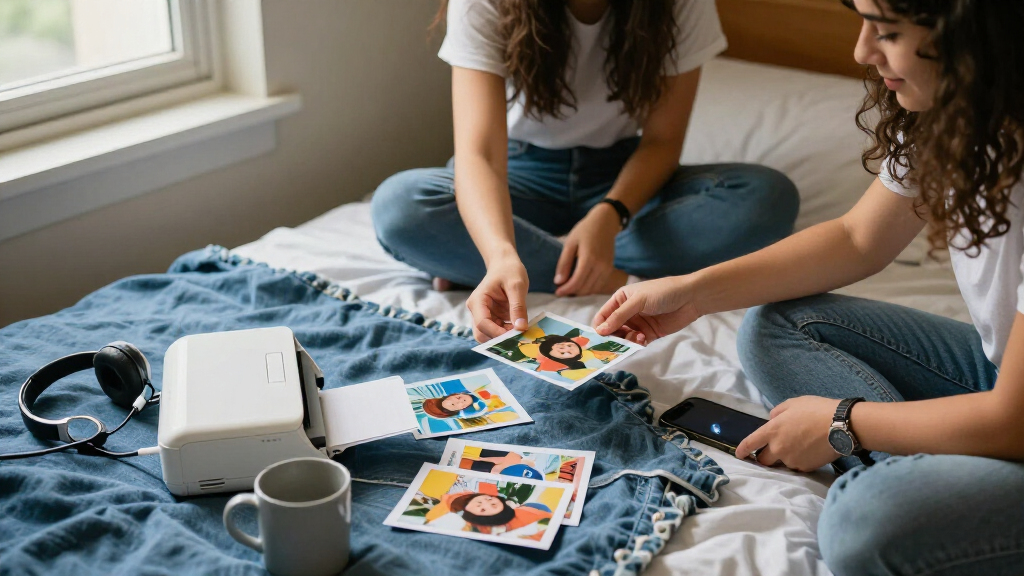
I compared these printers around the choices that matter in a college setting: what size photo they produce, how easily a student can print from a phone or other device, and how much room the printer and its supplies take up. I also considered print technology and format, since dye-sublimation, ZINK, and inkjet models serve different purposes and do not create interchangeable results. Bundle contents matter for convenience, but I treated added paper or cartridges as a supply advantage rather than proof of better image quality.
The ranking favors printers that balance useful print size, straightforward everyday use, and a believable campus role. The SELPHY CP1500 models rank highly for students who want standard 4×6-inch prints; smaller adhesive-print models rank well for portability and casual sharing, not for producing large photos. The TR160 is included for students with broader printing needs, but its inkjet format makes it less focused as a pocket photo printer. Since several listings are versions or bundles of the same model, I distinguish them by their included supplies rather than treating them as entirely different printer designs.
| portable photo printers for college student | Compatible devices |
|---|---|
| Canon SELPHY CP1500 Compact Ph | PC, iOS and Android smartphones |
| Liene Pearl N200 Pro Portable | Android and iOS smartphones |
| Liene M100 4×6-Inch Dye-Sublim | — |
| Nelko PP01 Portable 2×3 Photo | iOS and Android smartphones |
| Canon IVY 2 Mini Photo Printer | iOS and Android smartphones and tablets |
| KODAK Dock Plus 4×6 Photo Prin | — |
| Canon SELPHY CP1500 Compact Ph | — |
| Canon SELPHY CP1500 Wireless P | — |
| Canon SELPHY CP1500 Wireless P | — |
| Liene M100 4×6-Inch Wi-Fi Dye- | — |
| KODAK Step Instant Smartphone | iOS and Android smartphones |
| Canon PIXMA TR160 Wireless Por | PCs, smartphones, tablets |
| Liene Pearl K100 Portable Zink | iOS and Android smartphones |
| Liene Amber M110 Bluetooth Pho | Android and iOS devices, laptops, PCs, smartphones, and tablets |
| KODAK Mini 2 Retro Portable Ph | iOS and Android smartphones |
Factors to Consider When Choosing Portable Photo Printers For College Students
Before choosing a model, decide what you want printed photos to do in your college life. A printer for a dorm photo wall has different needs from one for a journal, a club event, or occasional gifts. These broader choices can matter more than a feature list.
Choose Print Size Before Comparing Portability
Start by measuring the gap between the prints you actually want and the printer you are willing to carry. A 2×3-inch print is easy to hand out or tuck into a notebook, but it can feel small on a wall or in a traditional album. A 4×6-inch format takes more space and is better suited to display, though it also calls for a larger printer and more room to store supplies. A common mistake is buying the smallest model for its portability, then finding its output does not suit your main use. If you expect to print mostly keepsakes for friends, compact output may be enough. If you want photos to decorate a dorm, give print dimensions priority over pocket size.
Compare the Whole Supply Routine, Not Just the Printer
Photo printers rely on dedicated paper, cartridges, or other compatible supplies, so check what the specific model needs before choosing. A bundle can be convenient at move-in because it starts you off with supplies, but it does not tell you how easily you can restock during the semester. Think about whether you can keep paper flat, store cartridges safely, and order refills before a project or event. Another common misstep is comparing bundle counts across printers without checking whether the supplies are compatible or produce the same print size. Students who print often may value a ready-to-use bundle; occasional printers may prefer a smaller initial supply commitment. Treat included sheets as a convenience, not a measure of long-term running cost.
Match the Connection Method to Your Devices
Consider where photos live before deciding how you want to send them to a printer. A phone-centered setup can be handy for social photos, while a docking design or broader device support may suit students who also print from a computer or other source. On a shared dorm network, relying on a printer’s own connection method may be simpler than assuming campus Wi-Fi will allow device discovery. Check the manufacturer’s app and compatibility information for your phone before buying, especially if you use a less common operating system or older device. A printer that technically connects but requires a fiddly setup can discourage spontaneous printing. Prioritize a connection path you can use without interrupting study time or asking a roommate to reconfigure the network.
Know What Each Print Technology Is Best At
Dye-sublimation, ZINK, and inkjet printing are not just different ways to reach the same result. Dedicated photo formats may suit repeatable snapshots, while ZINK models often emphasize compact prints and adhesive backing; an inkjet such as the PIXMA TR160 has a broader role beyond photos. Think about whether you want peel-and-stick images, standard photo-paper prints, or a device that can also handle documents. Do not assume that all small printers create the same finish or that a photo printer can replace a general-purpose campus printer. Look at the output format and intended use first, then compare convenience. This helps prevent paying for versatility you will not use—or choosing a tiny printer that cannot handle the photos you have in mind.
Plan for Dorm Storage, Noise, and Shared Use
Portability matters even when a printer mostly stays in a dorm room: desk space, storage between terms, and moving it to a club event all affect daily convenience. Check the printer’s footprint alongside the space taken by paper, cartridges, cables, and any dock. If you plan to share it with roommates, agree on who supplies paper and how photos are sent so one person does not become the default operator. Small devices can be easier to store, but a tiny output size may frustrate several users with different needs. A larger 4×6 model can make sense for a shared room if everyone wants display-ready photos. Think about the full setup, not just the printer body.
Pay for Versatility Only If You Will Use It
A dedicated photo printer is usually the clearer choice when your main goal is printing snapshots, while a portable inkjet may make sense if documents are part of the same routine. Before paying for a more versatile device, list the tasks it must handle during a normal week. Students who already have reliable access to campus printing may get little value from document capability. On the other hand, someone who needs occasional color documents and photos may prefer one portable device over two specialized ones. Versatility can bring extra setup and supply needs, so it is not automatically a better fit. Choose the simplest printer that covers the jobs you genuinely expect to do.
Frequently Asked Questions
Should I choose a 4×6 printer or a 2×3 mini printer for dorm photos?
Choose 4×6 if you mainly want photos for a wall, a standard album, or gifts where a larger image is easier to see. A 2×3 model makes more sense for journaling, decorating notebooks, and handing out small keepsakes. The smaller format is easier to carry, but it will not replace a larger print for a dorm display. Think about the surface or album you plan to use before deciding. If you expect to do both, prioritize the format you will print most often rather than buying based on occasional use.
Are the Canon SELPHY CP1500 bundle listings different printers?
The listed CP1500 options are variations on the same printer family, with differences centered on color or included supplies rather than a clearly different printing role. The bundles with extra paper or ink sets can save a separate supply purchase at setup, especially if you plan to print many 4×6 photos. They do not change the basic tradeoff of a larger, less pocketable printer versus a mini model. Compare the exact box contents and compatibility before choosing between listings. If you already have suitable supplies, a bundle may offer less practical benefit.
Will a portable photo printer work with campus Wi-Fi?
Do not assume it will connect smoothly to a campus network. University Wi-Fi may use login steps or device restrictions that make printer discovery difficult, even when a printer supports wireless printing. Check whether the model supports a direct connection or another phone-to-printer method that does not depend on campus Wi-Fi. Also verify that the companion app supports your phone. For students who print away from home, an easy direct connection can matter more than the presence of Wi-Fi in the specifications.
Is a bundled supply set useful if I only print occasionally?
A bundle is convenient if it includes supplies you will use soon, but a larger sheet count is not automatically the best fit for an occasional printer. Photo supplies need protected storage, and unused media can become a nuisance during a small dorm move. Estimate how many prints you are likely to make for events, gifts, and personal projects during a term. If that number is low, a basic setup may be easier to manage. If you expect a club event or shared use with roommates, having supplies ready can reduce last-minute shopping.
Can a portable photo printer replace my campus document printer?
Most dedicated photo printers are designed around photos, not regular coursework, so they are not a direct substitute for campus document printing. The PIXMA TR160 is the lineup’s portable inkjet option and is the more relevant choice if you need both photos and documents. Even then, check paper handling, color needs, and the types of assignments you print before relying on it as your only printer. If campus facilities already cover documents, a dedicated photo model may be simpler for snapshots. Choose a dual-purpose model only when document printing is a real recurring need.
Conclusion
Best overall: I’d choose the Canon SELPHY CP1500 for students who want standard 4×6-inch photos for albums and dorm displays. Best value: the Liene M100 is a sensible pick for phone-first printing in the same larger-photo category, while the CP1500 supply bundles suit students who want media included from the start. Best premium: among these options, a CP1500 bundle is the stronger fit for print-heavy use because it pairs the larger format with extra supplies. Best for beginners: the Canon IVY 2 or KODAK Step makes more sense for someone who wants a compact, casual keepsake printer. Best for specific needs: pick the Liene Pearl K100 for adhesive-backed mini prints, or the Canon PIXMA TR160 if documents matter alongside photos. Match your choice to the size and type of prints you will actually use, not just the smallest device you can carry.
Halloween Picks
halloween
As an affiliate, we earn on qualifying purchases.