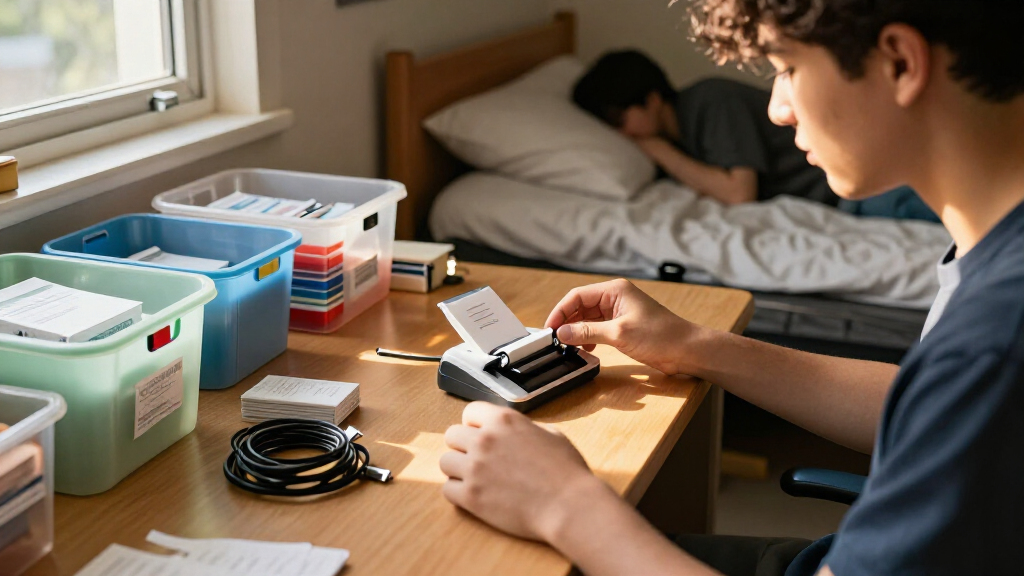
For a balance of portability, flexible label design, and dorm-room organization, I’d start with the Phomemo M110 as the best overall pick. The NIIMBOT D110 is a smaller Bluetooth alternative for quick labels, while the Brother P-touch PT-D220 suits students who prefer typing directly on a built-in keyboard. The main tradeoff is between app-based convenience and a standalone device, along with thermal labels that need no ink and tape-based options that offer different label styles. Read on for how all 15 models compare and which features matter most for college use.

Prime made for students and young adults
- Fast, free delivery for dorm and study essentials
- Prime Video and Amazon Music included
- Member-only deals
Key Takeaways
- The Phomemo M110 leads for all-around dorm use because its portable Bluetooth format supports app-designed labels without requiring a full-size desk setup.
- The NIIMBOT D110 prioritizes compactness, making it a stronger fit for small desks and quick personal labels than buyers who want a larger, more versatile device.
- Keyboard models such as the Brother PT-D220 and DYMO LabelManager 160 work without a phone, a useful advantage when students want to type and print directly on the device.
- Thermal printers and tape-based label makers solve different problems: thermal models avoid ink cartridges, while the Brother and DYMO tape options offer a different approach to durable, everyday labeling.
- Bundles and included tapes affect readiness more than the model name alone; check what supplies are included before choosing, especially if you want to label several storage areas right away.
| Phomemo M110 Portable Bluetooth Thermal Label Printer with Display |  | Best Overall for App-Based Organization | Printer type: Thermal | Print output: Black and white | Label width: 20–50 mm | VIEW LATEST PRICE | See Our Full Breakdown |
| NIIMBOT D110 Mini Bluetooth Thermal Label Maker |  | Best Compact Pick | Printer type: Thermal | Print output: Monochrome | Resolution: 203 × 203 DPI | VIEW LATEST PRICE | See Our Full Breakdown |
| NADAIIN N20 Portable Bluetooth Thermal Label Maker |  | Best for Custom Wider Labels | Printer type: Thermal | Supported label width: 20–50 mm | Maximum printing size: 50 × 80 mm | VIEW LATEST PRICE | See Our Full Breakdown |
| Brother P-touch PT-D220 Home and Office Label Maker |  | Best for Keyboard-First Labeling | Tape type: Brother Genuine TZe | Maximum tape width: 12 mm | Power: 6 AAA batteries or optional AC adapter, sold separately | VIEW LATEST PRICE | See Our Full Breakdown |
| DYMO LabelManager 160 Portable Label Maker |  | Best for On-Device Formatting | Printer type: Thermal | Print output: Black and white | Resolution: 300 × 300 dpi | VIEW LATEST PRICE | See Our Full Breakdown |
| NDYIN N12 Bluetooth Thermal Label Maker with 1 Tape, Green |  | Best for App-Designed Dorm Labels | Printer type: Thermal | Connectivity: Bluetooth | Supported systems: iOS and Android | VIEW LATEST PRICE | See Our Full Breakdown |
| LOPEVI D1 Portable Bluetooth Thermal Label Maker, Blue |  | Best for Crisp, Compact App Printing | Printer type: Thermal | Connectivity: Bluetooth 5.4 | Print output: Monochrome | VIEW LATEST PRICE | See Our Full Breakdown |
| SUPVAN E11 Keyboard and Bluetooth Label Maker with 4 Tapes |  | Best for Students Who Want Keyboard and App Control | Printer type: Thermal | Connectivity: Bluetooth | Print output: Monochrome | VIEW LATEST PRICE | See Our Full Breakdown |
| DYMO LetraTag 100H Plus Handheld Label Maker |  | Best for App-Free, On-Device Labeling | Printer type: Thermal | Print output: Monochrome | Maximum print resolution: 300 dpi | VIEW LATEST PRICE | See Our Full Breakdown |
| NIIMBOT B1 Bluetooth Thermal Label Maker, Blue |  | Best for Phone-and-PC Flexibility | Printer type: Thermal | Connectivity: Bluetooth and USB | Compatible devices: iOS and Android smartphones, PCs, and laptops; not tablets | VIEW LATEST PRICE | See Our Full Breakdown |
| SUPVAN T50M Pro Bluetooth Thermal Label Maker |  | Best for Creative, Wider Labels | Printer type: Thermal | Print output: Monochrome | Label width: 3/4–2 inches | VIEW LATEST PRICE | See Our Full Breakdown |
| DYMO LabelManager 160 Portable Label Maker Bundle with 3 D1 Label Cassettes |  | Best for Students Who Prefer a Keyboard | Printer type: Thermal | Print output: Monochrome | Print resolution: 300 × 300 | VIEW LATEST PRICE | See Our Full Breakdown |
| Phomemo D30 Bluetooth Mini Label Maker |  | Best Compact Pick | Printer type: Thermal | Print output: Monochrome | Resolution: 203 DPI | VIEW LATEST PRICE | See Our Full Breakdown |
| Brother PT-M95 P-touch Portable Label Maker Bundle, White |  | Best Bundle for Frequent Room Labeling | Printer type: Dot matrix | Output: Monochrome | Weight: 9.12 ounces | VIEW LATEST PRICE | See Our Full Breakdown |
| Brother P-touch PT-N10 Personal Handheld Label Maker |  | Best for Quick, Repeatable Labels | Printer type: Thermal | Print output: Color | Tape compatibility: Brother P-touch Btag, 12 mm wide | VIEW LATEST PRICE | See Our Full Breakdown |
| portable label makers for college organization | Printer type | Weight | Print output | Resolution |
|---|---|---|---|---|
| Phomemo M110 Portable Bluetoot | Thermal | 222.8 g | Black and white | 203 dpi |
| NIIMBOT D110 Mini Bluetooth Th | Thermal | 149 g | Monochrome | 203 × 203 DPI |
| NADAIIN N20 Portable Bluetooth | Thermal | 296 g | — | — |
| Brother P-touch PT-D220 Home a | — | 1.1 pounds | — | — |
| DYMO LabelManager 160 Portable | Thermal | — | Black and white | 300 × 300 dpi |
| NDYIN N12 Bluetooth Thermal La | Thermal | 4 ounces | Monochrome | 203 × 203 dpi |
| LOPEVI D1 Portable Bluetooth T | Thermal | 140 g | Monochrome | 300 × 300 dpi |
| SUPVAN E11 Keyboard and Blueto | Thermal | 8 ounces | Monochrome | 203 dpi |
| DYMO LetraTag 100H Plus Handhe | Thermal | 12 ounces | Monochrome | — |
| NIIMBOT B1 Bluetooth Thermal L | Thermal | 293 g | Monochrome | 203 dpi |
| SUPVAN T50M Pro Bluetooth Ther | Thermal | 433 g | Monochrome | 203 dpi |
| DYMO LabelManager 160 Portable | Thermal | 1.3 pounds | Monochrome | — |
| Phomemo D30 Bluetooth Mini Lab | Thermal | 160 g | Monochrome | 203 DPI |
| Brother PT-M95 P-touch Portabl | Dot matrix | 9.12 ounces | — | — |
| Brother P-touch PT-N10 Persona | Thermal | — | Color | 180 × 180 dpi |
More Details on Our Top Picks
Phomemo M110 Portable Bluetooth Thermal Label Printer with Display
The Phomemo M110 is my strongest fit for students who want one compact printer for dorm bins, pantry containers, and shared supplies. Its 20–50 mm label width gives it more room for longer names or clearer category labels than the narrow NIIMBOT D110, while Bluetooth printing keeps a phone-based setup convenient. The Print Master app adds Excel batch printing and OCR, useful when labeling many items or turning printed text into a label. A small display shows battery status and pairing prompts, a practical addition the app-focused NADAIIN N20 does not list. The tradeoff is dependence on the app and thermal rolls: printing is black and white, some templates and fonts require paid membership, and this model is not for shipping labels. I’d skip it if you want standalone keyboard entry or color labels.
Pros:- Supports 20–50 mm label widths for both compact and more readable labels
- Print Master offers custom templates, Excel batch printing, and OCR
- Bluetooth printing works with Android and iOS devices
- Display provides battery-status and pairing information
Cons:- Prints only in black and white
- Some templates, icons, and fonts require paid membership
- Not intended for shipping labels
Best for: Students organizing many storage containers, supplies, or shared-room items who want wider labels and phone-based batch printing.
Not ideal for: Students who want color output, standalone keyboard controls, or a printer for shipping labels; some app content also requires paid membership.
- Printer type:Thermal
- Print output:Black and white
- Label width:20–50 mm
- Resolution:203 dpi
- Connectivity:Bluetooth 4.0, USB
- Compatible devices:Android and iOS
- Weight:222.8 g
- Dimensions:4.48 × 2.44 × 3.43 in
- Included media:One test label roll
Our verdict“Choose the M110 if phone-based customization and wider labels matter more than color printing or a built-in keyboard.”
NIIMBOT D110 Mini Bluetooth Thermal Label Maker
For a student who wants a label maker that can disappear into a desk drawer or backpack pocket, the NIIMBOT D110 is the most compact choice in this group. At 149 g, it is lighter than the Phomemo M110 and NADAIIN N20, making it easier to bring between a dorm room and a shared study space. Its rechargeable battery and inkless thermal printing also avoid carrying cartridges or keeping ink on hand. The tradeoff is a more limited label format: its maximum media size is 12 × 75 mm, much narrower than the M110’s 20–50 mm support, so it suits short identifiers better than broad bin labels. It works through the NIIMBOT app on smartphones and does not connect to computers. I’d choose it for compact labels, not larger, more detailed organization projects.
Pros:- Lightweight 149 g body is easy to carry and store
- Rechargeable design charges through USB Type-C
- Thermal printing requires no ink or toner
- Supports label styles and sizes through the NIIMBOT app
Cons:- Maximum media size of 12 × 75 mm limits label width
- Prints monochrome labels only
- Does not work with computers
Best for: Students with limited desk or storage space who mainly need short labels for cables, notebooks, small containers, and personal supplies.
Not ideal for: Students who need wider labels for large bins, prefer computer-based printing, or want a standalone keyboard.
- Printer type:Thermal
- Print output:Monochrome
- Resolution:203 × 203 DPI
- Connectivity:Bluetooth
- Compatible devices:iOS and Android smartphones
- Maximum media size:12 × 75 mm
- Weight:149 g
- Charging:USB Type-C; about 2 hours for a full charge
Our verdict“Pick the D110 for a lightweight, phone-operated label maker when compact labels matter more than width or computer support.”
NADAIIN N20 Portable Bluetooth Thermal Label Maker
The NADAIIN N20 suits students who want more visual control over labels without moving up to a larger office-style machine. Through the NADA Print app, it supports custom text, images, fonts, frames, and icons, and its 20–50 mm label width gives it more layout space than the narrow NIIMBOT D110. That extra width can make labels for storage bins or shared kitchen supplies easier to read at a glance. Its rechargeable 2000 mAh battery and included starter roll help get a small organization project underway. Compared with the Phomemo M110, the N20 lists customizable graphics but not Excel batch printing or OCR, so it is less suited to handling a large inventory of labels. It also requires the app and compatible thermal rolls, and it cannot print in color or shipping labels.
Pros:- Supports 20–50 mm labels for a range of organization tasks
- App offers text, images, fonts, frames, and icons
- Rechargeable 2000 mAh battery supports portable use
- Includes one roll of 40 × 30 mm white labels
Cons:- Requires the NADA Print app and compatible thermal label rolls
- Prints in black and white only
- Not designed for shipping labels
Best for: Students who want decorative, custom layouts on wider labels for dorm bins, shelves, shared supplies, and personal belongings.
Not ideal for: Students who need batch printing features, dislike app-dependent devices, or want color or shipping labels.
- Printer type:Thermal
- Supported label width:20–50 mm
- Maximum printing size:50 × 80 mm
- Print resolution:203 DPI
- Output:Monochrome, black and white
- Connectivity:Bluetooth
- Battery:2000 mAh rechargeable
- Weight:296 g
- Included labels:One roll of 40 × 30 mm white labels
Our verdict“Choose the N20 if custom graphics and wider labels matter more than batch-printing tools or standalone operation.”
Brother P-touch PT-D220 Home and Office Label Maker
The Brother P-touch PT-D220 is the keyboard-first pick for students who would rather type directly on the device than design every label in a phone app. Its QWERTY keyboard, 15-character display, and 25 templates make quick edits straightforward, while memory for up to 30 labels can save repeated names for storage boxes or shared equipment. Compared with the Phomemo M110, it avoids Bluetooth and app dependence, but gives up wider media: Brother TZe tape tops out at 12 mm, so its labels fit cables, folders, and small containers better than large bins. It also weighs 1.1 pounds and needs six AAA batteries or an optional AC adapter, both less convenient for carrying than rechargeable thermal models such as the NIIMBOT D110. This is a practical desk-based option, not the easiest one to take around campus.
Pros:- QWERTY keyboard allows direct typing without a phone
- Stores up to 30 frequently used labels for reprinting
- Includes 25 templates and a 15-character display
- Offers 14 fonts, 11 font styles, 99 frames, and over 600 symbols
Cons:- Requires six AAA batteries or a separately sold AC adapter
- Maximum tape width is 12 mm
- At 1.1 pounds, it is heavier than compact Bluetooth choices such as the NIIMBOT D110
Best for: Students who prefer a physical keyboard and want reusable label designs for folders, cables, and smaller dorm items.
Not ideal for: Students prioritizing a lightweight, rechargeable device or needing broad labels for large storage bins.
- Tape type:Brother Genuine TZe
- Maximum tape width:12 mm
- Power:6 AAA batteries or optional AC adapter, sold separately
- Display:15 characters
- Built-in memory:Up to 30 labels
- Print resolution:180 dpi
- Weight:1.1 pounds
- Dimensions:5.9 × 6.2 × 2.7 in
Our verdict“Choose the PT-D220 if direct keyboard entry and saved labels matter more than lightweight portability or wide tape.”
DYMO LabelManager 160 Portable Label Maker
The DYMO LabelManager 160 gives students direct keyboard control and a broad selection of on-device formatting without requiring a Bluetooth app. Its familiar QWERTY keyboard and one-touch formatting keys make it easy to create a clear label for folders, chargers, or desk supplies, while more than 20 text formats and over 200 symbols and clip art offer more variety than the simpler narrow-label approach of the NIIMBOT D110. It supports 6, 9, and 12 mm DYMO D1 tapes, so it handles everyday small-item labels but not the wider bin labels supported by the Phomemo M110. The listed specs provide an LCD and automatic shutoff, but no USB connection; it also depends on DYMO D1 tapes. I’d choose it for students who want standalone typing and formatting, not phone-based customization or wide-label flexibility.
Pros:- QWERTY keyboard and one-touch formatting keys support direct use
- More than 20 text formats and over 200 symbols and clip art
- Supports 6, 9, and 12 mm label widths
- Automatic shutoff helps conserve battery life
Cons:- No USB connection
- Uses DYMO D1 label tapes
- Maximum 12 mm width is less suitable for large storage-bin labels than the Phomemo M110
Best for: Students who want to type and format labels on the device itself for folders, cables, notebooks, and compact storage.
Not ideal for: Students who need Bluetooth or USB connectivity, wider labels for bins, or compatibility with other tape systems.
- Printer type:Thermal
- Print output:Black and white
- Resolution:300 × 300 dpi
- Display:LCD
- Keyboard:QWERTY
- Label widths:6, 9, and 12 mm
- Compatible labels:DYMO D1
- USB connection:No
- Warranty:1-year limited warranty
Our verdict“Pick the LabelManager 160 if you want standalone keyboard formatting for small labels and can work within the DYMO D1 tape system.”
NDYIN N12 Bluetooth Thermal Label Maker with 1 Tape, Green
The NDYIN N12 suits students who want to make small, polished labels from a phone rather than type on a built-in keyboard. Its app offers more than 1,000 symbols, 270 frames, and 100 fonts, giving dorm storage bins, notebooks, and chargers plenty of ways to stand apart. At 4 ounces with a rechargeable battery, it is easy to keep in a desk drawer or carry between rooms, and thermal printing means there are no ink or toner supplies to manage. Compared with the SUPVAN E11, the N12 is lighter and more app-centered, while the E11 adds a physical keyboard and supports continuous labels. The N12’s included 14 × 40 mm labels are fixed-length, so longer names or detailed directions may not fit neatly; it also prints monochrome only.
Pros:- Weighs just 4 ounces and has a built-in rechargeable battery
- Thermal printing needs no ink, toner, or ribbons
- App includes more than 1,000 symbols, 270 frames, and 100 fonts
- Supports several fixed label lengths
Cons:- Prints monochrome labels only
- Label lengths are fixed rather than continuously adjustable
- Creating labels depends on a compatible phone or tablet and the app
Best for: Students who want lightweight, decorative labels for small dorm items and are comfortable designing them in a phone app
Not ideal for: Students who need long, custom-length labels or prefer typing directly on the device instead of using Bluetooth and an app
- Printer type:Thermal
- Connectivity:Bluetooth
- Supported systems:iOS and Android
- Print output:Monochrome
- Resolution:203 × 203 dpi
- Weight:4 ounces
- Dimensions:1.25 × 3.03 × 4.29 inches
- Included labels:180 pre-cut white labels, 14 × 40 mm
- Battery:Built-in rechargeable lithium battery
Our verdict“Choose the N12 for lightweight, app-designed labels on small college essentials, but pick the SUPVAN E11 if you want a built-in keyboard or continuous tape.”
LOPEVI D1 Portable Bluetooth Thermal Label Maker, Blue
The LOPEVI D1 is a compact choice for students who plan to create labels on a phone and want sharper output than the 203 dpi NDYIN N12 and NIIMBOT B1. Its 300 dpi monochrome printing can make small text and icons clearer on labels for cables, notebooks, and containers. Bluetooth 5.4 keeps the device wireless, while the app’s 19 languages, 50-plus fonts, and 500-plus icons provide useful variety for shared rooms or multilingual households. The tradeoff is a phone-dependent workflow: there is no built-in keyboard, and Bluetooth plus a compatible app are required. The supplied details also do not specify an included tape quantity or battery capacity, so students should check media and charging needs before choosing it over the more fully specified SUPVAN E11.
Pros:- 300 × 300 dpi resolution is higher than the 203 dpi N12 and NIIMBOT B1
- Compact device weighs 140 g
- Bluetooth 5.4 connection
- App supports 19 languages, more than 50 fonts, and over 500 icons
Cons:- Requires a compatible app and Bluetooth-connected device
- Prints monochrome labels only
- Provided product details do not specify included labels or battery capacity
Best for: Phone-first students who want a small thermal label maker with higher stated resolution and varied app options
Not ideal for: Students who want standalone keyboard operation, a confirmed bundle of starter tapes, or labels in color
- Printer type:Thermal
- Connectivity:Bluetooth 5.4
- Print output:Monochrome
- Resolution:300 × 300 dpi
- Weight:140 g
- Device dimensions:3.15 × 3.15 inches
- Maximum label tape width:2 inches
- App features:19 languages, 50+ fonts, 500+ icons
Our verdict“Pick the LOPEVI D1 if crisp, app-made monochrome labels matter more than standalone controls or a clearly specified starter-tape bundle.”
SUPVAN E11 Keyboard and Bluetooth Label Maker with 4 Tapes
The SUPVAN E11 stands apart from phone-only picks such as the LOPEVI D1 because it can print from either its built-in keyboard or a Bluetooth-connected phone. That flexibility is handy in a dorm: type a quick label at a desk without opening an app, or use the app’s fonts, frames, and icons when you want a more customized look. Its support for continuous and die-cut labels makes it more adaptable than the fixed-length NDYIN N12, and the box includes four tapes to get a student started. At 8 ounces, it is less pocketable than the N12, and its 15 mm maximum media size limits label width. It remains a monochrome thermal printer, so the app’s design choices change layout rather than add color.
Pros:- Can print from its built-in keyboard or a Bluetooth-connected smartphone
- Works with both continuous and die-cut labels
- Includes two continuous and two die-cut white tapes
- Rechargeable 1200 mAh battery
Cons:- At 8 ounces, it is heavier than the 4-ounce NDYIN N12
- Maximum media size is limited to 15 mm × 6 m
- Prints monochrome only
Best for: Students who want one portable label maker for quick keyboard entry and more customized app-designed labels
Not ideal for: Students prioritizing the lightest device, wider labels, or color printing
- Printer type:Thermal
- Connectivity:Bluetooth
- Print output:Monochrome
- Resolution:203 dpi
- Weight:8 ounces
- Dimensions:5.8 × 3.1 × 1.5 inches
- Battery capacity:1200 mAh
- Compatible label types:Continuous and die-cut labels
- Included tapes:2 white continuous tapes and 2 white die-cut tapes
Our verdict“Choose the E11 if you want both keyboard and app control plus two label formats, and accept more weight and a narrow media limit.”
DYMO LetraTag 100H Plus Handheld Label Maker
The DYMO LetraTag 100H Plus is the lineup’s straightforward pick for students who would rather type and preview labels on the device than pair a printer with a phone. Its graphical LCD lets you see text effects before printing, and the five font sizes, seven print styles, and eight box styles cover practical dorm jobs such as naming storage, marking notebooks, or identifying shared supplies. Unlike the Bluetooth NIIMBOT B1, it does not depend on an app or wireless pairing. The tradeoff is a narrower media ecosystem: it uses 1/2-inch LetraTag labels, and the listed product details do not include a rechargeable battery. At 12 ounces and 12.3 inches long, it is also less compact than the N12 or LOPEVI D1.
Pros:- Graphical LCD previews text effects before printing
- Offers five font sizes, seven print styles, and eight box styles
- Includes two label cassettes and a magnetic holder
- Does not require Bluetooth or a smartphone app for label entry
Cons:- Uses 1/2-inch LetraTag labels
- At 12 ounces and 12.3 inches long, it is bulkier than the compact thermal options
- Prints monochrome labels only
Best for: Students who prefer typing and previewing labels directly on a handheld device without using a phone app
Not ideal for: Students who want the smallest pocketable option, phone-based design tools, or flexible label widths
- Printer type:Thermal
- Print output:Monochrome
- Maximum print resolution:300 dpi
- Weight:12 ounces
- Dimensions:3.31 × 12.3 × 2.6 inches
- Display:Graphical LCD
- Label width:1/2 inch
- Included accessories:Two label cassettes and a magnetic holder
- Warranty:1 year
Our verdict“Pick the LetraTag 100H Plus if on-device typing and a preview screen matter more than phone-app flexibility and compact size.”
NIIMBOT B1 Bluetooth Thermal Label Maker, Blue
The NIIMBOT B1 is the most flexible connection choice here for students who want to design labels on a phone but may also print from a computer. It pairs by Bluetooth with iOS and Android devices, while USB connectivity allows PC or laptop printing with a cable and driver. The app detects label size and offers reusable templates, which can save setup time when labeling a whole batch of boxes or course materials. Compared with the app-only LOPEVI D1, the B1 has a wired computer option and includes two rolls; compared with the keyboard-equipped SUPVAN E11, it has no stated standalone keyboard. Its 203 dpi monochrome output is less sharp on paper than the LOPEVI D1’s 300 dpi, and the listing says it is not compatible with tablets.
Pros:- Connects to iOS and Android devices through Bluetooth
- USB connection supports printing from PCs and laptops
- App detects label size and offers reusable templates
- Includes two white label rolls and a rechargeable battery
Cons:- Not compatible with tablets
- PC printing requires a USB cable and driver
- 203 dpi monochrome printing is lower-resolution than the LOPEVI D1’s stated 300 dpi
Best for: Students who label in batches from an iOS or Android phone and want the option to print from a PC or laptop
Not ideal for: Tablet users, students who need a built-in keyboard, or anyone who wants color output
- Printer type:Thermal
- Connectivity:Bluetooth and USB
- Compatible devices:iOS and Android smartphones, PCs, and laptops; not tablets
- Print output:Monochrome
- Resolution:203 dpi
- Weight:293 g
- Dimensions:2.4 × 3.6 × 5.2 inches
- Battery capacity:1500 mAh
- Included labels:2 white label rolls, approximately 1.18 inches wide
Our verdict“Choose the NIIMBOT B1 if phone-based label design plus optional PC printing suits your workflow, but skip it if you rely on a tablet or want a built-in keyboard.”
SUPVAN T50M Pro Bluetooth Thermal Label Maker
The SUPVAN T50M Pro suits students who want more room for labeling storage bins, shared supplies, and folders than a narrow handheld unit allows. Its 3/4–2-inch label width and app library of fonts, frames, and icons make it more flexible for designed labels than the Phomemo D30, which is limited to 0.55-inch media. Bluetooth supports phone-based layouts, while USB-C adds another connection option. It remains portable at 433 g, though it is notably heavier than the D30’s 160 g. Printing is monochrome and tied to SUPVAN label tape, so students should factor in that supply commitment and skip it if they want a pocket-light device or tape flexibility across brands.
Pros:- Supports label widths from 3/4 to 2 inches for larger storage labels
- App provides more than 30 fonts, 50 frames, and 660 icons
- Inkless thermal printing avoids ink and toner
- Bluetooth and USB-C offer phone and computer connectivity
Cons:- Prints monochrome labels only
- Requires compatible SUPVAN label tape
- Heavier than ultra-compact options such as the Phomemo D30
Best for: Students organizing shared dorm storage, supplies, and wider containers who want app-based designs and more label width.
Not ideal for: Students who prioritize the lightest possible carry or want to use label tape from multiple brands.
- Printer type:Thermal
- Print output:Monochrome
- Label width:3/4–2 inches
- Resolution:203 dpi
- Connectivity:Bluetooth, USB-C
- Weight:433 g
- Dimensions:5.9 × 2.6 × 4.3 inches
- Supported controllers:Android, iOS
Our verdict“Choose the T50M Pro if wider, customizable dorm labels matter more than having the smallest or lightest printer.”
DYMO LabelManager 160 Portable Label Maker Bundle with 3 D1 Label Cassettes
The DYMO LabelManager 160 is a good fit for students who would rather type on a dedicated keyboard than design labels on a phone. Its QWERTY keyboard, display, and one-touch formatting keys make short runs of labels for notebooks, bins, and chargers straightforward, and the bundle includes three cassettes so there is tape ready for several organizing tasks. Compared with the Bluetooth-based Phomemo D30, the DYMO works without a companion app, but its 1.3-pound weight and larger listed dimensions make it less convenient to carry between classes. It also prints only monochrome labels and accepts DYMO D1 tape, so this is best for dorm-room use rather than frequent on-the-go printing or shoppers seeking broad tape compatibility.
Pros:- Dedicated QWERTY keyboard and display support direct label editing
- One-touch formatting keys simplify routine labels
- Bundle includes three 12 mm D1 cassettes
- Offers more than 20 text formats and 200-plus symbols
Cons:- Listed weight of 1.3 pounds is heavier than phone-connected mini printers
- Prints monochrome labels only
- Requires DYMO D1 label tapes
Best for: Students who want to type labels directly on a device and value included tape for dorm and study-space organization.
Not ideal for: Students who need a lightweight bag companion, app-driven layouts, or tape compatibility beyond DYMO D1 cassettes.
- Printer type:Thermal
- Print output:Monochrome
- Print resolution:300 × 300
- Keyboard:QWERTY
- Included cassettes:3 D1 label cassettes
- Cassette size:12 mm × 7 m
- Weight:1.3 pounds
- Connectivity:USB
Our verdict“Pick the LabelManager 160 if a built-in keyboard and included tape matter more than compact carry or phone-based design.”
Phomemo D30 Bluetooth Mini Label Maker
For a student who wants a label maker that takes up little room in a backpack or desk drawer, the Phomemo D30 is the most compact fit in this group. At 160 g, it is substantially lighter than the SUPVAN T50M Pro, and its rechargeable battery avoids carrying a separate power adapter. The app supports both continuous tape and fixed-length labels, which helps when switching between names for cables and repeated labels for notebooks. That phone-first approach gives more design flexibility than the DYMO LabelManager 160’s built-in keyboard, but it also means the D30 depends on a smartphone or tablet and its companion app. Its 0.55-inch maximum media and monochrome output make it less suitable for large storage bins or highly visible color-coded systems.
Pros:- Lightweight 160 g body is easy to carry or store
- Rechargeable battery supports portable use
- Prints continuous and fixed-length labels
- App includes label design, barcode, and QR code tools
Cons:- Requires an Android or iOS phone or tablet and companion app
- Maximum media width is 0.55 inches
- Prints monochrome labels only
Best for: Students who want a lightweight, rechargeable printer for small labels on cables, notebooks, and personal supplies.
Not ideal for: Students who need wide labels, standalone keyboard operation, or color-coded print output.
- Printer type:Thermal
- Print output:Monochrome
- Resolution:203 DPI
- Connectivity:Bluetooth 4.0, USB Type-C
- Compatible devices:Android and iOS smartphones and tablets
- Weight:160 g
- Maximum media size:0.55 inches
- Label types:Continuous and fixed-length
Our verdict“Choose the D30 for portable, phone-designed labels on small items, not for labeling wide dorm storage.”
Brother PT-M95 P-touch Portable Label Maker Bundle, White
The Brother PT-M95 makes sense for students who expect to label many belongings at the start of term and want tape on hand for more than one session. Its bundle includes four black-on-white tapes, while the QWERTY keyboard and LCD let students create labels without opening a phone app. Fonts, frames, symbols, and deco patterns allow some personalization, though the output remains monochrome. Compared with the Phomemo D30, the PT-M95 trades the D30’s lighter 160 g body and rechargeable portability for direct keyboard entry and a larger tape supply. The tradeoff is that its non-laminated M-series tapes may be less suited to labels exposed to frequent handling or moisture, and its larger listed dimensions make it better for a desk or dorm than a small everyday bag.
Pros:- Includes four black-on-white Brother M-series tapes
- QWERTY keyboard and LCD support standalone label creation
- Offers 9 fonts, 10 frames, more than 200 symbols, and 8 deco patterns
- Lightweight at 9.12 ounces
Cons:- Included tapes are non-laminated
- Prints monochrome labels only
- Larger listed dimensions make it less pocketable than the Phomemo D30
Best for: Students setting up a dorm room who want a standalone keyboard labeler and several tapes included.
Not ideal for: Students who need labels for heavy wear or moisture, or who want a compact phone-connected printer.
- Printer type:Dot matrix
- Output:Monochrome
- Weight:9.12 ounces
- Display:LCD
- Keyboard:QWERTY
- Fonts and frames:9 fonts, 10 frames
- Tape compatibility:Brother M-series, 9 mm and 12 mm widths
- Included tapes:One 4 m sample tape and three 8 m tapes
Our verdict“Pick the PT-M95 for a keyboard-based dorm setup with multiple tapes included, but choose another model for tougher label conditions.”
Brother P-touch PT-N10 Personal Handheld Label Maker
The Brother P-touch PT-N10 is aimed at students who want to make repeat labels without reopening an app or retyping every line. Its memory stores up to 10 labels, and the built-in cutter makes each finished strip easier to separate during a dorm organization session. The QWERTY keyboard, two-line printing, and 12-character preview offer direct control, unlike the phone-dependent Phomemo D30. But the PT-N10 is not the simplest route to a first label: it needs six AAA batteries and separately sold Brother P-touch Btag tape. Its listed color output also distinguishes it from the monochrome models here, though the specification does not describe the available color range. With only three fonts and 180 × 180 dpi resolution, it prioritizes convenient repeat use over richer layouts or detailed printing.
Pros:- Stores up to 10 labels for repeat printing
- Built-in cutter separates labels at the device
- QWERTY keyboard supports direct entry without a phone
- Can print up to two lines with multiple styles and frames
Cons:- Requires six AAA batteries, sold separately
- Brother P-touch Btag tape is sold separately
- Offers only 3 fonts and 180 × 180 dpi resolution
Best for: Students who frequently reprint short labels for supplies and want a handheld keyboard, cutter, and saved-label memory.
Not ideal for: Students who want a ready-to-use bundle, rechargeable power, or a wide selection of fonts and layouts.
- Printer type:Thermal
- Print output:Color
- Tape compatibility:Brother P-touch Btag, 12 mm wide
- Power:6 AAA batteries, sold separately
- Fonts, styles, and frames:3 fonts, 6 styles, 10 frames
- Maximum lines:2
- Memory:Stores up to 10 labels
- Built-in cutter:Yes
- Resolution:180 × 180 dpi
Our verdict“Choose the PT-N10 if saved labels and a built-in cutter suit your routine, and you are prepared to supply batteries and compatible tape.”
How We Picked
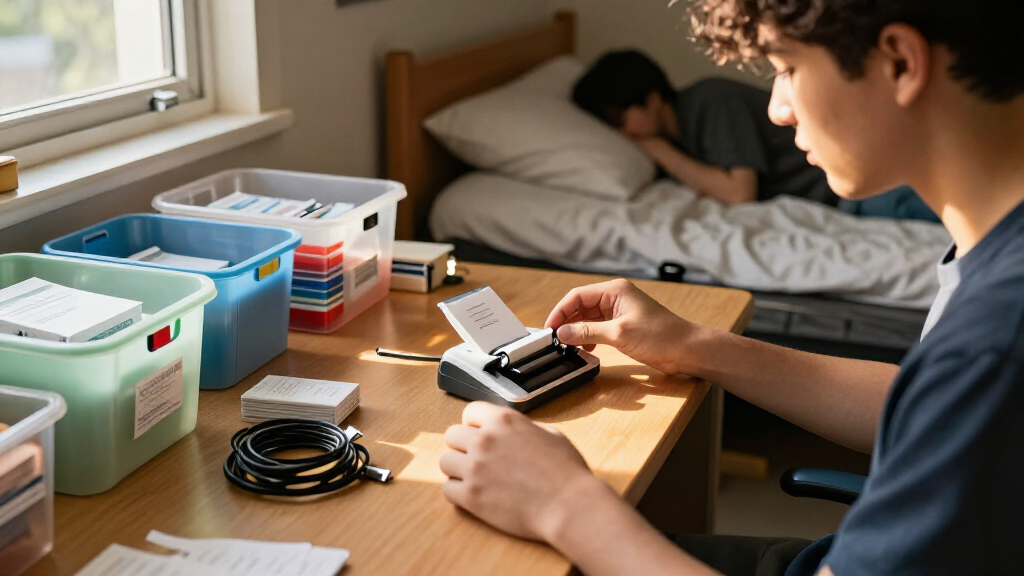
I ranked these 15 label makers around the demands of college organization: labeling bins, notebooks, chargers, food containers, and shared-space supplies without giving up much desk or bag space. I weighed portability, setup, typing method, label flexibility, supply needs, and how easily a student could use the device for repeated small jobs. I also separated Bluetooth models from handheld keyboard models, since app dependence can be convenient for one student and an annoyance for another.
The leading spots go to models that balance everyday usefulness with manageable size and a clear fit for dorm routines. Compact devices such as the NIIMBOT D110 score well for carrying and quick tasks, while keyboard-based options rank higher for students who want a phone-free workflow. The remaining products have distinct roles based on their included supplies, format, or intended use; no single model is the right choice for every campus setup.
| portable label makers for college organization | Printer type | Print output |
|---|---|---|
| Phomemo M110 Portable Bluetoot | Thermal | Black and white |
| NIIMBOT D110 Mini Bluetooth Th | Thermal | Monochrome |
| NADAIIN N20 Portable Bluetooth | Thermal | — |
| Brother P-touch PT-D220 Home a | — | — |
| DYMO LabelManager 160 Portable | Thermal | Black and white |
| NDYIN N12 Bluetooth Thermal La | Thermal | Monochrome |
| LOPEVI D1 Portable Bluetooth T | Thermal | Monochrome |
| SUPVAN E11 Keyboard and Blueto | Thermal | Monochrome |
| DYMO LetraTag 100H Plus Handhe | Thermal | Monochrome |
| NIIMBOT B1 Bluetooth Thermal L | Thermal | Monochrome |
| SUPVAN T50M Pro Bluetooth Ther | Thermal | Monochrome |
| DYMO LabelManager 160 Portable | Thermal | Monochrome |
| Phomemo D30 Bluetooth Mini Lab | Thermal | Monochrome |
| Brother PT-M95 P-touch Portabl | Dot matrix | — |
| Brother P-touch PT-N10 Persona | Thermal | Color |
Factors to Consider When Choosing Portable Label Makers For College Organization
Choosing a label maker for college is less about printing the most elaborate label and more about matching the device to your routine, storage space, and supply habits. I’d settle these practical questions before choosing a model.
Choose Between App Control and a Built-In Keyboard
Bluetooth models let you compose labels on a phone, which can make it easier to adjust text, symbols, and layouts without typing on tiny keys. That workflow works best if you’re comfortable keeping the companion app installed and pairing the device when needed. A built-in keyboard avoids phone setup and is handy for quick, plain labels during a room cleanout. The tradeoff is a larger handheld body and usually a more limited typing interface. Before buying, ask whether you’ll make labels in batches or only print one now and then. Frequent batches favor an app workflow; occasional, no-fuss labeling favors standalone controls.
Match the Label Supply to What You’ll Mark
Label makers do not all use interchangeable supplies, so the refill type can shape your long-term experience more than the initial device choice. Thermal printing avoids ink cartridges, but you should check the compatible label formats and whether they suit your intended surfaces. Tape-based models use cassettes, so confirm that replacements are easy for you to source and that the available tape widths fit your storage labels. A common mistake is buying a device for its compact body without checking what labels it can actually print. Think through whether you’re marking small cables, notebook spines, food containers, or larger bins. One label size rarely works equally well for all of them.
Plan for Shared Rooms and Removable Labels
College labels may go on personal storage, borrowed equipment, or containers that need to be reused after a term. Consider how permanent you want the labels to be and test any label material on an inconspicuous area before applying it broadly. A label that works on a smooth bin may not stay put on a textured case or a cold food container. If you share a kitchen or laundry area, prioritize legible names and simple ownership labels over decorative layouts. Avoid covering care instructions, vents, or safety information on devices and containers. A little planning can prevent residue, peeling, and confusion over shared supplies.
Weigh Portability Against Typing Comfort
A very small printer takes up less space in a dorm drawer or backpack, but its compactness may come with a smaller interface or greater reliance on a phone. Larger handheld models can be easier to operate directly, though they are less appealing to carry between rooms. Consider where you’ll do most of your labeling: at a desk, in a shared storage area, or while organizing a move-in load. Also check the device’s overall footprint against the space you have for supplies and charging or batteries. Do not choose solely by the word “portable”; portability matters differently for a printer that stays on a shelf than one you plan to carry around campus.
Decide How Much Setup You Want on Day One
Included tape or label rolls can help you start organizing immediately, but bundle contents vary and may not cover every label type you want. Check the quantity and format of the included supplies rather than assuming a bundle means a long-lasting stock. If you already know you’ll label drawers, cables, and containers, a starter supply can reduce the need for a separate first purchase. On the other hand, a bundle is less useful if its tape does not match your preferred width or material. Think about whether you want a ready-to-use kit or would rather select supplies around your own projects. This is a practical distinction, not a guarantee that one bundle is a better deal.
Account for Power, Phone Access, and Refill Habits
For a student who labels only at move-in, battery or charging demands may be minor; regular use makes power access more relevant. Bluetooth models also depend on having a compatible phone available, while keyboard models can handle basic jobs on their own. Check the product’s stated power arrangement and plan for how you’ll keep it ready in a crowded dorm. Supply refills deserve the same attention: a device is less useful if you run out of compatible labels during a busy week. Keep a small reserve of the format you use most, rather than stocking several sizes before you know what your room needs. These habits matter more than selecting a feature-rich model you rarely use.
Frequently Asked Questions
Should I choose a Bluetooth label maker or one with a built-in keyboard for my dorm?
Choose Bluetooth if you want to create layouts on your phone and expect to print batches of labels for bins, notebooks, or cables. A keyboard model makes more sense if you want to type directly on the device or would rather not depend on an app. For a small dorm desk, compare the printer’s size with the space you can spare, not just its portability label. Also check the app and phone compatibility details before you buy. If you’re unsure, think about which tool you already reach for when organizing: your phone or a standalone device.
Are thermal labels a good choice for food containers and reusable dorm items?
Thermal printing can be convenient because it does not rely on ink cartridges, but the printing method alone does not tell you whether a label suits a particular surface or environment. Check the label material and the maker’s guidance for the places you plan to use it, especially on cold, damp, or frequently washed items. Test one label on a discreet spot before labeling a full set of containers. For reusable items, consider whether you’ll want the label to peel off cleanly at the end of the term. If that detail is not clear from the supply information, choose a different use for those labels.
Do I need a label maker that prints different widths for college organization?
Not every student needs multiple widths. Narrow labels can be easier to fit on cables, pen cases, and notebook spines, while wider labels give you more room for bin names or longer text. If you expect to label several types of belongings, check the compatible supply formats before settling on a device. Owning a wider-format option does not help if refills are inconvenient or if most of your labels are tiny. Start by listing the three surfaces you expect to label most often, then match the format to those jobs.
Is a bundle with included tapes or labels worth choosing over the maker alone?
A bundle can be useful when you want to start labeling right after move-in, but its value depends on the supply type and amount included. Confirm that the tapes or labels fit the projects you have in mind and are compatible with that exact model. A bundle built around one format may not help if you need a different width or material later. If you already have compatible supplies, the extras may matter less than device size or typing style. Compare the contents carefully rather than treating the word “bundle” as proof that it suits your needs.
For shared use, a simple workflow and labels that are easy to read may matter more than decorative options. A keyboard model can be straightforward for roommates who do not want to install an app, while a Bluetooth model may suit a group that prefers phone-based layouts. Agree on a naming style before labeling shared shelves and kitchen supplies; inconsistent wording can cause more confusion than no label at all. Keep track of who owns the device and which supplies it uses so refills do not become a shared-room guessing game. If several people will use it, check how quickly they can learn its controls.
Conclusion
For most students, I’d choose the Phomemo M110 as the best overall because it pairs a portable format with app-based label creation. The NIIMBOT D110 is my compact pick for quick, small-scale jobs, while the Brother P-touch PT-D220 is the better beginner choice for students who want direct keyboard controls rather than phone pairing. For a more supply-ready option, compare the included contents of the DYMO LabelManager 160 bundle and Brother PT-M95 bundle before deciding. If you want the best value, focus on the model whose supplies and controls fit your actual routine rather than paying for features you will not use. For specific needs, pick a Bluetooth printer for phone-designed labels or a keyboard device for phone-free labeling, then verify the compatible label format before ordering.
Fall Picks
fall essentials
As an affiliate, we earn on qualifying purchases.