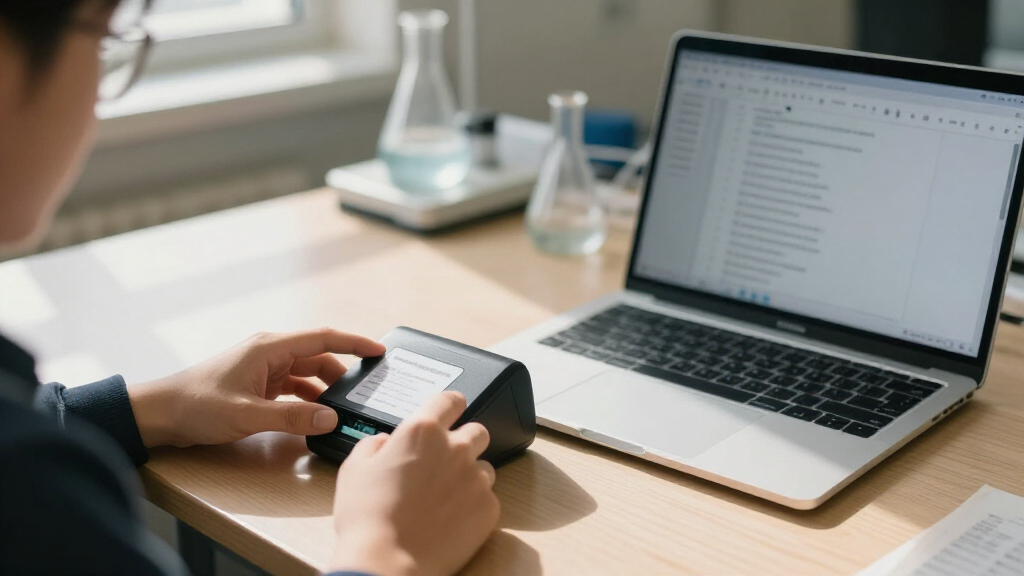

The best portable document scanner for most students is the Epson WorkForce ES-60W, which pairs a compact design with wireless scanning for flexible study spaces. The Canon imageFORMULA R10 is a stronger fit for students who scan stacks of notes, while the Brother DS-640 suits those who want a straightforward, compact USB model. The main tradeoff is between easy batch scanning and portability: sheet-fed scanners handle loose pages efficiently, while flatbeds can better accommodate books and delicate originals. Handheld models avoid a feeder but require more care to keep scans straight. Read on for how all 15 options compare and which type fits your coursework.

Prime made for students and young adults
- Fast, free delivery for dorm and study essentials
- Prime Video and Amazon Music included
- Member-only deals
Key Takeaways
- Sheet-fed models are the most practical match for loose class notes: the ES-60W, DS-640, and R10 offer a more structured workflow than handheld scanners.
- The R10’s automatic document feeder changes the workload: it is better suited to batches than the single-page mobile scanners, though it takes more room in a bag.
- Flatbeds solve a different student problem: the LiDE 300, LiDE 400, and Perfection V19 II are better candidates for books, photos, or fragile pages than portable sheet-fed units.
- Handheld scanners trade consistency for independence: MUNBYN and AOZBZ models can scan without a computer connection during capture, but manual movement makes alignment more demanding.
- Wireless convenience and simple USB use are not interchangeable: the ES-60W adds wireless flexibility, while models such as the ES-50 and DS-640 suit students who prefer a direct, uncomplicated connection.
| Canon CanoScan LiDE 300 Scanner |  | Best for Flatbed Scans | Scanner type: Document and photo flatbed | Connection: USB | Optical resolution: 2400 × 2400 dpi | VIEW LATEST PRICE | See Our Full Breakdown |
| MUNBYN Portable Handheld Scanner, 900 DPI, A4, 16 GB SD Card, Black |  | Best for Scanning Books Without Removing Pages | Scanner type: Handheld wand | Maximum scan size: A4 | Maximum resolution: 900 dpi | VIEW LATEST PRICE | See Our Full Breakdown |
| Xerox Duplex Travel Scanner for PC and Mac |  | Best for Double-Sided Class Notes | Scanner type: Document and photo | Scanning: Duplex | Connection and power: USB; USB-powered | VIEW LATEST PRICE | See Our Full Breakdown |
| Epson WorkForce ES-60W Wireless Mobile Document Scanner |  | Best for Wireless Mobile Scanning | Scanner type: Single-sheet-fed document scanner | Connectivity: Wi-Fi and USB | Resolution: 1200 dpi | VIEW LATEST PRICE | See Our Full Breakdown |
| Epson Workforce ES-C220 Compact Document Scanner Duplex 20-pg ADF |  | Best for High-Volume Study Packets | Scanning speed: Up to 30 ppm / 60 ipm | Scanning: Duplex | Automatic document feeder: 20 pages | VIEW LATEST PRICE | See Our Full Breakdown |
| Hczrc Portable Handheld Scanner for A4 Documents, Photos, and Receipts |  | Best for Battery-Powered, Off-Grid Scanning | Scanner type: Receipt, photo, and document | Resolution: 300, 600, or 900 dpi | File formats: JPEG, PDF | VIEW LATEST PRICE | See Our Full Breakdown |
| Epson WorkForce ES-50 Mobile Document Scanner |  | Best Overall for Computer-Based Note Scanning | Scanner type: Document | Connection: USB 2.0 | Resolution: 1200 dpi | VIEW LATEST PRICE | See Our Full Breakdown |
| Canon CanoScan LiDE 400 Slim Document and Photo Scanner |  | Best for Flatbed Detail and Photo Scans | Scanner type: Document and photo | Connection: USB Type-C | Resolution: 4800 × 4800 dpi | VIEW LATEST PRICE | See Our Full Breakdown |
| AOZBZ Portable A4 Color Document Scanner, 900 DPI, JPG/PDF, with 16 GB SD Card |  | Best for Card-Based Color Scans | Scanner type: Document scanner | Resolution modes: 300, 600, or 900 dpi | Color depth: 24 bits per pixel | VIEW LATEST PRICE | See Our Full Breakdown |
| Brother DS-640 Compact Mobile Document Scanner |  | Best for Fast, Connected Batch Scanning | Scanner type: Business card and document | Connection: USB | Scan speed: Up to 16 pages per minute | VIEW LATEST PRICE | See Our Full Breakdown |
| HPPS100 Portable USB Document and Photo Scanner |  | Best for Mixed Document and Photo Scanning | Scanning type: Single-sided sheetfed | Scan speed: Up to 15 pages per minute | Resolution: Up to 1200 dpi | VIEW LATEST PRICE | See Our Full Breakdown |
| Epson DS-70 Portable Document Scanner |  | Best for Lightweight Campus Carry | Scanner type: Document | Connection: USB | Resolution: 1200 dpi | VIEW LATEST PRICE | See Our Full Breakdown |
| Epson Perfection V19 II Flatbed Photo Scanner 4800 dpi Optical Resolution |  | Best for Detailed Photo and Book Scans | Scanner type: Document and photo flatbed | Connection: USB | Optical resolution: 4800 dpi | VIEW LATEST PRICE | See Our Full Breakdown |
| Canon imageFORMULA R10 Portable Document Scanner |  | Best for Two-Sided Class Notes | Scanner type: Document scanner | Connection: USB | Resolution: 600 dpi | VIEW LATEST PRICE | See Our Full Breakdown |
| AOZBZ 900 DPI Handheld Portable Document Scanner |  | Best for Scanning Without a Computer Nearby | Scanner type: Handheld document scanner | Resolution settings: 300, 600, or 900 dpi | Connection: USB 2.0 | VIEW LATEST PRICE | See Our Full Breakdown |
| portable document scanners for student | Scanner type | Dimensions | Weight | Connection |
|---|---|---|---|---|
| Canon CanoScan LiDE 300 Scanne | Document and photo flatbed | 14.5 × 9.9 × 1.7 inches | 3.6 pounds | USB |
| MUNBYN Portable Handheld Scann | Handheld wand | — | — | — |
| Xerox Duplex Travel Scanner fo | Document and photo | 11.5 × 2.6 × 1.6 inches | 1.1 pounds | — |
| Epson WorkForce ES-60W Wireles | Single-sheet-fed document scanner | 1.8 × 10.7 × 1.3 inches | 10.56 ounces | — |
| Epson Workforce ES-C220 Compac | — | — | — | — |
| Hczrc Portable Handheld Scanne | Receipt, photo, and document | 2 × 11 × 1.5 inches | 9.6 ounces | USB |
| Epson WorkForce ES-50 Mobile D | Document | 10.7 × 10.7 × 1.3 inches | 9.44 ounces | USB 2.0 |
| Canon CanoScan LiDE 400 Slim D | Document and photo | 7.7 × 14.5 × 0.4 inches | 3.6 pounds | USB Type-C |
| AOZBZ Portable A4 Color Docume | Document scanner | 10 × 0.98 × 0.98 inches | — | — |
| Brother DS-640 Compact Mobile | Business card and document | 1.99 × 11.9 × 1.45 inches | About 1.5 pounds | USB |
| HPPS100 Portable USB Document | — | — | — | USB 2.0 |
| Epson DS-70 Portable Document | Document | — | 9.44 ounces | USB |
| Epson Perfection V19 II Flatbe | Document and photo flatbed | 9.9 × 9.9 × 1.5 in | 3.1 pounds | USB |
| Canon imageFORMULA R10 Portabl | Document scanner | 3.74 × 11.22 × 1.57 in | 998 g | USB |
| AOZBZ 900 DPI Handheld Portabl | Handheld document scanner | 10 × 1 × 1 in | 170 g | USB 2.0 |
More Details on Our Top Picks
Canon CanoScan LiDE 300 Scanner
The Canon CanoScan LiDE 300 is the better fit for students who scan occasional lecture handouts, receipts, or photos and value a flat, careful scan over batch speed. Its 2400 × 2400 dpi optical resolution and Auto Scan Mode give it an advantage for detailed images and mixed materials, while built-in PDF creation with OCR can make paper notes easier to search. At 3.6 pounds, it is less convenient to carry between classes than the Xerox Duplex Travel Scanner, and its flatbed design requires placing each item individually. It connects by USB only, so it lacks the wireless flexibility of the Epson WorkForce ES-60W. I’d choose it for a dorm desk or home study setup, not for students who need quick, mobile, multi-page scanning.
Pros:- 2400 × 2400 dpi optical resolution suits detailed photos and documents
- Auto Scan Mode selects settings for different originals
- Built-in PDF creation with OCR supports searchable files
- Compact flatbed design scans materials that may not feed smoothly
Cons:- One item at a time makes multi-page assignments slow
- USB-only connection lacks the mobile flexibility of the Epson WorkForce ES-60W
- At 3.6 pounds, it is less portable than the Xerox Duplex Travel Scanner
Best for: Students who mainly scan individual notes, book pages, photos, and receipts at a dorm or home desk.
Not ideal for: Students who need wireless scanning, frequent multi-page batches, or a scanner light enough to carry daily.
- Scanner type:Document and photo flatbed
- Connection:USB
- Optical resolution:2400 × 2400 dpi
- Color depth:48-bit
- Scan time:About 10 seconds
- Dimensions:14.5 × 9.9 × 1.7 inches
- Weight:3.6 pounds
- Warranty:1-year limited
Our verdict“Choose the LiDE 300 if careful flatbed scans matter more than wireless use or fast batch handling.”
MUNBYN Portable Handheld Scanner, 900 DPI, A4, 16 GB SD Card, Black
The MUNBYN handheld wand suits students who need to capture textbook pages or archival material without feeding paper through a machine. It scans up to A4 and saves files to an included 16 GB SD card, so there’s no need to bring a laptop to the page; connect by USB later to transfer scans. That flexibility is a different kind of portability from the Epson WorkForce ES-60W, which feeds pages and offers wireless transfer but depends on its software workflow. The tradeoff is control: MUNBYN requires a steady hand, and smooth results can take practice. Its 900 dpi maximum is useful for ordinary notes, but students wanting a guided flatbed scan should look at the Canon CanoScan LiDE 300 instead. Two AA batteries are also sold separately.
Pros:- Scans bound pages without removing them from a book
- Stores scans on the included 16 GB SD card without a computer present
- Lightweight 0.66-pound wand is easy to carry
- USB file transfer does not require a driver
Cons:- Hand movement takes practice and can affect scan consistency
- Two AA batteries are not included
- 900 dpi maximum is lower than the Canon CanoScan LiDE 300’s optical resolution
Best for: Students who regularly capture textbook pages, bound readings, or delicate originals away from a desk.
Not ideal for: Students who want consistent scans with minimal technique, fast batches, or a scanner ready to use without buying batteries.
- Scanner type:Handheld wand
- Maximum scan size:A4
- Maximum resolution:900 dpi
- Storage:16 GB SD card
- Power:2 AA batteries, not included
- Connectivity:USB
- Scan time:3–5 seconds
- Dimensions and weight:9.5 inches long; 0.66 pounds
Our verdict“Pick MUNBYN for portable book-page capture, provided you’re comfortable guiding the scanner by hand.”
Xerox Duplex Travel Scanner for PC and Mac
For students who routinely scan lecture notes printed on both sides, the Xerox Duplex Travel Scanner earns its place through duplex capture in a portable, USB-powered body. That can cut down the handling needed for two-sided pages compared with the Epson WorkForce ES-60W, which scans one sheet at a time and is listed as a single-sheet-fed model. Xerox also includes OCR and searchable-PDF tools, useful when class materials need to be found by keyword later. It weighs just 1.1 pounds and works with PC and Mac, but it needs a computer connection and is not a wireless mobile scanner. Its stated pace—about eight seconds per color page at 300 dpi—is slower than the ES-60W’s single-page claim. Choose it for regular two-sided paperwork, not for scanning without a laptop.
Pros:- Duplex scanning captures both sides of documents
- USB power avoids carrying a separate power supply
- Includes OCR and searchable PDF tools
- PC and Mac compatibility broadens computer choice
Cons:- USB connection does not provide the wireless convenience of the Epson WorkForce ES-60W
- About eight seconds per color page at 300 dpi is not the fastest option here
- Requires a computer connection for scanning
Best for: Students with stacks of double-sided handouts who want portable scanning and searchable digital files on a PC or Mac.
Not ideal for: Students who need wireless scanning to a phone or want to scan pages without a connected computer.
- Scanner type:Document and photo
- Scanning:Duplex
- Connection and power:USB; USB-powered
- Resolution:600 dpi
- Speed:About 8 seconds per color page at 300 dpi
- Maximum paper size:8.5 × 32 inches
- Dimensions:11.5 × 2.6 × 1.6 inches
- Weight:1.1 pounds
Our verdict“Choose the Xerox if double-sided class paperwork is your priority and a wired laptop workflow works for you.”
Epson WorkForce ES-60W Wireless Mobile Document Scanner
The Epson WorkForce ES-60W is the strongest match for students who want to scan a page directly to a computer or mobile device without setting up a flatbed. It is battery-powered, supports Wi-Fi and USB, and can capture a single page in as little as four seconds. OCR software can turn scans into searchable PDFs or editable files, making it more suited to digitizing handouts than the MUNBYN handheld wand, which relies on manual passes and later file transfer. Its narrow, 10.56-ounce body is easy to pack, but it feeds only one sheet at a time, so large reading packets become repetitive. Cloud scanning also requires a connected computer and internet access. Compared with the duplex Xerox Travel Scanner, this Epson favors wireless convenience over scanning both sides in one pass.
Pros:- Wi-Fi and USB support scanning across different study setups
- Battery-powered design weighs just 10.56 ounces
- Single-page scans take as little as 4 seconds
- OCR can create searchable PDFs and editable Word or Excel files
Cons:- One-sheet feeding makes large batches time-consuming
- Cloud scanning requires a connected computer and internet access
- Unlike the Xerox Duplex Travel Scanner, it does not offer duplex scanning
Best for: Students who scan occasional lecture pages and receipts to a phone, tablet, or laptop while moving between study spaces.
Not ideal for: Students who regularly digitize large stacks or need duplex scanning to reduce page-by-page handling.
- Scanner type:Single-sheet-fed document scanner
- Connectivity:Wi-Fi and USB
- Resolution:1200 dpi
- Scan time:As little as 4 seconds per page
- Maximum document size:8.5 × 72 inches
- Power:Battery-powered
- Dimensions:1.8 × 10.7 × 1.3 inches
- Weight:10.56 ounces
Our verdict“Choose the ES-60W for lightweight wireless scanning of individual pages, not for frequent large or two-sided batches.”
Epson Workforce ES-C220 Compact Document Scanner Duplex 20-pg ADF
The Epson Workforce ES-C220 is the batch-scanning pick for students who regularly digitize readings, returned assignments, or double-sided notes. Its 20-page ADF and duplex speed of up to 30 pages per minute (60 images per minute) reduce the stop-and-feed routine required by the ES-60W and the flatbed Canon CanoScan LiDE 300. ScanSmart adds OCR and adjustments such as blank-page deletion and skew correction, helping produce cleaner, more usable files from a mixed packet. The tradeoff is that this is less suited to scanning one page on the go: no Wi-Fi connectivity is listed, and the feeder is still limited to 20 pages before reloading. Its passport and card support adds flexibility, though students focused on textbook pages should choose a flatbed or wand instead.
Pros:- Duplex scanning reaches up to 30 pages per minute or 60 images per minute
- 20-page automatic document feeder handles packets with less manual feeding
- Supports paper, cards, and passports
- ScanSmart OCR and image adjustments help produce searchable, cleaner files
Cons:- The 20-page feeder needs reloading for larger batches
- No Wi-Fi connectivity is listed
- Less suited to bound book pages than the Canon CanoScan LiDE 300 or MUNBYN wand
Best for: Students who often scan multi-page, double-sided course packets at a desk and want OCR-assisted file cleanup.
Not ideal for: Students who need a lightweight wireless scanner for campus use or primarily scan bound books and fragile pages.
- Scanning speed:Up to 30 ppm / 60 ipm
- Scanning:Duplex
- Automatic document feeder:20 pages
- Supported media:Standard paper, cards, and passports
- Software:Epson ScanSmart with OCR
- Image adjustments:Automatic cropping, blank-page deletion, background removal, dirt detection, skew correction, and staple protection
- Desk space savings:Up to 60%
Our verdict“Pick the ES-C220 if you scan packets often at a desk and value duplex speed over wireless portability.”
Hczrc Portable Handheld Scanner for A4 Documents, Photos, and Receipts
The Hczrc handheld scanner suits students who want to capture pages away from a desk and transfer them later. It saves JPEG or PDF files straight to its included 16 GB microSD card, so scanning does not require a computer connection or installed software. Its three resolution settings, reaching 900 dpi, let you choose between quicker reference copies and finer detail for images. Compared with the Epson WorkForce ES-50, this Hczrc can store scans directly on the device, but the Epson is the easier choice for computer-based work thanks to its OCR software and USB power. The tradeoff here is manual operation: you guide the scanner across each page, supply two AA batteries, and need a memory card for it to work. It makes more sense for occasional, flexible capture than stacks of lecture notes.
Pros:- Stores JPEG and PDF scans directly on the included 16 GB microSD card
- Offers 300, 600, and 900 dpi settings for different detail needs
- Lightweight handheld form is easy to pack
- Does not require software installation to capture scans
Cons:- Two AA batteries are required and are not included
- A memory card is required for operation
- Manual page-by-page scanning is less suited to large batches than the Brother DS-640
Best for: Students who need to capture occasional handouts, receipts, or book pages without relying on a computer or wall outlet at the scanning location.
Not ideal for: Students who regularly scan multi-page lecture packets or need searchable text, because scans are manual and no OCR software is listed.
- Scanner type:Receipt, photo, and document
- Resolution:300, 600, or 900 dpi
- File formats:JPEG, PDF
- Storage:16 GB microSD card included; supports up to 32 GB
- Power:2 AA batteries, not included
- Connection:USB
- Dimensions:2 × 11 × 1.5 inches
- Weight:9.6 ounces
Our verdict“Choose the Hczrc if you want a lightweight scanner that saves files to a card, and skip it if you need fast, searchable batches of notes.”
Epson WorkForce ES-50 Mobile Document Scanner
The Epson WorkForce ES-50 is my most balanced pick for students scanning pages straight to a laptop. It is USB-powered, weighs under 10 ounces, and can scan a single page in as fast as 5.5 seconds, so there are no batteries to pack or charge. Its included software and OCR can turn scans into searchable PDFs or editable Office files, which is a practical advantage when notes need to be found or reused later. Compared with the Hczrc handheld scanner, the ES-50 is better suited to organized, computer-based study files; the Hczrc offers card-based storage without a computer at the capture point. The ES-50’s limitation is its one-sheet-at-a-time feed, so it is not the pick for unattended packets. Cloud scanning also depends on an internet connection and installed software.
Pros:- USB power means no batteries or separate power supply are needed
- OCR software can create searchable PDFs and editable Office files
- Scans a single page in as fast as 5.5 seconds
- Handles documents up to 8.5 × 72 inches, plus receipts and ID cards
Cons:- Single-sheet capacity makes long batches a hands-on task
- Cloud scanning requires an internet connection and installed software
- Requires a computer connection rather than storing scans on a memory card
Best for: Students who scan individual lecture pages, receipts, or ID cards to a Windows or Mac laptop and want OCR for searchable study files.
Not ideal for: Students who need to scan large packets unattended or capture pages without connecting to a computer.
- Scanner type:Document
- Connection:USB 2.0
- Resolution:1200 dpi
- Scan speed:As fast as 5.5 seconds per page
- Maximum document size:8.5 × 72 inches
- Sheet capacity:1
- Dimensions:10.7 × 10.7 × 1.3 inches
- Weight:9.44 ounces
- Compatibility:Windows and Mac
Our verdict“Pick the ES-50 for portable, laptop-based scanning with OCR, but choose a feed scanner with higher capacity for frequent packet scanning.”
Canon CanoScan LiDE 400 Slim Document and Photo Scanner
The Canon CanoScan LiDE 400 is the image-focused option here, not the easiest scanner to carry between classes. Its 4800 × 4800 dpi resolution and photo enhancement features suit students digitizing artwork, annotated pages, or family photographs where fine detail matters. A single USB Type-C cable supplies data and power, and scans can take as little as eight seconds. Compared with the Epson WorkForce ES-50, the Canon offers much higher listed resolution and a flatbed surface for delicate or bound material, while the Epson is far lighter and more convenient for regular campus carry. At 3.6 pounds, this Canon is better kept in a dorm or study space than a backpack. Its one-page-at-a-time workflow also makes it a poor fit for quickly digitizing a full semester’s handouts.
Pros:- 4800 × 4800 dpi resolution supports detailed document and photo capture
- USB Type-C cable provides both data connection and power
- Photo enhancement features can help with image digitization
- Includes a vertical stand for desk storage
Cons:- At 3.6 pounds, it is much less backpack-friendly than the Epson ES-50
- Standard sheet capacity is one, so multi-page work requires repeated handling
- Listed minimum system requirements include Windows 7
Best for: Students in art, design, or history who need detailed flatbed scans of photos, illustrations, and individual documents at a desk.
Not ideal for: Students who carry a scanner to class or need to process many pages quickly, because the flatbed weighs 3.6 pounds and handles one sheet at a time.
- Scanner type:Document and photo
- Connection:USB Type-C
- Resolution:4800 × 4800 dpi
- Color depth:48-bit
- Grayscale depth:16-bit
- Media types:Letter, photo
- Dimensions:7.7 × 14.5 × 0.4 inches
- Weight:3.6 pounds
- Warranty:1-year limited warranty
Our verdict“Choose the CanoScan LiDE 400 for high-detail flatbed work at a desk, not for lightweight everyday scanning between classes.”
AOZBZ Portable A4 Color Document Scanner, 900 DPI, JPG/PDF, with 16 GB SD Card
The AOZBZ handheld scanner is a straightforward match for students who want color pages saved to removable storage rather than sent directly to a laptop. It captures A4 documents and photos at 300, 600, or 900 dpi, and saves them as JPEG or PDF on a microSD card; the listed package includes a 16 GB card. Its light handheld build is easier to tuck into a bag than the Canon CanoScan LiDE 400, though the Canon’s flatbed design is a better fit for delicate photos or pages that need careful placement. Compared with the similar Hczrc handheld scanner, the AOZBZ lists wireless scanning as well as USB transfer, but its compatibility details name older Windows systems, so students should check their setup before buying. Two AA batteries are not included, and manual scanning takes more care than feeding pages through the Brother DS-640.
Pros:- Three resolution modes reach 900 dpi
- Saves scans as JPEG or PDF to supported microSD cards
- Light handheld design is convenient for carrying
- Wireless scanning is listed, with USB available for PC connection and transfer
Cons:- Two AA batteries are required and are not included
- Compatibility information lists Windows 2000, ME, and XP rather than current systems
- Manual handheld scanning is less convenient for multi-page batches than the Brother DS-640
Best for: Students who want a compact handheld device for occasional color documents or photos, with scans saved to microSD for later transfer.
Not ideal for: Students using newer Mac or Windows systems who need clearly documented compatibility, or anyone scanning lengthy packets regularly.
- Scanner type:Document scanner
- Resolution modes:300, 600, or 900 dpi
- Color depth:24 bits per pixel
- File formats:JPEG, PDF
- Storage:Supports microSD cards up to 32 GB; 16 GB card listed as included
- Connectivity:Wireless scanning; USB connection for PC transfer
- Power:Two AA batteries, not included
- Dimensions:10 × 0.98 × 0.98 inches
- Compatibility:Windows 2000/ME/XP listed
Our verdict“Choose the AOZBZ for occasional handheld color capture to a memory card, but verify device compatibility before relying on it for coursework.”
Brother DS-640 Compact Mobile Document Scanner
For students who regularly digitize class packets, the Brother DS-640 is the more workflow-focused pick in this group. Its listed speed of up to 16 pages per minute is a clear step up from handheld, manually guided options such as the Hczrc, and its USB power makes it usable without a wall outlet when connected to a computer. It accepts receipts, plain paper, business cards, and plastic ID cards, while included OCR and image enhancement tools can help turn scans into more usable files. The tradeoff is that it still requires a computer connection; unlike the Hczrc and AOZBZ, it does not list direct memory-card storage. At about 1.5 pounds, it is also heavier than the under-10-ounce Epson ES-50, though its broad media support may suit students with varied scanning needs.
Pros:- Scans color and black-and-white documents at up to 16 pages per minute
- USB-powered operation avoids the need for a wall outlet
- Handles documents up to 72 inches long, plus receipts and plastic cards
- Includes OCR and image enhancement features
Cons:- Requires a computer connection to scan
- At about 1.5 pounds, it is heavier than the Epson WorkForce ES-50
- Image rotation is available on PC only
Best for: Students who regularly scan class handouts, receipts, cards, or long documents to a connected laptop and want OCR tools.
Not ideal for: Students who need a standalone scanner that saves directly to a memory card, or who prioritize the lightest possible device for daily carry.
- Scanner type:Business card and document
- Connection:USB
- Scan speed:Up to 16 pages per minute
- Resolution:300 dpi
- Power:2.5 watts
- Media types:Business cards, ID cards, plastic cards, receipts, and plain paper
- Dimensions:1.99 × 11.9 × 1.45 inches
- Weight:About 1.5 pounds
- Compatibility:Windows, Mac, and Linux
Our verdict“Pick the DS-640 for computer-connected document throughput and broad media support, but choose a handheld model if you need standalone memory-card scanning.”
HPPS100 Portable USB Document and Photo Scanner
The HPPS100 suits students who need one compact device for class handouts and occasional photos. Its sheetfed design takes documents up to legal size, while scans at up to 1200 dpi give you more detail for images than a basic text-only workflow may need. HP WorkScan adds previewing, size detection, and editing tools, so files can be tidied before saving as PDF or JPG. Compared with the Canon imageFORMULA R10, it is a better fit for photo-capable scanning, but the R10 is more efficient for stacks of two-sided notes thanks to its feeder and duplex scanning. The HP scans one side at a time and is intended for small- to medium-size batches, so it is less suited to a semester’s worth of paper at once.
Pros:- Scans documents and photos in color or black and white
- Up to 1200 dpi resolution supports detailed image scans
- HP WorkScan includes preview, auto-scan, size detection, and editing tools
- USB-powered and compatible with Windows and macOS
Cons:- Single-sided scanning means duplex pages need a second pass
- Designed for small- to medium-batch scanning rather than large queues
Best for: Students who regularly scan a mix of single-sided class papers, receipts, and photos and want editing software included.
Not ideal for: Students digitizing thick two-sided readings or large paper batches, since each side must be scanned separately and the design is aimed at modest workloads.
- Scanning type:Single-sided sheetfed
- Scan speed:Up to 15 pages per minute
- Resolution:Up to 1200 dpi
- Paper size:2 × 2.9 in minimum; 8.5 × 14 in maximum
- Connection:USB 2.0
- Compatibility:Windows and macOS
- Included software:HP WorkScan
- Output formats:PDF, JPG, and other formats
Our verdict“Choose the HPPS100 if your student scanning includes photos as well as documents, but pick the Canon imageFORMULA R10 for faster two-sided batches.”
Epson DS-70 Portable Document Scanner
The DS-70 puts low carry weight ahead of batch convenience: at 9.44 ounces, it is suited to a student who wants scanning capability in a backpack for library or fieldwork days. A page can scan in about 5.5 seconds, and it handles not only ordinary documents but also IDs, business cards, and receipts. Included OCR software can turn scans into editable PDFs, which is useful when notes need to be searched or reused. Compared with the Canon imageFORMULA R10, the DS-70 is lighter and simpler to carry, while the Canon’s 20-sheet feeder and duplex scanning are far more practical for multi-page readings. The DS-70 accepts one sheet at a time, so its quick single-page pace does not make it a batch scanner. Its long-document support reaches 72 inches.
Pros:- Lightweight 9.44-ounce design is easy to carry
- Scans a single page in as fast as about 5.5 seconds
- Handles documents up to 72 inches as well as cards and receipts
- USB-powered and includes OCR software for editable PDFs
Cons:- Single-sheet feeding makes multi-page jobs hands-on
- No automatic document feeder for unattended batch scanning
Best for: Students who carry a scanner between classes or scan occasional pages, IDs, and receipts away from a desk.
Not ideal for: Students who routinely digitize multi-page readings or two-sided notes and want an automatic feeder.
- Scanner type:Document
- Connection:USB
- Resolution:1200 dpi
- Scan time:As fast as 5.5 seconds per page
- Maximum document length:72 in
- Media types:Business cards, ID cards, and receipts
- Weight:9.44 ounces
- Warranty:3-year limited
Our verdict“Pick the DS-70 for a light, backpack-friendly scanner for occasional pages; choose the Canon imageFORMULA R10 for recurring class-pack batches.”
Epson Perfection V19 II Flatbed Photo Scanner 4800 dpi Optical Resolution
The Perfection V19 II is the choice for students whose scanning extends beyond loose handouts to photos, artwork, or pages that should lie flat. Its 4800 dpi optical resolution favors fine image detail, and the flatbed avoids pulling delicate or bound material through a feeder. ScanSmart supports OCR, searchable PDFs, and editable Office files, while Easy Photo Fix is useful for faded prints. Compared with the HPPS100, the V19 II offers much higher stated optical resolution and a flat surface for photo work; the HP is better suited to feeding loose documents and scanning small batches. The tradeoff is speed and portability: this is a 3.1-pound flatbed with a one-sheet-at-a-time workflow, not a pocketable scanner for processing lecture packets. It also requires a Windows or Mac computer, and the software is downloaded separately.
Pros:- 4800 dpi optical resolution supports detailed photo and artwork scans
- Flatbed handles delicate or bound material without sheet feeding
- ScanSmart provides OCR, searchable PDFs, and editable Office files
- Easy Photo Fix can help restore faded images
Cons:- No automatic document feeder, so multi-page scanning is manual
- At 3.1 pounds, it is less convenient to carry than the DS-70
- Software requires download and a Windows or Mac computer
Best for: Students in art, design, or history who need detailed scans of photographs, artwork, or pages that should not pass through a feeder.
Not ideal for: Students who need to scan stacks of lecture notes quickly or carry a very light scanner between classes.
- Scanner type:Document and photo flatbed
- Connection:USB
- Optical resolution:4800 dpi
- Color depth:48-bit internal; 24-bit external
- Greyscale depth:16-bit internal; 8-bit external
- Dimensions:9.9 × 9.9 × 1.5 in
- Weight:3.1 pounds
- Power:USB-powered; 2.5 W
Our verdict“Choose the V19 II for high-detail photo and flatbed scanning, not for fast, frequent digitizing of class handouts.”
Canon imageFORMULA R10 Portable Document Scanner
For students facing recurring stacks of readings, the R10 is the most workflow-focused option here: its 20-sheet automatic feeder and duplex scanning can capture both sides in a pass, reducing the handling involved in digitizing notes. It scans at up to 12 pages per minute and runs over USB, with built-in software that does not require installation. Compared with the Epson DS-70, it is less featherweight but much better equipped for multi-page assignments; the DS-70 is the more convenient choice when carrying weight matters more than batch speed. The R10 is also not a photo-paper scanner, so students working with prints or artwork should look at the flatbed Epson Perfection V19 II instead. Its feeder holds 20 sheets, meaning larger course packs still need to be split into loads.
Pros:- Duplex scanning captures both sides of a sheet
- 20-sheet automatic feeder cuts down manual page loading
- USB-powered design supports mobile or desk use
- Built-in software works without installation and supports Windows and Mac
Cons:- The 20-sheet feeder requires reloading for larger course packets
- Not intended for scanning photographs on photo paper
- At 998 g, it is heavier than single-sheet portable options such as the DS-70
Best for: Students who regularly digitize two-sided lecture notes, readings, receipts, or paperwork and want a feeder to reduce page handling.
Not ideal for: Students who mainly scan photo prints, need a very light single-page carry scanner, or expect to feed large stacks without pauses.
- Scanner type:Document scanner
- Connection:USB
- Resolution:600 dpi
- Duplex scanning:Yes
- Scan speed:Up to 12 pages per minute
- Automatic feeder capacity:20 sheets
- Dimensions:3.74 × 11.22 × 1.57 in
- Weight:998 g
- Compatibility:Windows and Mac
Our verdict“Choose the R10 if two-sided class materials are your regular workload; choose the V19 II for photos or the DS-70 for lighter carry.”
AOZBZ 900 DPI Handheld Portable Document Scanner
The AOZBZ works differently from the sheetfed scanners in this group: you move the handheld wand over a page, then save the image directly to a microSD card. That makes it useful for a student who needs to capture a page away from a laptop and transfer files later. Its selectable 300, 600, or 900 dpi settings let you balance detail against file size, and it saves JPEG or PDF files. Compared with the Epson DS-70, it is less dependent on feeding each sheet through a device, but the scan itself depends on a steady manual pass. The DS-70 is a more straightforward pick for consistent page capture and includes OCR software; the AOZBZ prioritizes standalone storage and low weight. It is a poor match for large note sets where speed and consistent alignment matter.
Pros:- Saves JPEG and PDF scans directly to a microSD card
- Offers 300, 600, and 900 dpi resolution settings
- Lightweight 170 g handheld format
- Compatible with Windows XP or later and Mac OS 10.4 or later
Cons:- Manual movement over the page can produce uneven or misaligned scans
- No automatic feeder, so multi-page jobs require repeated passes
- Standalone storage means files must be transferred from the card for computer use
Best for: Students who need to capture occasional pages in a library, archive, or field setting and can transfer scans from a memory card later.
Not ideal for: Students scanning many pages at a time or needing reliably aligned, searchable documents without manual wand movement.
- Scanner type:Handheld document scanner
- Resolution settings:300, 600, or 900 dpi
- Connection:USB 2.0
- File formats:JPEG and PDF
- Storage:MicroSD card; supports up to 32 GB
- Included storage:16 GB card, per product title
- Weight:170 g
- Dimensions:10 × 1 × 1 in
- Compatibility:Windows XP or later; Mac OS 10.4 or later
Our verdict“Pick the AOZBZ for occasional memory-card scanning without a nearby computer, but choose the DS-70 for more controlled page-by-page capture.”
How We Picked
I ranked these scanners around the tasks students are most likely to face: digitizing lecture handouts, saving marked-up readings, capturing receipts, and archiving occasional photos or book pages. I weighed portability alongside the scanning workflow, including whether a model feeds pages, scans duplex, connects wirelessly, or relies on the user to move it by hand. I also considered how much desk space a scanner requires and whether its design suits frequent class use or occasional assignments.
The ranking favors practical, repeatable document scanning over headline resolution alone. Sheet-fed options rise when they make loose-page batches easier; flatbeds earn their place for books and delicate originals; handheld units are ranked for users who value cable-free capture and accept more manual effort. Models with overlapping roles are separated by their tradeoffs, not treated as equally suitable for every student. Since software compatibility and included accessories can vary by version, I recommend checking the current manufacturer listing before buying.
Factors to Consider When Choosing Portable Document Scanners For Students
Before choosing a scanner, start with the papers you actually need to capture and where you will scan them. A student who digitizes loose lecture sheets has different needs from someone archiving textbook pages or sharing scans between devices. These broader tradeoffs can help prevent paying for features you rarely use or choosing a compact device that slows down your regular workflow.
Match the scanner style to your originals
Sheet-fed scanners are convenient for loose pages, but they need paper that can pass through the feed path. A flatbed is more suitable for bound books, thin pages, photos, and originals that should not be pulled through rollers. Handheld scanners can cover a range of paper sizes, yet the result depends on steady movement across the page. A common mistake is choosing by the word “portable” alone without checking whether the scanner can handle the materials used in class. If most of your work is bound reading, a small flatbed may serve you better than a narrower mobile document scanner. For mixed coursework, consider whether you need one flexible device or can use a phone for occasional pages that do not fit the scanner.
Estimate how often you scan batches
Page volume matters more than occasional peak speed. If you scan a few pages after each lecture, a single-sheet mobile scanner may be manageable and easier to carry. If you regularly digitize full handouts or multiple chapters, an automatic document feeder can reduce repeated page handling. Duplex scanning also matters when notes or assigned readings have content on both sides; otherwise, you may need to turn every sheet manually. Avoid buying a feeder just because it sounds faster if most of your originals are book pages that cannot go through it. Think about the full task: sorting papers, scanning, naming files, and checking whether every page is legible. A smoother workflow can matter more than a high resolution figure for routine class notes.
Choose connectivity around your study setup
Wireless and USB models solve different hassles. Wireless access can be useful when you scan away from your main computer or want more freedom about where the device sits. A USB connection is often simpler when you work at one laptop and want fewer setup steps or fewer things to charge. Before buying, check whether the scanner works with your operating system and whether the included software supports the file formats and destinations you use. Students who rely on tablets should verify compatibility rather than assume that a mobile label means direct tablet support. Also check whether wireless scanning requires a particular app or network setup. Convenience is only helpful when it fits the devices and campus network you already use.
Look beyond DPI when scan quality matters
Resolution is only one part of a readable scan. For ordinary typed notes, dependable page feeding, legible text, and useful PDF output may matter more than the highest advertised DPI. Higher resolution can create larger files, which take more storage and may be slower to share or upload. For photographs, diagrams, or small print, a flatbed and finer capture settings can be more useful than a basic document-focused workflow. A frequent misstep is choosing a scanner for its maximum resolution without checking whether it handles color, contrast, and document cleanup in a practical way. Consider how the files will be used: searchable study notes, visual references, or simple digital copies. Match capture quality to the assignment rather than scanning every page at the most demanding setting.
Account for carrying, power, and storage
A scanner is portable only if its whole setup is manageable. Check the device’s footprint alongside its cable, power source, and any stand or case you may need to carry. A model powered through USB can reduce the number of accessories, while wireless or standalone capture may offer more freedom but can introduce battery and memory-card management. Handheld models that save to a card can work without a laptop during capture, though transferring and organizing files becomes another step. Consider where scans will live and whether you can back them up promptly. Students moving between classrooms may favor a lighter setup, while a scanner that stays in a dorm room can prioritize feeding convenience instead. Do not confuse a small scanner body with a low-effort scanning routine.
Pay for the workflow you will use
Spend more when a feature removes repeated work. An automatic feeder, duplex capture, or wireless connection can be worthwhile if it saves time every week. A premium flatbed is harder to justify if you only scan typed handouts, while a basic handheld device may be frustrating if you need consistent scans of many pages. Factor in software access, operating-system support, and any consumables or replacement parts before deciding that a low-feature model is the better value. Another common mistake is buying for a one-time project when a campus library or department may already offer scanning access. On the other hand, frequent scanning of private notes may make having a personal device more convenient. Choose the least complex scanner that handles your recurring tasks comfortably.
Frequently Asked Questions
Should I choose a sheet-fed scanner or a flatbed for textbooks?
A flatbed is usually the safer fit for bound textbooks because you can place a page on the glass without feeding the book through rollers. Sheet-fed models are more convenient for loose notes, but they cannot scan pages that remain attached to a binding. If you only need occasional textbook excerpts, a phone may be enough and can save desk space. For frequent reading assignments, compare the flatbed’s size and software workflow with how much of each book you expect to capture. Check any copyright or course rules that apply to your materials.
Is a wireless scanner worth choosing over a USB model for campus use?
Wireless is most useful when you scan in more than one place or from devices beyond a laptop. It can reduce cable dependence, but it may require an app, network access, or battery management. Campus networks can also have device restrictions, so verify how the scanner connects before relying on wireless access at school. A USB model is often the simpler choice for a fixed dorm desk or a laptop-based workflow. If you plan to scan away from reliable Wi-Fi, check whether the model supports a direct connection or another offline method.
Can a handheld scanner replace a sheet-fed model for weekly lecture notes?
It can, but the manual scanning motion makes it less convenient for regular batches. Handheld models offer flexibility and may save scans to a memory card, yet keeping each pass straight and consistent takes attention. A sheet-fed scanner is usually easier for repeated loose pages because its feed path controls paper movement. If your weekly workload is only a few pages, handheld capture may be an acceptable tradeoff. For long sets of notes or double-sided sheets, consider whether the time spent scanning and checking pages outweighs the portability benefit.
Do I need duplex scanning if most of my notes are single-sided?
Not necessarily; duplex is valuable when double-sided pages are common. It can save handling time for readings and handouts printed on both sides, but it adds little to a routine made mostly of single-sided notes. Think about the papers you receive across a typical term rather than one unusually large assignment. If you often scan both sides, an automatic duplex workflow can make batches simpler and reduce missed pages. If not, a more compact single-sided model may be a better fit for a student bag.
What should I check before buying a scanner for a tablet or Chromebook?
Confirm device and software support before relying on a scanner for coursework. Check the manufacturer’s compatibility details for your exact operating system, connection type, and any required scanning app. A scanner described as portable may still depend on a computer for setup or file management. For a Chromebook or tablet workflow, confirm that scans can be saved and exported in the formats your classes accept, such as PDF or image files. If support is unclear, choose a model with a return policy that gives you time to verify it with your actual device.
Conclusion
For most students, I’d choose the Epson WorkForce ES-60W for a compact mobile workflow with wireless flexibility. The best value-style pick for simple laptop scanning is the Epson WorkForce ES-50 or Brother DS-640, depending on whether you prefer Epson’s mobile format or Brother’s compact USB approach. For beginners, a direct USB model such as the DS-640 keeps the setup straightforward. Students who scan frequent batches should look at the Canon imageFORMULA R10, while those wanting a more capable feeder setup can compare it with the Epson ES-C220. For books, photos, and delicate pages, choose a flatbed such as the Canon LiDE 400 or Epson Perfection V19 II instead of forcing those originals through a document feeder. The right choice comes down to whether your routine centers on loose pages, bound materials, or the lightest possible setup.
Halloween Picks
halloween
As an affiliate, we earn on qualifying purchases.