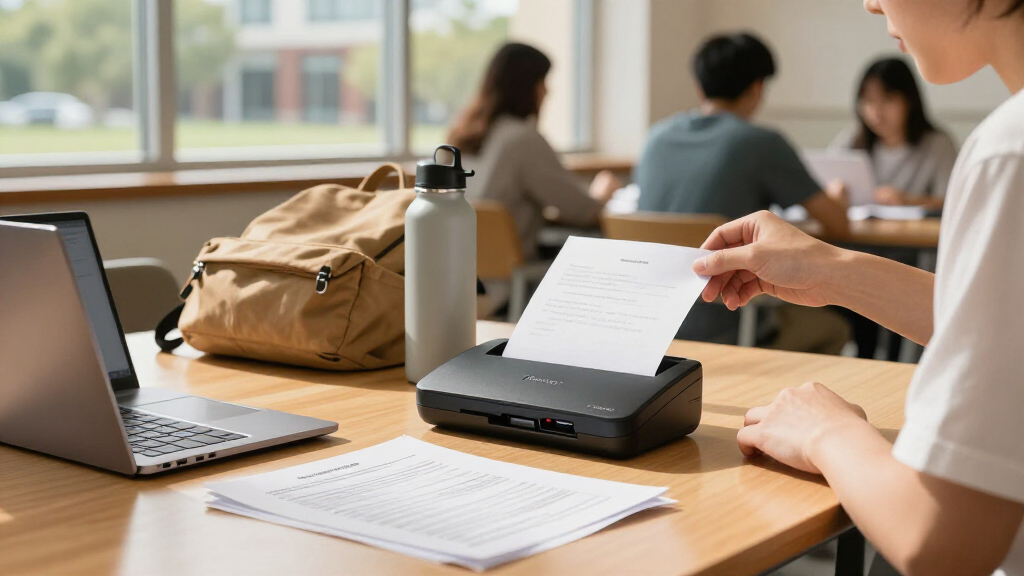

College life generates mountains of paper — handouts, rented textbook pages, scholarship forms, and library reference material you can’t take home — and the right portable document scanner turns all of it into searchable files in seconds. After comparing 15 options, the Epson WorkForce ES-60W stands out as the best overall pick for students thanks to wireless scanning straight to a phone or laptop, while the Brother DS-640 delivers near-identical speed and reliability for less, and the MUNBYN handheld wand is the most backpack-friendly option if you mainly need occasional page captures. The main tradeoff in this category is between sheet-fed scanners, which are faster and better for multi-page documents, and handheld wands, which cost less and work without a computer but demand a steady hand. Durability, software quality, and whether a model needs a power outlet also separate the winners from the rest. Keep reading for the full breakdown of all 15 models.

Prime made for students and young adults
- Fast, free delivery for dorm and study essentials
- Prime Video and Amazon Music included
- Member-only deals
Key Takeaways
- Wireless capability proved to be the biggest differentiator for college use — the Epson ES-60W and ScanSnap iX1300 let you scan directly to a phone or cloud account without a laptop, which matters in libraries and lecture halls.
- The Brother DS-640 and DS-740D matched Epson‘s scan quality at lower cost, making the Brother pair the strongest value plays in the lineup for students on a budget.
- Handheld wand scanners (MUNBYN, AOZBZ) were the least consistent performers — acceptable for occasional single-page captures, but prone to skew and blurry edges on multi-page stacks.
- The Canon CanoScan LiDE 300 is the only flatbed in the group; it produces excellent photo quality but sacrifices the portability that defines this category, so it only makes sense for students in a fixed dorm desk setup.
- Automatic duplex scanning (ES-C220, R10, DS-740D, iX1300) saved substantial time on two-sided handouts and syllabi — a feature worth prioritizing if your coursework involves dense printed packets.
| Epson WorkForce ES-50 Portable Document Scanner |  | Best Overall | Scanner type: Single-sheet-fed document scanner | Connectivity: USB 2.0 | Power: USB-powered; no batteries or external supply | VIEW LATEST PRICE | See Our Full Breakdown |
| Epson WorkForce ES-C220 Compact Duplex Document Scanner |  | Best for Batch Scanning | Scanner type: Duplex document scanner | Automatic document feeder: 20 pages | Scan speed: Up to 30 ppm / 60 ipm | VIEW LATEST PRICE | See Our Full Breakdown |
| Portable Handheld A4 Scanner for Documents and Photos |  | Best Budget Pick | Scan resolution: 300, 600, or 900 dpi | File formats: JPEG, PDF | Storage: Includes 16 GB MicroSD card; supports up to 32 GB | VIEW LATEST PRICE | See Our Full Breakdown |
| Epson WorkForce ES-60W Wireless Mobile Document Scanner |  | Best Wireless Pick | Scanner type: Wireless single-sheet-fed mobile scanner | Scan speed: As fast as 4 seconds per page | Connectivity: Wireless and USB | VIEW LATEST PRICE | See Our Full Breakdown |
| Canon imageFORMULA R10 Portable Duplex Document Scanner |  | Best for Card Scanning | Power: USB-powered | Duplex scanning speed: Up to 12 pages per minute | Automatic document feeder: 20 sheets | VIEW LATEST PRICE | See Our Full Breakdown |
| HPPS100 Portable USB Document and Photo Scanner |  | Best for Photo-and-Paper Versatility | Model: HPPS100 | Scanning type: Simplex (single-sided), sheetfed | Scanning speed: Up to 15 pages per minute | VIEW LATEST PRICE | See Our Full Breakdown |
| Brother DS-740D Duplex Compact Mobile Document Scanner |  | Best for Double-Sided Speed | Scan speed: Up to 16 ppm | Duplex scanning: Single-pass, two-sided scanning | Power: Micro USB 3.0 connection | VIEW LATEST PRICE | See Our Full Breakdown |
| MUNBYN Portable Handheld Scanner, 900 DPI, A4, 16GB SD Card, Silver |  | Best for Computer-Free Scanning | Resolution: 900 DPI | Scan size: A4 | Length: 10 inches | VIEW LATEST PRICE | See Our Full Breakdown |
| Canon CanoScan LiDE 300 Scanner |  | Best for Effortless Desk Scanning | Scanner type: Document scanner | Connectivity: USB | Scan mode: Auto Scan Mode | VIEW LATEST PRICE | See Our Full Breakdown |
| Plustek Mobile Scanner S410 Plus Portable Sheet-Fed Document Scanner |  | Best for OCR and Coursework Organization | Model: S410 Plus | Type: Portable sheet-fed document scanner | Power: USB bus-powered | VIEW LATEST PRICE | See Our Full Breakdown |
| AOZBZ Portable Handheld Document Scanner |  | Best Bare-Bones Wand | Scanner type: Handheld document scanner | Resolution: 300, 600, or 900 dpi | Connection: USB 2.0 | VIEW LATEST PRICE | See Our Full Breakdown |
| ScanSnap iX1300 Wireless or USB Double-Sided Color Document Scanner |  | Best Premium Pick | Model: ScanSnap iX1300 | Scanning: Double-sided color | Scan speed: Up to 30 pages per minute | VIEW LATEST PRICE | See Our Full Breakdown |
| Brother DS-640 Compact Mobile Document Scanner |  | Best Sheet-Fed Value | Scan speed: Up to 16 pages per minute | Weight: About 1.5 lbs | Length: Less than 1 foot | VIEW LATEST PRICE | See Our Full Breakdown |
| MUNBYN Portable Handheld Wand Scanner, 900 DPI, A4, 16GB SD Card, Black |  | Best for Books and Bound Pages | Type: Handheld wand scanner | Maximum scan size: A4 | Maximum resolution: 900 dpi | VIEW LATEST PRICE | See Our Full Breakdown |
| AOZBZ Portable Document Scanner, 900 DPI, with 16 GB SD Card |  | Best Lightweight Travel Wand | Scanner type: Handheld document scanner | Resolution modes: 300, 600, 900 dpi | File formats: JPEG, PDF | VIEW LATEST PRICE | See Our Full Breakdown |
| portable document scanners for college | Power |
|---|---|
| Epson WorkForce ES-50 Portable | USB-powered; no batteries or external supply |
| Epson WorkForce ES-C220 Compac | — |
| Portable Handheld A4 Scanner f | 2 AA batteries (not included) |
| Epson WorkForce ES-60W Wireles | — |
| Canon imageFORMULA R10 Portabl | USB-powered |
| HPPS100 Portable USB Document | USB 2.0 |
| Brother DS-740D Duplex Compact | Micro USB 3.0 connection |
| MUNBYN Portable Handheld Scann | — |
| Canon CanoScan LiDE 300 Scanne | — |
| Plustek Mobile Scanner S410 Pl | USB bus-powered |
| AOZBZ Portable Handheld Docume | — |
| ScanSnap iX1300 Wireless or US | — |
| Brother DS-640 Compact Mobile | Micro USB 3.0 cable |
| MUNBYN Portable Handheld Wand | Two AA batteries (not included) |
| AOZBZ Portable Document Scanne | Two AA batteries (not included) |
More Details on Our Top Picks
Epson WorkForce ES-50 Portable Document Scanner
This option stands out as the strongest all-around pick for college use because it balances speed, accuracy, and portability without any learning curve. A single page digitizes in as little as 5.5 seconds, and the bundled ScanSmart and OCR software turns lecture handouts and readings into searchable PDFs or editable Word files — a real advantage over generic handheld models like the MUNBYN wand scanners, which save flat images with no text recognition. Compared with the Epson ES-60W, you give up wireless scanning and battery power, so a laptop must always be nearby. The bigger limitation is the single-sheet feed: if your week involves scanning fifty-page course packets, the ES-C220’s 20-page feeder will save you serious time. For typical college volumes — a few pages at a time — this pick makes the most sense.
Pros:- Fast single-page scanning at 5.5 seconds
- OCR creates searchable PDFs and editable Word/Excel files
- No batteries or external power needed — USB-powered
- Handles documents, receipts, and ID cards
Cons:- Single-sheet feeding makes large jobs tedious
- Tethered USB connection means it always needs a computer
Best for: Students who regularly scan handouts, receipts, and readings one or a few pages at a time from a laptop
Not ideal for: Anyone with heavy batch-scanning workloads, since each page must be inserted individually
- Scanner type:Single-sheet-fed document scanner
- Connectivity:USB 2.0
- Power:USB-powered; no batteries or external supply
- Page scan speed:As little as 5.5 seconds
- Maximum document size:8.5 x 72 in
- Compatibility:Windows and Mac
- Software:Epson ScanSmart and Nuance OCR
- Supported outputs:Searchable PDFs, editable Word and Excel files
Our verdict“The most balanced choice for students who want reliable, software-rich scanning of everyday documents without paying for wireless features.”
Epson WorkForce ES-C220 Compact Duplex Document Scanner
When the assignment pile gets deep, this is the model that changes the workflow. The 20-page automatic document feeder and 30 ppm duplex scanning mean a full stack of lecture notes is digitized — both sides — before you finish your coffee. That is the core difference from the ES-50 and ES-60W: those models trade feeder capacity for a slimmer footprint. The ES-C220 also handles unusually long documents up to 8.5 × 120 inches, useful for research printouts, and its cropping and skew correction clean up sloppy stacks automatically. The tradeoffs are modest but real: scanning passports requires an optional carrier sheet, and setup demands an internet connection to download Epson ScanSmart. It is also less pocket-friendly than the single-sheet Epsons, so it lives in a backpack rather than a laptop sleeve.
Pros:- 20-page ADF enables true batch scanning
- Duplex scanning at up to 30 ppm / 60 ipm
- Handles documents up to 120 inches long
- Automatic cropping and skew correction
Cons:- Passport scanning needs an optional carrier sheet
- Software must be downloaded and installed online
- Larger than single-sheet mobile scanners
Best for: Students who regularly digitize multi-page packets, double-sided notes, or long research documents
Not ideal for: Minimalists who only scan one page at a time and want the smallest possible device
- Scanner type:Duplex document scanner
- Automatic document feeder:20 pages
- Scan speed:Up to 30 ppm / 60 ipm
- Maximum document size:8.5 x 120 inches
- Software:Epson ScanSmart
- Supported media:Paper, cards, and passports with optional carrier sheet
Our verdict“The right pick when volume matters more than ultra-portability — it turns scanning from a chore into a one-step task.”
Portable Handheld A4 Scanner for Documents and Photos
For the price of a textbook chapter, this wand-style scanner covers the basics: it digitizes documents, photos, receipts, and even book pages to JPEG or PDF with no software installation at all. That independence is its defining advantage over the Epson models — scans land directly on the included 16 GB MicroSD card, so it works without a laptop in sight, which library-rat students will appreciate. The catch is technique. Because you physically drag the scanner across the page, results depend on a steady hand and consistent speed, unlike the ES-50 where the mechanism does the feeding. Resolution options of 300, 600, or 900 dpi give some quality control, but there is no OCR, so scanned text stays unsearchable. Add in the need to supply your own AA batteries, and this is a capable backup rather than a primary study tool.
Pros:- No software installation or computer required
- Includes 16 GB MicroSD card for standalone storage
- Three selectable resolutions up to 900 dpi
- Handles bound books that sheet-fed scanners cannot
Cons:- Manual wand motion makes scan quality user-dependent
- Requires two AA batteries not included in the box
- No OCR, so text in scans is not searchable
Best for: Budget-conscious students who need occasional scans of books, notes, or photos without carrying a laptop
Not ideal for: Students who need searchable text or consistent, hands-off scan quality for large documents
- Scan resolution:300, 600, or 900 dpi
- File formats:JPEG, PDF
- Storage:Includes 16 GB MicroSD card; supports up to 32 GB
- Power:2 AA batteries (not included)
- Compatibility:Windows XP/7/Vista and Mac OS 10.4 or later
Our verdict“A low-cost standalone option for occasional scanning freedom — as long as you accept manual effort and no text recognition.”
Epson WorkForce ES-60W Wireless Mobile Document Scanner
This model takes the ES-50 formula and cuts the cord — literally. Built-in battery power and Wi-Fi scanning to PC, Mac, iOS, and Android mean you can digitize a professor’s handout in the hallway and send it straight to your phone, no laptop required. At 4 seconds per page, it is quicker than the ES-50, and the LCD status display plus automatic feeding mode keep operation simple when you are moving fast between classes. Like the ES-50, it remains a single-sheet feeder, so the ES-C220 still wins for big stacks, and the Canon R10 matches its feeder capacity at a lower speed. The wireless freedom also comes with dependencies: several cloud and scanning features need installed software and an internet connection. For students whose workflow lives on a phone or tablet, though, nothing else here offers this kind of flexibility.
Pros:- Wireless scanning to computers, iOS, and Android
- Battery-powered for true go-anywhere use
- Fast 4-second single-page scans
- OCR produces searchable PDFs and editable Word/Excel files
Cons:- Single-sheet feeding slows down multi-page jobs
- Some cloud and scanning features require software and internet
Best for: Students who work primarily from a phone or tablet and want to scan anywhere without a laptop
Not ideal for: Batch-heavy users who would constantly be feeding pages one at a time
- Scanner type:Wireless single-sheet-fed mobile scanner
- Scan speed:As fast as 4 seconds per page
- Connectivity:Wireless and USB
- Compatible devices:PC, Mac, iOS, and Android
- Maximum document size:8.5 x 72 inches
- Supported media:Documents, ID cards, and receipts
- Software:Epson ScanSmart; Nuance OCR
- Features:LCD status display; automatic feeding mode; cloud scanning
Our verdict“The pick for mobile-first students who value wireless freedom and phone compatibility over batch throughput.”
Canon imageFORMULA R10 Portable Duplex Document Scanner
Where this Canon earns its place is versatility with awkward media. Beyond standard paper, it handles business cards, plastic cards, and even embossed cards — something neither the ES-50 nor the handheld budget options can claim — making it a smart fit for students managing club memberships, conference contacts, or laminated materials. It also matches the ES-C220’s 20-sheet feeder while scanning duplex at up to 12 pages per minute, and its built-in software needs no installation, which saves a setup headache the Epson models impose. The speed gap matters, though: at 12 ppm it runs at less than half the ES-C220’s pace, so big digitization sessions take noticeably longer. It is also rated for around 500 scans per day and explicitly not designed for photo paper, so photography students should look to flatbed or photo-capable alternatives like the CanoScan LiDE 300.
Pros:- Scans plastic and embossed cards alongside paper
- Built-in software requires no installation
- 20-sheet ADF with duplex scanning
- USB-powered with low 2.5 W energy draw
Cons:- 12 ppm duplex speed lags faster duplex models
- Not intended for photographic media
- Daily volume rated around 500 scans
Best for: Students who scan a mix of documents, receipts, and card media and want true plug-and-play setup
Not ideal for: Photo-heavy coursework or high-volume archives that need faster throughput
- Power:USB-powered
- Duplex scanning speed:Up to 12 pages per minute
- Automatic document feeder:20 sheets
- Suggested daily volume:500 scans
- Power consumption:2.5 W or less; 0.7 W energy-saving mode
- Media types:Documents, receipts, business cards, plastic and embossed cards
- Compatibility:Windows and Mac
- Energy certification:ENERGY STAR
Our verdict“A plug-and-play duplex option for students whose scanning mix includes cards and receipts more than photos or bulk archives.”
HPPS100 Portable USB Document and Photo Scanner
Most sheet-fed portables in this roundup, like the Brother DS-740D, are built purely for documents. The HPPS100 splits the difference: its 1200 dpi optical resolution is high enough for photographic prints, while its sheet-fed mechanism still chews through class handouts and syllabi at a respectable 15 pages per minute. That dual personality makes it a strong fit for students digitizing both notes and family photos between semesters.
The tradeoff is straightforward: this is a simplex scanner, meaning it captures one side per pass. Compared with the DS-740D’s single-pass duplexing, double-sided reading packets take twice as long. It’s also happiest with small-to-medium batches, so anyone archiving entire binders at once will feel the ceiling quickly.
Pros:- 1200 dpi resolution handles photos as well as documents
- Compact and light enough for a backpack or dorm shelf
- HP WorkScan software automates size detection and image cleanup
- Accepts small originals down to 2 × 2.9 inches, useful for receipts and notes
Cons:- Simplex-only scanning doubles time on double-sided pages
- Not built for high-volume batch scanning sessions
Best for: College students who need one device for both paper handouts and photo prints at decent quality
Not ideal for: Students drowning in double-sided lecture packets — the single-sided scanning doubles the workload
- Model:HPPS100
- Scanning type:Simplex (single-sided), sheetfed
- Scanning speed:Up to 15 pages per minute
- Resolution:Up to 1200 dpi
- Supported paper sizes:2 × 2.9 in to 8.5 × 14 in
- Power:USB 2.0
- Compatibility:Windows and macOS
- Software:HP WorkScan
- Supported file formats:PDF, JPG, and other formats
Our verdict“A sensible pick if your scanning mix includes photos and single-sided papers, but duplex-heavy students should look at the Brother DS-740D instead.”
Brother DS-740D Duplex Compact Mobile Document Scanner
Double-sided handouts are the reality of college coursework, and the DS-740D is the model in this batch built specifically for them. Its single-pass duplex scanning at 16 pages per minute outpaces the HPPS100 both in raw speed and in workflow, since you feed a packet once and walk away. Image enhancement tools like bleed-through prevention and background removal mean photocopied readings come out clean rather than gray and muddled.
Compared with handheld options like the MUNBYN wand scanner, this is a far more automated experience — no steady-hand technique required — but it gives up the MUNBYN’s computer-free SD card storage. The DS-740D must be tethered to a laptop to function, and some destination features lean on software and an internet connection. Linux support, however, is a genuine rarity that widens its appeal.
Pros:- Scans both sides of a page in one pass
- USB-powered with no separate outlet needed
- Broad compatibility including Linux, not just Windows and Mac
- Image enhancement features clean up photocopies and receipts automatically
Cons:- Requires a live computer connection to scan at all
- Certain features depend on installed software and internet access
Best for: Students with heavy reading loads who regularly digitize two-sided packets and journal articles
Not ideal for: Anyone hoping to scan away from a computer — it has no standalone storage or battery-powered operation
- Scan speed:Up to 16 ppm
- Duplex scanning:Single-pass, two-sided scanning
- Power:Micro USB 3.0 connection
- Compatibility:Windows, Mac, and Linux
- Drivers:TWAIN/WIA, ICA, and SANE
- Image features:Automatic color adjustment, image rotation, bleed-through prevention, background removal, text enhancement, and color drop
- Warranty:One-year limited warranty
Our verdict“The most efficient choice in this batch for double-sided academic material, provided you always have a laptop nearby.”
MUNBYN Portable Handheld Scanner, 900 DPI, A4, 16GB SD Card, Silver
The MUNBYN wand takes a completely different approach from every sheet-fed model here. Instead of feeding paper through rollers, you glide the scanner across the page, and results land directly on the included 16GB SD card — no laptop, no outlet, no tether. At 0.44 lbs and running on two AA batteries, this is the pick for scanning library reference books or a professor’s handout when hauling a computer around isn’t practical.
Those freedoms come with real costs. Compared with the Brother DS-740D, which feeds pages mechanically and duplexes in one pass, the MUNBYN demands a steady, even hand — sloppy sweeps produce skewed or blurry captures until you’ve practiced the motion. The 900 dpi ceiling is fine for documents but falls short of the HPPS100’s 1200 dpi for photo work. Batteries are also sold separately, so it isn’t quite grab-and-go out of the box.
Pros:- Works entirely without a computer thanks to included SD card storage
- Extremely light at under half a pound for true carry-anywhere use
- 900 dpi capture is sharp enough for A4 documents and photos
- USB transfer supports Mac, Windows, and Linux
Cons:- Requires two AA batteries that aren’t included
- Image quality depends on practicing a consistent hand motion
Best for: Students who need to scan loose pages, library materials, or bound books without a laptop present
Not ideal for: Anyone digitizing many standard pages quickly — manual sweeping is slow and technique-dependent
- Resolution:900 DPI
- Scan size:A4
- Length:10 inches
- Weight:0.44 lbs
- Power source:2 AA alkaline batteries (not included)
- Storage:16GB SD card (included)
- Transfer method:USB cable
- Compatibility:Mac, Windows 7/8/10/XP, and Linux
Our verdict“The most independent scanner in this batch for laptop-free capture, as long as you accept a learning curve on technique.”
Canon CanoScan LiDE 300 Scanner
Unlike every wand and sheet-fed portable here, the LiDE 300 is a flatbed — you lay the page on glass and let the machine do the work. Its Auto Scan Mode detects whether you’ve placed a document or a photo and picks settings accordingly, which removes the fiddling that handheld models like the MUNBYN demand. For a student who mostly scans at a desk — textbook pages, forms, the occasional photo — that zero-thought workflow has genuine value.
The obvious compromise is portability. A flatbed body won’t slip into a backpack the way the Plustek S410 Plus (under a pound) does, and it can’t batch-feed a stack of pages the way a sheet-fed scanner can — every page is placed by hand. It also lacks duplex scanning entirely, so double-sided packets mean manual flips.
Pros:- Auto Scan Mode recognizes document versus photo automatically
- Flatbed glass handles books, fragile items, and photos that rollers can’t
- Single USB cable handles both power and data
- Built-in scan-to-PDF, copy, and send functions streamline common tasks
Cons:- Flatbed design is far less portable than wand or sheet-fed rivals
- No automatic document feeder means one page at a time by hand
- No duplex capability for two-sided originals
Best for: Students with a fixed dorm desk who value simple, hands-off scanning of one page or photo at a time
Not ideal for: Mobile students or anyone batch-scanning stacks of double-sided handouts
- Scanner type:Document scanner
- Connectivity:USB
- Scan mode:Auto Scan Mode
- Functions:Scan, PDF, copy, send
Our verdict“Choose this if your scanning happens at a desk and you prize simplicity over mobility; skip it if your backpack is your office.”
Plustek Mobile Scanner S410 Plus Portable Sheet-Fed Document Scanner
The S410 Plus earns its place through software as much as hardware. Its included OCR engine converts scans into searchable PDFs, Word, and Excel files — a genuine advantage for students building a searchable archive of lecture notes, or turning a professor’s spreadsheet handout into editable data. None of the handheld options here offer anything comparable, and it goes beyond what the HPPS100 bundles.
Its automation runs deep: scans trigger and save without button presses, routing to a local folder, FTP, or network share, and it swallows everything from receipts and business cards to plastic ID cards — media the Canon LiDE 300 flatbed handles more clumsily. Under a pound and bus-powered over USB, it’s a true backpack citizen. The catches: Windows-only support leaves Mac students out entirely, and like the Brother DS-740D, it’s useless without a live computer connection for both power and file handling.
Pros:- Included OCR produces searchable PDFs plus editable Word and Excel files
- Automatic scan-and-save workflow with no button presses
- Handles mixed media including receipts, business cards, and plastic IDs
- Under a pound and USB bus-powered for true portability
Cons:- Windows-only compatibility excludes Mac and Linux users
- Requires a computer connection for both power and file handling
Best for: Windows-using students who want lecture notes, receipts, and handouts converted into searchable, editable files
Not ideal for: Mac and Linux users — there’s no supported driver for either platform
- Model:S410 Plus
- Type:Portable sheet-fed document scanner
- Power:USB bus-powered
- Supported media:Letter and Legal documents, business cards, plastic ID cards, invoices, and receipts
- OCR:Included; supports searchable PDF, Excel, and Word files
- Weight:Less than 1 lb
- Compatible operating systems:Windows 7, 8, 10, and 11
Our verdict“The strongest pick here for building a searchable digital filing system for coursework — if you’re on Windows.”
AOZBZ Portable Handheld Document Scanner
Of the wand-style scanners in this roundup, this AOZBZ model is the most stripped-down, and that’s exactly its appeal for students on a shoestring. You get three resolution settings up to 900 dpi and JPEG or PDF output to a microSD card — no computer, no software, no driver headaches in the library. Compared with the MUNBYN wand, it’s lighter and slightly more compact, but it shares the same core limitation: you are the scan mechanism, so a wobbly hand means wavy, skewed pages. The included 16 GB card means it works out of the box, though the listed compatibility stops at Windows 7 and Mac OS 10.4, so anyone on a modern laptop may be transferring files by card reader rather than the aging USB 2.0 connection.
Pros:- Three selectable resolutions up to 900 dpi
- Works standalone with no computer or driver needed
- 16 GB microSD card included
- Very light at 170 g for backpack carry
Cons:- Scan quality depends entirely on steady hand movement
- Listed OS compatibility covers only older Windows and Mac versions
Best for: Students who need occasional scans of loose handouts and notes on a tight budget
Not ideal for: Anyone scanning regularly or needing clean, straight pages — a sheet-fed model like the Brother DS-640 does that without manual effort
- Scanner type:Handheld document scanner
- Resolution:300, 600, or 900 dpi
- Connection:USB 2.0
- File formats:JPEG, PDF
- Storage:MicroSD up to 32 GB; 16 GB card included
- Weight:170 g
- Compatible systems:Windows XP/7/Vista, Mac OS 10.4 or later
Our verdict“A no-frills wand for infrequent, budget scanning where a steady hand and patience are part of the deal.”
ScanSnap iX1300 Wireless or USB Double-Sided Color Document Scanner
The iX1300 sits at the opposite end of the spectrum from the AOZBZ wands: instead of dragging a sensor by hand, you feed pages through and get double-sided scans at up to 30 pages per minute with automatic image cleanup and blank-page removal baked in. That processing is the real reason to pay more — crooked lecture handouts come out straightened and readable without fiddling in editing software afterward. Unlike the Brother DS-640, it can scan without a computer at all via Wi-Fi to a phone or cloud service, which matters in a crowded library where laptop space is scarce. It also handles thick items and plastic cards that would jam lesser feeders. The tradeoff is cost and feed capacity: this is an investment, and it’s overkill if you only scan a few pages a week.
Pros:- Double-sided scanning at up to 30 pages per minute
- USB, Wi-Fi, and computer-free scanning to cloud and mobile
- Automatic image correction and blank-page removal
- Handles photos, receipts, plastic cards, and thick media
Cons:- Premium price point well above wand and basic sheet-fed alternatives
- Desktop-replacement capability comes in a size that’s larger than a pocket wand
Best for: Students who digitize heavy course loads, research papers, and mixed media regularly
Not ideal for: Light or occasional scanners — the Epson ES-50 or a budget wand covers that for far less
- Model:ScanSnap iX1300
- Scanning:Double-sided color
- Scan speed:Up to 30 pages per minute
- Connectivity:USB, Wi-Fi
- Compatible media:Documents, photos, receipts, business cards, thick items, plastic cards
- Software:ScanSnap Home
Our verdict“The pick for students who treat scanning as a weekly workflow, not an occasional chore, and want it fully automated.”
Brother DS-640 Compact Mobile Document Scanner
The DS-640 strikes the balance between the wands and the premium iX1300: you get automatic page feeding at 16 pages per minute in color or black-and-white, so pages come out consistent without any hand technique. Compared with the AOZBZ wands, it eliminates the biggest variable in scan quality — you. Power comes entirely from the micro USB 3.0 cable, meaning no batteries to buy and no wall outlet needed, which is genuinely useful in a lecture hall or café. It scans to computers, email, cloud services, and OCR across Windows, Mac, and Linux, and the image processing (background removal, text enhancement, bleed-through prevention) punches above its price class. The main compromise versus the pricier Brother DS-740D is single-sided scanning only, and image rotation is PC-only, which will annoy Mac users.
Pros:- Automatic feeding at 16 ppm in color or black-and-white
- USB-powered — no batteries or outlet required
- Scans to PC, cloud, email, and OCR across Windows, Mac, and Linux
- Strong image enhancement including text sharpening and background removal
Cons:- Single-sided only; duplex requires manual re-feeding
- Image rotation feature is limited to PC
Best for: Students who want reliable one-touch scanning of handouts and assignments without hand-motion hassle
Not ideal for: Anyone needing duplex scanning — double-sided documents must be re-fed manually
- Scan speed:Up to 16 pages per minute
- Weight:About 1.5 lbs
- Length:Less than 1 foot
- Power:Micro USB 3.0 cable
- Operating systems:Windows, Mac, Linux
- Drivers:TWAIN/WIA, ICA, SANE
Our verdict“The smart middle path for students who want motorized feeding and clean output without paying iX1300 money.”
MUNBYN Portable Handheld Wand Scanner, 900 DPI, A4, 16GB SD Card, Black
Every sheet-fed scanner in this lineup — the DS-640, the iX1300, the Canon R10 — shares one hard limit: the page has to be loose and flat enough to feed. The MUNBYN wand exists for everything that can’t go through a feeder: textbook pages, bound notebooks, old photos, even a professor’s marked-up handout you can’t remove from a binder. At 3–5 seconds per page at up to 900 dpi, it’s faster per pass than the AOZBZ wands, and it scans straight to the included 16 GB card with no computer or driver. The catch is technique: the first several scans will likely come out streaked until you develop a smooth, even stroke, and you’ll need to supply two AA batteries separately. Think of it as a specialized tool that complements, rather than replaces, a feeder.
Pros:- Scans bound book pages and photos that can’t be fed through a scanner
- Fast 3–5 second scans at up to 900 dpi
- Works without a computer or drivers
- 16 GB SD card included
Cons:- AA batteries not included
- Requires practice to achieve smooth, undistorted scans
Best for: Students digitizing textbook chapters, library books, and fragile or bound materials
Not ideal for: Scanning loose stacks of handouts — a sheet-fed model like the Brother DS-640 is far faster and more consistent for that
- Type:Handheld wand scanner
- Maximum scan size:A4
- Maximum resolution:900 dpi
- Scan time:About 3–5 seconds per page
- Storage:16 GB SD card included
- Power:Two AA batteries (not included)
- Weight:0.66 lbs
Our verdict“The only sensible pick here when your source material literally cannot go through a sheet feeder.”
AOZBZ Portable Document Scanner, 900 DPI, with 16 GB SD Card
This second AOZBZ wand differentiates itself on sheer portability: at roughly 0.31 lb, it’s lighter than both the MUNBYN wand and nearly everything else in this roundup, sliding into a side pocket almost like a pen. The formula is familiar — 300/600/900 dpi modes, JPEG or PDF output, a 16 GB card in the box — but the execution leans toward grab-and-go convenience over speed, with a full page taking about 10 seconds at maximum resolution versus the MUNBYN’s 3–5. Compared with the earlier AOZBZ model, the listed wireless-scanning capability is a nice touch, though the Windows 2000-era compatibility listing means modern-laptop owners should plan on popping the microSD card out rather than trusting a direct connection. Two AA batteries aren’t included, so budget a few dollars for those. For a go-anywhere backup scanner, the weight-to-capability ratio is hard to argue with.
Pros:- Extremely light at about 0.31 lb
- Three resolution modes up to 900 dpi
- Saves JPEG and PDF files directly to microSD
- 16 GB card included
Cons:- Slow at roughly 10 seconds per page at 900 dpi
- AA batteries not included and system requirements list only older Windows versions
Best for: Commuter and travel-heavy students who want a barely-there scanner always in the bag
Not ideal for: Students with regular, high-volume scanning — at 10 seconds a page plus hand technique, a sheet-fed model saves real time
- Scanner type:Handheld document scanner
- Resolution modes:300, 600, 900 dpi
- File formats:JPEG, PDF
- Storage:MicroSD up to 32 GB; 16 GB included
- Scan speed:About 10 seconds per page at 900 dpi
- Power:Two AA batteries (not included)
- Weight:About 0.31 lb
Our verdict“A featherweight emergency scanner for students who value packability over speed and volume.”

How We Picked
I judged every model against the realities of student life rather than raw spec sheets. The first filter was true portability: weight, footprint in a backpack, and whether the scanner draws power over USB or needs a wall outlet. The second was throughput and feed reliability — how many double-sided pages a model could handle without jamming or misfeeding, since a semester’s worth of notes scanned one page at a time gets old fast. Third, I weighed software and connectivity: whether a scanner integrates with cloud services like Google Drive (where most students already live), whether it works with phones, and how painless the OCR is for making scanned notes searchable.
From there, I factored in build quality and desk longevity, since a scanner that survives four years of being tossed in a bag beats a cheaper one that dies sophomore year. Finally, I assessed each model’s fit for specific student situations — the wand scanners earned spots despite weaker consistency because they solve a genuine problem for students who scan rare pages in libraries or archives. Ranking prioritized versatile sheet-fed models at the top, value-oriented compacts in the middle, and niche or situational picks at the bottom.
Factors to Consider When Choosing Portable Document Scanners For College
Before settling on a model, it helps to understand what actually drives satisfaction with a portable scanner over four years of college — and where students most often regret their purchase.Sheet-Fed vs. Handheld: The Decision That Shapes Everything
The single biggest choice is between a sheet-fed scanner (the Epson, Brother, Canon R10, and ScanSnap models) and a handheld wand (the MUNBYN and AOZBZ options). Sheet-fed models pull pages through automatically, which keeps scans straight and lets you feed stacks of paper while doing something else. Wands require you to drag the device across each page by hand, and even a slight wobble produces distortion — fine for a single library page, frustrating for a twenty-page packet. A common mistake is buying a wand because it’s cheap, then discovering that scanning a full semester of notes takes an hour of careful hand motion. If you scan more than a few pages per week, a sheet-fed model pays for the difference in saved time alone.
Connectivity: Match the Scanner to Your Devices
Students often assume every scanner works with every device, but connectivity varies widely. Some models are USB-only, which means a laptop must be present for every scan — a real limitation if you work from a tablet or phone. Wireless models like the ES-60W and iX1300 can scan directly to mobile devices and cloud services, which fits how group projects and note-sharing actually happen in college. Before buying, check whether your primary device is supported, especially if you use a Chromebook or an older laptop, since some scanner software has narrow OS requirements. Also confirm the scanner charges or powers over USB; needing a separate power brick quietly destroys portability.
Duplex Scanning and Speed
Duplex scanning — capturing both sides of a page in one pass — sounds like a luxury but becomes nearly mandatory once professors start handing out double-sided readings. Flipping and re-feeding every page manually doubles your scanning time and doubles your chances of a misfeed. Throughput matters less than you’d think for single pages, but for anyone digitizing textbooks, lab manuals, or archival research material, the difference between a one-page-per-minute wand and a twenty-page-per-minute sheet-feeder is the difference between a ten-minute chore and an hour-long one. Pay attention to whether the rated speed applies to simplex or duplex operation, because manufacturers often quote the flattering number.
Software, OCR, and Searchable Notes
Hardware is only half the equation — the software determines whether your scanned notes become a searchable digital archive or a folder of unfindable images. Good OCR turns a scanned handwritten-adjacent handout into text you can search before finals week. Some bundled software is polished and cloud-integrated; some is clunky, requires account sign-ups, or hasn’t been updated for current operating systems. A frequent buyer mistake is ignoring software entirely and later discovering the scanner dumps flat image files with no text recognition. If your study system depends on searching keywords across a semester of material, prioritize models with mature OCR — typically the Epson, Brother, and ScanSnap ecosystems.
Durability and Real-World Portability
A scanner that lives at the bottom of a backpack takes abuse: pressure from textbooks, being crammed into lecture-hall seating, travel home for breaks. Build quality separates models that survive four years from models that develop feed problems after one. Look for protective covers over the feed slot (standard on Epson’s ES line), solid hinge construction, and a weight you’ll actually be willing to carry — anything over two pounds tends to get left in the dorm. Also consider consumables: roller replacement kits exist for the business-class models, meaning a mid-college refresh can restore like-new feeding, while cheaper units are effectively disposable when the rollers wear.
When to Spend More (and When Not To)
Spending more in this category buys three things: wireless freedom, faster duplex throughput, and better software. If you’ll scan daily from multiple locations, premium models justify their cost quickly. But if you’re an occasional scanner — a few handouts a month, digitizing forms before scholarship deadlines — a basic USB sheet-feeder or even a competent wand covers the job without straining a student budget. The mistake to avoid is buying in the middle: paying nearly premium money for a model that lacks the exact feature (usually wireless or duplex) that would have made the difference. Decide which one capability you’ll actually use, and pay for that — not for a slightly faster motor you’ll never stress.
Frequently Asked Questions
Can a handheld wand scanner replace a sheet-fed model for college coursework?
It can, but only for a narrow use case. Wands like the MUNBYN models shine when you need to capture a single page from a library book, a pinned notice board flyer, or a bound volume that won’t fit through a sheet feeder — situations where a wand is the only tool that works. For anything involving stacks of loose paper, though, they demand slow, steady manual passes and frequently produce skewed edges or blur that OCR software struggles to read. If your weekly volume is more than a handful of pages, a compact sheet-fed scanner like the Brother DS-640 will save you genuine hours over a semester. Many students ultimately find a wand is best as a supplement, not a primary scanner.
Do I need wireless scanning if my laptop is always with me?
Probably not — and skipping wireless can save you real money. Wireless is genuinely valuable if you scan from a tablet, share scans into group chats during study sessions, or want to send documents straight to Google Drive from a library without booting a laptop. But if your workflow is always laptop-tethered, a USB-only model like the Brother DS-640 or Epson ES-50 delivers the same scan quality and speed for less. One caveat: wireless models powered over USB still work tethered, so choosing one isn’t wasteful if you might change habits later. The decision should follow your actual device habits, not the spec sheet’s ambitions.
Is duplex scanning worth the extra cost for a student?
For most students, yes — it’s the feature people most often regret skipping. Professors hand out double-sided readings constantly, and manually flipping pages doubles your scanning time while increasing misfeeds. The models in this lineup with automatic duplex, like the Brother DS-740D, Canon R10, and ScanSnap iX1300, handle two-sided packets in a single pass, which turns a tedious chore into something you do between classes. The exception is the student who almost exclusively scans single sheets: receipts, signed forms, or single book pages. In that case, a simplex-only scanner like the ES-50 or DS-640 is perfectly adequate and keeps money in your pocket.
Will these scanners work with a Chromebook or tablet only setup?
Some will, some won’t, and this is where checking compatibility before buying saves real frustration. Traditional scanners rely on desktop software that Chromebooks can’t run, so USB-only models paired with Windows/Mac applications often won’t function on a Chromebook at all. Your safest paths are Wi-Fi models with mobile apps — the Epson ES-60W and ScanSnap iX1300 both scan directly to phones and tablets independent of a computer — or wand scanners with SD cards, since you can move files to any device afterward. If you’re committed to a tablet-only workflow, treat desktop-only software as a dealbreaker regardless of how good the hardware is.
What DPI resolution do I actually need for notes and handouts?
For typical printed handouts, 300 DPI is the sweet spot — it produces crisp, readable scans, keeps file sizes manageable, and gives OCR software clean text to work with. The 600 and 900 DPI modes on models like the MUNBYN wands matter mainly for small text, detailed diagrams, or photos where you want to zoom in without pixelation. Scanning everything at maximum resolution is a common mistake: it quadruples file size and slows both the scan and your cloud sync, with little visible benefit on ordinary text. Reserve high DPI for dense scientific figures, fine print on contracts, or archival material — and keep 300 DPI as your everyday default.
Conclusion
The right pick here depends less on specs and more on how paper flows through your college life. For most students, the Epson WorkForce ES-60W is the best overall choice — wireless scanning, USB power, and proven feed reliability cover nearly every campus scenario. Budget-conscious buyers should go with the Brother DS-640, which delivers the core sheet-fed experience at the category’s most sensible price, while the Brother DS-740D adds duplex scanning for just a bit more if double-sided handouts dominate your coursework. On the premium end, the ScanSnap iX1300 justifies its cost with the fastest, most automated workflow and the best software in the lineup — the pick for anyone digitizing entire textbooks or running a heavy research load.
For beginners who want the simplest possible path, the Epson ES-50 strips everything down to a single USB cable and one-button scanning. And for specific needs: choose the MUNBYN handheld wand if you mostly capture single pages from bound books and library shelves, or the Canon CanoScan LiDE 300 if your scanner lives on a dorm desk and photo quality matters more than portability. Whatever you choose, prioritize the one feature — wireless, duplex, or wand-style freedom — that matches how you actually study, and you’ll get four years of value from it.
Halloween Picks
halloween
As an affiliate, we earn on qualifying purchases.