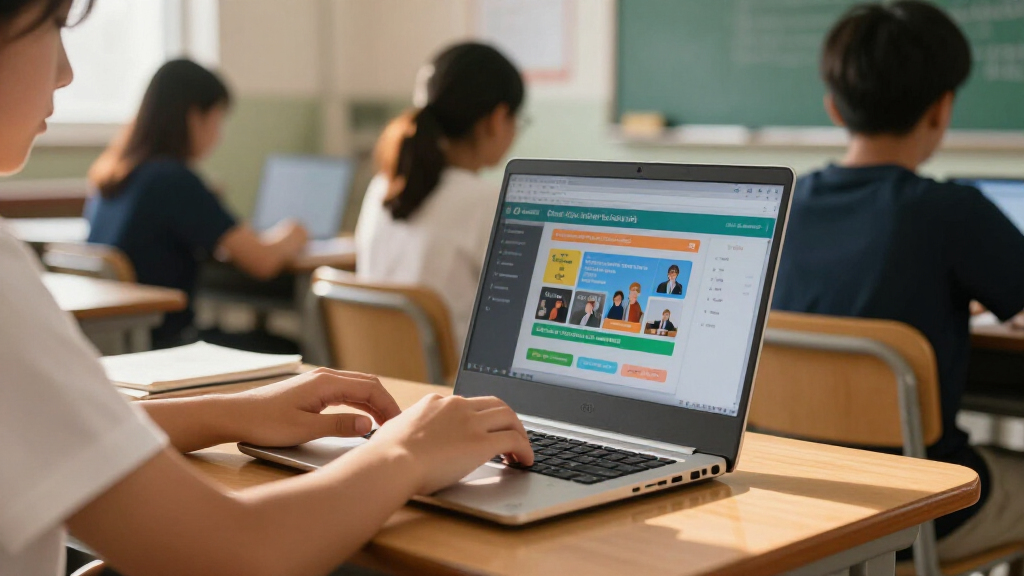

The best Chromebook for most students in this lineup is the Lenovo Chromebook Plus 15.3-inch, which pairs a larger touchscreen with an Intel Core 3 N355 for heavier schoolwork and multitasking. The HP Chromebook 15.6-inch with 8GB RAM is a practical alternative for students who want memory for busy browser sessions, while the Lenovo IdeaPad Flex 3i 12.2-inch suits students who need a smaller convertible for notes and travel. The main tradeoffs are screen size versus portability, 4GB versus 8GB memory, and newer hardware versus older or renewed models. I compare all 15 options by how well they fit real student routines, from basic assignments to all-day note-taking. Read on for the full breakdown and a pick matched to your needs.

Prime made for students and young adults
- Fast, free delivery for dorm and study essentials
- Prime Video and Amazon Music included
- Member-only deals
Key Takeaways
- The Lenovo Chromebook Plus 15.3-inch leads for demanding school days with its Intel Core 3 N355 and touchscreen, though its larger body is less convenient to carry than a 12- or 14-inch model.
- 8GB RAM sets the HP 15.6-inch N200 and HP 14a-nf0099nr apart from most 4GB choices when students keep many tabs or classroom apps open.
- Convertible designs fill different roles: the HP x360 Plus 14-inch is the larger 2-in-1 choice, while the Dell 3100 and Lenovo Flex 3i prioritize compact tablet-like use.
- Storage labels need close reading: models listing eMMC or UFS storage differ from those that bundle a memory card, so buyers should check what is built in and what is removable.
- Several listings use older processors or renewed hardware, including the N4120 and renewed ASUS and Dell options; their fit depends on modest workloads and comfort with the listing’s condition and support details.
| HP Chromebook x360 Plus 14-inch 2-in-1 Laptop |  | Best for Flexible Study Setups | Processor: Intel N150 | Memory: 4GB LPDDR5 | Storage: 128GB UFS | VIEW LATEST PRICE | See Our Full Breakdown |
| ASUS 15-inch FHD IPS Chromebook, Intel Processor, 4GB RAM, 128GB Storage, Chrome OS, Pastel Silver (Renewed) |  | Best for a Big Desk Display | Processor: Intel, up to 2.80GHz; model unspecified | Memory: 4GB DDR4 | Storage: 128GB | VIEW LATEST PRICE | See Our Full Breakdown |
| Lenovo IdeaPad 3i Chromebook 15.6-inch FHD Laptop |  | Best for Long School Days | Processor: Intel Celeron N4500, 2 cores/2 threads | Memory: 4GB LPDDR4x-2933 | Storage: 128GB total: 64GB eMMC + 64GB SD card | VIEW LATEST PRICE | See Our Full Breakdown |
| Lenovo IdeaPad Slim 3 Chromebook, 14-inch WUXGA Touchscreen, MediaTek Kompanio 540, 4GB RAM, 576GB Storage, Chrome OS, Blue |  | Best for Port Connectivity | Processor: MediaTek Kompanio 540, 8 cores, up to 2.6GHz | Memory: 4GB LPDDR5X | Storage: 576GB advertised: 64GB SSD + 512GB docking set | VIEW LATEST PRICE | See Our Full Breakdown |
| Lenovo Chromebook Plus 15.3-Inch Touchscreen Laptop, Intel Core 3 N355 |  | Best Premium Student Pick | Processor: Intel Core 3 N355, 8 cores, up to 3.9GHz | Memory: 8GB LPDDR5X | Storage: 256GB total: 128GB UFS + 128GB SD card | VIEW LATEST PRICE | See Our Full Breakdown |
| HP Chromebook 15.6-inch Laptop, Intel N200, 8GB RAM, 192GB Storage |  | Best for Big-Screen Study | Processor: Intel N200, 4 cores | Memory: 8GB DDR5 | Storage: 192GB total: 64GB eMMC + 128GB SD card | VIEW LATEST PRICE | See Our Full Breakdown |
| HP 14-inch Chromebook with Intel Celeron N4120, 4GB RAM, 64GB eMMC |  | Best for Straightforward Schoolwork | Processor: Intel Celeron N4120, 4 cores, 1.1GHz base and up to 2.6GHz boost | Memory: 4GB LPDDR4x | Storage: 64GB eMMC | VIEW LATEST PRICE | See Our Full Breakdown |
| Dell Chromebook 11 3100 11.6-Inch Touchscreen 2-in-1, Celeron N4020, 4 GB RAM, 32 GB SSD (Renewed) |  | Best Compact Convertible | Condition: Renewed | Processor: Intel Celeron N4020, dual-core | Memory: 4GB RAM | VIEW LATEST PRICE | See Our Full Breakdown |
| Lenovo IdeaPad Flex 3i 12.2-Inch 2-in-1 Chromebook, Intel N100, 4GB RAM, 128GB Storage |  | Best for Handwritten and Touch-Based Study | Processor: Intel N100, 4 cores, up to 3.4GHz | Memory: 4GB LPDDR5-4800 | Storage: 128GB total: 64GB eMMC + 64GB SD card | VIEW LATEST PRICE | See Our Full Breakdown |
| Lenovo IdeaPad Slim 3 Chromebook 14-inch FHD Touchscreen, MediaTek Kompanio 520, 4GB RAM, 64GB eMMC with 64GB Memory Card, Wi-Fi 6 |  | Best Accessory Bundle | Processor: MediaTek Kompanio 520, octa-core (4 × A73 + 4 × A53), up to 2.0GHz | Memory: 4GB LPDDR4x-3733 | Storage: 64GB eMMC plus included 64GB memory card | VIEW LATEST PRICE | See Our Full Breakdown |
| HP Chromebook 14a-nf0099nr, 14-Inch HD Laptop, Intel N100, 8 GB RAM, 128 GB UFS, Chrome OS, Chalkboard Gray |  | Best for Everyday Schoolwork | Display: 14-inch HD, anti-glare | Processor: Intel N100 | Memory: 8 GB LPDDR5 RAM | VIEW LATEST PRICE | See Our Full Breakdown |
| HP Chromebook 14 Laptop, Intel Celeron N4120, 4 GB RAM, 64 GB eMMC, 14-inch HD Display |  | Best for Long School Days | Display: 14-inch HD, 1366 × 768, anti-glare | Processor: Intel Celeron N4120 quad-core | Memory: 4 GB RAM | VIEW LATEST PRICE | See Our Full Breakdown |
| Lenovo 14-Inch FHD Touchscreen Chromebook, MediaTek Kompanio 520, 4GB RAM, 64GB eMMC, Abyss Blue |  | Best Display for Reading and Touch | Display: 14-inch FHD IPS touchscreen, 1920 × 1080 | Processor: MediaTek Kompanio 520 octa-core | Memory: 4 GB RAM | VIEW LATEST PRICE | See Our Full Breakdown |
| ASUS Chromebook Flip CX1 14-Inch Convertible Laptop |  | Best Convertible for Class Projects | Display: 14-inch FHD NanoEdge touchscreen, 1920 × 1080 | Processor: Intel Celeron N4500 | Memory: 8 GB RAM | VIEW LATEST PRICE | See Our Full Breakdown |
| HP Chromebook 14 Laptop with Intel Celeron N4120, 4GB RAM, and 128GB Storage |  | Best for Desk-Based Study Setups | Display: 14-inch HD Micro-edge, 1366 × 768 | Processor: Intel Celeron N4120, 4-core | Memory: 4 GB LPDDR4 RAM | VIEW LATEST PRICE | See Our Full Breakdown |
| Chromebooks for student | Processor | Memory | Storage | Display |
|---|---|---|---|---|
| HP Chromebook x360 Plus 14-inc | Intel N150 | 4GB LPDDR5 | 128GB UFS | 14-inch WUXGA touchscreen, 1920 x 1200, 300 nits |
| ASUS 15-inch FHD IPS Chromeboo | Intel, up to 2.80GHz; model unspecified | 4GB DDR4 | 128GB | 15-inch FHD IPS |
| Lenovo IdeaPad 3i Chromebook 1 | Intel Celeron N4500, 2 cores/2 threads | 4GB LPDDR4x-2933 | 128GB total: 64GB eMMC + 64GB SD card | 15.6-inch FHD TN, non-touch, 220 nits, anti-glare |
| Lenovo IdeaPad Slim 3 Chromebo | MediaTek Kompanio 540, 8 cores, up to 2.6GHz | 4GB LPDDR5X | 576GB advertised: 64GB SSD + 512GB docking set | 14-inch WUXGA IPS touchscreen, 1920 x 1200, 60Hz |
| Lenovo Chromebook Plus 15.3-In | Intel Core 3 N355, 8 cores, up to 3.9GHz | 8GB LPDDR5X | 256GB total: 128GB UFS + 128GB SD card | 15.3-inch WUXGA touchscreen, anti-glare, 120Hz, 400 nits, 100% sRGB |
| HP Chromebook 15.6-inch Laptop | Intel N200, 4 cores | 8GB DDR5 | 192GB total: 64GB eMMC + 128GB SD card | 15.6-inch HD (1366 × 768), anti-glare, 250 nits |
| HP 14-inch Chromebook with Int | Intel Celeron N4120, 4 cores, 1.1GHz base and up to 2.6GHz boost | 4GB LPDDR4x | 64GB eMMC | 14-inch HD (1366 × 768), anti-glare |
| Dell Chromebook 11 3100 11.6-I | Intel Celeron N4020, dual-core | 4GB RAM | 32GB SSD | 11.6-inch IPS touchscreen, 1366 × 768 |
| Lenovo IdeaPad Flex 3i 12.2-In | Intel N100, 4 cores, up to 3.4GHz | 4GB LPDDR5-4800 | 128GB total: 64GB eMMC + 64GB SD card | 12.2-inch WUXGA (1920 × 1200) IPS touchscreen, 300 nits |
| Lenovo IdeaPad Slim 3 Chromebo | MediaTek Kompanio 520, octa-core (4 × A73 + 4 × A53), up to 2.0GHz | 4GB LPDDR4x-3733 | 64GB eMMC plus included 64GB memory card | 14-inch FHD (1920 × 1080) IPS touchscreen, 300 nits |
| HP Chromebook 14a-nf0099nr | Intel N100 | 8 GB LPDDR5 RAM | 128 GB UFS | 14-inch HD, anti-glare |
| HP Chromebook 14 Laptop | Intel Celeron N4120 quad-core | 4 GB RAM | 64 GB eMMC | 14-inch HD, 1366 × 768, anti-glare |
| Lenovo 14-Inch FHD Touchscreen | MediaTek Kompanio 520 octa-core | 4 GB RAM | 64 GB eMMC | 14-inch FHD IPS touchscreen, 1920 × 1080 |
| ASUS Chromebook Flip CX1 14-In | Intel Celeron N4500 | 8 GB RAM | 128 GB eMMC | 14-inch FHD NanoEdge touchscreen, 1920 × 1080 |
| HP Chromebook 14 Laptop with I | Intel Celeron N4120, 4-core | 4 GB LPDDR4 RAM | 128 GB | 14-inch HD Micro-edge, 1366 × 768 |
More Details on Our Top Picks
HP Chromebook x360 Plus 14-inch 2-in-1 Laptop
The HP Chromebook x360 Plus suits students who move between typing notes, reading, and watching lessons: its 14-inch WUXGA touchscreen folds into laptop, tent, stand, and tablet modes. The anti-glare coating and 300-nit brightness should help with everyday work across different rooms, while the 3-pound build is easier to carry than the 15-inch Lenovo IdeaPad 3i. Its Intel N150 and 128GB UFS storage cover routine schoolwork, but 4GB of memory leaves less room for many open tabs or demanding apps than the 8GB Lenovo Chromebook Plus. The listing also says the computer was resealed for a system upgrade, a condition detail worth weighing. I’d choose this for a student who values touch and convertible use more than heavy multitasking.
Pros:- 360-degree hinge supports laptop, tent, stand, and tablet use
- 14-inch WUXGA touchscreen has an anti-glare coating
- Wi-Fi 6 and Bluetooth 5.4
- MIL-STD 810H tested
Cons:- 4GB RAM can constrain heavier multitasking
- Listing says the computer was resealed for a system upgrade
- No stated battery-life figure
Best for: Students who read, annotate, and work in different settings and want one laptop that can also serve as a tablet.
Not ideal for: Students who keep many browser tabs and apps open or want a factory-sealed computer.
- Processor:Intel N150
- Memory:4GB LPDDR5
- Storage:128GB UFS
- Display:14-inch WUXGA touchscreen, 1920 x 1200, 300 nits
- Wireless:Wi-Fi 6, Bluetooth 5.4
- Weight:3 lbs
- Auto Update Expiration:June 2033
Our verdict“Choose this HP if convertible touchscreen modes matter more to your school routine than extra memory.”
ASUS 15-inch FHD IPS Chromebook, Intel Processor, 4GB RAM, 128GB Storage, Chrome OS, Pastel Silver (Renewed)
The renewed ASUS 15-inch Chromebook gives schoolwork and split-screen documents more room than the 14-inch HP Chromebook x360 Plus, and its IPS panel is a sensible choice for students who often work at a desk. HDMI joins USB-C and USB-A, so connecting a classroom monitor or projector is straightforward. The Intel processor is listed at up to 2.80GHz, but the product data does not identify its model, and 4GB of RAM sets a limit on busy multitasking. Compared with the Lenovo Chromebook Plus, this ASUS has a larger stated display size but lacks the listed 8GB memory and 120Hz screen. It is also renewed, so it fits buyers comfortable with that condition rather than those seeking a new device.
Pros:- 15-inch FHD IPS display offers a roomy workspace
- HDMI, USB-C, and USB-A support varied classroom accessories
- Integrated webcam is included
- AC charger is included
Cons:- 4GB RAM may constrain demanding multitasking
- Renewed condition may not suit buyers seeking a new device
- Processor model and battery life are not specified
Best for: Students who mainly study at a desk and want a large IPS screen with HDMI for an external display.
Not ideal for: Students who need higher memory for multitasking, a convertible touchscreen, or a new-condition laptop.
- Processor:Intel, up to 2.80GHz; model unspecified
- Memory:4GB DDR4
- Storage:128GB
- Display:15-inch FHD IPS
- Ports:USB-C, USB-A, HDMI, headphone/microphone combo jack
- Connectivity:Wi-Fi, Bluetooth
- Condition:Renewed
Our verdict“Pick this ASUS for a large desk-friendly display and HDMI connectivity if renewed condition and 4GB RAM fit your needs.”
Lenovo IdeaPad 3i Chromebook 15.6-inch FHD Laptop
For students who want a larger screen and a stated battery-life figure, the Lenovo IdeaPad 3i pairs a 15.6-inch anti-glare FHD display with up to 10 hours of rated battery life. That makes it a practical fit for lectures followed by library work, while Wi-Fi 6 and a privacy shutter add useful everyday touches. Its display is non-touch TN at 220 nits, so it gives up the brighter touch interaction of the HP Chromebook x360 Plus and the Lenovo Chromebook Plus. The Celeron N4500 and 4GB RAM suit lighter school tasks, not heavy multitasking. Also read the storage carefully: the advertised 128GB combines 64GB eMMC with a 64GB SD card, rather than all being built in.
Pros:- 15.6-inch FHD anti-glare screen gives documents room
- Up to 10 hours of stated battery life
- Wi-Fi 6 and Bluetooth 5.2
- 720p webcam has a privacy shutter
Cons:- Non-touch TN panel is rated at 220 nits
- 4GB RAM and Celeron N4500 are limiting for heavier multitasking
- 128GB total storage includes a 64GB SD card
Best for: Students who prioritize a large anti-glare screen, useful ports, and a stated all-day battery target for routine coursework.
Not ideal for: Students who need a touchscreen, brighter display, or substantial built-in storage for demanding work.
- Processor:Intel Celeron N4500, 2 cores/2 threads
- Memory:4GB LPDDR4x-2933
- Storage:128GB total: 64GB eMMC + 64GB SD card
- Display:15.6-inch FHD TN, non-touch, 220 nits, anti-glare
- Battery life:Up to 10 hours
- Wireless:Wi-Fi 6, Bluetooth 5.2
- Auto Update Expiration:June 2030
Our verdict“Choose the IdeaPad 3i for a large anti-glare study screen and stated long battery life if touch is not a priority.”
Lenovo IdeaPad Slim 3 Chromebook, 14-inch WUXGA Touchscreen, MediaTek Kompanio 540, 4GB RAM, 576GB Storage, Chrome OS, Blue
The IdeaPad Slim 3 stands out for students who regularly connect classroom or desk accessories: the listed configuration includes two USB-C ports, two USB-A ports, and HDMI. Its 14-inch WUXGA IPS touchscreen has a taller 1920 x 1200 layout than the FHD screen on the Lenovo IdeaPad 3i, giving more vertical room for documents. The Kompanio 540 is an eight-core processor, but 4GB RAM remains the constraint for juggling many tabs and apps. Treat the 576GB figure with care: the listing describes 64GB SSD plus a 512GB docking set. The factory seal was opened for upgrades, the warranty is from Smartisan Tech, and product details conflict on display size and port counts, so verify the configuration before buying.
Pros:- 14-inch WUXGA IPS touchscreen
- Listed two USB-C, two USB-A, and HDMI ports
- Camera privacy shutter
- Eight-core MediaTek Kompanio 540 processor
Cons:- 4GB RAM may limit heavier multitasking
- Advertised 576GB includes a 512GB docking set
- Factory seal opened for upgrades and listing details conflict
Best for: Students who need multiple USB connections and HDMI alongside a touchscreen for notes and coursework.
Not ideal for: Students who want a clearly documented, factory-sealed configuration or need more memory for heavy multitasking.
- Processor:MediaTek Kompanio 540, 8 cores, up to 2.6GHz
- Memory:4GB LPDDR5X
- Storage:576GB advertised: 64GB SSD + 512GB docking set
- Display:14-inch WUXGA IPS touchscreen, 1920 x 1200, 60Hz
- Ports:Listed: 2 USB-C, 2 USB-A, HDMI 1.4, combo audio jack
- Weight:6 lbs
- Warranty:1 year from Smartisan Tech
Our verdict“Consider this Lenovo if its broad listed port selection suits your setup and you can verify the upgraded configuration.”
Lenovo Chromebook Plus 15.3-Inch Touchscreen Laptop, Intel Core 3 N355
The Lenovo Chromebook Plus is the strongest fit here for students who want more room to work and keep several school tasks moving: its Intel Core 3 N355 and 8GB of memory give it a clear multitasking advantage over the 4GB HP Chromebook x360 Plus and Lenovo IdeaPad 3i. The 15.3-inch WUXGA touchscreen is listed at 400 nits, 120Hz, and 100% sRGB, which should make scrolling smoother and give visual coursework a more capable display. Wi-Fi 6E, a 5MP camera with privacy shutter, and up to 11 hours of stated battery life round out the school-friendly package. The tradeoffs are its larger footprint and resealed condition; advertised 256GB storage includes an SD card, not just built-in UFS.
Pros:- 8GB LPDDR5X memory and Core 3 N355 suit broader multitasking
- 15.3-inch WUXGA touchscreen rated at 400 nits and 120Hz
- Up to 11 hours of stated battery life
- Wi-Fi 6E and 5MP camera with privacy shutter
Cons:- Computer was resealed for a system upgrade
- 256GB total storage includes a 128GB SD card
- Large display makes it less compact to carry
Best for: Students balancing many browser tabs, video calls, and visual assignments who want a large, bright touchscreen.
Not ideal for: Students who need a compact carry, factory-sealed condition, or all storage built into the laptop.
- Processor:Intel Core 3 N355, 8 cores, up to 3.9GHz
- Memory:8GB LPDDR5X
- Storage:256GB total: 128GB UFS + 128GB SD card
- Display:15.3-inch WUXGA touchscreen, anti-glare, 120Hz, 400 nits, 100% sRGB
- Battery life:Up to 11 hours
- Wireless:Wi-Fi 6E, Bluetooth 5.3
- Auto-update expiration:January 2036
Our verdict“Choose this Chromebook Plus for the most capable multitasking and display in this batch if its size and resealed condition work for you.”
HP Chromebook 15.6-inch Laptop, Intel N200, 8GB RAM, 192GB Storage
The 15.6-inch display and numeric keyboard give this HP a desktop-like feel for students who write reports, manage spreadsheets, or keep several windows open. Its 8GB of DDR5 memory is a practical advantage over the 4GB Lenovo IdeaPad Flex 3i 12.2-Inch, especially when schoolwork involves multiple browser tabs. The Intel N200 suits everyday ChromeOS tasks, while USB-C ports can connect a compatible external display or charger. The main compromise is the screen: its 1366 × 768 resolution gives less room and detail than the Lenovo’s sharper WUXGA panel. The advertised 192GB also includes a 128GB SD card, so not all that space is internal. Choose this HP for a larger workspace and stronger multitasking; skip it if portability or screen sharpness matters more.
Pros:- 8GB DDR5 memory gives more headroom for browser tabs and school apps than the 4GB models here.
- Large 15.6-inch anti-glare screen and numeric keyboard suit document and spreadsheet work.
- USB-C ports support Power Delivery and DisplayPort for charging and compatible external displays.
- Webcam privacy shutter gives students a simple way to cover the camera.
Cons:- 1366 × 768 resolution is less detailed than the Lenovo IdeaPad Flex 3i’s WUXGA screen.
- The listed 192GB storage includes a 128GB SD card rather than all being internal.
- Its large screen makes it less convenient to carry than compact student models.
Best for: Students who study mainly at a desk and want more memory, a large screen, and a numeric keyboard for coursework.
Not ideal for: Students who carry a Chromebook between classes all day or need a sharp, high-resolution display.
- Processor:Intel N200, 4 cores
- Memory:8GB DDR5
- Storage:192GB total: 64GB eMMC + 128GB SD card
- Display:15.6-inch HD (1366 × 768), anti-glare, 250 nits
- Ports:2 × USB-C 5Gbps, 1 × USB-A 3.2 Gen 2, microSD reader, audio combo jack
- Wireless:Wi-Fi 802.11ac, Bluetooth
- Webcam:HD webcam with privacy shutter
- Auto-update expiration:June 2030
Our verdict“Pick this HP for a roomy study setup and 8GB memory, provided its HD screen and SD-card-based extra storage suit your needs.”
HP 14-inch Chromebook with Intel Celeron N4120, 4GB RAM, 64GB eMMC
This HP keeps the student setup simple: a 14-inch anti-glare screen, familiar ports, and a battery rated for up to 14 hours of mixed use. At 3.35 pounds, it is lighter to carry than the 15.6-inch HP Chromebook with Intel N200, though that larger model has twice the memory and a numeric keyboard. The HDMI port is useful for connecting to classroom projectors without relying on a separate adapter, and the USB-A and USB-C ports cover common accessories. Its 4GB of memory and 64GB eMMC storage fit basic browsing, writing, and online assignments, but offer less room for demanding multitasking or locally stored files. The 1366 × 768 screen also lacks the detail of the Lenovo IdeaPad Slim 3’s Full HD display. This HP suits students with modest needs who value simple connectivity and a long battery rating.
Pros:- HDMI, USB-A, and USB-C simplify connections to classroom displays and common accessories.
- Battery is rated for up to 14 hours of mixed use.
- Anti-glare 14-inch screen is suited to everyday reading and coursework.
- At 3.35 pounds, it is lighter than the larger 15.6-inch HP Chromebook in this roundup.
Cons:- 4GB RAM offers limited room for multitasking compared with the 8GB HP Chromebook with Intel N200.
- 64GB eMMC storage can constrain locally saved files and apps.
- The 1366 × 768 display is less detailed than the Full HD Lenovo IdeaPad Slim 3 screen.
Best for: Students whose schoolwork is mostly browser-based documents, classroom sites, and video calls, especially those who use HDMI displays.
Not ideal for: Students who keep many tabs and apps open, store large files locally, or want a sharper-than-HD screen.
- Processor:Intel Celeron N4120, 4 cores, 1.1GHz base and up to 2.6GHz boost
- Memory:4GB LPDDR4x
- Storage:64GB eMMC
- Display:14-inch HD (1366 × 768), anti-glare
- Ports:2 × USB 3.0 Type-A, 1 × USB 3.0 Type-C, HDMI, headphone jack
- Battery life:Up to 14 hours, mixed use
- Wireless:Wi-Fi 5, Bluetooth
- Weight:3.35 pounds
Our verdict“Choose this HP for basic school tasks and convenient HDMI connectivity if its 4GB memory and HD screen match your workload.”
Dell Chromebook 11 3100 11.6-Inch Touchscreen 2-in-1, Celeron N4020, 4 GB RAM, 32 GB SSD (Renewed)
The Dell Chromebook 11 3100 is the smallest pick in this group, with an 11.6-inch touchscreen and convertible design for students who want to switch between typing and touch input. Its compact size makes it easier to fit on a crowded desk than the 14-inch Lenovo IdeaPad Slim 3, while the Lenovo gives students a larger, sharper Full HD screen and newer wireless support. This Dell’s 2-in-1 format can be handy for reading or interactive lessons, but the listed specs do not detail the hinge modes. 4GB of RAM and 32GB of storage call for a mostly cloud-based routine, with few locally saved files and modest multitasking. It is also a renewed product, so buyers should be comfortable with that condition. This makes the most sense for students who value compact touchscreen use over storage and screen space.
Pros:- Compact 11.6-inch touchscreen supports touch-based school apps and reading.
- Convertible 2-in-1 design offers more flexibility than a standard laptop form.
- Wi-Fi 5 and Bluetooth support common school and home connections.
- Four USB ports provide room for peripherals and accessories.
Cons:- 32GB storage is the smallest capacity in this batch and favors cloud storage.
- 4GB RAM limits the number of demanding tasks it can handle at once.
- Renewed condition may not suit students seeking a new device.
Best for: Students who need a compact touchscreen Chromebook for cloud-based assignments, reading, and interactive classroom activities.
Not ideal for: Students who need generous local storage, frequent multitasking, a large screen, or prefer a new device.
- Condition:Renewed
- Processor:Intel Celeron N4020, dual-core
- Memory:4GB RAM
- Storage:32GB SSD
- Display:11.6-inch IPS touchscreen, 1366 × 768
- Connectivity:Wi-Fi 5, Bluetooth, USB Type-C
- USB ports:4
- Weight:3.1 pounds
Our verdict“Choose this Dell for compact touchscreen study and convertible use if cloud storage and renewed condition work for you.”
Lenovo IdeaPad Flex 3i 12.2-Inch 2-in-1 Chromebook, Intel N100, 4GB RAM, 128GB Storage
With a 12.2-inch WUXGA touchscreen and 360-degree hinge, the Flex 3i gives students a more adaptable study format than the standard HP Chromebook 15.6-inch. Its laptop, tent, and tablet positions can suit typing, presenting, or tapping through lessons, while the sharper 1920 × 1200 display shows more detail than that HP’s HD panel. At 2.76 pounds, it is also easier to carry between classes than the larger HP. Wi-Fi 6, HDMI, and a privacy-shutter webcam add useful flexibility for school and home. The tradeoff is 4GB of soldered memory, which leaves little headroom for heavier multitasking. The listed 128GB storage includes a 64GB SD card, so internal capacity is 64GB. Pick it for screen quality and convertible use; students who prioritize memory should look at the 8GB HP instead.
Pros:- WUXGA touchscreen provides sharper detail than the HD screens on both HP models in this batch.
- 360-degree hinge supports laptop, tent, and tablet positions.
- At 2.76 pounds, it is lighter than the 15.6-inch HP Chromebook.
- Wi-Fi 6, HDMI, and a webcam privacy shutter add useful classroom flexibility.
Cons:- 4GB of soldered RAM limits multitasking headroom and cannot be expanded.
- The listed 128GB includes a 64GB SD card; internal eMMC storage is 64GB.
- Battery life is rated for up to 12 hours, below the 14-hour rating of the 14-inch HP.
Best for: Students who read, annotate, present, or use touch-friendly lessons and want one Chromebook for class and home.
Not ideal for: Students who keep many demanding tabs open or want all listed storage to be internal.
- Processor:Intel N100, 4 cores, up to 3.4GHz
- Memory:4GB LPDDR5-4800
- Storage:128GB total: 64GB eMMC + 64GB SD card
- Display:12.2-inch WUXGA (1920 × 1200) IPS touchscreen, 300 nits
- Battery:47Wh; up to 12 hours
- Wireless:Wi-Fi 6, Bluetooth 5.3
- Ports:USB-C, 2 × USB-A, HDMI 1.4, microSD reader, headphone/microphone combo jack
- Weight:2.76 pounds
- Auto-update expiration:June 2031
Our verdict“Pick the Flex 3i for a sharp touchscreen and flexible study modes if 4GB memory and card-based extra storage are acceptable.”
Lenovo IdeaPad Slim 3 Chromebook 14-inch FHD Touchscreen, MediaTek Kompanio 520, 4GB RAM, 64GB eMMC with 64GB Memory Card, Wi-Fi 6
The IdeaPad Slim 3 pairs a 14-inch Full HD touchscreen with a light 2.86-pound body, giving students a clear workspace without the bulk of the HP Chromebook 15.6-inch. Its included USB-C hub, mouse, mouse pad, cables, and storage card may help students who need a ready-made desk setup. The Wi-Fi 6 connection and battery rating of up to 13.5 hours fit study across classes and home, though battery life depends on use. Compared with the Lenovo IdeaPad Flex 3i 12.2-Inch, this model has a larger screen but lacks a 360-degree hinge, so it remains a laptop rather than a tablet-style device. The 4GB RAM and 64GB internal eMMC are limiting for heavy multitasking and offline files; the extra 64GB is on a memory card. Choose it for the sharper screen and bundled accessories, not for upgrade headroom.
Pros:- Full HD IPS touchscreen gives coursework and video clearer detail than the HD HP models.
- Wi-Fi 6 supports newer compatible wireless networks.
- Light 2.86-pound design is manageable for carrying between classes.
- Bundle includes a USB-C docking hub, mouse, mouse pad, cables, and a 64GB card.
Cons:- 4GB RAM can constrain multitasking with many open tabs or apps.
- Internal eMMC storage is 64GB; the included card supplies the additional listed capacity.
- Unlike the Lenovo IdeaPad Flex 3i, it does not have a 360-degree hinge for tablet use.
Best for: Students setting up a schoolwork station who want a Full HD touchscreen, Wi-Fi 6, and included desk accessories.
Not ideal for: Students who want a convertible tablet, need more than 4GB RAM, or require ample internal storage.
- Processor:MediaTek Kompanio 520, octa-core (4 × A73 + 4 × A53), up to 2.0GHz
- Memory:4GB LPDDR4x-3733
- Storage:64GB eMMC plus included 64GB memory card
- Display:14-inch FHD (1920 × 1080) IPS touchscreen, 300 nits
- Wireless:Wi-Fi 6 (802.11ax 2 × 2), Bluetooth 5.1
- Battery:47Wh; up to 13.5 hours
- Webcam:720p HD with privacy shutter and dual-array microphone
- Weight:2.86 pounds
- Included accessories:6-in-1 USB-C docking hub, wireless mouse, mouse pad, HDMI cable, USB cable, 64GB storage card
Our verdict“Choose this IdeaPad Slim 3 for a Full HD touchscreen and useful included accessories if a standard laptop design and 4GB RAM fit your schoolwork.”
HP Chromebook 14a-nf0099nr, 14-Inch HD Laptop, Intel N100, 8 GB RAM, 128 GB UFS, Chrome OS, Chalkboard Gray
I’d put this HP ahead of the older HP Chromebook 14 with the Celeron N4120 for students who keep several browser tabs or school apps open: its Intel N100 and 8 GB of LPDDR5 RAM offer more headroom, while 128 GB of UFS storage gives assignments and downloads more room. The anti-glare 14-inch display suits classroom work, though its HD resolution is less sharp than the Lenovo 14-inch FHD Touchscreen Chromebook. HP also says the 45 W USB-C adapter can charge it to 50% in 45 minutes, which may help between classes. At 3.2 pounds, it remains practical to carry, but students who prioritize crisp text or touch input should look at Lenovo instead. I’d choose this for conventional laptop work, not graphics-heavy projects.
Pros:- 8 GB LPDDR5 RAM gives more room for multitasking than the 4 GB HP Chromebook 14.
- 128 GB UFS storage offers more space than common 64 GB eMMC configurations.
- Anti-glare screen helps reduce reflections in bright classrooms.
- USB-C charging is rated to reach 50% in 45 minutes, according to HP.
Cons:- HD display is less detailed than the FHD Lenovo 14-inch touchscreen.
- Clamshell design has no tablet or tent mode.
- Intel UHD Graphics and N100 are suited to everyday school tasks, not demanding creative workloads.
Best for: Students who mainly work in browser tabs and school apps and want more memory and storage than entry-level 4 GB models.
Not ideal for: Students who read dense text for long stretches and want a sharper FHD screen, or who need a touchscreen for handwritten work.
- Display:14-inch HD, anti-glare
- Processor:Intel N100
- Memory:8 GB LPDDR5 RAM
- Storage:128 GB UFS
- Operating system:Chrome OS
- Weight:3.2 pounds
- Power adapter:45 W USB Type-C
Our verdict“Choose this HP for everyday coursework if you value 8 GB of memory and 128 GB of storage over a sharper touchscreen.”
HP Chromebook 14 Laptop, Intel Celeron N4120, 4 GB RAM, 64 GB eMMC, 14-inch HD Display
For students whose priority is getting through a full day of classes, this HP’s up to 14-hour battery rating is its clearest advantage. The anti-glare 14-inch display and lightweight design suit note taking and web assignments, and Chrome OS supports Android apps. Compared with the newer HP Chromebook 14a-nf0099nr, this model has half the memory and storage, so it offers less room for multitasking and downloaded files. Its 1366 × 768 screen also looks less crisp than the FHD panel on Lenovo’s 14-inch touchscreen Chromebook. I’d keep the workload to documents, browsing, and video calls: 4 GB RAM and 64 GB eMMC leave little spare capacity for heavier use. Fast charging can help during a short break, but it doesn’t change the modest hardware.
Pros:- Battery life is rated for up to 14 hours.
- Anti-glare 14-inch display is suited to classroom use.
- Chrome OS supports Android apps from Google Play.
- Four-finger touchpad gestures provide convenient navigation.
Cons:- 4 GB RAM can constrain multitasking.
- 64 GB eMMC storage leaves limited space for offline files.
- 1366 × 768 resolution is less detailed than the FHD Lenovo touchscreen.
Best for: Students with a light browser-and-documents workload who value a long stated battery life and Android app access.
Not ideal for: Students who routinely run many tabs, store large offline files, or want a sharper display for extended reading.
- Display:14-inch HD, 1366 × 768, anti-glare
- Processor:Intel Celeron N4120 quad-core
- Memory:4 GB RAM
- Storage:64 GB eMMC
- Battery life:Up to 14 hours
- Operating system:Chrome OS
- Warranty:1-year limited hardware warranty
Our verdict“Pick this HP for light schoolwork and long days away from an outlet, provided its 4 GB memory and HD screen fit your needs.”
Lenovo 14-Inch FHD Touchscreen Chromebook, MediaTek Kompanio 520, 4GB RAM, 64GB eMMC, Abyss Blue
The Lenovo earns its place through the 14-inch FHD IPS touchscreen: 1920 × 1080 resolution makes small text and split-screen coursework clearer than on either HP HD Chromebook here, and the wider viewing angles suit shared study. Touch input also makes it easier to tap through Android apps. Compared with the ASUS Chromebook Flip CX1, Lenovo’s 2.86-pound build is lighter, but it lacks ASUS’s 360-degree hinge and 8 GB RAM. The Kompanio 520 octa-core processor is designed for routine Chrome OS tasks; the bigger limitation is the 4 GB RAM and 64 GB storage, which leave little headroom for lots of open tabs or offline media. Wi-Fi 6, a privacy-shutter webcam, and a microSD reader add useful school-focused details.
Pros:- FHD IPS touchscreen is sharper and offers wider viewing angles than the HP HD models.
- At 2.86 pounds, it is lighter than the ASUS Chromebook Flip CX1.
- Wi-Fi 6 and Bluetooth 5.1 provide current wireless connectivity.
- 720p webcam has a physical privacy shutter; microSD reader enables added storage.
Cons:- 4 GB RAM may limit heavier multitasking.
- 64 GB eMMC storage is restrictive for large offline libraries.
- Touchscreen does not fold into tablet or tent mode.
Best for: Students who read and annotate on-screen, value a sharper display, and mostly use a modest set of apps and tabs.
Not ideal for: Students who need generous multitasking memory, large built-in storage, or a convertible hinge for tablet use.
- Display:14-inch FHD IPS touchscreen, 1920 × 1080
- Processor:MediaTek Kompanio 520 octa-core
- Memory:4 GB RAM
- Storage:64 GB eMMC
- Webcam:720p HD with privacy shutter
- Wireless:Wi-Fi 6, Bluetooth 5.1
- Weight:2.86 pounds
- Ports:USB-A, USB-C, microSD card reader, 3.5 mm audio combo jack
Our verdict“Choose the Lenovo for a sharper, touch-friendly study screen if you can work within 4 GB of RAM and 64 GB of storage.”
ASUS Chromebook Flip CX1 14-Inch Convertible Laptop
The ASUS Chromebook Flip CX1 is the most adaptable pick here for students who switch between typing, presenting, and touch-based activities. Its 360-degree hinge gives it laptop, tent, stand, and tablet modes, while 8 GB RAM offers more multitasking room than Lenovo’s 4 GB touchscreen Chromebook. The ASUS also has a 14-inch FHD display, so text is sharper than on the HP HD models. That flexibility comes with extra weight: at 3.59 pounds, it is heavier than both the Lenovo touchscreen and HP 14a. Its Celeron N4500 is modest, and the 128 GB eMMC storage may not satisfy students with large offline collections. The rated battery life is up to 11 hours, below the HP models’ stated 14 hours. I’d favor it when the convertible form matters more than lightness or all-day battery claims.
Pros:- 360-degree hinge supports laptop, tent, stand, and tablet modes.
- 8 GB RAM provides more multitasking room than the Lenovo touchscreen Chromebook.
- FHD touchscreen is sharper than the HP HD displays.
- Wi-Fi 6, two USB-C ports, and two USB-A ports support varied classroom setups.
Cons:- At 3.59 pounds, it is heavier than the Lenovo touchscreen and HP 14a.
- Celeron N4500 is suited to routine school tasks rather than demanding workloads.
- Up to 11 hours of rated battery life is below the HP models’ up to 14-hour claims.
Best for: Students who frequently use touch input, present from tent or stand mode, and want 8 GB RAM in a convertible.
Not ideal for: Students who carry a laptop all day and prioritize lower weight, or need strong performance for demanding software.
- Display:14-inch FHD NanoEdge touchscreen, 1920 × 1080
- Processor:Intel Celeron N4500
- Memory:8 GB RAM
- Storage:128 GB eMMC
- Form factor:Convertible 2-in-1 with clamshell, tent, stand, and tablet modes
- Battery life:Up to 11 hours
- Weight:3.59 pounds
- Wireless:Wi-Fi 6, Bluetooth 5.2
Our verdict“Choose the ASUS if convertible modes and 8 GB RAM matter more to your school routine than low weight or longer stated battery life.”
HP Chromebook 14 Laptop with Intel Celeron N4120, 4GB RAM, and 128GB Storage
This HP suits a student who often connects a laptop to a desk display or classroom projector: its included 7-in-1 hub adds HDMI, USB, and card-reader connections, and the product data says it can support up to two external monitors. That accessory makes it more flexible at a fixed study spot than the HP Chromebook 14 with 64 GB eMMC, which has less listed storage and no bundled hub. The tradeoff is a 1366 × 768 HD screen and just 4 GB RAM, so it falls behind the Lenovo FHD touchscreen for reading detail and the HP 14a for multitasking. Its advertised battery life reaches up to 14 hours, but the listed June 2027 auto-update expiration gives students a defined support horizon to weigh. I’d choose it for hub-based desk work, not as the strongest all-round campus carry.
Pros:- Bundled 7-in-1 hub adds HDMI, USB, power delivery, and SD/TF card-reader connections.
- Product data lists support for up to two external monitors.
- Battery life is advertised at up to 14 hours.
- 128 GB listed storage exceeds the 64 GB HP Chromebook 14 configuration.
Cons:- 4 GB RAM can limit multitasking.
- 1366 × 768 HD display is less detailed than the Lenovo FHD touchscreen.
- Chrome OS auto-update support is listed through June 2027.
Best for: Students who use an external monitor or projector at a study desk and want a bundled hub for extra connections.
Not ideal for: Students who need more than 4 GB RAM, a sharp FHD display, or a long Chrome OS update horizon.
- Display:14-inch HD Micro-edge, 1366 × 768
- Processor:Intel Celeron N4120, 4-core
- Memory:4 GB LPDDR4 RAM
- Storage:128 GB
- Battery life:Up to 14 hours
- Included hub:IST Computers 7-in-1 hub with HDMI, USB, USB-C Power Delivery, and SD/TF reader
- External display support:Up to 2 monitors; up to 4K at 30 Hz
- Auto Update Expiration:June 2027
Our verdict“Pick this HP for hub-assisted desk study and external displays if its 4 GB memory, HD screen, and stated update horizon work for you.”

How We Picked
I ranked these Chromebooks around student routines: writing papers, researching in a browser, joining video calls, carrying a laptop between classes, and using touch or tent modes for notes. I gave more weight to usable memory, processor class, screen resolution and size, and convertible flexibility than to storage figures alone, since cloud-based schoolwork often needs less local space than it first appears. I also treated renewed status and older entry-level processors as tradeoffs because condition and long-term headroom matter when a device may need to last through several school years.
The Lenovo Chromebook Plus 15.3-inch ranks first for the strongest stated processing platform in this group and a large touchscreen suited to multitasking. The HP 15.6-inch N200 and HP 14a N100 follow as more memory-forward choices, while compact convertibles rank higher for students who value portability and handwriting-style interaction over screen space. Lower placements reflect narrower workloads, 4GB memory, older processor generations, HD screens, or renewed condition; those models can still make sense when their specific advantages match the student’s needs.
Factors to Consider When Choosing Best Chromebooks For Students
A student Chromebook is easiest to choose when you start with the school day it needs to support. Screen size, memory, portability, and device support affect daily use more than a headline storage number. These broader checks can help narrow the field before comparing individual models.
Match Memory to the Student’s Workload
Memory affects how comfortably a Chromebook handles several browser tabs, a video call, and a document at once. For students who routinely keep many resources open, 8GB gives more breathing room than the 4GB found on most models here. A lighter workload—documents, a learning portal, and a few tabs—can work on 4GB, but students should expect to manage open apps more carefully. Avoid judging a laptop by storage capacity as a stand-in for memory; they solve different problems. If the school uses demanding web apps or frequent video meetings, put memory near the top of the shortlist. For younger students with simple assignments, a well-matched 4GB model may be a better use of the budget than paying for capacity they rarely use.
Choose Screen Size Around the School Day
A 15-inch display can make split-screen research and writing more comfortable, especially at a desk. It also takes up more room in a backpack and can feel cumbersome on a crowded classroom desk. Compact 11- or 12-inch devices are easier to carry and handle in tablet mode, but their smaller work area can make long writing sessions feel cramped. Fourteen inches is a useful middle ground for many students, though resolution matters too: an FHD or WUXGA panel gives text more room and definition than an HD display. Think about where most homework happens, not only how far the laptop travels. A student who studies mostly at home may benefit more from a larger screen than a student who moves between classes all day.
Pay for a Convertible Only If Touch Has a Job
A 2-in-1 hinge can help with handwritten notes, reading in portrait orientation, and sharing a screen across a desk. It adds little value if the student mainly types essays and keeps the laptop open on a table. Touchscreens also do not automatically mean a stylus is included, so check the exact package before counting on pen input. Tablet mode can be more useful in younger grades, where interactive lessons and drawing are common. For older students, a conventional laptop may give the same core school functions with fewer moving parts to manage. Decide which task would use the hinge every week; if none comes to mind, prioritize keyboard comfort, screen quality, or memory instead.
Check School App and Device Requirements First
Schools sometimes require a particular browser, video conferencing tool, testing platform, or management setup. Confirm that the Chromebook meets those requirements before choosing based on its hardware. A school-issued Google account can also apply policies that limit app installs or certain features, so ask the school IT team what students may use. Processor labels such as N100, N200, and older Celeron models indicate different generations and capabilities, but the school’s actual apps determine whether that difference matters day to day. Also check the listed ChromeOS update support for the exact model, especially with older or renewed devices. A laptop that is technically compatible but nearing the end of its update period may be a poor fit for a multi-year school plan.
Treat Storage Bundles and Renewed Status Carefully
Chromebooks are designed to work well with cloud storage, but students may still need local room for offline files, downloaded media, or Android apps. Read whether a listed capacity is built into the device or includes a removable memory card; bundled storage can be convenient, but it is not the same as internal storage. eMMC and UFS descriptions also tell you the storage type, while a card may have different speed and durability characteristics. Renewed listings deserve a separate check of battery condition, included accessories, return window, and warranty terms. Those details can matter more to a student who depends on the laptop every day than a modest increase in storage. Prefer a straightforward new configuration when reliable condition and support are priorities.
Balance Portability Against Repair and Battery Needs
Students carry devices alongside books, chargers, and other gear, so weight and charger size affect daily comfort. A compact Chromebook may be easier to bring everywhere, but check the stated battery life and charging setup rather than assuming small means all-day use. School IT policies can also shape the choice: some campuses offer loaners or repairs, while others expect families to handle support themselves. A simpler clamshell can be a sensible choice when durability and easy servicing matter more than tablet flexibility. For a student who depends on one laptop for class and homework, a protective sleeve and a clear plan for backups are practical parts of the purchase. Ask whether the school can repair or replace a device before spending extra on features that may not be supported there.
Frequently Asked Questions
Is 4GB of RAM enough for a student Chromebook?
It can be enough for documents, classroom portals, and a modest number of browser tabs. The tradeoff is less room for multitasking, especially when video calls and several web apps run together. In this lineup, the 8GB HP 15.6-inch N200 and HP 14a N100 are better candidates for students who keep many tasks open. Before choosing 4GB, ask what apps the school requires and whether the student tends to leave tabs open. If the workload is simple and the device is mainly for assignments, 4GB can still be a reasonable fit.
Should I choose a 15-inch Chromebook or a smaller model for school?
Choose the larger screen if the student often writes papers, compares sources side by side, or works at a fixed desk. Choose a smaller model if the laptop will travel between classes daily or needs to fit on small desks. A 14-inch Chromebook splits the difference, while the 12.2-inch Flex 3i favors portability and convertible use. Screen resolution also affects how comfortable text is to read, so compare HD with FHD or WUXGA rather than size alone. The right choice depends on where the student does most of their work.
Are older Celeron Chromebooks still suitable for homework?
Older Celeron models can handle basic web research and document editing, but they leave less room for demanding apps and heavy multitasking than newer processor options in this group. They are more suitable when the school’s software is browser-based and the student keeps a light workload. Check the exact model’s ChromeOS update support and the school’s app requirements before buying. Renewed condition adds another variable, particularly battery wear and return coverage. For a device expected to last through several years of school, newer hardware generally gives more headroom.
Do students need a touchscreen or a 2-in-1 Chromebook?
Touch and convertible hinges are most useful when the student reads in tablet mode, annotates material, or uses interactive lessons. They offer less benefit for students who mostly type and work at a desk. A touchscreen alone does not confirm stylus support or that a pen is included, so check the exact configuration. Convertibles can also be thicker or more complex than standard laptops. Choose one when the student has a regular use for the extra mode, rather than treating it as a must-have feature.
How much Chromebook storage does a student need?
Many school documents live in cloud accounts, so local storage needs can be modest when the student has reliable internet access. More space helps with offline files, downloaded lessons, media, and Android apps. Check whether a listing’s capacity is internal storage or includes a removable card, since those are not interchangeable details. Also confirm that the school account allows the services and apps the student plans to use. Prioritize memory and screen suitability first if most work stays online.
Conclusion
For the strongest all-around school setup, I’d choose the Lenovo Chromebook Plus 15.3-inch; its larger touchscreen and Intel Core 3 N355 make it the best overall fit for students who multitask and mostly work at a desk. The HP Chromebook 15.6-inch N200 with 8GB RAM is my value-minded pick for busy browser workloads, while the Lenovo Chromebook Plus is also the best premium choice in this lineup for students who want more processing headroom. For beginners with basic classwork, I’d look at a straightforward 14-inch option such as the HP Chromebook 14a-nf0099nr, which has 8GB RAM, after checking the school’s requirements. Students who take notes in tablet mode or carry a smaller device should choose the Lenovo IdeaPad Flex 3i 12.2-inch; those who need the lightest basic option may prefer an 11.6-inch model, while accepting its smaller screen and more limited specifications. Match the pick to the student’s apps, daily carry, and preferred way to work, and the tradeoffs become much easier to weigh.
Fall Picks
fall essentials
As an affiliate, we earn on qualifying purchases.