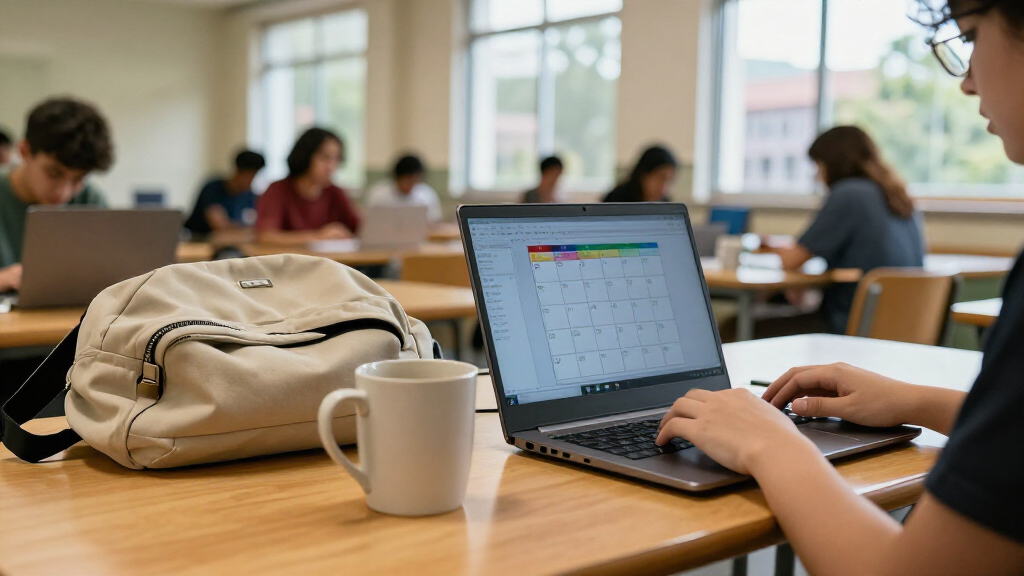

The best refurbished laptop for most students in this lineup is the Dell Latitude 5420, thanks to its 16GB of RAM, 256GB SSD, and newer Core i5 processor. The Microsoft Surface Laptop Go 2 is a better fit for students who value a compact touchscreen, while the Dell Latitude 7490 offers more storage for managing larger files. The main tradeoffs are Windows flexibility versus Chromebook simplicity, and stronger performance versus portability or a lower hardware ceiling. Refurbished condition, battery health, and return coverage also matter as much as the listed specifications. Read on for the full breakdown and advice on matching a laptop to your coursework.

Prime made for students and young adults
- Fast, free delivery for dorm and study essentials
- Prime Video and Amazon Music included
- Member-only deals
Key Takeaways
- The Latitude 5420 leads the group for all-around coursework: its 11th-generation Core i5, 16GB RAM, and 256GB SSD give it a stronger starting point than the older Latitude models.
- The Surface Laptop Go 2 is the compact Windows pick: it combines 16GB RAM and a touchscreen in a smaller design, but its 12.4-inch screen gives less room for split-screen work than the 14-inch Latitudes.
- The Latitude 7490 stands out for local storage: its 512GB SSD is the largest here, though its older processor means storage capacity should not be mistaken for the newest performance.
- The Chromebook choices involve a sharp capability tradeoff: the ASUS has a 15-inch screen and 128GB SSD, while the Dell Chromebook 11 3100 is far more limited at 4GB RAM and 16GB flash.
- Refurbished Windows laptops dominate versatility: four models offer 16GB RAM and 256GB or more of SSD storage, while the 2018 MacBook Air offers macOS with just 8GB RAM and 128GB storage.


| refurbished laptops for student | Processor | Memory | Storage | Display |
|---|---|---|---|---|
| Dell Latitude 5420 14-inch FHD | Intel Core i5-1145G7, 4 cores | 16GB RAM | 256GB SSD | 14-inch LCD, 1920 × 1080, matte, non-touch |
| ASUS 15-inch FHD IPS Chromeboo | 10th Gen Intel Celeron, 2 cores, up to 2.8GHz | 4GB DDR4 | 128GB SSD | 15-inch IPS LED, 1920 × 1080, 60Hz |
| Microsoft Surface Laptop Go 2 | Intel Core i5-1135G7, 11th generation | 16GB RAM | 256GB SSD | 12.4-inch LCD touchscreen, 1536 × 1024 |
| Dell Chromebook 11 3100 | Intel Celeron N4020 | 4GB RAM | 16GB flash memory | 11.6-inch, 1366 × 768 |
| Dell Latitude 5400 14-Inch Lap | Intel Core i5-8365U, 4 cores, 1.6GHz up to 4.1GHz | 16GB RAM | 256GB SSD | 14-inch LED, 1366 × 768 |
| Dell Latitude 7490 Renewed Lap | Intel Core i7-8650U, 4 cores | 16GB DDR4 SDRAM | 512GB SSD | 14-inch, 1920 × 1080 |
| Apple MacBook Air 13-inch Reti | 1.6GHz dual-core 8th-generation Intel Core i5 | 8GB | 128GB SSD | 13.3-inch Retina LCD, 2560 × 1600 |
More Details on Our Top Picks
Dell Latitude 5420 14-inch FHD Business Laptop, Intel Core i5-1145G7, 16GB RAM, 256GB SSD, Windows 11 Pro (Renewed)
The Dell Latitude 5420 is my strongest all-around fit here for students who need a conventional Windows laptop for documents, research, video calls, and multitasking. Its 16GB of RAM gives it more room for many open tabs and apps than the 4GB ASUS and Dell Chromebooks, while the 11th-generation Core i5 is a stronger match for varied coursework than their Celeron chips. The 14-inch Full HD matte screen also offers more workspace and sharper text than the lower-resolution Latitude 5400. Its tradeoffs are a modest 256GB SSD and a non-touch display; students who prioritize compactness and touch input may prefer the Surface Laptop Go 2. This is a renewed business laptop, and its listed 30-day warranty is shorter than the minimum 90 days stated for the Surface and Latitude 5400.
Pros:- 16GB RAM supports heavier multitasking than the 4GB Chromebook options.
- 14-inch 1920 × 1080 matte display provides clear workspace for reading and writing.
- 11th-generation Core i5 is better suited to mixed coursework than the listed Celeron processors.
- HDMI, USB, Wi-Fi, and Bluetooth support common classroom and home setups.
Cons:- 30-day warranty is shorter than the minimum 90-day warranty listed for some alternatives.
- 256GB SSD may fill quickly for students storing large media or project files.
- Non-touch display lacks the input flexibility of the Surface Laptop Go 2.
Best for: Students who need Windows compatibility, multitasking headroom, and a sharp 14-inch screen for everyday coursework.
Not ideal for: Students who want a touchscreen, a longer stated warranty, or more than 256GB of built-in storage.
- Processor:Intel Core i5-1145G7, 4 cores
- Memory:16GB RAM
- Storage:256GB SSD
- Display:14-inch LCD, 1920 × 1080, matte, non-touch
- Operating system:Windows 11 Pro
- Graphics:Integrated Intel graphics
- Connectivity:Wi-Fi 802.11n, Bluetooth, Ethernet, USB, HDMI
- Weight:3 pounds
- Warranty:30 days
Our verdict“Choose the Latitude 5420 for a balanced Windows study laptop with ample multitasking memory and a sharp matte screen.”
ASUS 15-inch FHD IPS Chromebook, Intel Celeron, 4GB RAM, 128GB SSD, ChromeOS, Pastel Silver (Renewed)
The ASUS 15-inch Chromebook suits students whose schoolwork stays mainly in browser-based tools and who value screen area over Windows software compatibility. Its Full HD IPS display is larger than the Dell Chromebook 11 3100’s 11.6-inch, lower-resolution panel, making split-screen notes or online readings easier to manage. ChromeOS keeps the setup focused on web apps, while HDMI, USB-C, and USB-A provide useful ways to connect classroom accessories or an external display. The central compromise is 4GB of RAM: it leaves less room for many open tabs than the Latitude 5420 or Surface Laptop Go 2, both with 16GB. Its stated 4Wh battery capacity also gives little basis for expecting long unplugged study sessions. Choose it for a roomy screen and light web tasks, not demanding software.
Pros:- 15-inch 1920 × 1080 IPS display offers more workspace than the compact Dell Chromebook 11 3100.
- USB-C, USB-A, HDMI, and an audio combo jack cover common accessory connections.
- 128GB SSD provides more listed storage than the Dell Chromebook 11 3100’s 16GB flash memory.
- ChromeOS is a straightforward fit for coursework centered on web apps.
Cons:- 4GB RAM is limiting for many simultaneous tabs or heavier applications.
- ChromeOS may not support Windows-only school software.
- Listed battery capacity is only 4Wh, so the supplied details do not establish strong unplugged endurance.
Best for: Students who use browser-based school platforms, want a large Full HD screen, and rarely run demanding apps.
Not ideal for: Students who need Windows-only programs, frequent heavy multitasking, or dependable all-day battery use based on the listed battery specification.
- Processor:10th Gen Intel Celeron, 2 cores, up to 2.8GHz
- Memory:4GB DDR4
- Storage:128GB SSD
- Display:15-inch IPS LED, 1920 × 1080, 60Hz
- Operating system:ChromeOS
- Graphics:Integrated Intel UHD Graphics
- Ports:USB-C, USB-A, HDMI, headphone/microphone combo jack
- Battery:Lithium-ion, 4Wh
- Warranty:30 days
Our verdict“Pick this ASUS for browser-based study on a large Full HD screen, but skip it if your coursework needs Windows apps or substantial multitasking.”
Microsoft Surface Laptop Go 2, 12.4-Inch Touchscreen, Intel Core i5, 16GB RAM, 256GB SSD, Windows 11 Pro (Renewed)
For students who carry a laptop between classes and prefer touch input, the Surface Laptop Go 2 is the most portable-feeling choice in this group based on its 12.4-inch display. It pairs that smaller footprint with 16GB RAM and a Core i5, so it is better equipped for multitasking than the ASUS or Dell Chromebook, despite their larger screens. The touchscreen and Windows Hello support also add convenient ways to interact and sign in. Compared with the Latitude 5420, though, the Surface trades a 14-inch Full HD panel for a smaller 1536 × 1024 screen, and the supplied data lists no weight or port selection to judge travel and accessory needs. Its minimum 90-day warranty is longer than the Latitude 5420’s stated 30 days, but this remains a certified refurbished device.
Pros:- Compact 12.4-inch touchscreen suits touch-friendly work and tighter desk spaces.
- 16GB RAM and an 11th-generation Core i5 offer stronger multitasking capacity than the Chromebook picks.
- Windows 11 Pro supports Windows-based coursework and applications.
- Minimum 90-day warranty is longer than the Latitude 5420’s listed 30-day warranty.
Cons:- 1536 × 1024 display is smaller and lower-resolution than the Latitude 5420’s 14-inch Full HD screen.
- 256GB SSD may be restrictive for large offline files and media libraries.
- Refurbished unit may arrive in a generic box, and the supplied details do not specify its ports or weight.
Best for: Students who carry their laptop daily, want a touchscreen, and need Windows with 16GB RAM for multitasking.
Not ideal for: Students who want a larger Full HD screen, need clearly specified port options, or prefer a new device.
- Processor:Intel Core i5-1135G7, 11th generation
- Memory:16GB RAM
- Storage:256GB SSD
- Display:12.4-inch LCD touchscreen, 1536 × 1024
- Operating system:Windows 11 Pro
- Graphics:Integrated Intel UHD Graphics
- Wireless:Wi-Fi 6 (802.11ax), Bluetooth
- Security:Windows Hello; fingerprint power button on select models
- Warranty:Minimum 90 days
Our verdict“Choose the Surface Laptop Go 2 if portability, touch input, and Windows multitasking matter more than a larger Full HD display.”
Dell Chromebook 11 3100, 11.6-inch, Celeron N4020, 4 GB RAM, 16 GB Flash, Chrome OS (Renewed)
The Dell Chromebook 11 3100 is the simplest, smallest-screen option here, aimed at students who mainly need a lightweight-format device for web-based assignments and basic classroom tasks. Its listed 2.9-pound weight and 11.6-inch display make it more compact than the 15-inch ASUS Chromebook, while ChromeOS avoids the overhead of a Windows setup. The listed battery life of up to 14 hours could appeal to students moving between classes, though actual runtime will depend on the renewed unit and usage. Its limitations are more pronounced than the ASUS’s: just 16GB of flash storage, 4GB RAM, and a 1366 × 768 screen leave less room for files and less detail for reading. Unlike the Latitude 5400, it also cannot run Windows desktop software.
Pros:- Compact 11.6-inch format is easier to fit in a crowded classroom setup than the 15-inch ASUS.
- Listed battery life is up to 14 hours.
- Wi-Fi and Bluetooth support wireless school and personal accessories.
- 90-day limited warranty is longer than the 30-day warranty listed for the ASUS Chromebook.
Cons:- 16GB flash storage leaves very little room for locally saved files.
- 4GB RAM is restrictive for heavier multitasking.
- 1366 × 768 resolution offers less detail and workspace than either the ASUS Chromebook or Latitude 5420.
Best for: Students who need a compact Chromebook for browser-based assignments, school portals, and basic document work.
Not ideal for: Students who store many files locally, need Windows applications, or want a sharp, roomy display for extended study.
- Processor:Intel Celeron N4020
- Memory:4GB RAM
- Storage:16GB flash memory
- Display:11.6-inch, 1366 × 768
- Operating system:ChromeOS
- Graphics:Integrated Intel graphics
- Connectivity:Wi-Fi, Bluetooth
- Listed battery life:Up to 14 hours
- Warranty:90-day limited warranty
Our verdict“Choose the Dell Chromebook 11 3100 for compact, web-first schoolwork, but avoid it if you need local storage or Windows software.”
Dell Latitude 5400 14-Inch Laptop, Intel Core i5-8365U, 16GB RAM, 256GB SSD, Windows 11 Pro (Renewed)
The Dell Latitude 5400 is a practical fit for students who connect to wired networks, projectors, and USB accessories, thanks to its listed USB-C, HDMI, Ethernet, and three USB-A ports. It also brings 16GB RAM and a 256GB SSD, matching the Latitude 5420 and Surface Laptop Go 2 on those capacities while running Windows 11 Pro. The distinction is its older Core i5-8365U and 1366 × 768 display: compared with the Latitude 5420, it offers less screen detail, and its processor is an older generation. That makes it less appealing for students who spend long stretches reading or need the newest listed CPU in this group. On the other hand, the certified refurbished listing includes a minimum 90-day warranty, longer than the Latitude 5420’s stated 30 days.
Pros:- 16GB RAM and a 256GB SSD provide solid capacity for everyday Windows coursework.
- USB-C, HDMI, Ethernet, and three USB-A ports suit varied school and accessory setups.
- Minimum 90-day warranty is longer than the Latitude 5420’s listed 30-day warranty.
- Windows 11 Pro supports Windows-based school software.
Cons:- 1366 × 768 display is less detailed than the Latitude 5420’s Full HD panel.
- Older 8th-generation Core i5 is a less current processor than the 11th-generation chips in the Latitude 5420 and Surface Laptop Go 2.
- Listed weight of 3.3 pounds is heavier than the Latitude 5420’s 3 pounds.
Best for: Students who need Windows, 16GB RAM, and a broad selection of wired ports for classroom equipment and peripherals.
Not ideal for: Students who prioritize a sharp Full HD display, a newer-generation processor, or a lighter listed weight.
- Processor:Intel Core i5-8365U, 4 cores, 1.6GHz up to 4.1GHz
- Memory:16GB RAM
- Storage:256GB SSD
- Display:14-inch LED, 1366 × 768
- Operating system:Windows 11 Pro 64-bit
- Graphics:Intel UHD Graphics 620
- Ports:3 USB-A 3.1 Gen 1, USB-C 3.1 Gen 2, HDMI, RJ-45, headphone/microphone combo
- Weight:3.3 pounds
- Warranty:Minimum 90 days
Our verdict“Pick the Latitude 5400 if wired connectivity and a longer stated warranty matter more than display sharpness and a newer processor.”
Dell Latitude 7490 Renewed Laptop, Intel Core i7-8650U, 16GB RAM, 512GB SSD, Windows 11 Pro
The Latitude 7490 pairs a four-core Core i7 with 16GB of RAM and a 512GB SSD, giving students room for research files and enough memory to keep several applications open. Compared with the Latitude 5400, it offers double the listed storage, while the newer Latitude 5420 has a later-generation processor and may suit students prioritizing a newer platform. Its 14-inch Full HD screen is a practical size for coursework, though the integrated UHD 620 graphics are better suited to everyday study than graphics-heavy work or gaming. Windows 11 Pro and HDMI and DisplayPort outputs also make it useful for connecting to classroom or dorm displays. The tradeoffs are its older processor generation and the lack of a fingerprint reader.
Pros:- 16GB RAM supports everyday multitasking
- 512GB SSD provides more local storage than the listed Latitude 5400
- 14-inch Full HD display balances workspace and portability
- Windows 11 Pro with HDMI and DisplayPort video output
Cons:- Older 8th-generation processor than the Latitude 5420’s 11th-generation chip
- Integrated Intel UHD Graphics 620 is not suited to demanding graphics work
- No fingerprint reader
Best for: Students who keep large course files locally, multitask across browser tabs and office apps, and want Windows 11 Pro on a 14-inch screen.
Not ideal for: Students doing graphics-intensive creative work or those who want a newer-generation processor or fingerprint sign-in.
- Condition:Renewed
- Processor:Intel Core i7-8650U, 4 cores
- Memory:16GB DDR4 SDRAM
- Storage:512GB SSD
- Operating system:Windows 11 Pro
- Display:14-inch, 1920 × 1080
- Graphics:Integrated Intel UHD Graphics 620
- Video output:HDMI and DisplayPort
Our verdict“Choose the Latitude 7490 if storage and multitasking matter more than having the newest processor or biometric sign-in.”
Apple MacBook Air 13-inch Retina (2018), Core i5, 8GB RAM, 128GB SSD, Gold (Renewed)
At 2.8 pounds, this 2018 MacBook Air is the compact choice in this group for students who want macOS and a sharp screen for reading, writing, and video. Its 2560 × 1600 Retina display is higher resolution than the Full HD panels on the Dell Latitude 7490 and Latitude 5420, while Touch ID offers convenient fingerprint sign-in. The listed battery life is up to 12 hours, which may help students spend less time looking for an outlet between classes. The compromises are substantial for a laptop meant to hold years of schoolwork: 128GB of storage fills sooner than the Dells’ larger SSDs, and its dual-core processor and 8GB of memory leave less headroom for heavier multitasking. Its listed operating system is macOS 10.14 Mojave, so buyers should check software compatibility.
Pros:- 13.3-inch Retina display with 2560 × 1600 resolution
- Lightweight 2.8-pound design suits commuting between classes
- Touch ID provides fingerprint sign-in
- Stated battery life of up to 12 hours
Cons:- 128GB SSD offers much less storage than the 512GB Latitude 7490
- Dual-core processor and 8GB memory provide less multitasking headroom than the 16GB Dell options
- Listed with macOS 10.14 Mojave, which may limit compatibility with some current software
Best for: Students who prefer macOS, value a lightweight laptop and high-resolution display, and mainly work with documents, web apps, and streamed media.
Not ideal for: Students who need ample built-in storage, routinely run demanding applications, or require software that depends on a newer operating system.
- Condition:Renewed
- Model year:2018
- Processor:1.6GHz dual-core 8th-generation Intel Core i5
- Memory:8GB
- Storage:128GB SSD
- Display:13.3-inch Retina LCD, 2560 × 1600
- Operating system:macOS 10.14 Mojave
- Weight:2.8 pounds
- Battery life:Up to 12 hours
Our verdict“Pick this MacBook Air for portability, macOS, and its Retina screen, but skip it if you need more storage or stronger multitasking capacity.”
How We Picked
I ranked these laptops for student workloads, weighing whether each configuration can handle everyday coursework, browser tabs, video calls, document editing, and common school software. Processor generation, memory, usable storage, screen size, and portability mattered because they shape how long a laptop remains comfortable to use and how well it fits a student’s daily routine. I also considered operating-system compatibility: Windows supports a broad range of school programs, while ChromeOS can suit browser-centered study, and macOS may appeal to students already using Apple devices.
The Latitude 5420 ranks first because its newer Core i5 and 16GB RAM offer the strongest balance of capability and flexibility in this group. The Surface Laptop Go 2 and Latitude 7490 rank highly for distinct needs—compact touchscreen use and extra storage—while older or more restricted configurations fall lower. The Chromebooks are judged as focused options rather than direct substitutes for full Windows laptops. Since refurbished condition varies by seller and unit, I also treat battery condition, included accessories, return terms, and the exact configuration as part of the buying decision, not as guaranteed product traits.
| refurbished laptops for student | Operating system | Graphics |
|---|---|---|
| Dell Latitude 5420 14-inch FHD | Windows 11 Pro | Integrated Intel graphics |
| ASUS 15-inch FHD IPS Chromeboo | ChromeOS | Integrated Intel UHD Graphics |
| Microsoft Surface Laptop Go 2 | Windows 11 Pro | Integrated Intel UHD Graphics |
| Dell Chromebook 11 3100 | ChromeOS | Integrated Intel graphics |
| Dell Latitude 5400 14-Inch Lap | Windows 11 Pro 64-bit | Intel UHD Graphics 620 |
| Dell Latitude 7490 Renewed Lap | Windows 11 Pro | Integrated Intel UHD Graphics 620 |
| Apple MacBook Air 13-inch Reti | macOS 10.14 Mojave | — |
Factors to Consider When Choosing Best Refurbished Laptops For Students
Specifications are only part of choosing a refurbished student laptop. I would match the machine to the school’s software, the student’s work habits, and the practical details of the specific refurbished unit before choosing by model name alone.
Check School Software Before Choosing an Operating System
Start with the programs required by the school or course, not with a preference for Windows, ChromeOS, or macOS. Some classes rely on desktop applications, specialist exam tools, or device-management software that may not run on a Chromebook. A web-based workflow can make ChromeOS a sensible fit, but confirm that assignments, file formats, and online tests work in the school’s setup. Students in creative or technical programs should check the exact applications and minimum requirements with instructors. Choosing a limited operating system for general web use can work well; choosing one that blocks required coursework can create a costly workaround.
Prioritize Memory and Storage for the Workload
RAM affects how comfortably a laptop handles multiple browser tabs, calls, documents, and other apps at once. For a student who tends to keep many tasks open, 16GB gives more breathing room than 4GB or 8GB. Storage needs depend on whether coursework stays in cloud services or includes large downloads, media projects, and offline files. Do not equate a large-sounding flash figure with a roomy SSD: 16GB can fill quickly after updates and apps. Check whether storage can be upgraded, and remember that cloud storage depends on reliable internet access and may have account limits.
Compare Screen Size With the Daily Commute
A larger display gives documents and side-by-side windows more room, which can reduce the need to zoom or switch constantly between tabs. It also takes up more bag space and can make a laptop less convenient to carry between classes. Compact models are easier to transport, but their smaller screens may feel cramped during long writing sessions or research work. Think about where the laptop will be used most: a dorm desk, lecture hall, library, or a mix of all three. If possible, check the screen resolution and keyboard layout as well as diagonal size, since those affect everyday comfort.
Inspect the Refurbished Unit’s Condition and Support
A model name and specification sheet do not tell you the condition of the particular unit being sold. Read the seller’s description for the refurbishment grade, battery expectations, included charger, and any cosmetic or functional exclusions. Check the return window and warranty terms before purchase, especially if the laptop is needed for a term start date. A weak battery can limit campus use even when the processor and memory are suitable. Ask whether the device has been reset and whether it can receive current operating-system and security updates.
Match the Processor’s Age to the Laptop’s Expected Lifespan
Older business laptops can offer useful memory and storage, but processor generation still matters for demanding apps, battery efficiency, and the length of time the machine feels responsive. A refurbished laptop should be judged by its exact chip and the software it needs to run, not just by an i5 or i7 label. Check operating-system support and app requirements before buying an older configuration for several years of study. For basic writing and web research, an older chip may be adequate; engineering, media, or data-heavy coursework may call for newer hardware. Paying more for a better-balanced configuration can be wiser than choosing an older model based on processor branding alone.
Frequently Asked Questions
Is 4GB of RAM enough for a student laptop?
It can be enough for simple browsing, online documents, and a small number of open tabs, particularly on a Chromebook used mainly for web-based work. It leaves less room for video calls, many tabs, and several apps running together. Students who multitask or need desktop software should look for more memory where their budget allows. Also check whether the RAM is upgradeable; many compact or Chromebook designs do not offer an easy upgrade. For a laptop expected to serve through several school years, 4GB is a restrictive starting point.
Should I choose a Chromebook or a refurbished Windows laptop for school?
Choose based on the school’s required software and how much work can be done in a browser. A Chromebook can suit writing, research, and online classroom tools, but it may not support desktop apps or specialized programs. Windows offers broader compatibility for school software and peripherals, though it can require more maintenance and storage. Ask the school whether it has device requirements or managed-account restrictions before ordering. A lower-spec Chromebook is not automatically a better student choice if a course depends on software it cannot run.
How much SSD storage should I look for if I save coursework offline?
Think about the size of your files and how often you need them without internet access. Essays and lecture notes take little space, while downloaded course media, design files, and video projects can use far more. A 16GB flash configuration offers very little room for apps and updates, while a larger SSD gives more flexibility for local work. Cloud storage can supplement a smaller drive, but it is not a full substitute when campus Wi-Fi is unreliable or files must stay available offline. Check whether the laptop allows storage expansion before relying on that as a future fix.
What should I verify before buying a refurbished laptop for school?
Confirm the exact processor, memory, storage, operating system, and screen configuration, since listings can group together different versions of a model. Read the refurbishment and battery descriptions, and verify that a compatible charger is included. Review the seller’s return terms and warranty so a fault can be addressed without losing the ability to complete coursework. Check for school-specific requirements, including supported apps, ports, and device-management policies. If the laptop is for an upcoming term, leave time to inspect and set it up before classes begin.
Is an older premium or business laptop better than a newer basic Chromebook?
It depends on the work: an older Windows or Mac laptop may run desktop programs and offer more local storage, while a Chromebook can be simpler for web-based assignments. The age of a premium machine does not guarantee better battery life, software support, or speed for current apps. Compare the exact processor, RAM, storage, and supported operating system rather than relying on the original product tier. For coursework tied to desktop software, compatibility may outweigh portability or simplicity. For browser-only tasks, a Chromebook may be the more practical match if its limited memory and storage fit the student’s routine.
Conclusion
For most students, I would choose the Dell Latitude 5420 as the best overall because its newer Core i5, 16GB RAM, and SSD storage make it the most balanced option here. The Dell Latitude 5400 is my best value-style pick for students who want a full Windows setup with 16GB RAM and can accept an older processor. For a more compact, touchscreen Windows laptop, the Surface Laptop Go 2 is the best premium fit in this lineup, while its smaller screen is a tradeoff for longer study sessions. Beginners whose work stays in a browser can start with the ASUS Chromebook, which offers a larger display than the Dell Chromebook 11 3100; I would reserve the 3100 for very basic tasks because of its 4GB RAM and 16GB flash. Students with large local files should look at the Latitude 7490, and those who specifically need macOS can consider the 2018 MacBook Air after checking app compatibility and battery condition.
Halloween Picks
halloween
As an affiliate, we earn on qualifying purchases.